Optical Flares & Twitch: 64 Bit?

As some of you may know, the new version of After Effects CS5 will be native 64 bit, which offers major speed and memory enhancements (among other things) but 3rd party plug-in developers like Video Copilot, will need to update their code before they will work in 64 bit. But worry not...

When After Effects CS5 ships, (some speculate later this year) Video Copilot is committed to offering free product upgrades to customers on all of our plug-ins. All... TWO of them :) Twitch & Optical Flares.

I think the move to 64 bit is essential for the future and we want to support it as best we can. Of course we are dedicated to make our products compatible with 32 and 64 bit systems as far back as After Effects 7.

Also, our stock footage and audio products will continue to be compatible with no upgrading required and we will even be updating our free plug-ins like VC Reflect and the new Sure Target 2 when the time comes.

POSTED:
15 years ago
Optical Flares In Action

[flvplayer OF_in-action3.flv OF_in-action.jpg]

Video Link

As we get closer to the release of Optical Flares, our new lens flare creation studio, I wanted to show you some cool examples of Optical Flares in action. This reel includes actual productions by some of our beta testers and some tests I did internally. I think this reel has a nice variety of how lens flares can be used but I'm sure you could think of many more!

Motion graphics or visual effects... be ready for Optical Flares: January 25, 2010.

POSTED:
15 years ago
NEW TUTORIAL: Sure Target 2 UPDATE*

New MacOS Catalina Support
Install latest version of Mac plug-in!

UPDATE 2: We uploaded the newest version in the project to 2.0.10 Be sure to have the latest version. Thanks!

In this tutorial we will take a look at the new version of Sure Target 2 featuring advanced control over the After Effects camera. Sure Target 2 is a Free plug-in that automatically executes expressions for easy setup and use.This version features inertia, auto-focus, camera Roll and more. Must see!

Read about new Features

Watch Tutorial

Here is one of the examples we will create in the tutorial with Sure Target 2.

POSTED:
15 years ago
Illuminating Particles

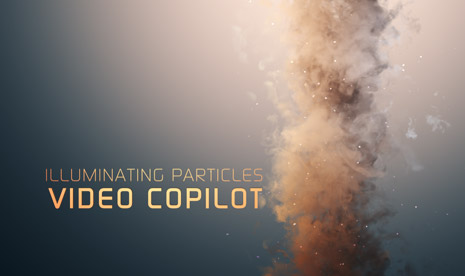
I was playing around with Particular 2 and came up with this particle swirl using a couple of smoke images as particles. I love that Particular 2 reacts to the lighting as well as fake shading to make the particle seem more volumetric.

Here is what I did, in Particular 2 custom particles are called Sprites, so once you select this as your particle type, the texture slot becomes available to use my smoke video that is included with the project download. I stretched the particle area and rotated the world transform to make it look like a twister. I added a couple of lights to give it coloring and a BG gradient.

Check out the screen shot for particle settings and my timeline. You may want to see this tutorial using Particular 1.5 to get started with the smoke element.

Download Project CS4
(Sorry but I sometimes forget to use CS3 so more people can open it but the smoke element is inside the Footage folder for you to experiment. )

POSTED:
15 years ago
Safe Action in the Cut

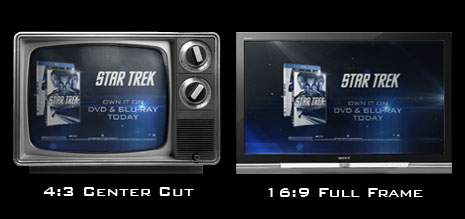
I recently worked on a graphic card for a Star Trek DVD commercial and I thought it would be boring fun to talk about the Action Safe Area! Many graphics are broadcast in HD but there must also be an alternate version for people watching in standard definition.

One solution is to design for the 4:3 Center Cut. This is where you use the title and action safe area is based on a 4:3 frame in your HD 16:9 comp. You'll notice that After Effects CS4 has 2 extra lines for the interior Center Cut to help you practice safe action (for your designs).

Some people have a tighter recommendation for the safe area so please check with your format specialist.

UPDATE: This also applies to widescreen DVD menus as well...

POSTED:
15 years ago