3D Orbit FX

I found some time to play around with the powerful 3D Orbit preset and a free icon pack. I created small groups of Icons that were linked to a Null Object and then after making 6 groups, I used the 3D orbit preset to control the smaller spinning groups with a larger spinning group. Similar to how the moon orbits the earth and our earth orbits the sun. ( and our sun of course orbits William Shatner.)

Now, I also used expressions to offset the the layers in each group so the icons did not overlap each other like in this tutorial. Then by animating the values of the orbit preset as well as the scale and rotation of the Null Objects, you can come up with some fun stuff. I also set the layers "Auto-Orient Towards Camera" so they would not turn into flat paper and collapse the universe.

Now if it still doesn't look good... just add some lens flares and take the rest of the day off! That's what I did, CYA

Watch Sample Video

POSTED:
15 years ago
NEW TUTORIAL: Depth Charge!

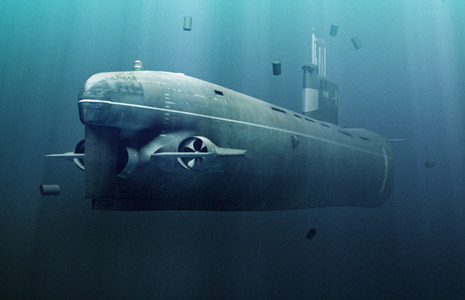
In this exciting new tutorial we will explore the underwater abyss from concept to completion! The idea for this tutorial was to take a project and figure out solutions as if we were working from scratch.

I know nobody will EVER work on a submarine movie, it's not possible but if you learn to solve problems and combine the techniques you have learned, you can do anything. You can even be an astronaut!

We'll cover many tips such as:

  • Composite multiple explosions to create a underwater charge
  • Build volumetric lighting AND shadows in AE!
  • Basic concept of a 3D animation pipeline for After Effects
  • Combine multiple render passes in AE
  • Add glows and camera shake
  • Tips for adding realistic bubbles and debris

To take this tutorial a step further you can use the Foam plug-in to create great looking bubbles and with a little work you could even add some damage to the submarine too. Another idea is to add a stream of bubbles coming from the propellers and maybe even out of the ship after it gets cracked open... lot's of fun to have!

Watch Tutorial

POSTED:
15 years ago
Inception Sound FX

I've always been a big fan of quality audio and here is a great video that highlights what goes into such amazing sound. And if sound doesn't get you excited, there are some really cool guns around 4 minutes too!

POSTED:
15 years ago
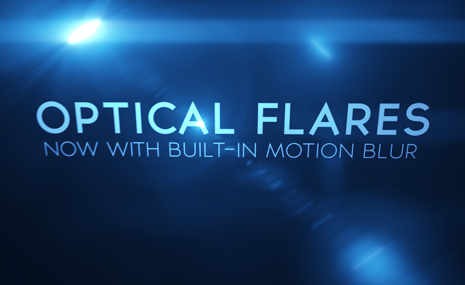
Motion Blur & Lens Flares NOW AVAILABLE!

We recently added a new feature to Optical Flares to generate native Motion Blur. This makes a lot of sense because when your light source is moving rapidly it becomes blurred and naturally the flare elements should follow. Sorry for the back-to-back plug-in updates but this one is actually fun!

The feature is simple to use, just turn on motion blur for the layer and comp switch, then adjust the samples in the plug-in Motion Blur roll-out.

The light streaks in the sample video are made with Particular and the light is moving with a wiggle expression.

Remember, too many motion blur samples can be slower so adjust the value as needed for your project.

Download Update Now

If you are interested in learning more about Optical Flares with tutorials and examples, click here.

See Sample Video

POSTED:
15 years ago
Underwater Explosions

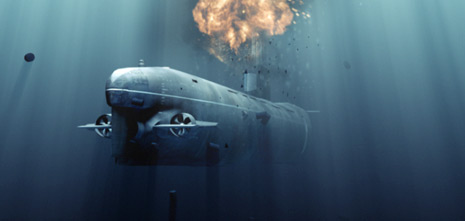
Alright like most of you, I spent a lot of this weekend thinking about underwater explosions and more specifically... underwater IMPLOSIONS!

See, when an explosion or charge is set off underwater the force of the explosion diminishes and the pressure of the surround water collapses in. Take a minute to visualize this... feel free to include sound effects as needed. So naturally I started experimenting with ways to create the effect using clips in our Action Essentials 2 kit and I think the results are pretty convincing.

For the tutorial I wanted to incorporate it into a cool scene but my bathtub was full of my kids toys so I had to build my own underwater silent destroyer!

The first thing I did was buy a 3D model from an online marketplace, then I brought it into 3DS max for lighting and animation. In After Effects I added the atmosphere and built the exciting implosion!! Stay tuned.

See Screenshots

POSTED:
15 years ago