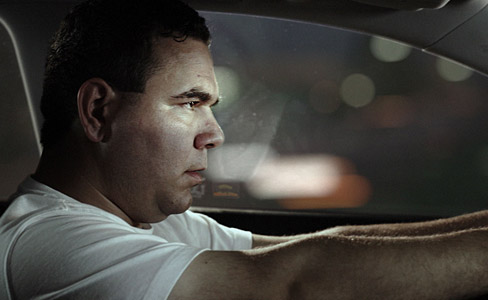
NEW TUTORIAL: Advanced Soft Keying

In this tutorial we will go beyond basic keying techniques with new tips to help preserve small details like dirt and reflections. This tutorial covers several topics including a brand new method for green spill suppression, compositing with 32bpc, adding reactive lighting, camera shake, color correction and more!

Watch Tutorial (22 minutes)
Watch Behind the Scene Video

POSTED:
14 years ago
Element 3D: Update!

UPDATE: Now Available

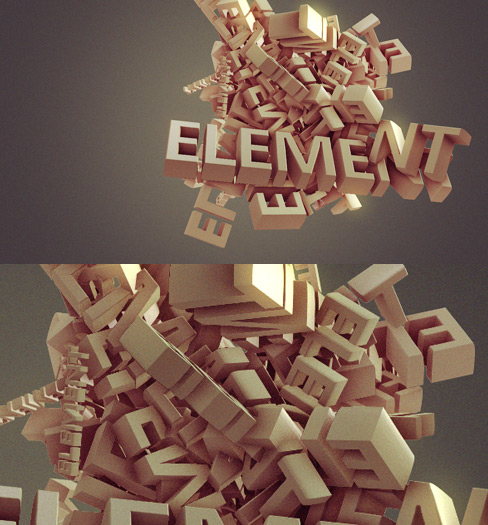
It's true, I've been holding out on you and it's killing me too!! I decided to develop a few (and by "few" I mean awesome) additional features for Element 3D that were not originally planned but are well worth it. Like this 3D shading effect that adds real depth to each object. I want this plug-in to go BEYOND your expectations as it has already surpassed mine.

The above image was created entirely with Element 3D (screenshot), taking advantage of the impressive render speeds and powerful shading engine. This is an robust system that mimics many attributes of a true Global Illumination render engine at a fraction of the time.

I'm pleased to tell you that the graphics card requirements have NOT changed from our original expectations so even decent cards from the last couple of years will work great. We recommend at least a 512 MB of vRam using an Nvidia or ATI graphics cards but a 1GB card will allow greater flexibility.

Thank you for your patience and please stay tuned for official updates and in-depth demonstrations of new features. Believe me, there are some big surprises ahead... I can't tell you everything YET. Even though I really want to...

POSTED:
14 years ago
VIDEO: Crazy Driving!

Explore tips for shooting Car interiors for Post Production with Andrew Kramer.

Watch on Vimeo

Watch on Youtube

POSTED:
14 years ago
Semi-Transparent Keying

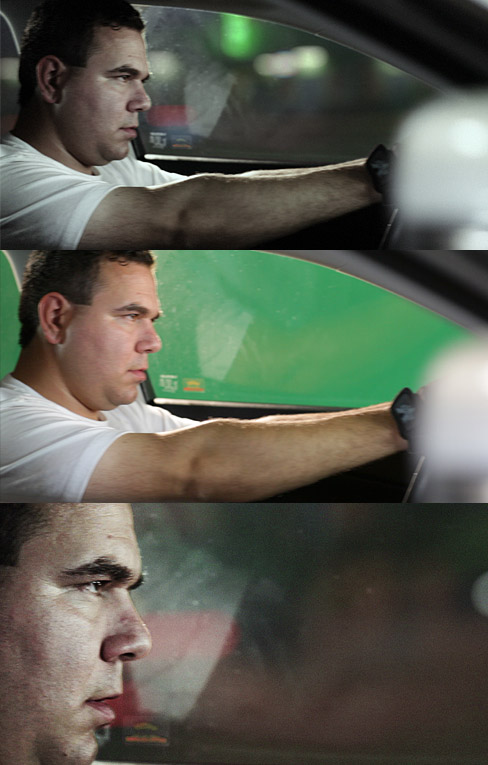
I've been experimenting with some advanced chroma keying methods to specifically deal with reflections and subtle details like this car plate.

Often times we use keylight to get rid of everything that is green but in some cases we want to keep some of the reflections to make a shot more realistic. Some of these tips are quite noteworthy because the footage being used is from a Canon 5D which can be particularly noisy due to compression artifacts. Pulling a good key is already challenging enough but leaving in small details without flicker is even more problematic. I think I have figured out a few good methods and we even filmed another behind the scenes video to show how we setup the shots. Look for the video and tutorial soon.

POSTED:
14 years ago
Free Particle Stock Footage & Tutorial

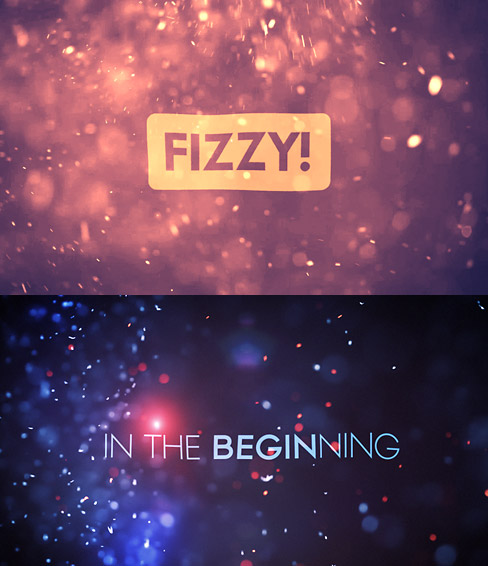
Looks like we are having another free stock footage day that includes 15 new HD (720p) particle clips and a quick tutorial with some compositing tips & ideas. For tips on creating your own footage check out Flour Fusion show.Sweet Deal!!

Example Footage

Watch Tutorial

FREE Particle Stock Footage:
Download Stock Footage (162 MBs)

Footage is in h.264 compressed MP4 files. Usage License. Enjoy!

POSTED:
14 years ago