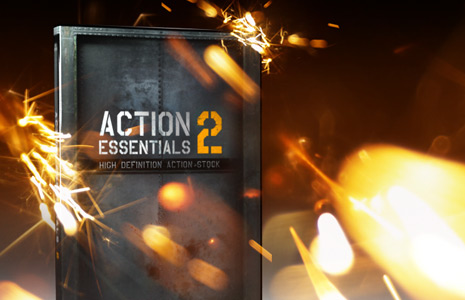
Action Essentials 2: JUNE 2009

Hey whats up! Action Essentials 2 will be available this JUNE! We have worked very hard on this new product and it's exciting to finally show you some of these amazing elements.

We shot tons of great footage and developed creative ways to capture these elements so that they could be used in post. These elements are great for action films and even motion graphics.

Action Essentials 2 will be available in 2 HD Versions:
720p High Definition [1280 x 720] $99.95
2k Film Resolution [2048 x 1152 ] $249.95 (beyond 1080p)

View Relative Size Comparison

Hard Drive Version:
It seems this collection fits reasonably on just a few DVDs so we are going to bypass the hard drive option for now.

Fun Facts:

  • Over 250 HD elements
  • Many elements shot in slow motion
  • Diverse angles
  • Wide and close shots
  • Pre-Keyed & Pre-Matted
  • Most diverse collection ever made
  • 95% Live action footage ( including: real fire and real explosions!)
  • Shot primarily on REDs with a special high speed camera
  • No one got hurt... maybe a few feelings here and there

Later today we will be releasing a short teaser trailer which features a few samples of what you can expect, a final promo and feature list will be following later this month.

View Poster

Update Product Note:
A few questions about sound effects recently came up and I wanted to clear that up for those interested. Our stock products are divided between 2 types: Visual Elements and Sound/Music elements.

Action Essentials 2 will include a few bonus sound effects but nothing substantial. We plan on dedicating real time into a possible action sound FX product in the future.

POSTED:
16 years ago
Underwater Scene

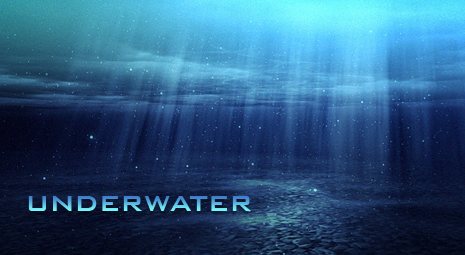
I wanted to create a free project file for the blog so I thought an underwater scene might be cool. I did a quick google search for some reference images of underwater scenery and then started to recreate one. It's a bit slow to render but was an interesting experiment of using various effects for a specific reason. Have fun and remember everything is better under the sea!

By the way the only reason I'm linking to the Little Mermaid is because I have a daughter and NOT because it is my favorite movie : )

Sample Video
High Quality Still Image

Download Project File AE CS3+

POSTED:
16 years ago
Happy Customer

At Video Copilot we do our best to keep the content flowing and always stay on the cutting edge with ideas and concepts to share with the world. All of this is made possible by your support in the DVD products department and we make no secret about it. We appreciate you guys and gals, your support allows us to drive to the desert to blow things up so you don't have to :)

Anyways we don't always have time to stop and smell the flowers especially since we probably blew many of them up but there is a charming post on the forum that I felt like sharing :)

Read Post

Be sure to read the photo captions too, pretty clever.

I also want to thank the Video Copilot team and our forum moderators for their hard work and continued dedication to building and maintain one awesome website. Cheers!

POSTED:
16 years ago
News? We Got News.

Well things have NOT stopped behind the scenes here at Video Copilot we are still working on amazing things. The Action Essentials 2 HD collection just needs a few more gas explosions to make it complete, I'll let you know when that is ready. What makes this product tricky is that we need to have the elements complete so we can make tutorials and the promo video with a finished feature list and information.

In other news, we have built a new download system to improve our customer experience that is just being tested and should be ready to launch soon. It will make downloading and accessing purchases easier and faster.

I have the soft shadows 3D tutorial recorded (3d max) and now I'm just trying to find time for the After Effects portion. I've also developed a separate tutorial for a similar effect done only After Effects, this includes a few other cool tips as well. Then on Tuesday, I'm shooting a scene for a quick tutorial to improve difficult fight scenes.

Don't miss it!

POSTED:
16 years ago
Epic Title

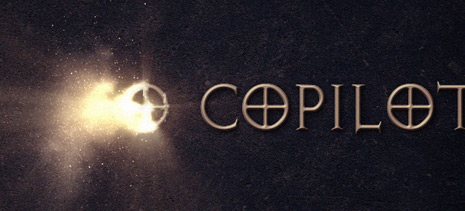
Here's another use for the Disintegration Tutorial techniques in a motion graphics example. I used a little bit of shine or a Radial Blur to create a lighting effect as it burns or blows away. You can even play around with the colors to create a magical burn away as well. This tutorial has a cool method for creating light beams if you're interested.

Keep experimenting and have fun!

Watch Video Sample

High Quality Image

The font is called Avalon Quest!

UPDATE: Green screen footage uploaded for Disintegration Tutorial project.

POSTED:
16 years ago