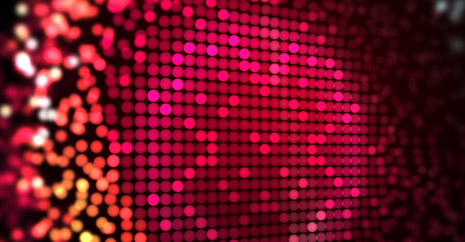
Wave Test

Here is another test using CC Ball Action for a wall of balls...
See new sample Video

To answer a question from a previous comment, yes you can use this technique to recreate pictures or logos and even animate them on in a different pattern other than circular. More soon.

You can also check out the previous video example.

POSTED:
15 years ago
111 Comments
andy white
15 years ago
Interesting there is a way you can instance those effects in the stack!! so any changes will be global.

Try this

Create new adjustment layer

make it a pre comp

THEN DELETE THE AJUSTMENT LAYER INSIDE THE PRE COMP (just go with it)

Create new adjustment layer in side that pre comp and add you effects to it.

Then that pre comp can be used as may times as you like but make changes to the effects inside it and they will be global
Damy
15 years ago
Andrew I want that tutorial. Would be awesome!!
Michael Mark Mensah
15 years ago
Really interesting effect...looks cool... you are the Booosu!
carlos
15 years ago
WOW CANT WAIT FOR TUTORIAL!!!!!

LOVE IT!!!
Geyck
15 years ago
Holy sweetness. You're one smart cookie, sir, Thanks for sharing your knowledge.
15 years ago
100th Post! Good work, btw.
Keiv
15 years ago
im waiting for the tutorial!

hope you upload soon
Mariusz Lechnio
15 years ago
Well. I was thinking for some time how it's done. So far I made Time Displacement to do it, but the result is faaaaar from perfection. I'm getting distorted balls and still don't know how to add DOF to it
I'm looking forward to the tutorial.
Thanks Andrew for inspiring work.

First test video for this effect:
http://www.youtube.com/watch?v=9ANqSI9LOS8
It's crappy but I'm still proud of it
Marc M.
15 years ago
hey looks really great i wish me an tutorial for that i want to do this too really great :p nice greez from germany
avinash from india
15 years ago
in india, we associate all the elements with a god.. When it comes to learning ae online, u r the god for us.. Thanq andrew.. Am a regular buyer of your products.. I extend my support to you by not downloading any of your products through torrents n call upon my fellow learners to do the same.. Thanx.
Johno
15 years ago
Wow, I'm working on a spot right now for a casino, and something like this would be a perfect background to use. Hope the tutorial comes out over the weekend? Otherwise I'll muck around myself and come up with something.

I appreciate everything you do for the AE community. Thanks.
15 years ago
Okay, I give up. I've tried to wrap my brain around how you cause the balls to converge and grow from a single point instead of the entire image/logo and I can't find aw way to dup it. So I'll wait patiently for the tut and probably feel dumb about how easy it is.
Griffin
15 years ago
TUTORIAL SUBJECT PLEASE
this looks great!
15 years ago
Andrew! You're very helpful. I can't afford buying your products? but I'm so thankful for all your tutorials! You're the best!
Stephen Kennedy
15 years ago
Nice^_^ There's so much one can do in AE. It's nice to remember that one can still do great things without all the expensive plugins. You've encouraged me to try my hand at this BEFORE the tut^^ Thank you for sharing your ideas Andrew.
15 years ago
COOl WORK! LOOKS AMAZING
Pavel Peterka
15 years ago
I can't wait until it's done,, i'm so excited about this one, you should make up some more in row like you did at the begining. I check your website every day for long time.
PAOLA
15 years ago
Guauu!! es impresionante lo que haces...
Te admiro mucho...
andi
15 years ago
i can has new tut plz mr andrew!
frandesouza
15 years ago
Here is something I did by trial and error experimenting Ball Action with the example posted here in my head...

http://vimeo.com/9740634

I'm still working on it
15 years ago
Here's my stab at it. I can't wait to see the technique you used.

http://vimeo.com/9750901

Best,
Robert
Vincent
15 years ago
Looks very sweet, and as always, your stuff is way too inspiring for me to keep up my day time job
15 years ago
cool ! U ROCK ANDREWS!
TmT
15 years ago
wow it's amazing you are the best Andrew!
Eric
15 years ago
I'm ready. Bring on the tutorial.
JakeC123
15 years ago
Please post a tutorial. Its amazing
Dan
15 years ago
I don't exactly what IT is but, IT looks fantastic! haha
Peter
15 years ago
You're my master
duoblade
15 years ago
Totally can not wait for the tutorial on this. Very Excited
15 years ago
Nice work Andrew - this has been driving me nuts trying to figure out how you ramped the scatter. When can we expect the tutorial?
15 years ago
Yes indeed Peter. I have a lot of Trapcode items, but Andrew's tutorials showing how many hidden gems are inside of AE have made me start playing with all sorts of things in AE that I had never even touched before. Andrew is definitely my favorite guru when it comes to AE...and humor!
Peter Somers (TC-Productions)
15 years ago
What I really like about VCP and Andrew's work is that nowadays it's so easy to say "Oh, we need Particular or Form, or some other plugin, to do this or that effect", whereby Andrew shows us that the built-in plugins have so much more potential than most people think.
Yes, it's probably easier to achieve in Form, but the added bonus to Andrew's tuts and examples is that it makes people THINK about their composition and the use of After Effects, rather than rely on some preset effects or plugins.

Excellent !! Massive respect !!
Luarasi
15 years ago
I'm just guessing but could the effect be achieved with one layer in trapcode form.
Nathan
15 years ago
i cant wait for the tut.. well done andrew
Dory Yasmine
15 years ago
Thanks to u andrew, i bought a car, new tv, ps3 and a lot more. if ur wondering wt i mean its bcuz at first i lied in my cv that i know how to work on after effects and thx 2 u now i really do and im great in my job Thxx andrew, i owe u so much!!
15 years ago
WoW! Ive just started to experiment with this plug-in. This is one wicked plug-in! Dont know why I have never used it before. You can make the most awesome animations with it. Really powerful.

Will definitely recommend it to start experiment with it.
Richard_Scotland
15 years ago
this is really cool andrew, great effect, being honest didnt actually expect it to be as neat as it is. Very nice, hope u got tutorial or sumthing up soon man.
15 years ago
optical flares on Starcraft 2 interviw with Greg Canessa, Project Director Battle.net,
http://starcraft2.com/features/misc/battlenet.xml
pavanrzx
15 years ago
Hi Andrew...cant wait for the tutorial...nice effect....am trying out cc ball action for a logo animation which seems to get along smoothly.....

and Andrew can ya please make more tutorials about lighting and rendering in 3ds max?? cos am really suffering here to learn lighting......and i saw some of your tutorials on 3ds max and was not enough for lighting part of it..........so if u could please do some more tutorials on lighting in 3ds max.....which we be helpfull for all who are struggling to learn lighting.........and rendering........
15 years ago
Very nice Andrew! But I would prefer a 3D-Version of that Effect. I guess that isn't possible with CC Ball Action(?), but certainly with Trapcode Form. Generally I'd like to see more Tutorials from You and the VC-Team using the Form-Effects. I f***in love it to playing around with Form
Vicky Shah
15 years ago
Hi sir this is really very nice and usefull also.
Can u give us Tutorial pzl...
15 years ago
Hey Andrew,

Here's my go with the effect! - http://www.youtube.com/watch?v=xGWpsyhrwgE

if not for you I have never seen this effect before!
oliver
15 years ago
:O i really like this effect looking forward for the tutorial!
zack
15 years ago
That looks awesome. I can't wait for the turtorial.
mike currell
15 years ago
Hey Kramer
you are the "ducks guts" not because of your talent or knowledge but mainly because of your willingness to share it!
I know it helps your business but the fact that your tuts go beyond VC products makes you special.
Keep it up
Dakoda
15 years ago
I want this tut!!!! please!!!!!!
15 years ago
Craig, I'll bet it would work together with Trapcode Form to match it to music.
Eric
15 years ago
Daniel, yes. At its most basic, the effect is adding the CC Ball Action effect to your footage and getting the timing correct, so you can do this ball effect with any existing image, footage, or comp.
Craig
15 years ago
Would love to see if this effect can be linked to pulse with an audio track.
frandesouza
15 years ago
I started to play by myself with CC Ball Action and I Think I've figured out the way to achieve something like this...Very cool!!
First I apllied BallAction to a solid, and reset all parameters, then I rotated Y axis to make the grid face the active view, played with the ball size...After that, I duplicated the layer, imported a logo with an alpha cannel to the comp, and placed it between the two layers. I set the track Matte of the logos' layer to alpha and thing started to look well...Now I??¡m going to play with a camera and the rest ofpossible settings in the CC Ball Action plugin..
Thanks for the inspiration and for make my brain work to solve it!!!! I can't wait to see your tutorial on this!!
and after all...excuse my bad english...
JCMonaghan
15 years ago
That looks cool. What is the typeface you used at the end Andrew?
MarkHawk
15 years ago
It's pretty cool and open to a lot of possibilities. Can't wait to see some of the project files.
Daniel
15 years ago
Are the colors controllable?
P. Robie
15 years ago
Very stunning and well done. I am working on a project and was looking over the site to find this and now doing some research on the CC ball action preset. I have to say that out of all the places I've checked I really respect the effort that you put into the tutorials. You understand that not everyone can afford an abundance of plugins and with that you take the time to create something that looks very close.

Thanks for your hard work and passion for helping others.
Peter
15 years ago
LOoking forward to it:::::
Morty
15 years ago
Lyk omigosh.
Jk, cant wait
15 years ago
Vewy Interesting!! Indeed...
Wello
15 years ago
Andrew, could you please try out the HTML5 video tag for your samples? That would be awesome!
andi
15 years ago
wow you can certain handle those balls like a pro!
daniel smith
15 years ago
hey if you don't mind me asking what was the font called at the end of the sample video? btw this looks pretty awesome
FloVC
15 years ago
reminds me of Trapcode Form
Alejx
15 years ago
PLEASE TUTORIAL!!!!!!!!!! PLEASE PLEASE!!
Eric
15 years ago
This is sooo freaky, because just the other day, they played that Accept song on Hair Nation!

Looks excellent, Andrew!
kenrenan
15 years ago
w0w..nice, i hope words can also be formed in that wall of balls.
regards from Cagayan de Oro City, Philippines..
TOM SCOTT
15 years ago
oh MY GOD nice effect and i always like your worked ..from Pakistan......long live video copilot
Ben
15 years ago
I wish I was mature enough to not laugh at the term "wall of balls."
Abhishek
15 years ago
Superb concept, I like the design as well.
Ad
15 years ago
Very nice effect there, well done andrew!
15 years ago
This looks wicked
Rick
15 years ago
Nice, kinda reminds me off the Fandev Bikinidots plugin,
15 years ago
where is the source file??...i can't find it? (-:
15 years ago
Yes, it definitely needs a tutorial, it looks so complicated.
15 years ago
I like this, you post a sweet video, I find myself with an hour to kill and figure out my own way of doing it with the effects you've detailed and I am no eargerly awaiting the tutorial to see your method. its a fun game!
15 years ago
Nice. Just fyi Andrew, you left "blog" out of the URL for the earlier example post, so it takes you to an error page.

http://www.videocopilot.net/blog/2010/02/experimental-dispersion/
Janai
15 years ago
You r d best...
TJ
15 years ago
Really cool man. I liked it quite a bit. I want a tutorial for this one
damien christ
15 years ago
who wants to disco? anyone? Hail Andrew!
JB
15 years ago
wow it's great
I can't wait
Repetition
15 years ago
I'd never even looked at this plugin until tonight. I read up on it and played around a little. It's very neat the spheres are in 3D space and you can rotate a camera around them spread out in Z space.

A (Andrew inspired) lightbulb went off in my head while playing around and I tried decreasing the scatter property from 50 to 0 while 3D stroke was drawing a mask path. I've got a big smile on my face and a million ideas now.

This is just my junk experiment, but you can see what I'm talking about (CC Ball Action, Trapcode 3D Stroke, and Trapcode Shine):
http://vimeo.com/9693725
15 years ago
Andrew it looks simply brilliant! I swear your droppings are made of gold, for everything new experiment you create is so proffesional in appearence and always pushes the envelope a step further.
Yusuf
15 years ago
Great job... looking forward to see how its done
Agustin
15 years ago
Plz tell me that you are gonna cover that in the next tutorial!
15 years ago
perty dang good
Jesse
15 years ago
I REALLY want to know how to do this one.
fadehappy
15 years ago
looks like something you'd see in a music video. Awesome effect, can't wait for the tut.
Jhon
15 years ago
I love it!
I'm intrigued... Wanna see the next tutorial!!!
Troy R
15 years ago
Hey Andrew you always make such cool things. But how long does something like that take to render out?

That would probably of took my PC like 2hrs. :'(
PixelDigger
15 years ago
at the end if the background contracts and reveals the tile it will look better integrated.


By the way what happen to the OF user presets?
15 years ago
WOW this is even better than the one before.
PixelDigger
15 years ago
at the end if the background contracts and reveals the tile it will look better integrated.
Shavkat
15 years ago
H Mr Krmaer!!! This effect is relly cool. I like it very much! Thanks for sharing this kind of things with us!
15 years ago
Nice job Andrew can't wait for this one!!!!!!!
Parkie
15 years ago
Nice technique - I'm looking forward to the tutorial, if only to see how you generate such effective blur... my attempts just look a mess!

By the way, your "previous video example" link above is broken (404)
Zak
15 years ago
great effect Andrew but please can you explain this to us and How can you added the lens blur on the shoot because I'm trying this over and over again and no way :S please can you tell me How ???? thank u
Matthew Park
15 years ago
WHOA! COOL EFFECT! Haha maybe a tut soon?
Eric
15 years ago
That is way cool! My results messing around with the plugin weren't quite as productive.
QUATRO
15 years ago
WoW... I'd like to make a LED wall out of that.
15 years ago
This is going to be a sweet tutorial. What is the image the balls are forming? I can't make it out.
Henrik
15 years ago
Oh jesus! Andrew.. i checked many AE tutorials..
But you're the best! I have given it a thought about who's the best AE tutorial-maker. But you have a very good sense of humour and can make the tutorials easy and so good! Can't wait for a tutorial for CC Ball Action!

And btw, THANKS for everything, i've learned alot from you!
Daniel
15 years ago
That really looks great...
It sounds like a new tutorial soon... Hope so!
Robin
15 years ago
sweeeeeeeeeet
keep it coming
15 years ago
yummy... looking forward the tutorial very badly
Reno
15 years ago
Light Brite making things glow brrrriiiiigghhhhttt.


I never grew up.
15 years ago
Thats really cool! I'm interested to know what that sort of blur on it is.
15 years ago
i think is interesting (good designed)!!!
Jackson S.
15 years ago
thats pretty sweet
15 years ago
Thanks for giving us a little info on what CC Ball Action can do! Can't wait to explore this in a tutorial with you or on my own!
Feather
15 years ago
It looks like an led wall nice(H)
15 years ago
That's awesome dude..respect to the master once again!!
Andrew
15 years ago
thats sweet i really love how you designed that and it looks modern and also looks easy to make?
WyWy
15 years ago
Interesting effect. I'm intrigued.