Useful Tips

I stumbled upon a recently published list of Tips for motion graphics folks by Computer Arts. There is tons of great advice I'm sure you will find useful. So I started thinking, without restating any of these tips (intentionally), I could make a top 10 list, maybe even 20. So here it is! -5 more.

1. Make Proxies of Elements

Designs can be complex, often times an element is used or reused that can be very heavy on rendering. For example, this circular element contains a heavy radial blur that renders very slow. Other parts of the design still require work and you should not have to waste extra time. So I created a full resolution proxy of the element I could output as well.

In the render settings, there is an option for the proxy use, to use none or current settings. Of course if you really need to change the design element, just disable the proxy and have at it. This is also a great idea for pre-comps and things that are somewhat "finished".

2. King of the Kaps lock

Have you ever noticed how fast you can move around in After Effects with the Caps Lock on? It's because rendering is disabled however, you can still do almost everything. In big compositions (even small ones) this can save time navigating, editing clips and even keyframin' without any tax. There is also the Live Update button but this way is much better. Practice using your pinky and toggle on!

3. Watch your Video Someplace Else

Change your scenery and watch a quicktime on another computer or on your desktop outside of AE, perhaps in the presence of another person. You will look at things in a new way revealing aspects you may have overlooked and you might even get some constructive criticism too. At which point you tell your wife to get here things and leave.

4. Safe Experimentation

Do you like what you have created so far but want to try something risky? Duplicate your composition and continue working from the copy. No regrets just a free and open mind.

5. Be Ambitious but not Unrealistic

When working for a client, plan your project carefully. Don't put all your time into 1 shot and assume the rest can be pulled together last minute. Leave extra time to finesse the end result. For example, a 3d scene can look great with some GI and refractions and all that jazz but rendering will be a nightmare and re-rendering is a nightmare you can actually die in. You can make things look great with standard rendering and creative lighting so don't be lazy here.

A commercial isn't usually judged on the best part but rather what is lacking. Remember this, with today's technology, you can create anything imaginable, but deadlines are a reality and you don't want to shoot and miss.

POSTED:
17 years ago
Audio Demo Now Online!

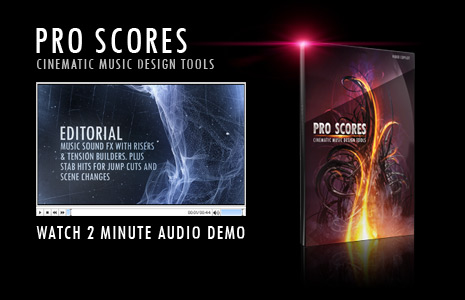
Our 2 minute audio demo is now online featuring the great sounds and music of Pro Scores! With the exception of a pretty sad (& ridiculous) voice over by yours truly, its' all Pro Scores. There is also an audio-only version of the demo without the voice over for your listening pleasure.

I did my best to mix together various tracks to demonstrate the depth and versatility of this collection. Of course with over 500 audio files, I couldn't possibly cover them all. Enjoy!

Listen Now!

Purchase Pro Scores

POSTED:
17 years ago
3 Free Tracks with Pro Scores!

Pro Scores features hundreds of sound design elements and over 50 music tracks for a wide variety of styles and music product effects. As an added bonus we have also produced 3 new full length music tracks available FREE with every order. These tracks are downloadable only and also include layered versions for custom mixing.

Pro Scores Product Info

Audio Demo: We're keeping an eye on the servers at the moment and will be launching the audio demo later today or tomorrow morning. Don't miss it! We'll also be uploading a higher resolution version of the promo for those interested.

Existing Pro Scores Customers: If you already purchased Pro Scores, be sure to download the "Bonus Tracks" ZIP file from the download area or contact support to receive further details or assistance, we'd be happy to help you out; your support makes Video Copilot possible!

POSTED:
17 years ago
Pro Scores Echoes On

Seems a lot of people interested in seeing the promo for our new Music Design product and we couldn't be more thrilled. Even with out distribution preparedness we didn't anticipate such a dedicated turn out.

Things have been going up and down on the server but we are monitoring it closely and we appreciate your patience. Just don't give up!

Pro Scores is available in our online store on DVD or Digital Download.
Visit Store

View Product Info

CUSTOMERS INFO:
We are working hard to keep everything running and things should get better throughout the day. Our download server is working hard so please be patient as we get over this initial launch rush. We are currently answering emails and we will keep you posted. If you contact support please email instead of commenting here as we do not check the blog as frequently. Thanks!

POSTED:
17 years ago
Pro Scores Now Available!

Pro Scores is now availalbe! This product can be purchased on DVD or Digital Download.Check it out.

Of course, a massive project like this wouldn't be possible if not for the support and dedication of this community. I hope you guys find this product to be valueable and benificial to your video work. We worked very hard to create this collection and we are excited to finally make it available to you. Cheers!

POSTED:
17 years ago