You may have noticed...

Well I just posted one of the most in-depth tutorials to date and apparently some people were quite interested that I was using Vista & AE CS4. So I thought I would fill you in to the mystery.

I've actually been using CS4 for about 3-4 months, I just keep making tutorials in CS3 because so many people are still using it. In fact, I'll probably continue to use CS3 for product training and future tutorials for at least a few more months, this tutorial was just an exception.

More importantly, I will continue to focus on the core functions of this great software and less on "new features" that maybe not be available to everyone yet. In fact, 90% of our free tutorials work with at least AE 7 and up and our products work with even AE 6.5 and up!

Yes, I am using Vista 64 which allows the program to access to more memory despite AE being a 32 bit app. Since Vista has been out for a while, I haven't had any problems getting my software/hardware to work, but it's always a good ideas to test the waters before jumping in. 64 Vista definitely yields a nice improvement in speed.

My thoughts on CS4... it's just fine. I like the new interface although it took some time to get used to. One nice feature is the appearance settings can be tweaked to make everything nice and dark. There are also many new features that you can look up at Adobe's website. I like that CS4 handles additional memory and processors more effectively; although improvements are always welcome.

Someone also notes that I seemed to save a lot during the tutorial... This is not unusual, I always save after every major step, but in CS3 there is not a progress bar.

Just so you know, I don't really like to make computer comparisons and techno-mubo-jumbo. Amazing things have been done with all sort of systems and software. Always remember to focus on the craft, and then if there is a new feature that will save you some time... great. But you still have to use your imagination and creativity.

POSTED:
16 years ago
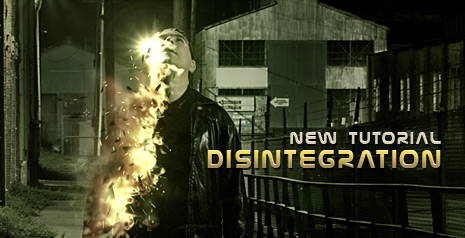
NEW TUTORIAL: Disintegration

In this exciting 46 minute tutorial we will build a furious procedural disintegration using displacement maps, turbulent displacement and CC particle world. Be sure to stay tuned until the very end for a fun bonus video...

Watch Tutorial

Watch Final Video

BTW, to help support everything we do here and behind the scenes be sure to check out our impressive tools and stock footage collections. We just added a new database server to keep up with all of the daily queries so Video Copilot will be here when you need us.

Visit Online Store

POSTED:
16 years ago
End of days... for Sam?

Or is it? Soon we will find out if Sam will be destroyed in the upcoming disintegration tutorial. Only time will tell...

POSTED:
16 years ago
Procedural Disintegration

*UPDATE BELOW

Here is a quick example of what I like to call 'procedural disintegration'. In this sample video you will see an interesting effect but what is more interesting is the technique used to build it. A tutorial will be online this week and it will be a cross between VFX and Motion Graphics (100% AE). I might even produce 2 tutorials since this technique has so many uses; I don't want it to be lost in the mist of specific visual effects shot.

View Sample Video

INSIDER INFO:
Occasionally I'm asked "How do you come up with ideas or techniques for your tutorials?". Well the truth is, I spend a fair amount of time playing around inside of After Effects. Ideas come from many sources and it's important to stay fluid so that you don't overlook something useful. Often times my experiments will be completely different than what I began developing. These projects are usually more functional in order to prove an idea or technique. It's only after I'm happy with one that I try to work it into a real-world project and tutorial. Most of all, I try to focus on things that will benefit this amazing community, you guys motivate me to push the limits of After Effects and we've only began to scratch the surface...

UPDATE:
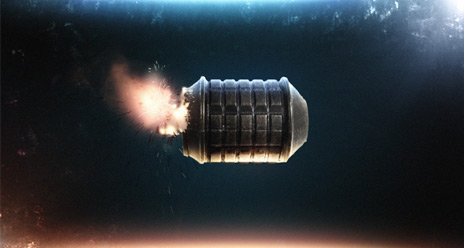
The grenade example does not use shatter or particular and the grenade is an image... By changing the source image, the burn updates automatically as seen here.

POSTED:
16 years ago
2 Versions of Action Essentials 2

*Updated Below

As we continue to add more high quality visual effects elements to our upcoming action stock footage collection, it has become clear that this product is bigger than we ever imagined. So far there are 15 categories with over 200 HD elements and growing.

We plan on releasing the product at 720p high definition (1280 x 720) which is a great format for standard definition and of course HD film work, since it up-converts so well. This also allows us to keep the product price below $100! (Yay!)

We also realize that there is a growing number of users that need even higher resolution elements such as 1080p (1920 x 1080) and possibly even 2k. And since Video Copilot is always on the cutting edge, we have decided to make 2 versions with exactly the same elements at 2 different resolutions (720p or 1080p). We believe the 720p version will have more than enough juice to blow your house up and possibly the neighbors but I'm sure many of you are excited about having option.

The higher resolution version will be a little more expensive but a MAJOR value when compared to any other alternative, plus they are ready to go. I just hope your computer can handle it; since this larger product could be 20-30 GBs on several DVDs. (GIGABYTES!) The 720p version will probably be 8 GBs or so.

We are also considering the option of supplying the files on a pre-formatted portable hard drive that can be purchased with the product to save time off-loading this massive collection and take it with you on the road. We're still working out some logistics but we'll let you know.

I'll also remind you that this collection has over 90% live action elements that will likely blow your socks off. Including many slow-motion clips that would blow your socks off slowly.

UPDATE: I've noticed a few questions below so I'd like to clarify.

First, both product options (720p and 1080p) will be available on DVD or multiple DVDs as needed. The 1080p version of the product will also contain the 720p files as well.

The portable hard drive option is something we are considering as an upgrade that will simply come pre-loaded for convenience in addition to the DVD version for backing up. Of course, you can buy your own drive and load it up from the DVDs too. The hard drive is not required for either version.

Some people have suggested an interesting idea to offer Memory Cards/Sticks as a way to distribute the files. Unfortunately they do not have the speed necessary to efficiently work from and many people do not have the necessary card readers for some media. BluRay also has the same problem, slow and few people have drives. Besides, the hard drive option is to save you time off-loading DVDs so you can work right away just by plugging in.

POSTED:
16 years ago