 ALL DESIGN TOOLS

In this tutorial we will learn a technique to offset the animation of the CC Ball Action effect to create a cool transition. This effect uses only built-in plug-in and offers creative flexibility for a variety of looks. The project file also includes a script for offsetting the layers by 1 frame to make the process easier. The tutorial is about 25 minutes but the time will fly by!
March 8th, 2010


March 4th, 2010


So I'm still getting over a little cold but I wanted to make something shiny so here is a project file that uses 3D looking text with a billion layers to create depth and shadows. Everything was created with After Effect and there are no Lights in the scene.
Download CS4 Project File (I don't have CS3 on my laptop)
February 26th, 2010
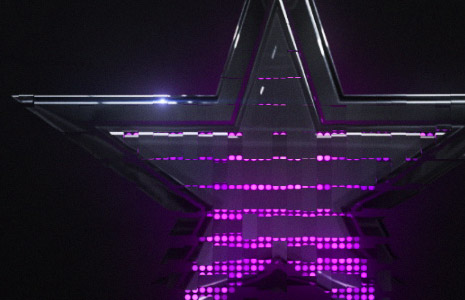
So... I spent some more time playing with the CC Ball Action effect to create a logo reveal. I think there is a lot of possibilities with this plug-in and to simplify one step, we even created a quick script that offsets the layers. In this example I used the Card Wipe filter to animate the logo on after the Ball Action animation.
This example does demonstrate that the animating pattern of the "balls" can be any shape to fit your design. Still working on the tutorial, until then!
February 23rd, 2010
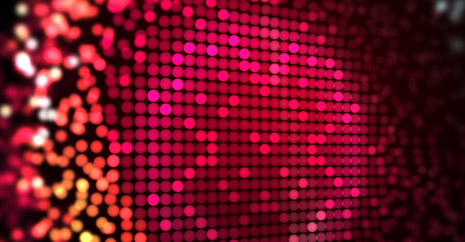
Here is another test using CC Ball Action for a wall of balls...
See new sample Video
To answer a question from a previous comment, yes you can use this technique to recreate pictures or logos and even animate them on in a different pattern other than circular. More soon.
You can also check out the previous video example.
February 23rd, 2010

So I spent a few hours today experimenting with various effects and the idea of mixing Jolly-Ranchers with water to create a delicious fruit drink when I came across an interesting technique using CC Ball Action. This one technique can be used to create many different styles of dispersion and you don't need any 3rd party plug-ins! I will be talking about this technique in my next tutorial along with the many creative ways it can be used. Stay Tuned!

Tutorials
158. City Destruction
Add Realistic City Destruction in 3D Space
155. Animated Polygon
Create a stylized polygon animation using time displacement

Blog Show
Flour Fusion: Real Particles
Creating particles in After Effects is awesome! We have all used Particular and Particle world but why not combine those particles with some real ones! Sometimes you need to create elements that are so complex and organic that you are better off taking out the camera and making a mess.
In this example we use a little bit of flour to mix things up!
Watch on Vimeo

Plugins

Stock Footage


