NEW TUTORIAL: Magic Tracking

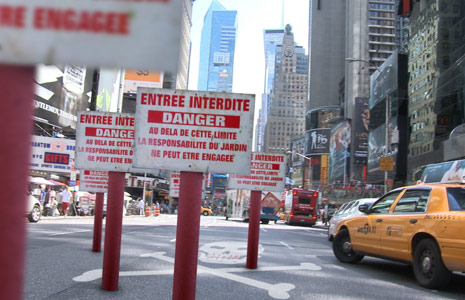
In this exciting new tutorial we will go beyond basic tracking with a new Video Copilot preset for utilizing corner-pin tracking data. This new preset allows you to create dynamic Null Objects based on corner pin data from Mocha AE. It's a simple solution to getting precise control over your tracking data and the tutorial shows you all you need to know. The explanation is more complicated than the process!

The preset interpolates a specific point based on your corner-pin data so you can attach elements to an infinite plane of a moving shot to fake depth and parallax; without 3D tracking. Trust me, you should watch this tutorial, it may give you some cool ideas! Plus I say some crazy stuff...

Sample Video

Watch Tutorial

POSTED:
15 years ago
Swat Scene with No VFX

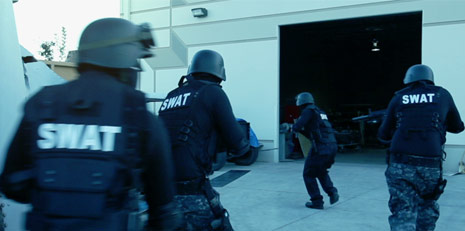
Here is the recent swat scene without any visual effects or green color timing! Might help people understand how we setup certain shots and get some ideas on the workflow. These 2 guys actually seem a little more precise...

Watch Raw Scene

POSTED:
15 years ago
Search & Destroy

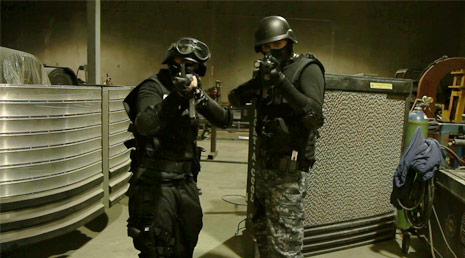
Using various roto and split-screen effects we transformed a two-man SWAT team into a full squad for this demo scene. Sam Loya reprises his role as the "guy who probably gets killed", in this exciting industrial saga.

The main goal of this scene was to film everything as if we had a dozen guys instead of just two. Don't just shoot things that will be easy to composite later, push the limits and make the scene more dynamic.

Stay-tuned for tips on using the new Roto-Brush in AE CS5 as well as other split-screen and masking solutions that can be achieved in all versions of After Effects.

Watch Scene

POSTED:
15 years ago
Army of Two

So you're trying to create a big action sequence with LAPD SWAT but unfortunately Samuel L. Jackson is busy and you only have 2 costumes...

So, I'm currently exploring methods for integrating multiple takes of the same 2 actors, to make a scene more exciting. There are several methods for doing this kind of effect, such as keying or split-screen but I wanted to explore the new After Effects Roto-Brush and see how well it could work in difficult situations.

Creating a large army requires special considerations but in this case we just want to create the illusion of a 12-man swat team so it should be more manageable. We shot a little scene and we'll see how it turns out after doing the work. I'll post it here soon.

Basic Tips:

  • Keep costumes generic and similar, unique items will stand-out.
  • Change up accessories and weapons but keep track of changes
  • Plan the shots so you know what you need when shooting
  • Track where people are with markers so they don't overlap

Be sure to check out Bloody Omaha to get some ideas on what is possible!

Sample Video

POSTED:
15 years ago
7 Lucky Clouds

I was on my way home just now but I had to grab my camera because the sky was doing cool things. Dang it! It's amazing the difference a fancy sky background can have on your composites, so here are some 2K images to use!

Download ZIP

POSTED:
15 years ago