 ALL DESIGN TOOLS

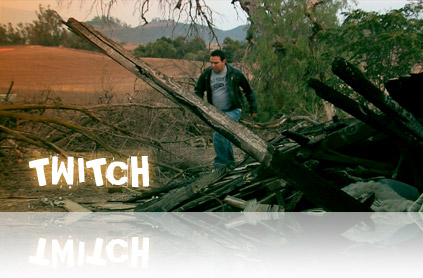
I've been working on a new tool for After Effects called Twitch.
Check out the demonstration here.
September 12th, 2007

September 10th, 2007
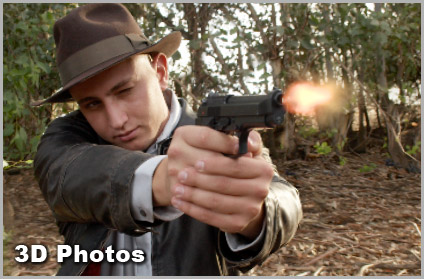
In this tutorial you'll learn a simple way to turn 2D photos into a 3D layers. Most of us know this simple effect from the popular film "The Kid Stays in the picture", where the photos come alive.
https://www.videocopilot.net/tutorials.html
I was hoping to launch the new site today but I'd like to polish a few things out first. Remember good things come to those who have to wait.
Cheers,
Andrew
September 4th, 2007
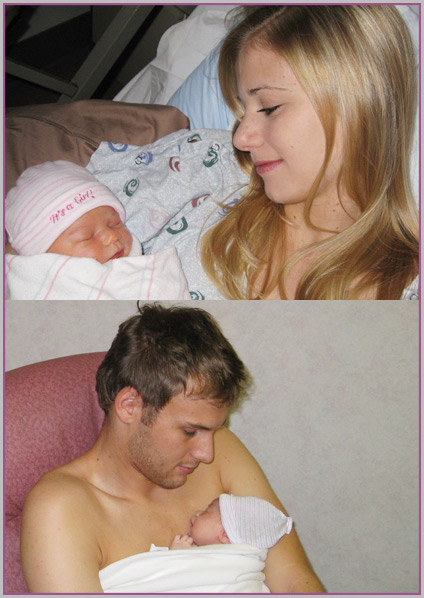
It's a girl!
Our little one finally arrived Sunday morning at 9:32 am. Katie Lynn Kramer showed up at 7 pounds 10 ounces. Needless to say, this was a pretty exciting weekend.
BTW, I'm wearing the new Baby-ManBra 2000 pretty sweet new device that keeps the baby warm :)
August 30th, 2007
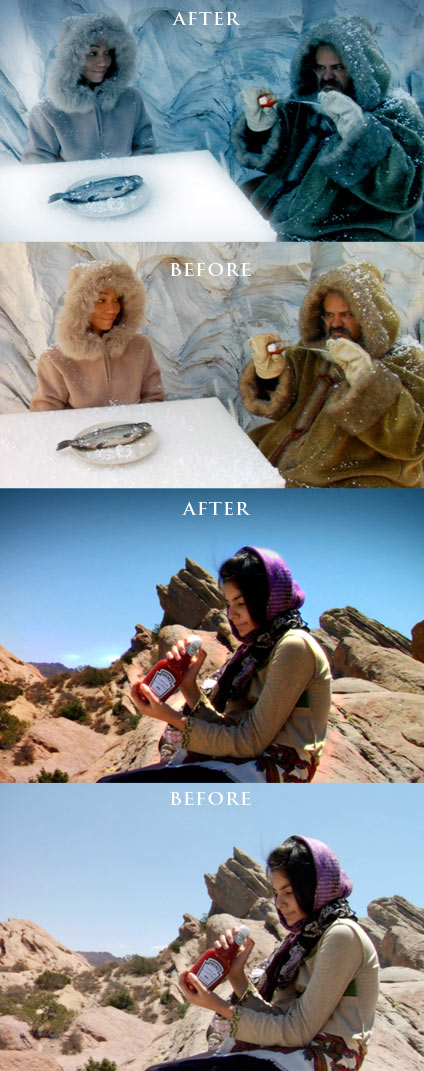
One of our own Video Copilot patrons has been selected as a finalist in the Heinz 57 Top This TV challenge. (The big Ketchup company, JK)
Jeremiah Jones submitted the entry called Heinz World Wide and we need to help vote for his great video :)
https://topthistv.com/vote.aspx
Although Film Magic pro helped for some of the color grading I have to really give Jeremiah Jones the credit for this great spot.
https://topthistv.com/vote.aspx
Please vote for the video everyday until September 10th, and remember if your video made it I would do this for you too!
Now the truth is, I have no stake in this but hey, if Jeremiah wins and wants to throw me a couple of bucks... I have a wife and baby on the way... Just kidding, Jeremiah bought several of our Products already and that is thanks enough!
Good Luck and please help him out so we can see some more Video Copilot stuff on National TV :)
August 30th, 2007
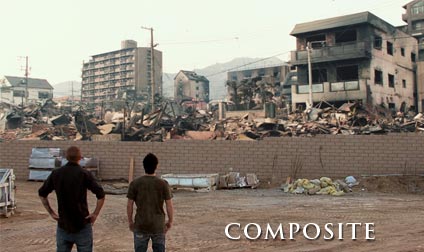
In the Set Extensions tutorial we learned a technique to add CG elements on top of a live action shot. But there are other effective ways to do this, include masking out parts and even using a green screen in the field.
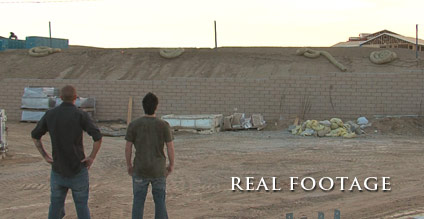
In the above example, luminance keying and some masks were used to remove the sky and replace it with a destroyed city. Since our characters do not extend over the separating wall it is easy to remove the sky by masking the wall off and replacing it with our set extension.
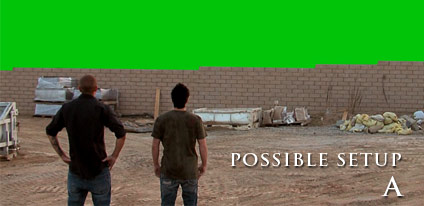
This is a fake setup to demonstrate another possible way to remove the background. Obviously this would be even easier to remove than the white sky green keyer. Especially since it is pure green from the paint bucket in Photoshop. Of course in real life you want to add some track points as well so you can track the camera movement and I don't mean in Photoshop.
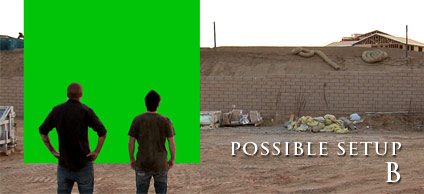
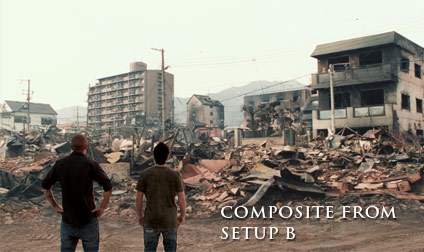
In this example a fake green screen is painted on to demonstrate how using a small green screen in front of your actors will allow you to extend the background directly in front of your characters while maintaining the original dirt ground which makes your charcters look like they are really there. Once the green is removed a background plate of the original dirt lot can be placed back into the scene, then by using a subtraction mask and some feathering, you can blend the real foreground dirt with the background plate of the matte painting. Just be careful not to fade the mask beyond the end of the green screen or you will get a sharp edge where the green screen ends.
Another idea would be to park a static object like a car in front of the actors with a green screen behind it. Then you can key out the green and use a garbage matte to cut the rest of the scene out, and this way you wouldn't have to blend the original footage with the background matte painting because the car would serve as a separator.
You can also extend the set with a camera movement and place some large building in the BG and simply pan upwards to the top of it... or even... Okay, that is enough for now.

Tutorials
158. City Destruction
Add Realistic City Destruction in 3D Space
155. Animated Polygon
Create a stylized polygon animation using time displacement

Blog Show
BLOG SHOW: Making of Payment Plan
Check out the new Blog Show featuring the most in-depth behind the scenes footage for our recent short 'Payment Plan'.
This blog show includes:
Original Rough-Cut with Alternate dialogue
Additional VFX additions
Art of Hitting Sam in the face
Workflow Tips

Plugins

Stock Footage


