Useful Tools

In addition to After Effects there are other great tools I found myself using frequently on this latest project:

Trapcode Horizon
This great little After Effects plug-in makes it easy to add environments to 3D scenes and saves a ton of time. I use it almost as much as Particular. www.Trapcode.com

Lenscare
Probably the best tool for creating realistic blur for individual layers or by using a depth matte. https://www.frischluft.com/lenscare/lenscare.php

HDR Shop
This program is hard to describe but I use it to create spherical environment from digital still images to create 3d Environments and backgrounds. https://www.hdrshop.com/ Learn as much as you can on this subject it is great.

Nodal Ninja
This tool makes shooting still images for panoramic easy and consistent. Be sure to check it out all the helpful resources within.
https://www.nodalninja.com/

POSTED:
17 years ago
Compositing Practice

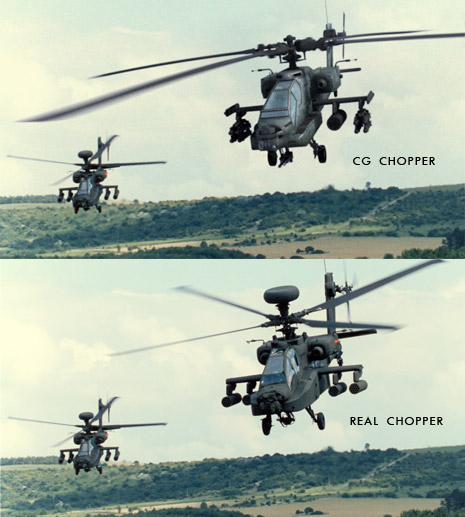
One of the things I like to do is take something that exists in the real world and try to recreate it digitally. In this example, I extracted the helicopter on the right and replaced it with my helicopter. The key was matching the lighting, color, blur, and grain of the original shot. What is really great about this technique is having a reference for what things are supposed to look like. Then when you are working on a 100% CG shot you will have the proper chops... I mean skills to get it done. These kind of excercises will give you that real world experience needed to become a great compositor.

POSTED:
17 years ago
Art of the Title

Here is a great site where you can watch intro title sequences for feature films. Get ready to be inspired!

https://artofthetitle.com/

Be sure to check out our forum for other inspirational links or post some of our own.
https://www.videocopilot.net/forum/viewforum.php?f=12

POSTED:
17 years ago
Stay Glassy After Effects

Here is a fun method for creating translucent glass frames in After Effects that I"m working on.

When I record this tutorial I'll probably add a little more detail to make it look even better. Although the simplicity makes it very interesting and who knows maybe for the tutorial I'll go out of my way to make it look worse just for fun. You never know : ) Enjoy.

Here is the CS3 project file

Watch Sample Video

POSTED:
17 years ago
SHORT-CUTS Episode 02: 3D Sparks Title


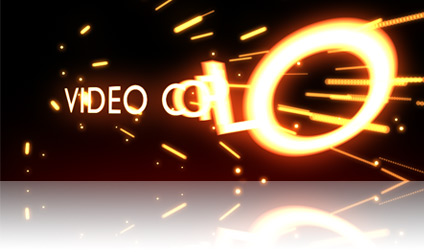
In this new (not-so-short) Short-Cuts Episode we'll take a look at creating sparks in AE with CC Particle World and uncover some hidden features as well. This tutorial uses the new Per-Charachter 3D in AE CS3.

Be sure to stay tuned to the end for a sneak preview.

Watch Tutorial

POSTED:
17 years ago