Video Update: Canon 7D, AE Tips & Leeches

Video Update number two is online and we have several fun things to discuss in this slightly longer edition. We'll check out the sneak peak of this weeks video tutorial, plus my take on the new Canon 7D, digital SLR. There has been a lot of interest in Video SLR's and I wanted to look into it first hand. This discussion is a little more free but the Video blog world is starting to evolve ... I'll be trying some new things and hopefully we'll find a format that works!

Otherwise we'll have to start over and go back to formula. BACK TO FORUMLA!!

NOTE: The Submerged tutorial will be online this week. Stay Tuned.

WatchNow!

POSTED:
16 years ago
What is a Compositor?

What isn't a compositor might be a better question to ask but let's keep this article on point. In short a compositor is responsible for fusing together elements such as live action footage, 3d animation, stock footage and other sources into a single picture. Sometimes the goal is photo-realism for a motion picture and other times the goal is to exaggerate the world for a TV spot.

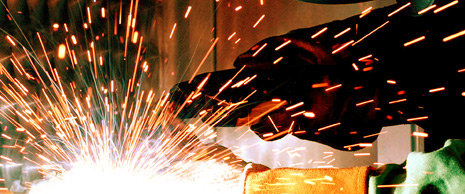
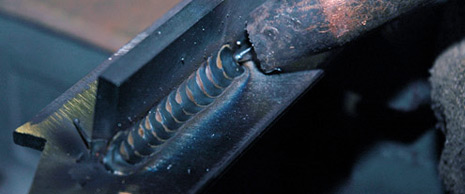
A good comparison might be the job of a weldor. Wikipedia has a curious description that I found particularly useful:

"Welders typically have to have good dexterity and attention to detail, as well as some technical knowledge about the materials being joined and best practices in the field."

In order to complete some shots, a compositor might take on other responsibilities such as modeling and rendering a 3D object or element. Similarly, a weldor might need to fabricate a special tool or object needed for a custom vehicle manipulation.

When a weldor is combining various parts of a bicycle frame, it is important that the parts are fused together properly or the bicycle might just fall apart. Much like a visual effects shot that is not sound, you may see it fall apart on screen.

Knowing the tools and understanding the related jobs of this industry might just answer questions you didn't know you had. Never stop learning and developing new techniques.

Wikipedia also has a note regarding weldors:

"Welders are also often exposed to dangerous gases and particulate matter."

But I won't get into that.

POSTED:
16 years ago
Lens Flare on 3D Lights?

After Effects lights can be moved around in 3D space but a lens flare effect can only move in 2D space on the X and Y axis. So how can you add a 2d lens flare to a 3D moving light?

The secret is using a simple expression on the "Flare Center" of the lens effect.

1. Alt Click on Flare Center stop watch to add expression

2. Type this in the expression box:

thisComp.layer("Light 1").toComp([0,0,0]);

NOTE: Just change "Light 1" to the name of your light.

This tip can be found in the bump map tutorial around 6:15 for those who would like to see it in action. View Tutorial

Dan Ebberts has an ever useful "3D Lens Flare" case study on his website that includes distance falloff. Check that out.

Here is an anamorphic lens flare project too.

POSTED:
16 years ago
PERFECT Compositing

As we get closer to launching Action Essentials 2, I have been developing a simple guideline for better compositing that is broken down to 7 key points. This is by no means a 'complete' guide for every scenario but it should be a good place to start. I plan on detailing many of these techniques in the future but here is a basic overview. If you have some tips that have helped you out in the field, please share them in the comments below.

I call it: P.E.R.F.E.C.T.

Perspective:
When compositing a scene, you want to consider the perspective of your plate (raw footage) and carefully mix elements that align with your shot. A major perspective conflict can be a give-away that your shot was poorly composited.

Esthetics (aesthetics):
Make it look cool. Keep an eye on your composition and balance the elements in your scene evenly. Look at the composite as a whole and not just the area you are working on.

Randomize:
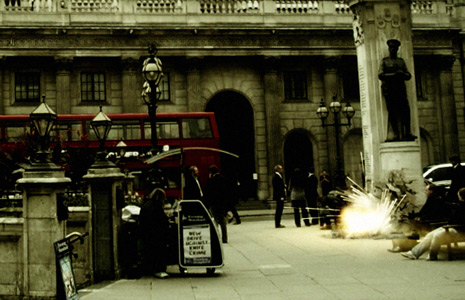
The world is unpredictable so you want to use variations in your compositing work. One example is when creating an army of soldiers from a small group of extras. It is important to offset the individuals by time and space so they do not look mechanically duplicated. This is also important when adding muzzle flashes and ricochets. Don't just reuse the same muzzle fire or ricochet, use multiple clips and alter the size and rotation so that your mind doesn't pick up on the pattern of similarity.

Feathering:
The way elements are blended in a scene is a top priority. Feathering is a great way to blend multiple elements together in a scene as well as performing a subtle light wrap. But don't overuse the light wrap!

Environment:
When you composite an element in your scene, ask yourself how would this affect the surrounding environment? When an explosion goes off, does it leave a hole or burn marks? Does the bright light cast on the walls around it? Be creative and think of clever ways to make your fx elements blend with the real world. You should also consider on-set action for planned visual effects. Having real interaction in your scene goes a long way to sell a shot like pillows on a couch being shot-up by a machine gun. A simple string works well to 'toss' the pillows around as they are blown away.

Color:
Matching color and light are essential to photo realistic compositing. Obviously you want the fx elements to match the color of the scene but you also want to match the contrast level too. Be mindful of the light direction in your scene and be sure to use elements that cooperate.

Timing:
There is a rhythm to cinema and visual effects. There is action and reaction. Let your shot flow and unfold. If you force things to happen in a short amount of time, the shot may turn out mechanical and choppy.

Feel free to expand on these ideas and continue to create impressive visual effects. In the mind of an artist nothing is ever "perfect", but I like to think of the word as an verb for a work in progress as we attempt to 'perfect' the art.

POSTED:
16 years ago
Epic Title

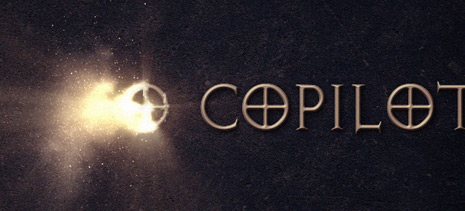
Here's another use for the Disintegration Tutorial techniques in a motion graphics example. I used a little bit of shine or a Radial Blur to create a lighting effect as it burns or blows away. You can even play around with the colors to create a magical burn away as well.This tutorial has a cool method for creating light beams if you're interested.

Keep experimenting and have fun!

Watch Video Sample

High Quality Image

The font is called Avalon Quest!

UPDATE: Green screen footage uploaded for Disintegration Tutorial project.

POSTED:
16 years ago