What a Twist!

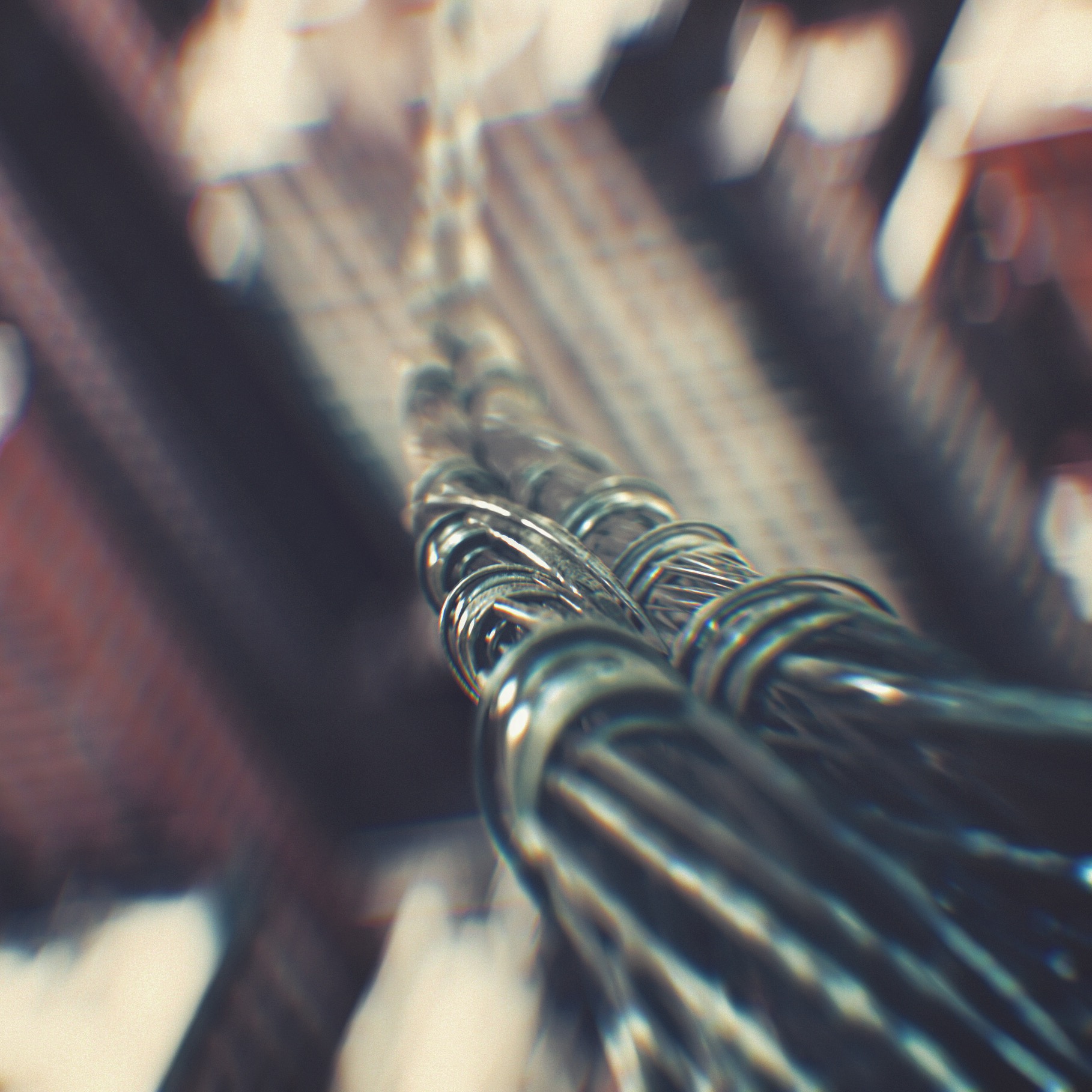
Here are a few more daily renders I created whilegetting over this cold!

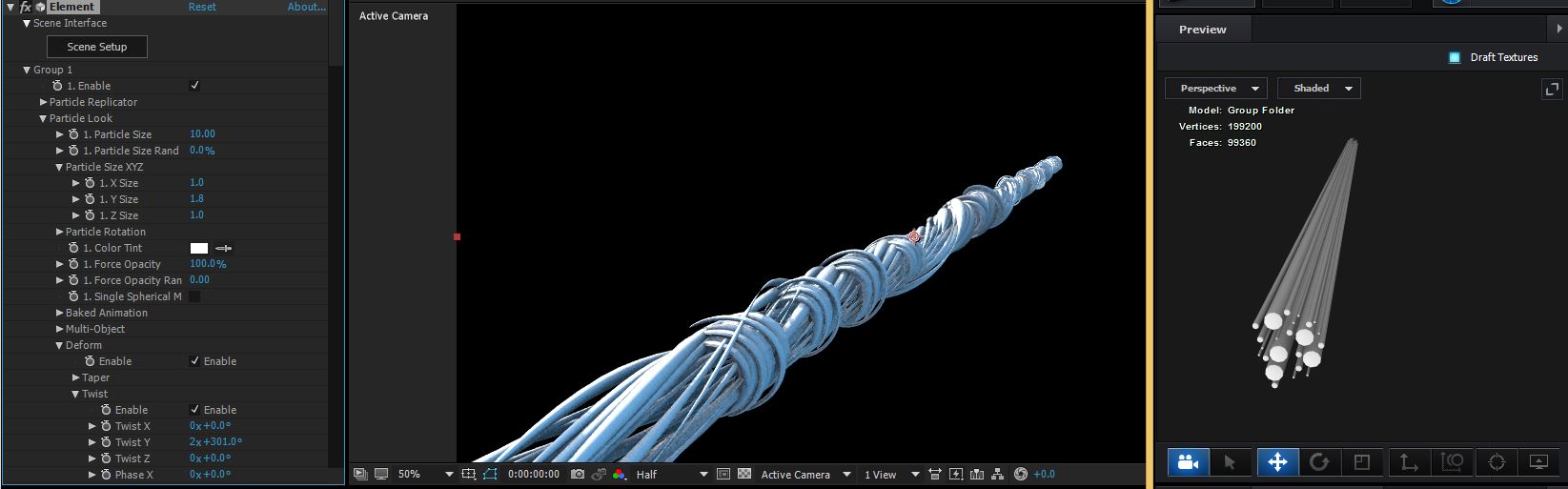
To create the wire I built a simple group of wires using several cylinder primitives. Then using a second group I created some smaller twists and scattered them along the line. In order to add a twist to the entire object I used the UTILITY export option to export and OBJ and re-import it as a single object. Then used the bend option. Making sure to turn on "Dynamic Deform" in the objects surface normal's.

Tri-Force #Element3D

A photo posted by Video Copilot (@andrewkramer) on

Logo loop! #Element3D #echo Check out the breakdown at videocopilot.net

A video posted by Video Copilot (@andrewkramer) on

POSTED:
9 years ago
31 Comments
8 years ago
Keep those dailies coming! Very inspirational.
very goooood.
tanks
Sufi
8 years ago
Has anyone really tried this? How did you do it? I have tried so many times.. just won't work :/
8 years ago
lovely twist
nati
9 years ago
i'm very curious about how you did the material for the wire looks like a multy layer material
Beavertron
9 years ago
Awesome! Are you able to share any tips on getting that aberration anamorphic lens bokeh look you have created.
9 years ago
How is the chromatic aberation done?
9 years ago
How are the lens flares done? are they dynamic?
9 years ago
awesome work andrew..check this i am also maded like this

http://www.techmers.in/2016/09/after-effects-superhero-landing-in-just.html
rahul
9 years ago
team,
i saw your wonderful trailer in youtube MotionPulse: Sound Design Tools - Trailer


image


MotionPulse: Sound Design Tools - Trailer
View on www.youtube.com
Preview by Yahoo

and i am a student ,there's a small small department fest going on in our college, and i just wanna request that can i take this video add a few fonts , is that permissible ,i would clarify you that the video will not be uploaded in youtube , and i would say not in other neighbouring town our college name is known ,which i assure that video will only be with in college student premises ,( yes to be honest video i edited is not so good ),i dont make any money from this ,its just for an enthusiasm
Wall-ed
9 years ago
helo andrew
kazhwan
9 years ago
Hi
I hope that in the new version size random and opacity random add the plugin functionality.
pink top
9 years ago
i gave up..im just gonna buy one of these cables in the hardware store..
Andrew Caffrey
9 years ago
Will element 2.5 fix the opengl not running on amd devices with drivers newer than 15.12?
9 years ago
That is already fixed. Be sure to download the latest version of Element 3D V2.2!
Neil Ruff
9 years ago
Slightly bummed...my 27" iMac - (not the very latest model, but only one generation back), with the most current OSX, most recent AE CC update, and most recent Element update - crashes out of AE whenever I switch on ray traced shadows in the ambient occlusion settings of Element, even with a basic scene of a single, simple model. Anyone else seeing, suffering or solved this? Suspect, as AK has previously mentioned, that Apple machines are under-equipped in the graphics card department, particularly in terms of what can fit in an iMac case?
9 years ago
I passed this information to our techs. We want to support every hardware configuration that is possible without having to go backwards on innovation. We are looking at more configurations like high-end intel cards. But as you said apple is taking some unusual pathways forward so right now hardware innovation on windows is far superior.
KC
9 years ago
This happened to me and I'm on a Macbook Pro 16gb memory and all the bells and whistles. Hopefully on the next version of Macbooks due this September it will one up Windows,
9 years ago
Not sure why but also one of my clients have the same issue.
Copy of email:
"hello
we buy Elegant Corporate Logo V3 and we have some crash problem
We use AE CC2014 we can't open the project."

Item:
https://videohive.net/item/elegant-corporate-logo-v3/5166499?ref=miseld

I suggest them to update Element 3D to latest version and try with AE CC 2015.

If anyone know why this is happening with E3D it would be great to let us know.
Felipe de Jesus Ramos E.
9 years ago
WOWWWWWWWWWWWWWWWWWWWWWWWW Very nice!
Good Idea, THANKS Andrew
Kevin
9 years ago
9 years ago
Notice the city in the BG...
Joseph
9 years ago
Nice! That's a good idea.
Kevin
9 years ago
While working on the new version of Element, please include support for 4K monitors. My laptop has 15" 4K screen and it is hard to see the small text.
jim
9 years ago
That would be great for sure.
Federico
9 years ago
Very cool! Curious to see some new animations
James
9 years ago
Todd McFarlane style webbing anyone?
_Terry
9 years ago
Seems like Andrew got tired of looking at ugly E3D renders and decided to take matters into his own hands, that DOF is really sick!
StevenJ
9 years ago
I love the wires. It looks like the insulation is transparent and you can see the wire inside. Very cool looking. I have to add my request to the others - what is your preferred method for chromatic aberration? Are you using the split channels and scaling up one of the channels? Or is there a more "Kramerican" method?
9 years ago
Keep those dailies coming! Very inspirational.
9 years ago
hey guys check out my work which is related to this
unfortunatly i cant reach andrews level but its pretty good
http://www.techmers.in/2016/09/jetstrike-render-challenging-to-andrew.html
solaiappan
9 years ago
From Your Next tutorial why should you share your Element 3D Model Preset file.
If you did we shall also find some trick how to create a scene inside of element 3D.....
My English was little Horrible Sorry for that....
lj
9 years ago
Today i downgraded my monitor. I have 4K nd manage to fix size of fonts and icons in after effects but not in Element 3d plugins. All icons are small and almost imposible to read. Solution second monitor.
Hope maybe in future E3D would support 4K.
Also what I found problem is that when i applay 2 materials or more to 3d model when i scale one it would scale all.
Amadeus B.
9 years ago
holy cr.! I have not seen you asked the same. It is exactly the same thing happens to me.
Amadeus B.
9 years ago
Exactly
r0x0r
9 years ago
Great! But how do you do those glowing parts in the logo loop?
Kai
9 years ago
great renders, could you please tell us how you create your chromatic aberration?
ian
9 years ago
YES please Andrew, tell us how you make your chromatic aberration. Please, my master.
Abby Bawa
9 years ago
cool.....more inspiration ...thanks Andrew
Steffen
9 years ago
I see in the picture a new feature in 3D element
when can we expect a new update zb.v2.5.0
9 years ago
Working on it!