 ALL DESIGN TOOLS

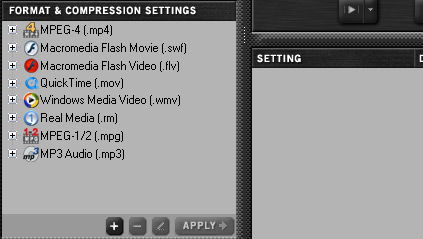
How to compress for the web? That is the question. Well, there are a lot of options out there but the main consensus is that you don't want to use your creative programs like Premiere or After Effects to do it. Although you can use great formats like MP4 and H.264, the handling of the compression is not very good.
I use Camtasia Studio to record and export my tutorials in the FLV format (flash video) and the results are great but require some tweaking. The new camtasia studio has some great features although some important ones still missing... Another good standalone app is shown above called Sorenson Squeeze which allow batch processing of many great formats but some need to be unlocked to use them. The one think After Effects does well is exports to Flash Video, but you need to have some flash experience to embed the video for the web.
Our good friend Aharon Rabinowitz has a pretty cool training DVD that covers how to properly compress video using a bunch of different software. He is like that magician on FOX that gave away all of the secrets and he was smart and wore a mask but then he took the mask off and that wasn't a good idea because all the other magicians killed him or made him dissapear. I think that is what happend... anyways.
Check out his DVD if you ever need to that kind of stuff it is good one :)
UPDATE: Here is a link to one of the lessons:
https://library.creativecow.net/articles/rabinowitz_aharon/ITKVS.php


