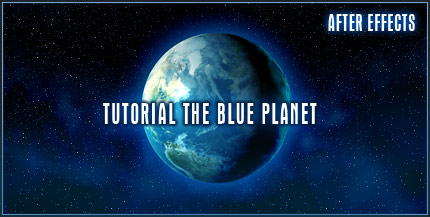
TUTORIAL: The Blue Planet

Create a blue planet in After Effects, complete with lighting effects, atmosphere and a nice glow. Orbit the planet 360 degrees and create a solar eclipse. You can even use the result for the ending of your Earth Zoom effect.


Create the entire solar system with planet maps found at this great site: www.planetpixelemporium.com Please list others sites if you find them!

POSTED:
18 years ago
249 Comments
I still use this tutorial to this day. It's shocking how often I need to make a decent looking planet for a project...
Sal
18 years ago
the reason why you dont have the CC plugins is that you are using a cracked version of AE, so bad luck fellas.
topan
18 years ago
hi andrew i wanna asked about CC Force Motion Blur where do i can get them cuz in AE7 and AE CS3 there is nothing cc force motion blur, can u help me??

thanks.
Jerome
18 years ago
this one is awesome (as are all of your others)! quick question with the camera update i was wondering if its possible to then still have the earth and clouds rotating along as well? i would imagine you could just add something to the script but im not really any good at expressions yet. any suggestions? or am i just missing something right in front of my face?

thanks for taking the time to keep up this site. it is much appreciated by all of us.
Spencer
18 years ago
Wow, awesome tutorial, I'm really new to After Effects and wanna try this but I have 6.5 and can't figure out where to find the CC Sphere effect preset...Is that only on AE7?
cristianho chile
18 years ago
andrew your tutorials are great
you really save my life xD
Luc D
18 years ago
I started using After Effects like 2 or 3 months ago, and now I feel like a god who has mastered it! (thanks to you) but I know that your the only god, so I'll keep trying. Just thought I'd post what I was able to do with this tutorial-
thanks again!

http://www.youtube.com/watch?v=uYq9GW5azY4
Stefan
18 years ago
Hi.Great leson.I am a kide from Bulgaria and we here don't have many places from where we can download stufs.So in my Adobe After Effect when i tryed to do the planet ane i placet the CC Sphere FX it shows that this efect is mising.Then i downloadet your project and when i opened your project it shows me that 14 fx are mising.I can't find in internet those fx.Can you help me i need those FX
hamtheman
18 years ago
Andrew the daily show used your tutorial (in case you didn't know) here is the link http://www.ifilm.com/video/2888142?cmpnid=784&pt=bk&refsite=10637 (skip to 39 seconds in to see it)
Denis
18 years ago
Okay, I'm an idiot. Blinded by all the frantic panicing I failed to realize that the compression setting for some reason switched back the Cinepak instead of DV/DVCPRO - NTSC. Changed it back and fixed the problem . Now I can say, perfect tutroail .
Denis
18 years ago
Hey Andrew, (and everyone else )! Very awsome tutorial. I always check in to Video Copilot first everytime I load up my computer. I followed through the tutorial, and everything was fine, although I ran into a problem. Once I finished the project I exported it out as a .AVI file on optimal setting but when I took a look at it in Windows Media Player, the quality was horrid and the earth was quite pixelated. Not what it looked like in After Effects at all. I've been video editing for about a year now and never ran into this problem. Can anyone help me out with this? Maybe give some recommended render settings? I would REALLY apreciate it !

Note: I was working on this "scanning orb" for a Matrix themed short film I am developing, and after exporting ran into the same problem. Everytime I spherize anything, I get the same problem. Until I can solve this problem, the entire development is at a stand still and I am falling into a spiraling, nacho based, depression . HELP!
Stefan
18 years ago
WoW cool tutorial! How is this CC Sphere called in AE 6.5? I can't find it there Or is this only in 7.0 available?
Lynton
18 years ago
Hi Andrew,

Whoa, thanks for a great tutorial. I've watched a few, and it's great to see how generous you are by putting them up for us. I'm a newb, so my hat is small, but I take it off to you nonetheless!
18 years ago
I love this one thanks! Last I remember everything in space is moving...Sooooo cool. Thanks!!!!!

They are godsend

Am gonna set it up soo all 9 planets pan in and then zoom out of the solar system and out of the galaxy.

Come with me as we travel among the stars.

Jeff
18 years ago
Your tutorials are a Godsend. They are not only educational on how to work around on AE, but they are entertaining as well. Please keep the coming Andrew, there are alot of Indie filmakers out here, & everything I have learned from watching your tutes have aloud me to put out some stuff that is close to top shelf production. I do however have many questions about things that I'm sure are simple fixes, but for whatever reason, they have me scratching my wig. So, with that said, do you have a personal blog site, or something set up where all us die hards can post questions & pick your brain clean of all your AE tricks. Well not all of them, even a AE master has to keep some secrets much like a magician. Keep up the great work Andrew, I really look forward to more of your awesome tutorials.............
Dave, Topeka, KS
18 years ago
Okay, this is what I did to capture hi-res pictures from maps.yahoo.com.

My video card supports "virtual desktops", so I set the resolution on my monitor to 2048x2048 (my monitor supports 1280x1024 max). I had to scroll around the screen to see everything, but it allowed me to do screen captures that were 1800x1800 without having to stitch things together.

Alternatively, you can use either maps.google.com or maps.yahoo.com take a bunch of screen captures scrolling around the map, crop out the UI elements and then use your favorite stitching software to put them together for you. (Doesn't PhotoShop CS3 have this built in now?)
Dave, Topeka, KS
18 years ago
What did you guys use for your animated suns? Just colored noise?
18 years ago
Andrew, youre the best

thx for this nice tutorial! Realy good, really good...
Ellius
18 years ago
i have the cycore plugins but i cant import them into after effects!!!! i am in agony!!!! PLEASE HELP MEEEEEEEEEEEE!!!!!!!!!!!!!!
18 years ago
Thanks Andrew! I did it! I used this project for a cool logo treatment for a Production Company. You suggested "Universe Pictures" but I didn't want to steal your idea, so I changed the name slightly.

http://youtube.com/watch?v=_U6SxEm62Uo

Check it out!
otherwize
18 years ago
Love it! Really helped me in my project!

G bless you, Andrew
SM
18 years ago
great !! thanks for the tutorial it was very helpful for me
Jay P
18 years ago
oh Kramer! dont know if you're still watching this blog or not but i have a question or maybe someone else can help.... if you watch my composition (posted above) you'll notice as the earth is rotating toward the end of the rotaion you can see the earth has a dark 'glitch' like deal on the left side as its rotation is going.... i cant for the life of me figure out how to fix this... i assume this is where the layer's 'edge' is? but most i've seen dont have this glitch? any help would be cool thanks again

J
AZ USA
Jay P
18 years ago
great tut, here's my shot at it w/ a bit of my own touch... youtube compression makes it look like there are no stars though, when the camera moves the stars move as well (use your imagination )

thanks again AK http://www.youtube.com/watch?v=2KC8PhioICs
Gabi Brazil
18 years ago
You're awesome! Thank you very much!
GM
18 years ago
Hi,
Its a great tutorial. I saw it couple of weeks back and when I revisited today, it stops after 15 seconds. Any Idea why? I am able to view the second part of it.
Fidde
18 years ago
Nice tutorial, Kramer!
you where realy funny at the end xD hahahahaha
Jemron
18 years ago
Thanks JD for that extra tidbit! I was just wondering how to do that.

Andrew- This is a first time post for me. I love your tutorials, and as soon as I get a full time job, I plan on buying all of your DVDs. I think everything you do is great!

My wife and I just had a baby girl a while back. There's nothing better than being a father.

I have one little question. If I have a light source in my project (like a sun in the solar system) how can I write an expression to make the shadow on the earth change in accordance with the moving camera? I'm sure it wouldn't be too hard, but expressions scare me...

Thanks!
JD
18 years ago
Oh and I added a "spin" to the earth in 3D by animating and pre-comping the earth-texture as a duplicated flat moving texture. It works out so the camera can fly by the world with the expressions adjusting for the faked angle while still having the natural rotation of the earth included.
JD
18 years ago
Hey, anybody know if it works to add the bumpmap as a displacement map for light interaction in "3D", or am I just dreaming that AE would have that capability...
18 years ago
hey andrew i am really enjoying ur turtorials they are fun and easy to understand ... Keep Up the great work !

and well i couldn't try this one out coz i don't have the cc sphere plugin i was lookin for it in my Ae 7.0 dvd but i didn't find it if u could help me anyhow or tell me where i could get it that would be great ,thanks man !
Pogma
18 years ago
I love you Ash =]

and u too andrew sure
Shawn
18 years ago
Thanks Ash!!
ash
18 years ago
hey Shawn,

you go to animation, then add expression
Ballek
18 years ago
Hi Andrew.
I have some problems with this tutorial becouse I don??´t have the "CC Sphere" file in the "Perspective" bin . ??¿Do you know where I can get it?

I love your tutorials, thx!

From CHile, Southamerica.
Ballek
colin
18 years ago
i cant watch any of these tutorials cause my computer wont install flash player im so mad!
Flim by Tim Productions.
18 years ago
Hey I thought of an execlant idea for this is have someone like looking at a globe and then zoom into it instead of out of it
Mats
18 years ago
thanks for the tutorials it's really nice
keep it coming, and i keep buying.
Ernesto
18 years ago
andrew why does it say 3D UPDATE! at the side of the tutorial?
18 years ago
It's on the install DVD for AE 6.5 Pro
18 years ago
I can't seem to find the CC Sphere effect in After Effects 6.5....and on the tutorial page, it says that 6.5 is supported.
eric
18 years ago
i love the tutorials , but i dont know where to find the cc shere in after effects 6.5. If you download them then can you tell me wher to download them? plz.
Salvador
18 years ago
Man is a great tutorial...Congratulations...I m from argentine...we wach you andrews!
ejunyor
18 years ago
this is poppin' - I'm always amazed whenever i visit this site.
18 years ago
Max,

The CC and Keylight plugins should be on your install disk under 3rd-Party Tools in the Cycore and Keylight folders respectively.
Shawn
18 years ago
I meant on the radius, like ash's problem. How did you get it sorted out Ash??!!
Shawn
18 years ago
Hi Andrew

I have 7.0 and I am pretty new to after effects, when I hit ALT then click on the earth image on the timeline it does not open up the expression section like it does in yours is there a different way to open that up in 7.0 compared to CS3? Awesome tutorials BTW!!!

Shawn
Max
18 years ago
I was going to try this, but I don't have the CC Sphere, the CC Radial Fast Blur, or the Keylight effects. Where I can download them?
andreas
18 years ago
cool i like your style you are very good in the program and you explain very good
Leonardo
18 years ago
thanks for the grerat tutorials you, and mr. aaron rabinowitz were my great influences, aaron on the basic parts and you on the special effects, thanks it really helped me. we won the school filmfestival, hope you post more special effects tutorials!
eric
18 years ago
Where did you get the cc shere?
Joab
18 years ago
your tutorials are awesome, exactly the type of tutorials ive been looking for. Will definately look at your prodcuts

nice one
Simon
18 years ago
Andrew, you Rock man. Love the the site, the work and tutorials are just awsome. Thanks for posting it all up.
ash
18 years ago
no probs, got it sorted now
ash
18 years ago
when i alt click on the radius nothing happens :-s its 4:28 mins into the tutorial, is there another way of doing the same function?

thanks for your time

ash

uk
juan pablo
18 years ago
HI!! I'M FROM CHILE
YOUR TUTORIALS ARE VERY GOOD
YOU ARE A GREAT TEACHER

WAITING FOR MORE
BYE
Claude
18 years ago
Erm planing to make a whole universe ...
Joris Strickx
18 years ago
All the result of you guys look good. No one did a whole universe yet? :p
Stanislav
18 years ago
18 years ago
Wow! This one is Cooooooooooooooooool! looking for more Coool tutorials Thank you so much ,
Stanislav
18 years ago
Hereâ??????s a link to what I made whith that earth. This is a advertising wallpaper... Video Copilot is the best

http://img151.imageshack.us/my.php?image=earth00097bd3.jpg
Douglas Menezes
18 years ago
I think that mine turned well
xD
Used the same way to create mars, and i'm glad with the final footage.
http://www.youtube.com/watch?v=7ea_hy39vJ0

Andrew, you're amazing.
xD
I was wondering, maybe you can make a tutorial of Flying, i did something, not very well.
http://www.youtube.com/watch?v=9Pf-Wgv2raY

And sorry about my english
^^.
Alejandra
18 years ago
Hello Andrew, thanks for the song... remember that I do not speak english very well, but I want to say that all your tutorials are incredible, you are a great teacher.

thanks to show us everything to you know, you are the Master!!
Mr. Miyagi, jaja

From Mexico

Alejandra
saki
18 years ago
Simply fabulous its like honey taste better with time!!!!!!!!!!!!!!!
Ernesto
18 years ago
hey iam doing this turtorial now but i dont got the cc sphere and iam using the AE CS3 PRO i typed it on effects and preset but nothing shows can you help me Andrew ?
18 years ago
Vikash:

Thanks for the help! Work Like a Charm!

Cheers From one Happy Brazilian

Raoni
18 years ago
Thank you master, for that great tuto. As usual, your lesson is just perfect.

Here's a link to what I made whith that earth:
http://walezguene.canalblog.com/archives/2007/07/12/5598647.html

thanks again and Big Up !!!

Chlions
Nate
18 years ago
HEY!! I the show "Last Comic Standing" used this as well as the zoom tutorial!!!!
Dean
18 years ago
Hi,

awesome tutorial and a great download

i have a question, not directly linked to this tutorial but seeing as there are so many people leaving comments i thought i would try my luck!

Question> in the transformers trailer , how did they make the tansformers logo change from text into a logo. it looks awesome.

any ideas?

thanks

ps, Andrew! congrats on the nipper!
18 years ago
Awesome, the tutorial just brought back some reminiscences of how fun and exciting was creating planets back in the days when I was using 3ds Max 2.5.

Keep up the good work, waiting for more
Darren
18 years ago
Hi,

As usual a great Tutorial.

I've been messing with the tutorial as it was exactly what I needed for a motion backdrop for an interview. However, what I have been struggling with is adding some text which will rotate around the globe also. Is there a tutorial anywhere to help do this?

cheers
arik from israel
18 years ago
hey
you have to forgive my spelling
here in israel ther are a gruop of like 30 poeple thats waiting every day for a new tut of yours

i just want to tell you Andrew Kramer you are the best
when are you comming to israel ? lol
do you have works or projects that we can see ?
Vikash
18 years ago
Raoni:

The image size is to big for After Effects. Go to your preferences to change the buffer size.
18 years ago
Well done Andrew, nice tutorial.
I tried to do it myself, but it really didn't work out.

Jeffrey
Holland
Andrew Brinkhaus
18 years ago
Great tutorial as usual Andrew, we will be employing this method on an upcoming comedy short. Thanks!
Pac-San
18 years ago
Oh man! You rock!!! My rotating 3D earth is not as good as this one. Thank you so much. I'm switching to this technique. Zoom tutorial + this one makes it easy on my project.
Kamisama
18 years ago
Ok so after looking for a little longer, I found them, and installed them. But every time I open AFX, it says that there are 2 times each effect, and I need to click ok for every single CC effect (messages pops up for all of them, you got double this, you got double that, delete one). Looking in my AFX folder, I don't see 2 times the plug-in, only one... and I believe that if I delete that, I'll be back at square one...

Any comments on that ?
18 years ago
For Me , in this particular project aways appear this error message:

"After Effects error: could not create 2700 x 1350 image buffer.
( 7 :: 39 )"

Help ? Anyone?

Cheers

Raoni Brazil- VideoCopilot Buyer and Fan!
Kamisama
18 years ago
Looking up, I also see Az got the same problem, and, coincidentally, uses the same version I do, AFX 7.0

Should have added that in previous post, sorry...
Kamisama
18 years ago
Hi Andrew, thanks again for a great tutorial.

I seem to have a problem though that no one else seems to get (although I didn't read ALL the posts, I admit) and I really don't know why, except that I know all crazy and unexplained computer problems for whatever the program is usually happen to me... But maybe you, or anyone else in this awesome blog community can help me.

I do not have CC sphere in effects and presets. Simple as that, it's not there. Nor does any CC effect, to be more precise.

If anyone see them pass by while on the street, can you tell them I need them here ?

Thanks
eagerly waiting for some explanation or ways to fix this ^_^
Kamisama
Kit
18 years ago
Hey Andrew,

Great tutorial this one. I found myself on google earth taking screen captures and trying to follow along but with a zoom out from my house. I actually ended up reversing the final render and therefore zooming in. This will probably appear in my next movie I am making with my brother.

Thanks again
Kit
Age: 14
Docteur Maboul
18 years ago
This tutorial is just wonderful ! A great thank you Andrew !!
Paul
18 years ago
Here is a huge source image you could use in a project based on this tute:

http://arstechnica.com/reviews/4q00/macosx-pb1/images/earth-map-huge.jpg
Matthew
18 years ago
Great tutorial here Andrew m8
18 years ago
Heyoooooooooooo!Fantastic Job Andrew SUPEERRRRR
Simon
18 years ago
Nice tutorial. But how you made it, the earth looks like it has 2 light sources. Main one from left, and another smaller from the right. It didn't look so realistic. Sorry for the critic, because I really have learned heaps from yout tutorials. Keep it up.
Larkins
18 years ago
When Video Copilot will open a forums for all your fans ?

also , i'd like to ask you something , i watched "The departed" (Martin Scorcese Movie)
and at 00:04:13 we can see a blood splatter from your visual effect in one of your Package , did you made those or does it exist somewhere else on the www ?
Pabz
18 years ago
Video-copilot really rocks.! thanks for teaching us cool tutorials
hope you continue to teach us especially students like me.you really inspire me to know more about after effects. its very useful to my course.
by the way I'm from the Philippines. taking up fine arts course.
thank you.YOU Rocks!
Az
18 years ago
The CC sphere effect (or plugin) isn't in after effects 7 version?
Where to find this effect "CC Sphere" Thank You for your answer
Steve
18 years ago
Niiiiiiiiice. Afterwards I spiffed mine up with some nifty camera moves. Hmm I couldn't find a good atmosphere map so I just screenshotted yours
Recommendation for the next tutorial: How to woo AE girls FTW
Massimiliano
18 years ago
Your tutorials are always useful and very nice! We can learn much things about After Effects!

How can we turn it to a 3D composition with cameras?

Thanks and keep up the good work!
18 years ago
Nicely done. I'm just getting started looking at your tutorials and am finding them all to be educational, inspiring and at times, humorous.
Thanks for lending us your experience in creating some wonderful work. I'm going to be purchasing some of the products like Riot Gear this week!
joe!
18 years ago
.
18 years ago
Thanks Andrew, this was really helpful. I don't watch your tutorials just for the tutorial, I watch them for great ideas. I'm 14 and I've already been doing awesome things thanks to your tutorials. Great job!
Matthew
18 years ago
Amazing as usual, Andrew me lad...looks like you're going to make it after all kid Seriously though great job. Thanks for being so helpful and soulful...wait, what?
Justin Productions
18 years ago
Haha, I agree with Scott here, the "Theyâ??????re little lasers you usually see them at movie theaters." part was too hilarious.

I guess it was a pretty easy effect to do, all you needed is to have good quality maps. All and all, it was still a 5 stars tutorial. And I really mean it.

Nice job buddy.

Justin
GaBy
18 years ago
Another amazing tut ! What startle me most is how easy it seems when you explain it. And also how little details make it totally different.
At first , you wonder: "but why is he adding this ?" and then you see it into action and it all make sense and it just HAD to be there for the effect to be perfect. Thanx !
Tom
18 years ago
Anyone figure out so to make the scale linear without have the Exponential scale tool (ie Standrd users)? I'm at a total loss and have tried and tried again to set the scale keyframes manually. I can't get the linear effect at all. Anyone know how to set the scale linearly, by using manual key frames?
tesssam
18 years ago
hee love the tut. I'm gonna try it when i get home.
18 years ago
Great Tut, simple effect that you pushed and polished better than the lame one already out there on the WWW.

Love the Jokes makes my silverback-ass laugh.

PS. I like that you find a way to work-in "Motion Tile" FX into the tuts all the time.
I must add that to my Jedi AE powers.

Thanks Again
A. Gorilla
kamal98
18 years ago
men again and again i must say this is great tutorial. i always wanted to create and earth effect such as the one in your tutorial and thanks to you it is now possible,
may God bless you, your family and all your love ones.

thank you
18 years ago
hey andrew great tutorial

oh ya by the way how do I contact your Final Image company because I was looking into redesigning our site and was intrested in your company

you can contact me a devincremeans@gmail.com and the site is

www.northwaychurch.tv
Videocopilotgirl from Holland
18 years ago
Hello Andrew,
Love your tutorials, keep up the good work.
Seth
18 years ago
Hi you all,
Need help - I'm having fun with version 7 (Not the Pro).
Some of the effects the Andrew uses aren't available to me.
Dose someone know where to download these plug-ins:
1.CC sphere?
2.CC Keylight?
and other plug-ins that i might miss.
Thanks a bunch
--keep up the great job--
18 years ago
very nice tutorial, especialy i like the solar eclipse part

mr.Andrew stop playing guitar, better relax with 3d studio max
Martin
18 years ago
Sorry my bad english.

* I x3
* I get an error.
Martin
18 years ago
I love that tutorial and i want to use it, but i can get cc shpere to work, I an error.
What shold i do?
And i can't find that program the error says i shold install, where is it?

anyway, Andrew you rocks!
Ruben
18 years ago
My AFX has no CC globe preset at perspective..... and it says with half of the presets that the preset isn't installed... PLEEASE HELP..
damn I feel like such a n00b

Best,
Ruben

P.S. Keep on the good work Andrew big fan of your work
ErRoR
18 years ago
Thats AWESOME!!!

Sorry for the question but how I can get the CC Sphere effect??

Thanks, ErRoR
Marci
18 years ago
damn andrew!! its freaking awesome!!
Pavel
18 years ago
My bad, the good one link http://www.ayatoweb.com/ae_lab/lab23.html
Pavel
18 years ago
I think your the only man on the internet who creates such a great and cool tutorials for free, and with such good explanations of them.
You created 2 tuts about earth, maybe you can create something like this http://www.ayatoweb.com/images/icon_QT.gif, it will continue those tutors
18 years ago
I was watching the part where you said "Suppose you want a solar eclipse" - when my entire screen went blank! True story.

(It was actually just my screen saver kicking in, but just for a second, I though you had transcended into some super-human skills! LOL.)

BTW, cloudy in space? Have you told Al Gore about this? It must be the global warming thing!

Excellent, as always.
Piotr Piotrowicz
18 years ago
OH also you can find high quality maps of earth, and other planets at celestiamotherlode.net

its a mod site for the sim celestia, but their textures go great in 3d aswell
Piotr Piotrowicz
18 years ago
Best finish ever man! great effect aswell, and that guitar chords tune sounded like somthing i pulled off once, exept better
18 years ago
AWESOME!!!!!!!!!!!!!!!!!!!!!!!!!!!!!!!!!!!!!!!!!

WOW!!! WOW!!! WOW!!! WOW!!! WOW!!!

OH MY GOD! GREAT MAN!! IT WAS SO EASY...
NOTHING HARD TO IT!!!!

THANKS ANDREW!!!!


http://www.et-films.net

http://www.et-films.net
Jeff (NoodleMaps)
18 years ago
For those interested. Other texture maps for the planets can be found here. Just one site I found, but others exist as well.

http://planetpixelemporium.com/sun.html
Plissken
18 years ago
exelent, just exelent. keep up the good work!
joy
18 years ago
this one is awsome i actuall did this one in 3d studio max but this is really good and i never thought of this.
thnkx
18 years ago
Fantastic tutorial. Tnank you Andrew.
18 years ago
man ...thank you ...you are a life saver
Kevin O
18 years ago
Great tutorial! I'm a relative AE newbie and I've been working on some space/planet scenes for a short film. I'm not a modeller per se so I've been using Zaxwerks for all of my planets... this just gave me much more creative freedom and saved me loads in processing time! Thanks!

PS I got my Riot Gear in the mail two weeks ago and forgot to let you know how great it is. Another awesome tool in the designer's tool box!
Jammin' JJ
18 years ago
For anybody looking for the CC plug-ins; they can be installed from your After Effects 7 installation disk. I don't know if they come with CS3.
18 years ago
Yeah, Andrew you could get sponsored. Have a Starbucks watermark on your vids. And we can get free lattes for purchasing Riot Gear 2. P.S. Anyone else revering the coming of the next video messiah?
Dustin James
18 years ago
@Alexander Jansen

his wife is 8 months along..

@Andrew Kramer

You should have a sale for when the baby arrives.. kinda like when you got married almost 2 yrs ago..

thats when i got FMP.. it was for $45 i think...
john paite
18 years ago
and then the master of ae came back haha...andrew ur spoiling us!! awesome!!
J
18 years ago
thanks A.K. really like the moving atmosphere

i will make atmosphere revolve around Rosie O Donnell
Larkins
18 years ago
Still a fan , But if you need help with ladies , apparently they are a lot so ... let me know ;

i don't have much experience with visual effects i just have the best teacher !
BUT that kind o' problem i think i can handle it

btw , with only a dozene of tutorials we all learned more than studients at school in one year , could be a good teacher with free flirting guitars lessons !!
Ben
18 years ago
very nice tutoral, just don't get caught selling theose rolexes you could get fine $100,000 + the cost of the watch
Alexander Jansen
18 years ago
Where did this idea of him having a kid come from?
Black_dust
18 years ago
Cool tut as always! and educational as well, i never knew that the earth had so many light sources
zeeny
18 years ago
Thank you so much man.....i like it too much


thanks many times
Alexxx11
18 years ago
Hello Andrew,

this is my first post in this blog. Yeah
I??´m german and 13 years old... So don??´t be angry wih me, because my English is not the best
I like your tutorials but a few days ago I was making the same tutorial. Now, nobody would belive that I knew the solution befor I had watch it

Stay tuned
Alex
Gary
18 years ago
Your going to have a kid. That Sucks! Your site wont be updated for like 18 years!!!!!
Jeff (NoodleMaps)
18 years ago
Next tutorial. "How to make Candy Hearts and Roses"
Orc Master
18 years ago
Big Lasers - 10 million dollars
Small Lasers - 150 dollars (total)
Romantic Music - 15.99 dollars
Rolex Watch - 4200 dollars
Earth - 5.99 dollars (on eBay)
All of 'em mixed together in an After Effects tut - PRICELESS

My God, I can't believe how good that tutorial was. Although, I think I can see where all that thing about girls is going...

"Hey, what's up, Andrew Kramer here from a Starbucks' parking place. In this tutorial I'm gonna show you how to create cool effects with an used laptop, MS Paint AND in the back of your car!"

18 years ago
love your tutorials!
thanks so much for putting them online
i've never been able to spend more than a minute watching them and i'm hooked on yours

all the best
Kyle Shields
18 years ago
Haha, yeah, I heard some Mc Donalds have free wireless, too.
18 years ago
Doghouse? have you ever heard of Starbucks? Free wireless access.
Hamza from Morocco
18 years ago
Adrew..what say other, u are the best, and realy I love ur tutorials.
Keep up.
Hamza from Morocco
paul from BrASIL
18 years ago
JUST AWESOME!

Hey Andrew, I Love your tutorials!!!!!!!!!! WHY DONT YOU MAKE A REAL MOVIE USING EVERYTHING U HAVE CREATED???? You could even sell it to every one who bought your products!! A movie about your life, lots of comedy and, offcourse, special effects
Well, hope you read this. You are doing a great job here.I'm gonna tell my friends about this site. You rock andrew!!

Cyaaaaaaaaaaaaaaaaaaaaaaaaaaaaaaaaaaaaa
Tom
18 years ago
Another great tut! Thanks man! If I'm laughing and have my earphones on the guys at my studio know I'm listening to another one of your tutorials. Thanks for all the good stuff. We did a music video recently with a lot of compositing and riot gear absolutely saved our arsses!
Dont ever stop.
Mitch(UK)
18 years ago
Andrew,
Dude. That was a great tutorial mate.
I think I have my logo - promo title.

Not one of your tutorials has been less than amazing, im glad I found the site.
Keep it up dude and ill be mentioning you as my "Effects consultant" on my next project as most of them have been created after watching these tutorials - You are that good.

When is RG 2 out mate?


Mitch
18 years ago
Great tutorial! It's amazing how quickly you're making new tutorials and they all are wonderful and useful. You must have many ideas in your head ^^; Well I just want to say thank for this great work you're doing for every after effects users.
S. Gilbert
18 years ago
Andrew,

Thank you Thank you Thank you, Great tutorial.
mark
18 years ago
Another great tut Andrew. Concept is the same over at the anvel site tutorial, but you explain the how i accomplished this look which is far more priceless than a here you go and download the project file.

Do you have any plans on selling your individual tutorials at a reason price? This way we have a lib collection of your lessons along with the project file.

thanks.
Nelson
18 years ago
andrew hey wuts up im trying to do the earth tutorial but i dont know where to get the cc sphere plug in. Do u know where i can find it?
18 years ago
love it, goes really well with the earth zoom one you just did. I am planing on doing a solar system zoom, using the earth zoom. So starting from my house, zoom out into space, wait a few seconds, then zoom out with all the planets whizzing past, then slow down as you see our galaxy. Kinda like at the end of Men in black. Could try and do that with the earth zoom and then continue it with this one.
18 years ago
Hey Andrew,

Like this tutorial

Just Picked up your "lucky 7" pack and I'm loving it, I came across your website a month ago and I'm hooked, your tutorials are really well done...the humor is definitely appriciated. You've started a really good thing! I'm working at a film production company (www.brookstreetpictures.com) and we will be using your sound effects in our trailer due out soon...looking forward to good things

Chad
Storm
18 years ago
Oh my god! I just saw the riot gear 2 folder @ the dsfx dvd!
That's got to be tight !
dream
18 years ago
the best site for tuts and stuff , my compliments.. that was awesome..
another time.. u win the MASTAH price
Carlos
18 years ago
Todos tus tutoriales me gustan, eres todo un experto en esto. Eres el mejor en el after effects.
ragecg
18 years ago
Good point Gonads, a lot like the opening sequence to the movie Contact.
Gonads
18 years ago
This is greattttt. If you create the solar system you could zoom past them all. And if you incoporate the earth zoom tut you could do it past all the planets too!
18 years ago
Great tutorial, i had fun.
Also if you add aditional layer to earth master (night lights image)
and set mask, you can have light turning on on darker side of earth.
here is image :
http://www.geekatplay.com/images/earthlight.jpg
18 years ago
lol, that must be about the exact way i come up with the weary same effekt... i like your style
18 years ago
i feel like i saw a creative cow tutorial explaining the cc sphere effect as well. this one is much more realistic though.
suraj
18 years ago
hi andrew i also have the same problem i use ae 7 pro â???¦but in ma presets i don have the perspective cc sphere plz help meâ???¦..
sooraj
18 years ago
hi andrew i use ae 7 pro ...but in ma presets i don have the perspective cc sphere plz help me.....
Sandy
18 years ago
oh Andrew!!!! Superb again.

Very Helpful Tutorial, Thnx again.
Also, plan a song for we "GUYS" in your next Tut ------ haha

Anyways Thanx a lot.

Warm Regards
Sandy
Mark
18 years ago
WOW. That was awesome!! I LOVED IT!!! AMAZING!!
18 years ago
So damn cool LOVE IT! THANK YOU
18 years ago
another one for the books, andrew. im luvin it.
18 years ago
I'm impressed on how you take the little things and improve them. I've seen simular tutorials done on this subject, but you Andrew, you take it to a whole different level. Keep on keeping on.

Sergei
Ezequiel
18 years ago
i like the ms paint quality haha!
hmmm wrong tutorial
Scott
18 years ago
Best part of the tutorial...

"They're little lasers you usually see them at movie theaters."
18 years ago
Wow, Andrew...you cut it close with that one...lol! I seriously want to see one of these "Tutorials from the doghouse"...that would be great! Make us a trailer about it. "The Master of AE, Andrew Kramer in assocation with Doghouse Tutorials presents, how to Render a realistic looking apology to your wife"! But seriously, great tutorial again man.
Jacob
18 years ago
People have been asking about the images for the Earth..
Check out this link.

http://www.noirextreme.com/earth

I found that a few years ago when working on a photorealistic earth in 3DS Max.
AWESOME Textures

The "Universal" comment was classic
florian
18 years ago
nice work but i don' have cc sphere help me i have after effects cs3
Chris Cruise
18 years ago
EXCELLENT WORK!!!! Gives me tons of ideas!
Dennis Asenji
18 years ago
Hi Andrew,

I hope you wont be writing tuts from the back of your car!

I have to say this is the No.1 site for me, I am writing from Nairobi Kenya & to find decent training materials & resources as you have provided here is very hard in this oart of the world.

This makes this site & you God Send, THANK YOU - 4 THE BLUE PALNET!
joris strickx
18 years ago
Another awsome tutorial. I just started working with AE for about 2 weeks and the first ones where your tutorials. You keep amazing me every time. I've been looking into the dvd's to get some. And now back to the tutorial :p gonna try it.

greets from Belgium
Tryx
18 years ago
Great tutorial, nex week buy all DVD, u are the best tutor

Bye from ITALY
phil
18 years ago
sweet tut Andrew thx

going to try and do the earth for Heroes

thx again Andrew
Gianni (ITALY)
18 years ago
Grazie, grazie, grazie e ancora grazie...translate...thanks, thanks, thanks!!!
18 years ago
How about a superduper laser that blast the earth to hell?
csproxy
18 years ago
u are so very intelligent adrew i 'm beginer at AE but with u i feel that i'm very good at AE
thank u so so mush MR kramer
Alan
18 years ago
Great tut - again!

"get paid to watch it at work" I'm sure it's what we all do but it sure does look strange to have someone say it out loud! lol.

Hinted at above but how about adding an animated moon and have that rotating around the Earth as part 2? Also, how about a tut showing us how to animate the surface of the sun as well? And then I'll need a rocket ship animation with rocket exhaust and then an atmosphere entry-burn effect and then....
Morten Enoksen
18 years ago
Hey guys who want to add this to the earth zoom effect! Iv done that, just add this planet while u zoom out from a city, make it rotate as i did, to make it seem more real. I also added a sattelite(?) to fly by and added a wiggle to everything. I hope this post helped! Oh, and good tut btw
Blair
18 years ago
Top notch stuff, Andrew! This just took the #1 spot on my favourites list.

Hey, what sort of deal can you do on Riot Gear, Designer Sound FX and two Rolexes??

You should copyright that Universe Pictures logo...
jimjamaroo
18 years ago
Hey Kramer..Is it true there is 2 bonus tracks on DSFX of acoustic love songs, in the key of AE?
18 years ago
Haha awesome ending! Did you play Wet Sand by the Red Hot Chilli Peppers?
Chris
18 years ago
Just watched it and what can I say, another high quality proffessional tutorial! Great work!
Chris
18 years ago
GREAT!! I check out your site on a very regular basis, almost every day actually to see if there??´s something new here, and I get SO excited when I see you??´ve posted a new amazing tutorial or a "tease" of a tutorial to come. I??´m going to watch this tutorial right now! Thanks a lot Andrew!
rYAN taNNER
18 years ago
Thanks Andrew for this awesome tutorial!
Hampus
18 years ago
as always: top notch!
M@rco H@rtmann
18 years ago
Hi A ,
Cool tutorial again!
Can we make a good deal on one of the Rolex's . a friend of mine has his Birthday and I'll need a cool cheap present )
MMm i see new opportunities ..release a solo album so we can listen to your music while working on the tuts
Something like : Sensual Movie Essentials....
Greets
M
Devon
18 years ago
LMAO! the ending was better than the tutorial...well not really.
Yva
18 years ago
You are going to have a baby. That is sweet!
Great tut BTW, and thanks for the song in the name of all of us girls here!
Mattias
18 years ago
the flow Andrew .... wow
Beda
18 years ago
Thanks for the tutorial, there are a lot of useful things you show us there. And thanks for the extra joka at the end of this tut, I was waiting for you to sing but then you do this joke. I almost spit the water on me that I was drinking at that moment.
18 years ago
Gosh don't give out good ideas with the laser pointers
18 years ago
Nice one!

I like this tutorial the most, allot of broad coverage on techniques that are not only useful for these kinda jobs

keep this up
Andre
18 years ago
damnit! Thats impressive. I done tried to create this in cinema 4d but after expected 20h rendering time ^^ I canceled it. Your earth looks much better btw.
18 years ago
good job andrew, But would have been nicer if this tutorial came before the earth zoom
18 years ago
The way you are telling the story! Really great! Your good and funny. Great tutorial though, again KEEP UP THE GREAT WORK!!!!

Love seeing more of your stuff! See ya
18 years ago
Can I get a Rolex?
danny
18 years ago
hey Johnny B Goode

i sort of figured out how to do the heroes thing, i scaled up the earth so it would cover up the white solid in the background then took off most of the light on the earth execpt the blue one on the right side. and then offset the earth towards the bottom right corner so when i keyframe the earth to scale down the top left corner would show up first and keyframed the flare to show up when the white solid does. it looks really cool.

i based most of my heroes video thing on this
http://www.youtube.com/watch?v=EZ7lHSFFz1w&NR=1

by the way great work Andrew, i love all the tutorials i have allmost finished them all.

-danny
Dnine
18 years ago
Fantastic Idea with your absolute controll in this Tutorial are murderous combination andrew
keep it in this way man!! you are great.
wayne
18 years ago
good job~sweet effect,thx
unfinished
18 years ago
IS REALLY COOL !!
I LOVE YOUR TUTORIALS, IS VERY USEFUL

THANK YOU SO MUCH.
KEEPING WORK HARD
Catch-Me
18 years ago
Thanks Andrew for a awesome tutorial. Can you show us how to make a Glass Globe. I found a tutorial on Glass globe project on the creativecow.net website, its really hard though. Please show us ........

waiting for the tutorial.

Thank you so much once again.
Johnny B Goode
18 years ago
Hey Andrew awesome tutorial kinda reminds me of the heroes lunar eclipse effect and i always wondered how they did that and now i know thanks to you...

p.s. was that really you playing guitar? lol
18 years ago
Great new tutorial. I do have a question though. What if I want to add a 3d Camera to rotate around the earth, while seeing the other planets around it? Almost a virtual solar system if you will. But I want the camera to be able to zoom in and out and have some live action (green screen) footage to interact with it. Is that something I would have to import from C4D to have the 3 dimensional Earth? Anything you can help me out with there? It'd also be cool to show the Earth blow up, with the debris floating around everywhere. Too intense for After Effects?
18 years ago
I think that we should all pitch in for a Nanny for Andrew Jr when the time comes, so you won't get too sleep deprived and start doing tutorials on making your own infomercials or something. We need you in tip-top shape!!!

P.S. Is this going to be the Video Messiah that will rise and bring balance to the video world?.....I think so.
Fabricio
18 years ago
Great work dude!!
Your fan....from Brasil..........(I'am sorry...my english is terrible!) aehhaeae.......

Fabricio
Jason
18 years ago
one of my favorite tutorials by far. love what you can do with just solids. pretty amazing stuff i must say.
SEAWOLF
18 years ago
awesome! man....

your tutor was rising my spirit for VFX work....

gooddddd.....jobbbb.....
Scott Wetherall
18 years ago
Message for TJ

Where abouts in NZ are you dude.
Scott Wetherall
18 years ago
Andrew, I've tried using the green lasers on the moon, they have a great effect, although you need a few thousand of them and they only effect the moon for a few seconds, where can I get cheap rolex watch from.........anyway enough BS .......

get tut dude ..... I'm going to send the link to Dr Evil as I hear he'd like his own earth .....dub ...

Scott.

ps I'd like to see more of the videocopilot girls
Kevin
18 years ago
Fantastic Job Andrew, I have been messing with those pictures myself here and there in the past months trying the sphere effect with the clouds, but it never looked right. Thanks for all your work man. Keep it up! Oh, and I do appreciate your sense of humor, makes the tutorials more interesting. Here I have my headphones on, laughing and my son is saying " hey mom, dad is being strange again, it must be another tutorial from Andrew".
KT
18 years ago
Very good tutorial.
I just watch this morning and get more confident.
Andrew, u r doing very well.
THANKS.
Jaydubs
18 years ago
Sweet, nice tips in this tute Andrew. I've always wondered about fog / smoke. Thanks for sharing. Also, Universal Pictures eh ? he he he he ....

J.

P.S: Nice song ... he he
Harry McHugh
18 years ago
nice tutorial. i over-read what rjf wrote, I thought he said my wife and I just bought our first son...

Anyway, i was waiting for you to bust out some lyrics
hamtheman
18 years ago
Never mind delete thees 2 posts
hamtheman
18 years ago
Where is the tutorial?
Mail
18 years ago
I would like a rolex watch.

The earth zoom and this tut gave me some great ideas. Cheers.
rjf
18 years ago
Am I the only one who saw the words...

"... 8 months along..."

??? AWESOME news Andrew! My wife and i just brought our first son home 4 months ago. You're going to love being a dad. And your child will love being featured in all of your movies. Maybe he or she can be the one who puts the drop on Sam from now on.

rjf
William
18 years ago
WOW! always gets Better and better and Better and Better and Better and Better and Better and Better and Better and Better and Better and Better and Better and Better and Better and Better and Better and Better and Better and Better and Better and Better and Better and Better and Better and Better and Better and Better and Better and Better and Better and Better and Better and Better and Better and Better and Better and Better and Better and Better and Better and Better and Better and Better and Better and Better and Better and BETTER!!!!
18 years ago
you seriously are a master mind....!!!!!!!!!!!!!
Marc.B
18 years ago
Great Tutorial Andrew, I gonna pimp my EarthZoom

Jeff, you could find all the images (earth,clouds, and more) here:
http://earthobservatory.nasa.gov/Newsroom/BlueMarble/BlueMarble_2002.html

Cheers,

Marc
Paris, France
Jeff (NoodleMaps)
18 years ago
Nevermind, I found them
Chip
18 years ago
Dude. I think you swiped Tom Jones "She's a Lady" and just made it acoustic.
5tratos
18 years ago
oh, i just find out, sry XD
5tratos
18 years ago
curiosity makes me wonder, where did u get this pictures andrew?
TJ
18 years ago
Awesome man! Now I can show all my friends EXACTLY where I live .
Kai Ora from New Zealand BTW (Kai Ora is Hello in the native language here, but I'm hardly a native).
Once again, AWESOME!
Jeff (NoodleMaps)
18 years ago
Universe Stuidos LOL, that killed me, nice song at the end as well. I'm sure the ladies will love it.

I was following a tutorial similar to this over at http://creativemac.digitalmedianet.com/articles/viewarticle.jsp?id=26215-0

But when I went to http://earthobservatory.nasa.gov/Newsroom/BlueMarble/BlueMarble.html to find the clouds I couldn't find them. The earth image was everywhere, but the clouds??? Where exactly did you find the atmosphere image?
18 years ago
its cooooooooooooooooool. i really like it. But i want to know how to composite 3d Maya object or animation in to the real world.
Alexander Jansen
18 years ago
I actually managed to call you Andre, wellwell.. Everyone needs a nickname, yeah?

Great tutorial as always! Keep it up my visualFX-hero .

Alex
ChaRleS x
18 years ago
i like that song..hehehehe
18 years ago
Lol, just listened to the song - I know some great record labels that may be interested Andrew, let me know...
Evan
18 years ago
haha you called south america south africa.
youre still awesome though.
18 years ago
Great tutorial Andrew! You know, I usually check out your homepage every 5 minutes so I don't miss anything...and every time when my finger is ready to click on the mouse that is aimed at VideoCopilot I get this very intense build up drum in my head, really freaky..but cool and sexy somehow...
Good work Kramer!
Best Regards Max Marklund!
18 years ago
Sorry about your sub ; )

Make no mistake, I love my wife she is the best! Not to mention 8 months along ; )

Better hurry and get some tutorials done...
18 years ago
Lol Tim, I use that same strategy at work gotta pass the time somehow right?
18 years ago
Awesome tutorial man!! And BTW, the tutorials for the Designer SFX kinda murdered my $40 subwoofer lol.

Do you love your wife? You guys just got married!
18 years ago
i dont like the earth tutorials i would like something I can use with my own footage
18 years ago
haha! im new here and your hilarious! Great tutorials also.

Thanks for all the free help.

Ill talk to you later about them rolexes.
Kyle Shields
18 years ago
Nice Tut, Like all of the others. Your AE tuts have helped tremendously. Keep it up! Can't wait to get my hands on CS3!!!!
Alexander Jansen
18 years ago
Cool! Checking it now Andre!
18 years ago
LOL!
18 years ago
Carfull Andrew. If your wife finds out about the girls, it could be the end of Video Co-pilot. I can just see it now.. A tutorial on how to make a video with a smashed up Computer, while living in the back of your car.
"Tutorials from the doghouse"
18 years ago
The earth and everything in this tutorial is royalty free as far as I know. As for the Google Earth maps in the earth zoom, they are not. But I'm sure there are resources around that are.

Tim, that sound like a plan.

Best,
18 years ago
Nice song at the end! Andrew thanks for the tut and showing where to find the resources! That helps a lot.
Thanks!
PoIZoN Productions
18 years ago
Thats so awesome...what are your Camtasia Studio settings?...when i screencap, it doesnt turn out half as good as your quality

im: blahghos

>.
18 years ago
Nice. It would be very cool to have a tutuorial blending this one with earth zoom. I am working on something like that now. Would you care if I used this for a commercial? It would be perfect for one section, but I don't wan't to anger the AFX gods. Shoot me an e-mail if it's cool. This tutorial is awesome. I was trying to figure out a way to give it that 3-point lighting look, and you did it in like 1.5 minutes. I am humbled....
18 years ago
I'm curious to see this one, but I'm going to wait until I get in to work tomorrow and I'll check it out then so I can get paid to watch it :-p

Man, the anticipation is killing me though!
Codey
18 years ago
Wow! This one is awesome! Thank you so much!