More Particle Shadows in NY

What's up internet! Yesterday I made a post discussing the idea of dynamic shadows from Particles in After Effects and went on to explore render times and some pros & cons for each solution.

We got a few thoughtful comments which I felt misunderstood the intention of the post and the potential uses for casting shadows with Particular. My intention wasn't to try and replicate what a 3D program can do like ray-tracing, but instead explore the benefits of quality shadows from a particle system.

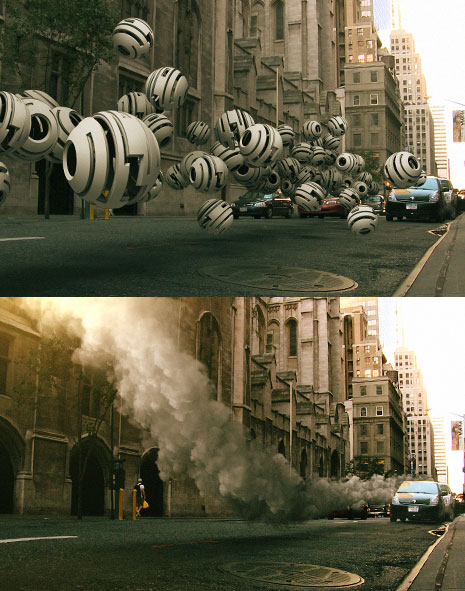
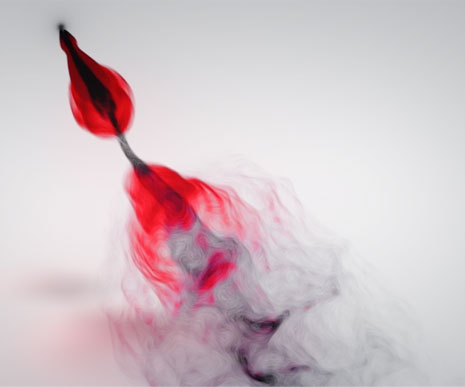
Here are a few more examples with various particle types using my dynamic shadow technique. Now, if you look at the smoke example above, notice how the shadow is darker when the stream is closer to the ground and softer as it moves up into the sky. This technique bases the shadows softness and density on the distance from the ground, just like real shadows. Plus you can control the density and softness of the shadows to fit your likings.

The example with the hollow balls was just to show a particle type that didn't have reflectivity so people would stop calling me out saying the particles don't reflect each other :)

Just like with any technique, always be thinking of ways to adapt it to your needs and explore creative uses and benefits.

See High Resolution
See Particles with no background

Stay tuned for the tutorial.

POSTED:
15 years ago
Particle Shadows AE vs 3D

After discovering an interesting way to cast shadows from Particles in After Effects I started thinking how it compares with a 3D program... One main concern was render speeds: 3D max took about 20 seconds per frame and After Effects took around 1 second but there may be other things to consider...

After Effects:
-Faster Rendering
-Depth of field renders faster
-Output quality previewing while editing (instead of 3d viewports)
-May still need a 3D program to create the sprites
-Shadows work best with round or soft type particle types
-Shadow trick requires extra setup
-Quickly Control Shadows look from soft to hard

3D Program:
- More accurate shadows
- No shadow layer setup (although AE shadows only take a couple min. to setup)
-Real 3D objects offer better reflections and self-shadows
-Access to more physics influence like deflectors etc.
-Good if you have other 3D Objects requirements for your scene
-With GI, complex scenes can get exponentially slower to render

Bottom line is there are good reasons to use both methods and depending on your project requirements or software limitations, you might be able to save some time or improve your results. Particle shadow tutorial coming soon.

POSTED:
15 years ago
Sound/Music Designers Needed!

Are you awesome? Do you love sound FX and music? Do you know who Michael Giacchino is?

Video Copilot is looking for talented sound and music designers with at least 1-2-years experience. We are looking for individuals that have a keen EAR for abstract sound design with an up-beat and cinematic musical sense. Individuals should be motivated, exploratory, well-organized and have a good sense of humor.

If you think you have what it takes, please send us a link or a 1-2 min MP3 of your best stuff. Please keep email attachments under 5 MBs to be considered. Be sure to mention what type of setup you are using and a good recording microphone is a bonus but not required.

Please Email job inquiries to:

Jobs (at) videocopilot.net

POSTED:
15 years ago
Dynamic Particle Shadows in AE

In a recent post, I rendered a fluid particle system and faked the shadow by duplicating the render and adding a blur. But, then I started thinking... what about a particle system that is more defined, like dropping balls? The blur-method would not work. So then I had more questions...

How could you create a dynamic shadow, that lines up correctly with your particles AND appears only when the particle is close to the surface? What about making the shadow look like Global Illumination? What if you went back in time and ran into yourself from the PAST!?

Eventually I though of a solution and it seems to work pretty well. Specifically if you think of a code word that only you know, it would be easy to prove YOU were from the future.

As for the particle shadows, I think it is worth sharing in detail so stay tuned for a video demonstration.

Watch Sample Video

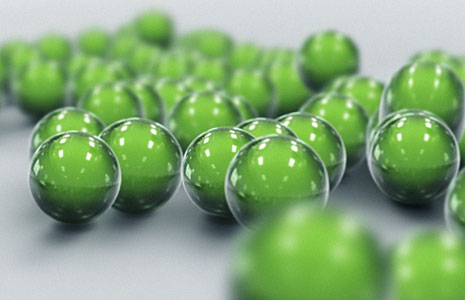
NOTE: This sample video was rendered in After Effects with Particular using a 3D ball element as the particle texture. The ball was created in 3D Max, but you can make your own reflective orb in AE as shown in the Glass Orbs tutorial.

POSTED:
15 years ago
Particle Animation to Music

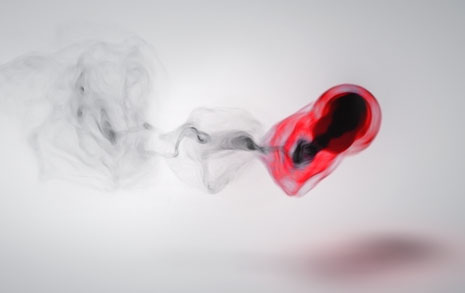
One of the many uses for a particle system plug-in like Particular is the ability 'visualize' music through the formation of particles. I've seen some amazing examples over the last few months and this is one of my experiments called Red Smoke.

Watch Sample Video

Download Project (CS4 & Particular 2 required)

About this Project:


After I extracted the keyframes from the audio amplitude, with this technique, I linked the particle birth and the velocity to the sound intensity with expressions. This made the bursts of particles shoot out farther for the louder notes and tighter for quiet parts.

The original comp was actually black with colorful particles (See sample) but I wanted to create something a bit more unique so I inverted the luminance and colorized part of it so it would be more dramatic Red on Black.

To get away from the sandy look of small particles I used a vector blur set to "Perpendicular" to blend it more naturally.

There are about a 2 million particles per frame so the render took about 4 hours but I lowered the rate while working to speed things up. I also offset the final audio a few frames to match the visual since the birth causes a slight delay.

Side Note: Harry Frank did a pretty in-depth tutorial at RGTV.

If you have any questions, post them!

POSTED:
15 years ago