 ALL DESIGN TOOLS

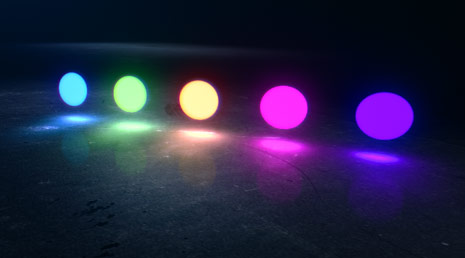
In this quick motion graphics tutorials we'll create a natural light glow illuminating from your title onto a 3D surface. This tutorial also includes tips for generating a simple chromatic glow effect.
November 29th, 2010

November 24th, 2010
You know that part in a movie where some guy gets sliced up with a sword and you can see a big cut across his ninja shirt?... Well usually they do some fancy editing where he has a robe without a slash and then it cuts to a close up where the shirt now has a big rip... This actually works really well, especially with a nice sound effect. But I wanted to do the slicing all in one continuous take using computer technology!
How would you do it?
November 23rd, 2010
We've been finishing up the final details on our slightly new website update that includes a few handy features and an upgraded look. We should be rolling out the new site in the next week or so. Until then!
November 23rd, 2010

Not really ground-breaking but here is a simple plug-in we created to allow you to copy a frame from After Effects to the system clipboard so you can paste it in a program like Photoshop. This saves you from having to render a frame to a file and then reopen it and apparently it is not a new idea but we made it 64-bit and cs5 compatible if anyone needs it.
I was doing a lot of Photoshop work with stuff from After Effects and using this plug-in saved a lot of time getting screenshots into my PS canvas.
Install the plug-in to your AE plug-in folder. For CS3 and CS4, use the 32-bit version for CS5, use the 64-bit version. There should be a .aex for windows and a .plugin for mac users too.
Once installed you can navigate to a comp and then choose export, and select Copy Frame to Clipboard. Then open image application and choose, Edit-Paste!
Any bugs, post them here and we'll try to fix them.
November 17th, 2010
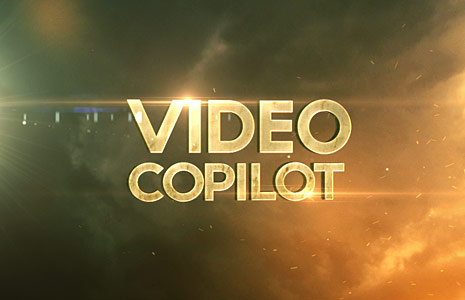
I know it's been quiet on the blog lately but we are working hard behind the scenes on many new things. A new website revision is launching soon along with a couple new tutorials and even a full-length blog show.
Until then, here is a cool project file using some elements from the Free stock package. Everything is put together in After Effects including the title and particles so you should be able to modify and customize. I may have used a couple of Optical Flares as well.

Tutorials
167. Damage & Decay FX!
Create a procedural decay system
157. Advanced 3D Noise & Deform
Create an intricate deform animation using 3D Noise & Twist

Blog Show
Demon Cam: Behind the Scenes
Last week we released a promotional film for our new iPhone app: "Demon Cam"!
Watch Demon Cam Film
Much like our Demon Face Warp tutorial, this new app allows you to record a video and transform someone into a Demon of your choice. To help people learn to use the app, we created a film with a supernatural back-story and more importantly, a platform to create some fun visual effects. Before watching the behind the scenes, you should probably watch the short film first. Watch Demon Cam.
Now that the project is released, we are excited to share the behind-the-scenes video, outlining everything that went into creating the effects as well as the app design.
As planned we will be breaking down many of the VFX shots for complete Video Copilot tutorials over the next few weeks. Stay tuned for that!
Watch Demon Cam: Behind the Scenes
Video available on Youtube & Vimeo!
FAQ: Android Version?
We're gonna try!
We are excited to show you this coverage and

Plugins

Stock Footage


