As we get closer to launching Action Essentials 2, I have been developing a simple guideline for better compositing that is broken down to 7 key points. This is by no means a 'complete' guide for every scenario but it should be a good place to start. I plan on detailing many of these techniques in the future but here is a basic overview. If you have some tips that have helped you out in the field, please share them in the comments below.
I call it: P.E.R.F.E.C.T.
Perspective:
When compositing a scene, you want to consider the perspective of your plate (raw footage) and carefully mix elements that align with your shot. A major perspective conflict can be a give-away that your shot was poorly composited.
Esthetics (aesthetics):
Make it look cool. Keep an eye on your composition and balance the elements in your scene evenly. Look at the composite as a whole and not just the area you are working on.
Randomize:
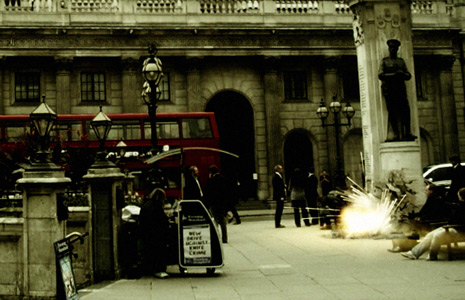
The world is unpredictable so you want to use variations in your compositing work. One example is when creating an army of soldiers from a small group of extras. It is important to offset the individuals by time and space so they do not look mechanically duplicated. This is also important when adding muzzle flashes and ricochets. Don't just reuse the same muzzle fire or ricochet, use multiple clips and alter the size and rotation so that your mind doesn't pick up on the pattern of similarity.
Feathering:
The way elements are blended in a scene is a top priority. Feathering is a great way to blend multiple elements together in a scene as well as performing a subtle light wrap. But don't overuse the light wrap!
Environment:
When you composite an element in your scene, ask yourself how would this affect the surrounding environment? When an explosion goes off, does it leave a hole or burn marks? Does the bright light cast on the walls around it? Be creative and think of clever ways to make your fx elements blend with the real world. You should also consider on-set action for planned visual effects. Having real interaction in your scene goes a long way to sell a shot like pillows on a couch being shot-up by a machine gun. A simple string works well to 'toss' the pillows around as they are blown away.
Color:
Matching color and light are essential to photo realistic compositing. Obviously you want the fx elements to match the color of the scene but you also want to match the contrast level too. Be mindful of the light direction in your scene and be sure to use elements that cooperate.
Timing:
There is a rhythm to cinema and visual effects. There is action and reaction. Let your shot flow and unfold. If you force things to happen in a short amount of time, the shot may turn out mechanical and choppy.
Feel free to expand on these ideas and continue to create impressive visual effects. In the mind of an artist nothing is ever "perfect", but I like to think of the word as an verb for a work in progress as we attempt to 'perfect' the art.
 ALL DESIGN TOOLS