Fix QuickTime Gamma Shift

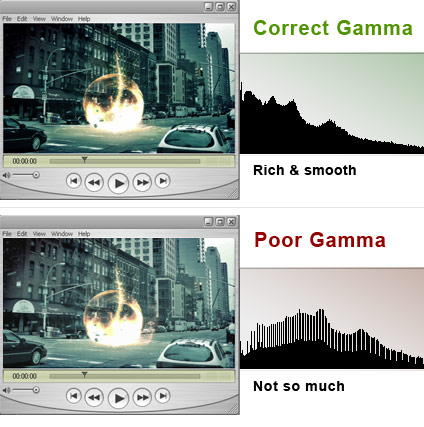
Using mp4 or h.264 when compressing through QuickTime can make the final video look washed out. This is a common problem that seemed to have no solution... until now. The gamma shift can actually be fixed inside QuickTime Pro without re-compressing your video by simply changing a few settings.

Scrimski at CGtalk.com posted a good walk-through. Thanks!

SOLUTION: After rendering into a QuickTime/h.264 file, open it up in QuickTime and select "Show Movie Properties." Highlight the video track then click on the "Visual Settings" tab. Towards the bottom left you should see "Transparency" with a drop-down box next to it. Select "Blend" from the menu then move the "Transparency Level" slider to 100%. Choose "Straight Alpha" from the same drop-down and close the properties window and finally "Save."

See the difference on our Promos:
Download and follow the steps for yourself.

The Bullet

Twitch

Evolution

In a few weeks many videos will be updated to the correct gamma but I though I would pass along this great tip.

POSTED:
17 years ago
Feel the Energy!

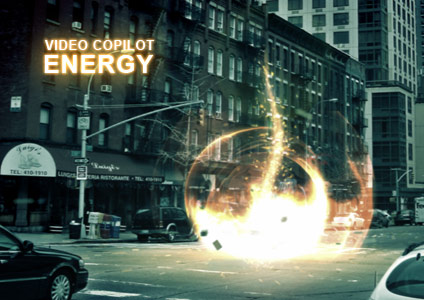
I'm happy to say I spent part of my Father's Day designing some energy inside of After Effects without using Particular and only the built-in tools.

Watch Sample Video

This effect is easily scalable for creating small energy fields for a single human arriving from the future or a very large army of robots in disguise. I should be recording a tutorial very soon, so keep an eye out for it.

If you need something to do until judgment day, be sure to check out our Great Online Store we have lots of impressive DVDs for you, that won't malfunction and try to kill you.

For the trolls:
Please don't beg or ask when FREE tutorials will be ready.... I may be forced to send a robot to your house with orders to punch you in the face.

POSTED:
17 years ago
Been Busy... for good reason

Well, it's been quiet around here... a little too quiet if you know what I mean. On July 20th, a little after Video Copilot's 3 year anniversary, a new version of the website will be launched. Some new features, a new layout and better integration are just some of the new things we have been working on. I'll keep you posted and now that I have the main design work done you should see a little more going on around here in the mean time. Maybe a new tutorial even...

POSTED:
17 years ago
Car Hit Footage Now Available


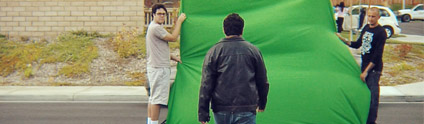
I've uploaded the footage and sound FX for the latest Car Hit Tutorial. Of course, I encourage everyone to go out and film your own scene, it's a lot of fun. Of course, you do it without a greenscreen, you just have to do more rotoscoping around the entire person. I've done plenty of rotoscoping in my day and I decided to use the green.

View Tutorial

POSTED:
17 years ago
T-Shirt Winners Pending

We are still contacting the winners, the results should be in soon. We will announce the winners and the reasons we chose them very soon.

POSTED:
17 years ago