 ALL DESIGN TOOLS

I was surprised to see an article on Digg.com that featured After Effects on the front page. Usually it's a bunch of posts about cats using Photoshop or drawing cats with Photoshop and occasionally cats teaching Photoshop but it's pretty cool to see some good old fashioned After Effects. I say Digg it!
February 19th, 2009

February 19th, 2009

Here is a video of the experimental project I showed you earlier in the week. I'm still working on the technique and streamlining the process but I have a feeling there is a tutorial in the works.
For now, I'm preparing a big website announcement that you don't want to miss. It could be waffles, it could be pancakes... or something even better!
The random lens blur effect was created using Twitch; one of our custom tools for After Effects.
UPDATE: Tutorial Online
February 18th, 2009
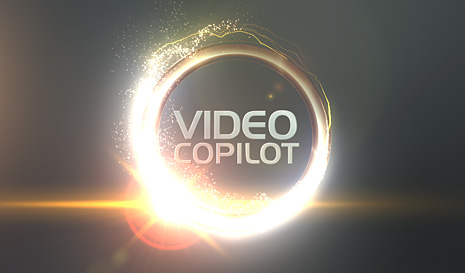
Well... only one ring but it is golden. Just wanted to point out how much of a difference your color palette can make on a design. These colors are similar to the ones used by Troika Design for the TNT graphics and they sure picked some beautiful ones.
Don't be afraid to try some creative variations in your own work.
February 17th, 2009

In this new tutorial we will build a chrome ring in After Effects with an elaborate particle wipe. You'll learn a new expression and build an anamorphic lens flare. The tutorial uses Trapcode Particular but I also show you how to set it up with CC particle world as well. And, I promise no references to The Ring!
Reminder:
The music and sound FX are from: Pro Scores and Designer Sound FX.
Check out our great Tools and support the site!
February 17th, 2009
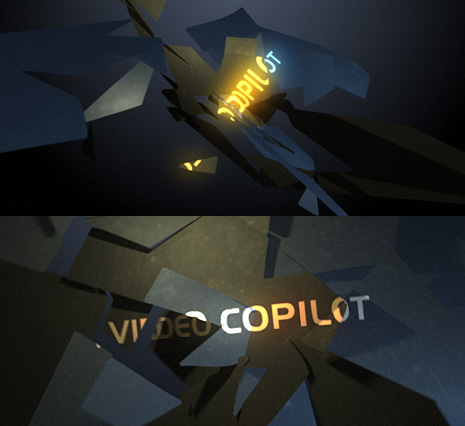
I don't know what this is but it took a long time to make and rendering was really slow. What could it be? Some crazy test? A new production company logo? Perhaps a new tutorial idea? I'll post a video when it is done. I'll tell you it was created in After Effects and every piece is an individual AE layer.
AND, the background has a gradient!!!

Tutorials
136b. Interdimensional UFO Portal
Create another viral UFO video
155. Animated Polygon
Create a stylized polygon animation using time displacement

Blog Show
BLOG SHOW: Optical Flares & Bears Oh My!
In this new "Video Blog Show" we will be trying a new format and most importantly checking out the interface for OPTICAL FLARES for the first time!
Topics Covered:
New Blog Show Format
Fight Enhancement Tip in AE
Check out Upcoming Bar Graph Tutorial
5 Min Inside Look at the Optical Lens Flare Interface
This episode is a bit longer (18 min) but the time flies-by! We are shooting for 10 minute shows in the future! We also changed the resolution to 960x540 so you can see the tutorials and demonstrations much easier.
NOTE: Optical Flares is Mac & PC compatible.

Plugins

Stock Footage


