 ALL DESIGN TOOLS

John over at Motionworks just posted part 2 of our interview where we talk about some interesting challenges and the future of Video Copilot.
September 10th, 2009

September 9th, 2009
I'm just finishing some fx for a client that are taking a little longer than expected but things are looking good now. I've got some fun tips and info I'll be posting on the blog in a slightly new format for short screen recorded tips. I'm also getting the rest of my project elements together for an exciting look at bar graphs in After Effects. (Trust me it's more fun than it sounds)
September 7th, 2009

We are collecting your banner design submissions to be featured at the top of Video Copilot! Is that a good thing? I don't know.
BTW: This is not a contest but depending on how everything goes we may consider some challenges in the future. Your reward for the trouble is knowledge and maybe bragging rights to small kittens! We'll check them out and publish them on the site from time to time, we're probably not going to announce ones we publish, so keep your eyes open.
Also, the font I commonly use is called Century Gothic, not required but I like it.
Deadline for this round: This Friday, sept 11, 2009
September 5th, 2009
[flvplayer series_one_interview.flv series_one_interview.jpg]
Back in 2008 when we made it to tutorial # 65 a DVD was produced to let people take the tutorials with them. As a bonus we produced this unual interview based on questions from the community. Most of the answers just lead to more questions... but we had some fun.
Once we get to 100 Tutorials, we'll have to make a Series II DVD with some more special features... we'll see!
September 4th, 2009
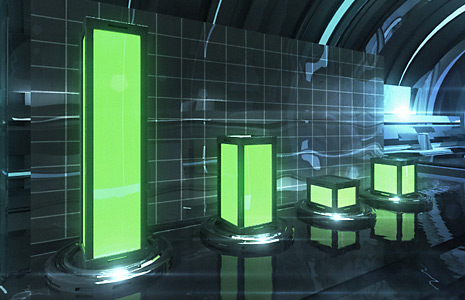
If you have ever made a Bar Graph, you know they can be a bit tedious to manage especially when your statistics change and require adjusting all of the bars! (And they will) Well, if that made sense to you, I feel your pain. For everyone else the picture will get much clearer when I take you through a practical use of expressions involving Time-Remapping. I will be using a bar graph chart as the example but these expressions are versatile and will likely give you ideas for your own projects.
One of the key benefits here is that I have rendered out my 3D Bar scene (that was designed for this tutorial) and it took about 5 hours but inside of After Effects I can control each bar individually eliminating the need to perform additional 3D rendering to adjust the bars.
Harry J Frank has a cool little tutorial from back in the day (AE 6.5) for building your very own pie graph in After Effects.
I know expressions can be a little tricky so I want to make this tutorial easy for everyone, stay tuned.
Watch Sample Video HD
Set Image On JPG
Set Image Off JPG

Tutorials
166. Cinematic Title Design: Fantasy FX
Customize the Bevel and create endless variations
158.5. Element 3D V2.2 Features
Group Symmetry Creation Mode

Blog Show
BLOG SHOW: Fear of Heights
In this special behind the scenes episode of the Blog Show, we will take you through setting up the shot for an upcoming tutorial. The technique allows you to create a 3D camera from a single 2D track!
We also discuss the benefits of temporary post production so you can reshoot before the set is taken down.

Plugins

Stock Footage


