Star Trek Into Darkness & More!

Recently I had the opportunity to work with J.J. Abrams on the new Star Trek film to design the Main and End Titles. The project was massive! Over 30 unique creditdesignswith a single camera flying around space throughnebula'sand galaxies. Maybe a few shattered planets too, cause they just look cool in 3D!

I'm actually working on some in depth behind the scenes video to show you some of the work and what went into the sequence. The titles were designed at IMAX resolution and rendered in stereo so everything in the the scenes had to be completely 3D! (and yes I used Element 3D. 100% rendered inside After Effects!)

They even let me go to the premiere... it was kind of insane!
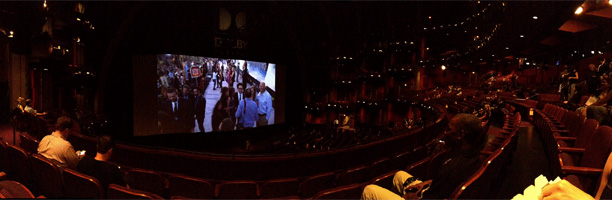
It is always fun to work on challenging sequences and I couldn't be more thankful for the chance to be part of such a cool project! To hard work and innovation!

If you are going to be around LA tomorrow, I'm doing another presentation at DMALA to talk about this and other cool projects.
Food and drinks plus the Adobe Guys are going to be there too.
https://dmala.eventbrite.com/

POSTED:
12 years ago
155 Comments
Naokigraphics
11 years ago
Am I the only one that noticed the Star Trek premiere was in the KA theater for cirque du soleil at MGM Grand?
manikanta allam
12 years ago
Sir,
I am from india and the "ST INTO DARKNESS"
Watched recently,,and the really the titles are sooo much impressive ,,
I glad about this bcz my teacher,you,worked for great hollywood film,,
Thanking u sir!
Felipe
12 years ago
Dude, this is awesome. I can't thank you enough for all what I've learned with Video Copilot! Many, many thanks! And 3D Element Rocks!
Jordan Thomas
12 years ago
Is a Behind-the-Scenes video still in the works?
Liam56
12 years ago
Hey Andrew, love your work and got into motion graphics because of your great tutorials. I now work for a motion graphics and film title company here in LA. We've worked with Mr. Abrams in the past and when I saw your work on Star Trek I wanted to ask: when you get a huge project like this were you working alone or do you have a team that helps take it on? Also, I know this was a stereo film, did you create the sequence with a stereo rig in AE or was it post-converted? Thanks and keep inspiring us!
Kouo
12 years ago
Hey Andrew! I was just wondering, did you also do the lens flares inside the movie scenes? Some of those scenes are all cgi so they couldn't have been real flares.
MER377
12 years ago
i just saw the movie today your job was excellent .........
harsha
12 years ago
When this thing will be published!!...Damn im waiting for it!!
12 years ago
I'm curious...

What is the resolution of an Imax frame? (ex. HD = 1920x1080)
12 years ago
Andrew, as always you do amazing work.
For everybody else that hasn't seen Andrew's stunning work on the end credits of the movie...someone on youtube has a posted a cell phone video of them. The video quality sucks bad but you can still see how Vibrant and how much depth Andrew gave them. Probably the coolest end credits I've seen to date.

If anyone has created or knows of any other awesome Title sequences or End credits please go to my Film production blog @ joeyanderson.com and let me know! I'de be happy to share cool stuff you've done with my readers.
12 years ago
Boy, am I late to the game on this one, but a very hearty congratulations to you Andrew! I sat through the entire ending credit sequence marveling at how wonderful it looked and thinking how this could be done with Element...and, sure enough, I see that you were the one to put this together. EXCELLENT work. Even my wife remembered how I commented on the ending credits, "You said the space effects in the last 5 minutes of this movie were better than everything that was put to film in over a century of movie making."
cloclo
12 years ago
Congrats!

Did you work in AE in 32bit lineair mode (gamma 1.0)?
Or in gamma 2.2?

In other words: did you use 3D element in lineair mode?

Thank you for sharing!
Ian
12 years ago
It's great to see the level of success one can achieve, when one is passionate about helping others succeed. Congrats to you, Andrew!
Steve S
12 years ago
Saw Star Trek. Well done on the titles. Not sure if you hate it when people suggest tuts... but I'm gonna! Muahahahahaaaa! I'm super excited about the future buildings project you have going on and thought a tut on how to do a Sun with all the flares was possible? for space travelly futurish stuff. Maybe not, but I thought I would try. This is one of my favorite sites by far. Thanks.
Steve
12 years ago
Nice, but I reckon you should post for us all a download link for the project file? cant be too big surely aha :p
Victor Gutarra
12 years ago
I would like to know if the lens flares that appear during the movie were done with OF?
12 years ago
Per the director's commentary of the first JJ Abrams Star Trek, most of them are physical effects done with flashlights and such.
Maxime P
12 years ago
Great job on the titles Andrew! But my eyes still hurt from the tons of lens flares we saw in the movie...OUCH!
mikeo
12 years ago
Ladies and gentleman, A STAR is, rather was born due to the delayed response.
Lukas
12 years ago
the movie sucks but the Titles are great
Calixto
12 years ago
Just came back from seeing "Into Darkness"...wow, what a great film. However, what I'm posting about is that I saw you name in the credits for the work you did in the Main Title section of the film. You should be very proud of yourself and how far you have come. You took a hobby and made it into a career. Not to many people can do that, so I congratulate you. Future success is in your hands now. As my friend Mr. Spok would say.."live long and prosper!"
12 years ago
Does this happen with only me or everyone has suffered this, that after completing your project, even the best looking render seems boring!

P.S. Andrew, great job man... this couldn't have been better.
Jenny
12 years ago
Did you use SureTarget too? I thought it was you when I saw it. Awesome job.
12 years ago
Since you are in tight with JJ. I'm thinking he should get you to do the new Star Wars scrolling text... hahaha
12 years ago
I have to say I enjoyed the end title...more than the film!...They were wicked!!! Well done Andrew!
Would be amazing to see how you made them.

Keep up the good work!
Calixto
12 years ago
Mattie, the work that Andrew did was superb. He is extremely talented and the end titles were very nice. However, if you really enjoyed the end titles more than the film, you must have had your eyes shut during the film. You need to go back and see it again!
andrews fan
12 years ago
Watched the movie just a few minutes ago it was awesome
I was really reminded of your style a few times
So i sesrched for your name on the credits and i found it:
Main title by andrew kramer
Aaron
12 years ago
Andrew, great job on the ending credits. Were they entirely done within AE? There were lots of atmospheric/particle effects that I wouldnt know how to do with AE, like alot of the glows/flames coming off some of the planets, and the suns. I tutorial on that would be great, but even a quick paragraph on how it was done would also be helpful, because as it stands I wasnt aware AE could do those types of effects.

Thanks!
Bono Tung
12 years ago
Good Job
I already saw it 3 times.
Would love to catch it for the forth time.
Jared
12 years ago
You did a great job! You should make a small tutorial of how you made it!!
washington
12 years ago
Last Sunday watched Star Trek, movie done my wife gets up, am like wait Andrew Kramer made the end titles.. she is like "ooookay!" shoot ignorance...
Shahab
12 years ago
I also had a Stereo project that I worked with element 3d , and you know that it didn't work with AE's built-in 3d camera rig , and we have to separate whole proj in left and right comp, and connect each layer to another one.
it is so difficult...
I love to see stereo feature in Element 3d 2.
Steve Green
12 years ago
Shahab, you may want to take a look at this script/plugin.

It works with plugins like Element3D/Particular/Form etc.

http://aescripts.com/stereo-3d-toolkit/
Shahab
12 years ago
Thank you Steve;
Its very useful and its benefit is : " The tools enable you to work on the left channel and automatically update the right channel"
12 years ago
Out of curiosity, how did you render the Element 3D graphics in stereo? Considering that the native stereo 3D rig in AE requires 3D layers, and the Element 3D layers are usually 2D solids with the Element 3D object being 3D I'm curious. Did you have to duplicate the comp, move the camera over the appropriate number of pixels to match the interocular distance required, and adjust the convergence through the camera's point of interest? Then did you have to render each eye separately? Of course this was the method to render stereo 3D graphics before the inclusion of the 3D stereo rig feature for the camera, but I'd like to know your process for rendering Element 3D graphics in stereo. Thanks, you rock! Great job on the credits, by the way.
Erion
12 years ago
Pci express 3.0 wil not work on a i7-920, its only works on a 22NM i7 as 3770.
prathamesh
12 years ago
I made this useing element 3d and newton plugin must watch

http://www.youtube.com/watch?v=EaHgAwIYsuo

and please tell me andrew sir this glass displacement is element 3d new feture or not ?
also now please upload somethinggg m deadly waiting for this all new stuff ..
12 years ago
i knew it as soon as i started to see those end credits i siad to my wife i know how that was done.
Craig
12 years ago
Hey Andrew, just went to see the movie and I loved it and your titles also. I told my son that I wanted to stay behind to see your credit. There were so many that I thought I would miss it but we both saw it. I thought, 'Andrew worked hard to get to that level but no one stays to watch the credit'. Well, we did. Kudos dude.
Stefan
12 years ago
What CPU you use?
I am going to buy the new Nvidia GTX 780 and a new CPU would be not bed
Tim K
12 years ago
I remember seeing Andrew's name in the credits for the first Star Trek (reboot) and yelling out "Hey! I know that guy!" (He doesn't know me really, but ...). Anyway, of course I began seeing it for Fringe, Super-8, etc. (And you get to recognize his style like with anything else ... composer's, director's, DP's, etc.).

So, when I saw ST Into Darkness today I anxiously watched the entire end credits roll (which I normally do anyway, but my wife was with me this time giving me "the eye") only to see some other name by the Titles/End Titles listings. I was shocked, because this was A.K. through-and-through. So did I just miss something, or is it under a different section? Different company name?
12 years ago
Awesome, congrats!

A behind the scenes on your work would be great! I know you can't reveal everything but I'd love to get an idea what the workflow was like and learn some new stuff.

What resolution did you work with for IMAX?
Andrew Oborn
12 years ago
Loved the film, and did notice that the sequence looked "Kramer-esque". Very cool, great job.
malcolm
12 years ago
what about we using linux pc, dont forget we
Musashi
12 years ago
They are the one, who should feel proud to have you with them at premiere..
12 years ago
Congra bro! can't wait see it, U.
Juno
12 years ago
Please tell me you weren't the ones that did the STUPID lens flares for Into the Darkness...it looks like crap!!! It looks like the star ship enterprise is being pulled over by the cops. - Was that you? If it was, WOW, what crap!
Luke
12 years ago
Hey Andrew, just out of curiosity when you say "IMAX" resolution what is the actual resolution of that format?
Sebastian
12 years ago
I was really looking forward to watch the new Star Trek movie, also because I hoped to see that the main titles were again done by you. It was awesome! But my simple question about it: Did I see right? Did you put the Death Star in it? For I was laughing about that one shattered planet - was really looking like good ol' Death Star!
Mahdi
12 years ago
Congratulations andrew...
Shawn Wilson
12 years ago
I just watched the movie and was thinking... man, some of these camera movements look like Sure Target... this guy must have watched some Video Copilot. : P
Mauricio Alzate
12 years ago
Wow. I want to see it
12 years ago
Andrew,

I wish I knew you were at the premiere. I was like 30 seats to the right of you, I thought you were gonna be there, but couldn't find you. Hope you enjoyed it. I sure did. I have some shots from the premiere on my website if you want to check them out.

Hope you have a great day.

Thanks,

Anthony
Austin Davis
12 years ago
So everything in the end credits are in one After Effects composition? How did you add all the 3D models since Element only has 5 groups that you can assign to, did you have multiple element layers?
Monte
12 years ago
Hey Andrew,

Any chance of a blog show (or other video) that shows the process of creating titles? Something that starts with "I got this call today to create titles for...", and then walks thru the entire process of design/meetings/etc, until the final product is released?
Torsten
12 years ago
I was wondering how many working hours went into that end sequence?
BillyJoelT
12 years ago
I knew it was you Andrew! First thing I thought when I saw the credits was, "You know, it would be really awesome if Andrew was involved in this - this really looks like his awesome work." Congrats, big time!
shorey
12 years ago
next week will be my exam IELTS my problem is the writing can someone give me help please (shorey1993@mail.ru)
James Twyman
12 years ago
Whilst the film was full of so many plot holes you could fit the entire of star fleet through them, the end credits came up and the theme tune of star trek just screamed *ANDREEEEW, ANDREW KRAMEEEER.... ANDREW KRAMER ANDREW!!!!! Awesome stuff dude.
Redo
12 years ago
Congrats Andrew! Amazing titles.
And this is kind of off-topic but do you consider adding a Cell-Shading Render Feature in the upcoming versions of Element 3D ? A cartoonish look that the can be stylized as non to semi realism?
reza irani
12 years ago
Hopefully one day you'll receive an Oscar Best Special Effects!I am impatiently waiting for the videos and more details!
12 years ago
Kramer, let's forget about the S.F. stuff for a moment and try to do a tutorial on "hot to make a nice set of legs from a white background" like this maroon guy has it here on planet Earth: http://www.youtube.com/watch?v=MU8B4XDI3Uw.
Greetings from Vulcan \\//
Lj
12 years ago
1. find nice set of legs
2. paint them green on green background
3. apply color to green sexy legs
4. applayed color will look like appering from nowhere or from background layer colour since is croma keyed
12 years ago
That's why I was hoping for K. to help us with step 1, now that he's connected not only with all Hollywood people - but also the whole galaxy by doing this intro/end titles - the rest would come easy after.
Hey, we need somebody to apply the paint on step 3 also...anyone? volunteers?
Weston Durland
12 years ago
YOU ARE AMAZING! Huge fan of you and Star Trek!
Ken
12 years ago
I saw those credits and looked to my boyfriend and commented on how insane they looked. I was telling him that this was the height if after effects work. I think it's really awesome to find out now that you made them. Unbelievable amazing job. Like mind blowingly awesome. You, sir, are a real pro
headbuzz
12 years ago
Awesome Andrew! you have given so much to us, really glad you are getting to create amazing work for some massive projects!
murad
12 years ago
Andrew, really great sequence. It was more entertaining than the whole movie. Looking forward for behind the scenes.
thunderossa
12 years ago
Awesome AK!!! Can't wait to see it now! So did the various VFX Shops use Element during the rest of the film at all?
Vlada
12 years ago
So Oscar nomination for subtitles are smiling after all
Alain
12 years ago
So funny !

When I saw the movie and the credits sequence, I had a thought about you ! I could recognize a few of the traits of your work... !
JWayne
12 years ago
I'm very curious to see if AK gets to work with JJ on the next Star Wars movie
James
12 years ago
The first time I visited this blog years ago, andrew was showing how to to a simple sky replacement...and the most recent blog post is about his work on star trek...thats pretty freaking cool...all grown up and made it to the big time...and we all got to follow along!
Ben
12 years ago
Isn't IMAX Resolution somewhere in the 10 000 x 7 000 pixels?
Luis
12 years ago
Hi, Andrew! nice to hear about your activities and share with us, since i watched your tutorials from creative cow you are growing +++... congrats a lot man!
Dan
12 years ago
I thought I saw Sam floating among the asteroid
12 years ago
IF VFX is A Religion,
AK is God..
bobomet
12 years ago
I was only thinking about going to see it .... until now.
So I just bought 2 tix to tonight's 7pm show!
Looking forward to it ...
sumedh
12 years ago
damn.....thats AWESOME Andrew...
12 years ago
Fan-bloody-tastic Mr Kramer.
Sergio
12 years ago
Thank you Andrew you´re my isnpiration
I'll follow you until my last day.
Saludos from Bolivia
PILOT
12 years ago
Amzing,
IMRAN KHAN
12 years ago
Andrew Does Your Output Always Reached Your Imagination?
JJ
12 years ago
Good question! I know in my case, every project seems to be an exercise in gradually and painfully lowering my own expectations until they finally match up with my ability.
12 years ago
Please tell me JJ Abrams just answered this question!
chillywinter
12 years ago
I would have stayed back if I had know - but desperately needed to go to the toilet - damn coke.
vers
12 years ago
haha... i was til the end of the credits in my seat, just to see your name!
chillywinter
12 years ago
At what minute of the movie does your name appear in the credits?
Adam
12 years ago
I saw the movie last week. Amazing...and the titles and credits were crazy....Can we have the project lol
12 years ago
congrats!! I'm excited to have a look of what you've done, specially the stereoscopic workflow in AE
12 years ago
Dear Andrew!

Watching the main on end titles of »Into Darkness« I felt that there was some kind of familiarity with the camera movement ??? the feeling was right. Fantastic work!

I already suggested it to »Art of the Title Sequence« and got positive feedback that they were adding it to their master »to-do« list. Looking forward to that so I can watch it again.
Marcel
12 years ago
Hey Andrew,
can you pls make a tutroial about some effects of the film like the warp engine
The real smithy
12 years ago
I'm gaining to see it tonight, lookin giftware to seeing your work Andrew.
Just wondering on how daunting it was to using after effects to IMAX scale?, did have to do tests? Or any research? And how well did after effects run pumping out a huge screen resolution when it came to rendering?
Sean
12 years ago
I knew IT!!! When watching the end credits I was thinking, this seems like something from Andrew's Elements 3D planet tutorials.
Barry
12 years ago
Andrew, the end titles were SICK!!!!! Told my friend I thought it was down to you, low and behold I was right. And all with Element and AE - dude you are simply a SFX GOD!!!!!
Jeff
12 years ago
J.J. Abrams actually mentioned Andrew and Videocopilot in a recent Playboy interview. He was very complimentary.
Jeff
12 years ago
Used Element 3D rendered inside After Effects? WOW!! I always assumed they use proprietary software.
lyrica
12 years ago
well done. Saw the movie yesterday and just thought - looks like Andrew's work.
Vince
12 years ago
Awesome movie! no wonder I been seeing a lot of VC optical flares on the movie Mr. Andrew!
Darrs Diaz
12 years ago
You're the man! hats off. hands down
looking forward for E3D that supports multiple GPUs and enabled for multiprocessing
John Kammer
12 years ago
Watched the film Sunday night in 3d IMAX. Had not been to this site for several months having been in the process of moving back from overseas, so while watching end credits I was thinking Element 3d and Suretarget. Watched credits through until I saw Andrew's name.
Excellent job sir. Excellent.
Oh, and the rest of the movie was pretty cool too.
12 years ago
Very curious as to how you did the Nebula. The Nebula and somethin-somethin-tree space design from the end titles in Thor have had me wondering if that was a particle system or what? I'm very curious to see what you did with this.

Yeah, JJ likes your stuff, hopefully you get some SW action too. Top secret, though, we know. ^_^
Orlando Torres
12 years ago
You know, I bet you will have the honor of designing the opening of Star Wars episode VII!!!
12 years ago
Legend.. Simply legend. I can wait to get to this level for movie projects. Roll on E3D v2
DOUGLAS
12 years ago
Un saludo desde Cali, Colombia, en horabuena ese trabajo.
DOUGLAS
12 years ago
Exelente trabajo Andrew
Daniel
12 years ago
Mr.Kramer..... From Nigeria what a fantastic Job ever inspiring . Looking forward to working with you in the nearest present and hope you do get the Nerd Oscar.
Billy
12 years ago
Well done Mr. Kramer, what a fantastic and well deserved achievment!!!
Michael McCool
12 years ago
I sat and watched the credits, specifically looking for your name. It looked like your work and I knew you had done the first film. So I watched, and I found you. And WOW! Your work looked wonderful, and what an honor! J.J. obviously likes your style!
Dave Hirschberg
12 years ago
Andrew you are inspiring beyond words! Whenever I see a tv or movie title sequence that you worked on, I kind of get a feeling like "my friend Andrew" did that. Thanks for EVERYTHING you give to this community! I am most definitely a better artist because of what you do.
I have a question.... what would be the best card you can recommend for Element on a Mac?

Thanks again for everything,

Dave
12 years ago
NVIDIA
Stephen Kennedy
12 years ago
I mentioned this above, but will again for you:
Just a heads-up. I've done extensive tests with multiple cards from NVIDIA. If you want the best performance for the dollar, go with the GTX 660 or GTX 660 Ti. The overclocked signature series versions of these cards are fantastic. I did 70 render tests per GPU card I tested, and compared them all to the QUADRO 4000. If you're on a budget, the GTX 660 is the best value. If money is no object...then what are you waiting for? Purchase a pair of Titans.

If people are interested, I can post render times and results and provide a link.
Darren
12 years ago
@Stephen

Hi Stephen,

I'd definitely be interested in taking a look at some of those render times if you wouldn't mind posting them.

I was looking at getting the GTX 670, but have decided to wait a couple of weeks and check out the 770 when it launches.

My question is how did the 670 compare to the 660?
Dave Hirschberg
12 years ago
@Steven...
Are the GTX 660, 660Ti and Titan available for Mac? I was under the impression that the only GForce card for mac was the 285.
James
12 years ago
I think they're supported natively under the the more recent versions of osx...but don't quote me
POISON
12 years ago
Dave, you should NOT believe what apple says.. I was also in panic thinking that 285 is the only non QUADRO card that can work in macpro2. I saw a video on youtube where a guy puts 2 GTX570 and it works !!! So i got myself one and it does fantastic job. Now on my other machine i got GTX680 with 4gbram and i got shocked when testing its speed. Well GTX570 is FASTER than GTX680 (element3D and Iray) I got caught on this marketing trick before i saw this webiste http://www.hwcompare.com/12367/geforce-gtx-570-vs-geforce-gtx-680/ and understood WHAT makes a GPU fast.. it is the ROU/TAU number.. gtx 570 has 40 vs gtx680 with only 32... So believe it or nor 570 is about 25-30% faster in ELEMENT3d !!! So i took out 680 and got mysleft gtx580 and this one is even faster !!! Good luck.
Bryan
12 years ago
I Heard the 770's are going to have 3GB of ram with higher clock speeds. You can pick up a 670 right now for around $400 with 4GB of ram. I think that would be your best bet.
Stephen Kennedy
12 years ago
Hmm...made a huge post above for Chris and everyone else...but it's not showing it all...
At any rate, I'll chime in soon once I post all my results online.

http://www.videocardbenchmark.net/gpu_value.html

Go to the url above for a nice price comparison of GPUs. You'll have a good idea of what your value is per dollar in performance.

The GTX 670 is a better card than the 660 for sure. But for what you pay, it's less value. For the price of the 670 you could purchase two lower tier cards, run them in SLI and outperform. ...Or, just buy the 660 and spend the remainder of your hard earned cash on system RAM ;D

As for what's available for Mac, you'll have to check with the manufacturer on that.
I do know that the GeForce 600 series cards (such as you mentioned, Dave) are not available for mac at this time. There are, however, many Quadro cards that are.
Joseph
12 years ago
As soon as it got to the Main Title I turned to my friend and whispered "...Kramer!!...", probably spooked him a little because he doesn't know who Andrew Kramer is, but amazing work!!.
Kabir
12 years ago
I'm replying kinda late but that sounds like me, I actually stayed till the end of the credits to find Andrew's name in them. Sad thing I couldn't spot it
lunga shezi
12 years ago
Congratulation on a job well done Andrew looking forward to seeing Star Trek and the behind the scenes!
Much love and respect South Africa!
Darren
12 years ago
Andrew, do you have any idea when you might be finished working on the Behind the Scenes material? It sounds awesome!
12 years ago
Hello Andrew from Thailand, YOU DA MAN!
David
12 years ago
I sat right until the bitter end to see your credit Andrew. Very cool and it did remind me of a couple of your tutorials on a similar theme. You da man \^^/
Matin
12 years ago
What happened to your new tut?
Sometimes I feel like you take some stuff too long. I understand.
But we get excited!!!
12 years ago
way to go Andrew - you deserve the credit
Lee
12 years ago
Just curious, but what was your render time like for the end credits (Which looked incredible!)? Also did you work at a 'scaled down' resolution before resizing everything to an IMAX size for the render or did the TITAN card allow you to work fluidly at IMAX size?
12 years ago
I'm definitely going to get into this topic more. Basically with Element 3D I was able to design in real-time and see the final look with every change. I usually worked at half resolution in my AE comp since the window is usually at 50%. The real benefit of Element was designing all 32 "scenes" with atmosphere, particles, debris, asteroids etc, plus making sure the stereo 3D looked good. Getting the look and the lighting right was important and we didn't have time to do it traditionally in a full 3D app where you have to render the frame every time you want to see a change. For final rendering we turned up the motion blur samples a lot which is slower but the render times are still much faster than a traditional 3D workflow!
12 years ago
Awesome Andrew! The movie was incredible and I loved the credits. It must be very exciting for you. Congratulations!
JJ
12 years ago
Where can I see these credits? Don't tell me I actually have to go to the theater.
David
12 years ago
Andrew, from France....... Amazing work, respect.
Saxon
12 years ago
I actually sat and waited until your name came up because i was so sure it was AK. Very noticeable style!
jermageddon
12 years ago
I really hope jj being you on for star wars!
12 years ago
As it seems, we all will see your name on the new Star Wars' credits!
Isaac
12 years ago
The real question here is :
Will you be doing some work on Star Wars VII?

just curios and here is why :
ST 1 + Director JJ = You and your team did some work for him
ST 2 + Director JJ = You and your team did some work for him AGAIN

SW VII + Director JJ = You and your team maybe doing some work for hi again

that will be so great for you and you team....so looking forward for the answer. plus i now you have worked with him in more projects as well.
Isaac
12 years ago
The real question here is :
Will you be doing some work on Star Wars VII?

just curios and here is why :
ST 1 + Director JJ = You and your team did some work for him
ST 2 + Director JJ = You and your team did some work for him AGAIN

SW VII + Director JJ = You and your team maybe doing some work for hi again

that will be so great for you and you team....so looking forward for the answer. plus i now you have worked with him in more projects as well.
Fipoo
12 years ago
OMG! Andrew "is in" Star Trek?!
James
12 years ago
Well deserved mr Kramer...
Jon
12 years ago
Andrew- the movie was amazing and I was floored at the end credits as I was watching I was like this looks a whole lot like it could be done with sure target and element and I was so impressed with the look and the colors. Its no surprise when I saw this post. Well done I just finished the titles for Atlantic Rim using element 3D and they posted the trailer Wednesday and you are a huge inspiration. Good work thanks for you loving what you do those end credits were amazing!
12 years ago
"To hard work and innovation!" - Cheers! i wish had a beer
12 years ago
Impressive! End titles for a huge production like Start Trek. Congrats!!
Jesse Littlefield
12 years ago
Was to be expected almost since JJ seems to use you for all his projects in some capacity, but the Element touch was all over the place in the film.

Looking forward to what you end up doing with Star Wars.
Aaronaire
12 years ago
Surely Andrew is a Pro ,so what do we have to expect next.cause it's always amazing,and is the movie out yet(star Trek).
Øystein
12 years ago
IMAX? Wow. What resolution did you render out your projects at?
Just curious, since an untouched IMAX negative is equivalent to around 16-18K resolution!
streicher
12 years ago
wow men that's really awesome! can't to see your work

congratulations!!
Ryan Griffin
12 years ago
I just saw this yesterday in IMAX (the real deal IMAX too) and was wondering if you did the end credits with Element! Just phenomenal that they were, they looked astounding on the giant 6 story screen!

Can't wait for some behind the scenes stuff.
Neil Ruff
12 years ago
Andrew - I watched the entirety of the end-credits (as I tend to do with most movies)...I could swear I saw some actual credits relating to Element (incl. its development). Was this the case, or is there another hardware or software tool that shares the name?
Martin Hatfield
12 years ago
Those credits were amazing Andrew! I only saw it in 2D, but the credits had your signature to them. I didn't stay through the credits, but did you get credit for them?
Cap
12 years ago
HEy Andrew-

Yep I was thinking that you may have had a hand in it. And I kept thinking of SureTarget. Actually it was more like- I bet they used SureTarget. Keep it up.
roger justin
12 years ago
hey Andrew will you upload the presentation at DMALA for us around the world ???
12 years ago
Hey Andrew,
you look like Capt. James Tiberius
And everyone below this comment is fat and ugly.
Mark
12 years ago
Haha yeah he does. And with a name like "Usman" I wouldnt be surprised if you were fat and ugly yourself.
12 years ago
You got me
herrschobel
12 years ago
lol---that comment just made my day...and congrats to mr. kramer who is deserving all this and some more --salute !
12 years ago
we saw it last week, I made my fiance stay through the credits cause I wanted to see if your name was up there, and sure enough it was. Don't want to get all mushy on you but I'm so proud. I came across your site years ago when I first started doing basic AE stuff, and you were doing these little tuts of sky replacements in your front yard, now your doing the titles for major motion pictures. Your story is a modern day inspiration my friend. well done.
12 years ago
Congrats Andrew and VC. Can't wait to see what you did. Thank you again for Element 3D.
12 years ago
Oh shoot!

I was just down the balcony on the other side! I was pointing out to my friend about you, your title sequence and Element 3D. Glad you got to attend. Another friend heard about how big the construction was on the carpet and said, "Well, it IS the Nerd Oscars."
12 years ago
I was completely blown away by the end titles and had the feeling you made them happen Andrew. Truly amazing work. I owe so much of my career to you sir. I started animating over 4 years ago in After Effects and to this day I tell people that I didn't need to go to college... I had Andrew Kramer to teach me what I needed to know. I am so grateful for all the amazing plugins, effects and tutorials you have created. You have made it possible for me and people like me to impress who we needed to to get the work, project, job, etc... Sorry to be mushy, just want to give credit were credit is due. Thank you from the deepest part of my guts, Jordan Ingram
Dave Gregson
12 years ago
Wow, wow, and double wow. Nice one Andrew
Stephen
12 years ago
The big question we all have is whether JJ used Optical Flares...seems inevitable!
12 years ago
Awesome, looking forward to it. So cool you made that.
TS_Tiger
12 years ago
Kramer for President!
12 years ago
Andrew, did you use Optical Flares 2.0 on the titles?
Federico
12 years ago
Amazing! I can't wait to jump into that video!
12 years ago
I sat through the credits to see your name, I knew you did the intro and the end titles, fantastic job and a great sense of continuity from the first film's end titles.
12 years ago
Congrats, Andrew. I am really looking forward to the behind the scenes!
12 years ago
Awesome Job AK! You should come up for an AE Seattle meetup sometime!
12 years ago
My Sir Just I Love U U R AmZing ......
12 years ago
Congratulations on yet another exciting opportunity, Andrew, though no surprise.
Kyle Parish
12 years ago
Was the Enterprise going into warp just before the main title rendered in Element 3D too?! The shots looked amazing!!! Would love to see a tutorial on how to make those!!! Keep up the great work Andrew!!!
A R ALi RaZA
12 years ago
My Sir Just I Love U u R Amzing
12 years ago
Just curious, what gpu are you finding has the best performance with Element. I'm preparing to build out another computer and would love to know your guys thoughts and experiences
dreamwyzard
12 years ago
Awesome question, Joseph! I'm curious as well!
CCIDgfx
12 years ago
I too am curious as to the machine build you or your team are currently running
Bob
12 years ago
The GTX Titan is an amazing card for Element due to its 6GB of Vram!
12 years ago
Were you allowed to keep the Titan GPU's?
If yes, can I have one?
12 years ago
Thank you for your quick reply Andrew/Bob. Does element support multiple gpu's yet? If not, will v2 support multiple gpu's?
Stephen Kennedy
12 years ago
Just a heads-up. I've actually done extensive tests with multiple cards from NVIDIA. If you want the best performance for the dollar, go with the GTX 660 or GTX 660 Ti. The overclocked signature series versions of these cards are fantastic. I did 70 render tests per GPU card I tested, and compared them all to the QUADRO 4000. If you're on a budget, the GTX 660 is the best value. If money is no object...then what are you waiting for? Purchase a pair of Titans.
Chrismb1
12 years ago
Question for Stephen Kennedy:
You mention the GTX 660, but were you using 2 of them. SLI?
I have a single GTX 670 w/4GB and would really like to know if combining them would provide additional VRAM for textures. Could you comment on the exact configuration you were using for these 70 render tests? Thanks in advance.

Chris
Stephen Kennedy
12 years ago
This is for Chris, and all the rest of you AE users looking to get the most out of your machines!

Sure Chris, I'd be happy to answer that question for you.
First off, there is an excellent article written by David Knarr of Studio 1 Productions here: http://www.studio1productions.com/Articles/AfterEffects.htm

This is what got me interested in render tests because I had purchased a Quadro 4000 card and wanted to see if GPUs that were heavier on the CUDA cores really leveled the playing field much.

Short answer to your question is this:
My computer config:
HP Pavilion Elite e9280t PC
? Genuine Windows 7 Home Premium 64-bit
? Intel(R) Core(TM) i7-920 processor [2.66GHz, 1MB L2 + 8MB shared L3 cache]
? 8GB DDR3-1066MHz SDRAM
? 2TB 7200 rpm SATA 3Gb/s hard drive

I tested the following cards:
NVIDIA Quadro 4000 by PNY 2GB GDDR5 PCI Express Gen 2 x16 DVI-I DL, Dual DisplayPort and Stereo OpenGL, DirectX, CUDA, and OpenCL Profesional Graphics Board, VCQ4000-PB (currently $649 on Amazon)

EVGA GeForce GTX660 Ti FTW Signature 2 2048MB GDDR5 192-Bit, Dual DVI-D, HDMI, DP and 3-Way SLI Ready GPU Graphics Cards 02G-P4-3664-KR
Base Clock: 1046 MHz
Boost Clock: 1124 MHz
Memory Clock: 6008 MHz
Cuda Cores: 1344
PCI-Express 3.0
($300 on Amazon)

and the
EVGA GeForce GTX 660 SIGNATURE2 3072MB GDDR5 DVI mHDMI DP Graphics Card 03G-P4-2667-KR
Base Clock: 1072 MHz
Boost Clock: 1137
Memory Clock: 6008 MHz
CUDA Cores: 960
PCI-Express 3.0
($259 on Amazon)

I did NOT run any SLI tests. My understanding is that, YES, AE will take advantage of GPU's in SLI. So, for instance, if you have two GTX TITAN cards (which have about 2700 CUDA cores) AE will use 5400 CUDA cores during gpu processing....not to mention, the TITAN has a 384bit MWI (Memory Interface Width)!
Here's the catch.
If you want AE to make use of multiple GPUs, they need to be identical cards/specs.

I've found that cards with more CUDA cores push AE rendering speeds much faster. ESPECIALLY when doing ray-traced renders. The areas where render speeds start to trade-off are CUDA Cores vs Memory Interface Width. The higher the MIW the better. Quadro 4000 is 256 bit vs the 192 bit GTX 660s. Although the 660s have a lot more Cuda cores than the Quadro (which has only 256 cores) The Quadro makes up for it with the higher MIW.

On a side note, I read somewhere that Premiere Pro does not utilize multiple GPUs yet. PPro does use your GPU well, but don't expect a boost from SLI there yet.

Additionally, I've found with my tests and others I've seen is that the frame buffer memory on your card effects rendering times less than your MIW and Cuda cores. Higher FBM is more applicable to multi-monitor setups with beyond HD resolution and above 8-bit color depth, and gaming. If your focus is more on AE and less on gaming, go with less FBM (you said yours was 4GB) and more MIW and CUDA cores.

My 70 renders with each card were the following:
-2D text animation
-3D Text animation
-Element 3D animation
-Trapcode Particular animation
-Raytrace animation
-Particle World animation
-something else (don't remember off the top of my head ;D)
I did 10 renders with each animation on each card. 5 with motion blur and 5 without.

Render times for GTX cards were either EVEN or "slightly" more or less than the $700 Quadro. When I say "slightly" I mean the difference was less than 1%. There were two exceptions.
1. Ray Tracing - GTX cards CREAMED the Quadro 4000. They were literally TWICE as fast on the renders.
2. Trapcode Particular - Quadro 4000 was about 20% faster. I'm assuming that has to do with its Fermi architecture, which specializes in higher mathematical accuracy compared to cheaper cards. You'll see Quadros used a lot in CAD environments, and medical fields. Good for them ;D With AE, it's less about math and more about LOOKS. (hence the whole concept of Element 3D) ...the interesting thing was that it didn't matter when it came to the particle world animations...

Bang for the buck? GTX 660 Overclocked. For only about $220 each, you can buy two, run SLI, then spend $300 on RAM for your computer...and that's all for about the price of the Quadro 4000.

PS. (and then I'll end this ^^) One of the cheapest places you can spend $$$ to improve AE rendering is on... RAM. I have a similar system at work running the Quadro 4000 card. It has 24GB of ram. My renders are nearly twice as fast with the RAM difference. If you don't know how to configure AE for multiprocessing DO IT!

Edit>Preferences>Memory & Multiprocessing>
Check the box under "After Effects Multiprocessing" that says "Render Multiple Frames Simultaneously"

On "CPUs reserved for other applications" choose "1".

On "RAM allocation per background CPU" select the LARGEST number listed. NOTE: This will change your "Actual CPUs that will be used" value. ...sometimes reducing it. IGNORE THAT.
Out of the hundred-plus tests I ran on multiprocessing, I found this to greatly improve render times.

REGARDLESS of what your "actual CPUs used" is listed at, ALWAYS choose the MAXIMUM value listed in the "RAM allocation" drop-down box. Don't ask me why, just do it. Don't believe it makes a difference? Setup your own 100+plus render tests. I don't understand what's going on under the hood, I just know what works best ;D

Note: this only applies to multi-core CPUs that have hyper-threading. I used the above method in CS5 and CS6.

...longest VCP post...I salute thee.


Stephen Kennedy
12 years ago
This is for Chris, and all the rest of you AE users looking to get the most out of your machines!

Sure Chris, I'd be happy to answer that question for you.
First off, there is an excellent article written by David Knarr of Studio 1 Productions here: http://www.studio1productions.com/Articles/AfterEffects.htm

This is what got me interested in render tests because I had purchased a Quadro 4000 card and wanted to see if GPUs that were heavier on the CUDA cores really leveled the playing field much.

Short answer to your question is this:
My computer config:
HP Pavilion Elite e9280t PC
? Genuine Windows 7 Home Premium 64-bit
? Intel(R) Core(TM) i7-920 processor [2.66GHz, 1MB L2 + 8MB shared L3 cache]
? 8GB DDR3-1066MHz SDRAM
? 2TB 7200 rpm SATA 3Gb/s hard drive

I tested the following cards:
NVIDIA Quadro 4000 by PNY 2GB GDDR5 PCI Express Gen 2 x16 DVI-I DL, Dual DisplayPort and Stereo OpenGL, DirectX, CUDA, and OpenCL Profesional Graphics Board, VCQ4000-PB (currently $649 on Amazon)

EVGA GeForce GTX660 Ti FTW Signature 2 2048MB GDDR5 192-Bit, Dual DVI-D, HDMI, DP and 3-Way SLI Ready GPU Graphics Cards 02G-P4-3664-KR
Base Clock: 1046 MHz
Boost Clock: 1124 MHz
Memory Clock: 6008 MHz
Cuda Cores: 1344
PCI-Express 3.0
($300 on Amazon)

and the
EVGA GeForce GTX 660 SIGNATURE2 3072MB GDDR5 DVI mHDMI DP Graphics Card 03G-P4-2667-KR
Base Clock: 1072 MHz
Boost Clock: 1137
Memory Clock: 6008 MHz
CUDA Cores: 960
PCI-Express 3.0
($259 on Amazon)

I did NOT run any SLI tests. My understanding is that, YES, AE will take advantage of GPU's in SLI. So, for instance, if you have two GTX TITAN cards (which have about 2700 CUDA cores) AE will use 5400 CUDA cores during gpu processing....not to mention, the TITAN has a 384bit MWI (Memory Interface Width)!
Here's the catch.
If you want AE to make use of multiple GPUs, they need to be identical cards/specs.

I've found that cards with more CUDA cores push AE rendering speeds much faster. ESPECIALLY when doing ray-traced renders. The areas where render speeds start to trade-off are CUDA Cores vs Memory Interface Width. The higher the MIW the better. Quadro 4000 is 256 bit vs the 192 bit GTX 660s. Although the 660s have a lot more Cuda cores than the Quadro (which has only 256 cores) The Quadro makes up for it with the higher MIW.

On a side note, I read somewhere that Premiere Pro does not utilize multiple GPUs yet. PPro does use your GPU well, but don't expect a boost from SLI there yet.

Additionally, I've found with my tests and others I've seen is that the frame buffer memory on your card effects rendering times less than your MIW and Cuda cores. Higher FBM is more applicable to multi-monitor setups with beyond HD resolution and above 8-bit color depth, and gaming. If your focus is more on AE and less on gaming, go with less FBM (you said yours was 4GB) and more MIW and CUDA cores.

My 70 renders with each card were the following:
-2D text animation
-3D Text animation
-Element 3D animation
-Trapcode Particular animation
-Raytrace animation
-Particle World animation
-something else (don't remember off the top of my head ;D)
I did 10 renders with each animation on each card. 5 with motion blur and 5 without.

Render times for GTX cards were either EVEN or "slightly" more or less than the $700 Quadro. When I say "slightly" I mean the difference was less than 1%. There were two exceptions.
1. Ray Tracing - GTX cards CREAMED the Quadro 4000. They were literally TWICE as fast on the renders.
2. Trapcode Particular - Quadro 4000 was about 20% faster. I'm assuming that has to do with its Fermi architecture, which specializes in higher mathematical accuracy compared to cheaper cards. You'll see Quadros used a lot in CAD environments, and medical fields. Good for them ;D With AE, it's less about math and more about LOOKS. (hence the whole concept of Element 3D) ...the interesting thing was that it didn't matter when it came to the particle world animations...

Bang for the buck? GTX 660 Overclocked. For only about $220 each, you can buy two, run SLI, then spend $300 on RAM for your computer...and that's all for about the price of the Quadro 4000.

PS. (and then I'll end this ^^) One of the cheapest places you can spend $$$ to improve AE rendering is on... RAM. I have a similar system at work running the Quadro 4000 card. It has 24GB of ram. My renders are nearly twice as fast with the RAM difference. If you don't know how to configure AE for multiprocessing DO IT!

Edit>Preferences>Memory & Multiprocessing>
Check the box under "After Effects Multiprocessing" that says "Render Multiple Frames Simultaneously"

On "CPUs reserved for other applications" choose "1".

On "RAM allocation per background CPU" select the LARGEST number listed. NOTE: This will change your "Actual CPUs that will be used" value. ...sometimes reducing it. IGNORE THAT.
Out of the hundred-plus tests I ran on multiprocessing, I found this to greatly improve render times.

REGARDLESS of what your "actual CPUs used" is listed at, ALWAYS choose the MAXIMUM value listed in the "RAM allocation" drop-down box. Don't ask me why, just do it. Don't believe it makes a difference? Setup your own 100+plus render tests. I don't understand what's going on under the hood, I just know what works best ;D I'm trying to remember all this off the top of my head, so I don't have my render numbers on me.

Note: this only applies to multi-core CPUs that have hyper-threading. I used the above method in CS5 and CS6.

...longest VCP post...I salute thee.


Stephen Kennedy
12 years ago
This is for Chris, and all the rest of you AE users looking to get the most out of your machines!

Sure Chris, I'd be happy to answer that question for you.
First off, there is an excellent article written by David Knarr of Studio 1 Productions here: http://www.studio1productions.com/Articles/AfterEffects.htm

This is what got me interested in render tests because I had purchased a Quadro 4000 card and wanted to see if GPUs that were heavier on the CUDA cores really leveled the playing field much.

Short answer to your question is this:
My computer config:
HP Pavilion Elite e9280t PC
? Genuine Windows 7 Home Premium 64-bit
? Intel(R) Core(TM) i7-920 processor [2.66GHz, 1MB L2 + 8MB shared L3 cache]
? 8GB DDR3-1066MHz SDRAM
? 2TB 7200 rpm SATA 3Gb/s hard drive

I tested the following cards:
NVIDIA Quadro 4000 by PNY 2GB GDDR5 PCI Express Gen 2 x16 DVI-I DL, Dual DisplayPort and Stereo OpenGL, DirectX, CUDA, and OpenCL Profesional Graphics Board, VCQ4000-PB (currently $649 on Amazon)

EVGA GeForce GTX660 Ti FTW Signature 2 2048MB GDDR5 192-Bit, Dual DVI-D, HDMI, DP and 3-Way SLI Ready GPU Graphics Cards 02G-P4-3664-KR
Base Clock: 1046 MHz
Boost Clock: 1124 MHz
Memory Clock: 6008 MHz
Cuda Cores: 1344
PCI-Express 3.0
($300 on Amazon)

and the
EVGA GeForce GTX 660 SIGNATURE2 3072MB GDDR5 DVI mHDMI DP Graphics Card 03G-P4-2667-KR
Base Clock: 1072 MHz
Boost Clock: 1137
Memory Clock: 6008 MHz
CUDA Cores: 960
PCI-Express 3.0
($259 on Amazon)

I did NOT run any SLI tests. My understanding is that, YES, AE will take advantage of GPU's in SLI. So, for instance, if you have two GTX TITAN cards (which have about 2700 CUDA cores) AE will use 5400 CUDA cores during gpu processing....not to mention, the TITAN has a 384bit MWI (Memory Interface Width)!
Here's the catch.
If you want AE to make use of multiple GPUs, they need to be identical cards/specs.

I've found that cards with more CUDA cores push AE rendering speeds much faster. ESPECIALLY when doing ray-traced renders. The areas where render speeds start to trade-off are CUDA Cores vs Memory Interface Width. The higher the MIW the better. Quadro 4000 is 256 bit vs the 192 bit GTX 660s. Although the 660s have a lot more Cuda cores than the Quadro (which has only 256 cores) The Quadro makes up for it with the higher MIW.

On a side note, I read somewhere that Premiere Pro does not utilize multiple GPUs yet. PPro does use your GPU well, but don't expect a boost from SLI there yet.

Additionally, I've found with my tests and others I've seen is that the frame buffer memory on your card effects rendering times less than your MIW and Cuda cores. Higher FBM is more applicable to multi-monitor setups with beyond HD resolution and above 8-bit color depth, and gaming. If your focus is more on AE and less on gaming, go with less FBM (you said yours was 4GB) and more MIW and CUDA cores.

My 70 renders with each card were the following:
-2D text animation
-3D Text animation
-Element 3D animation
-Trapcode Particular animation
-Raytrace animation
-Particle World animation
-something else (don't remember off the top of my head ;D)
I did 10 renders with each animation on each card. 5 with motion blur and 5 without.

Render times for GTX cards were either EVEN or "slightly" more or less than the $700 Quadro. When I say "slightly" I mean the difference was less than 1%. There were two exceptions.
1. Ray Tracing - GTX cards CREAMED the Quadro 4000. They were literally TWICE as fast on the renders.
2. Trapcode Particular - Quadro 4000 was about 20% faster. I'm assuming that has to do with its Fermi architecture, which specializes in higher mathematical accuracy compared to cheaper cards. You'll see Quadros used a lot in CAD environments, and medical fields. Good for them ;D With AE, it's less about math and more about LOOKS. (hence the whole concept of Element 3D) ...the interesting thing was that it didn't matter when it came to the particle world animations...

Bang for the buck? GTX 660 Overclocked. For only about $220 each, you can buy two, run SLI, then spend $300 on RAM for your computer...and that's all for about the price of the Quadro 4000.

PS. (and then I'll end this ^^) One of the cheapest places you can spend $$$ to improve AE rendering is on... RAM. I have a similar system at work running the Quadro 4000 card. It has 24GB of ram. My renders are nearly twice as fast with the RAM difference. If you don't know how to configure AE for multiprocessing DO IT!

Edit>Preferences>Memory & Multiprocessing>
Check the box under "After Effects Multiprocessing" that says "Render Multiple Frames Simultaneously"

On "CPUs reserved for other applications" choose "1".

On "RAM allocation per background CPU" select the LARGEST number listed. NOTE: This will change your "Actual CPUs that will be used" value. ...sometimes reducing it. IGNORE THAT.
Out of the hundred-plus tests I ran on multiprocessing, I found this to greatly improve render times.

REGARDLESS of what your "actual CPUs used" is listed at, ALWAYS choose the MAXIMUM value listed in the "RAM allocation" drop-down box. Don't ask me why, just do it. Don't believe it makes a difference? Setup your own 100+plus render tests. I don't understand what's going on under the hood, I just know what works best ;D I'm trying to remember all this off the top of my head, so I don't have my render numbers on me.

Note: this only applies to multi-core CPUs that have hyper-threading. I used the above method in CS5 and CS6.

...longest VCP post...I salute thee.


Stephen Kennedy
12 years ago
These multiple posts were not intended. Will someone please delete the extras. :O
Thank you.
Kay
12 years ago
Better use "NVIDIA GeForce GTX Titan" it costs 1000$

http://www.youtube.com/watch?v=a4pdVvPOh9w

Chrisbm1
12 years ago
Stephen,
Wow, thank you for such an in-depth response. Terrific detail. I think I may have to bite the bullet and pick up another GTX 670 to match the one I have now for SLI mode. I agree with you about the RAM being important. I have 4x8GB and I often see 70% - 80% in use during rendering.
You didn't mention if any of your renders were done while using E3D. I have heard conflicting information about E3D's ability to use more than one card efficiently. Any experience with that? I think I would be most interested in finding a way to speed up performance in heavy E3D processing. Again, thanks in advance.

Chris
Stephen Kennedy
12 years ago
Hey Chris, I did actually mention the E3D rendering as part of my render comps. (I know it was a long post, so I don't blame you for missing it ;D)
There is significant improvement based on the GPU and CUDA cores used. I've not done any render tests with a SLI setup...but I find it hard to believe that it wouldn't be better. It may be E3D, but I'm sure that a lot of SLI compatibility would have to do with the host program, After Effects.

Last I read, After Effects CS6 fully utilized SLI. If you don't find solid answers, you can do it yourself. (I would, but I'd need a new motherboard) Purchase your second 670 off Amazon. They have AWESOME customer service. Install the cards, make sure they are chained together in SLI mode and that it is enabled and then try out your renders. Make an E3D comp. before the SLI install, and test it with your single card. ...then try it again after the SLI setup. If you see NO improvement, just pack your card back up and return it to Amazon for a full refund within 30 days ;D You'll tell them the reason for return was that you didn't need the equipment after all. ...that is...if you still want to return it ;D Just make sure you're actually utilizing SLI. There is a different way to hook up the cards when they are running in tandem.
Chrismb1
12 years ago
Again, Stephen, thank you for such detailed response. I have inquired at VC tech support and their answer was that E3D is NOT improved with dual-SLI (sigh...). Perhaps v2.0 will open that door. I appreciate your assistance.

Chris
12 years ago
FYI, SLI is not possible because of the way it works. It only works for graphics that are rendered full screen in real time. So things like a video game. This is not limited to Element but any software that is not full screen. Best!
Adrian
12 years ago
I'm wondering to buy a new awesome pc so can anyone say me what is better gpu for Element 3D, After effects and that kind of programs, gtx titan, gtx 690 or any AMD like the new HD 7990?
(I can't afford Quadro GPUs) Thank you
Stephen Kennedy
12 years ago
Thank you for the SLI clarification Mr. Kramer.
Kyle. What is your budget? The Quadro 4000 is about $700 right now, if you want to look at the best value of speed vs $$$ check out this site:
http://www.videocardbenchmark.net/gpu_value.html

It is a VERY solid listing of what you get for what you pay for. You want the highest G3D mark you can get. The higher, the better the performance will generally be in AE.
For the dollar, I recommend the GTX 660 cards.
Cheers
12 years ago
Thanks for the info Andrew. I just picked up a gtx Titian and LOVE it. I was using the 580 before and I'm blown away by the how well it handles the heavy loads I throw at it. Especially the supersampling with multi-sample depth of field. Would love to see multi-gpu support in the future. Pumped for shadows as well that is going to be another game changer. keep kick'n ass!
James
12 years ago
As soon as I saw the end credits, I knew it was your work! The first thing that came to my mind was "Sure Target and Element."
12 years ago
Congratulations man! I'm glad you're doing so well. You're the one who brought me into After Effect and I'm happy for that. I grew up on your tutorials!
Sarath
12 years ago
yeah!
me too
Ric
12 years ago
me too!
Tobias
12 years ago
Me too!
12 years ago
Yea ... same here!!!!
MattC
12 years ago
Aj ja (means me too)
sumedh
12 years ago
same here.. i got into this field because of the Guru, AK
happy he is doing so well... hoping to work with him someday in the future
[ nothing wrong in dreaming right ? ]
Frank
12 years ago
I'm not a pro, but i love to play with after effects and element 3d. I have learnd so much from your turtorials. You inspire so much people!
12 years ago
Ya me too also.
12 years ago
Me too also Andrew!
mohammad
12 years ago
me too!!!
12 years ago
Matthew
12 years ago
Saw the end credits and thought it was you - well done Andrew - great use of element
Garon
12 years ago
Thought the same thing. As soon as they came on and started flying around, I immediately thought that it looked like Andrew's style.
Ethan
12 years ago
Very cool stuff... but I have to ask, did you give JJ a free copy of optical flares too?
Ingo
12 years ago
same here, very well done, the planets reminded me of the opening from the "The Next Generation" series
monproduction
12 years ago
http://www.youtube.com/watch?v=wx4lAY-anaI

andrew please talk abour element 3d v2.0 please
Mike
12 years ago
Though the same, looked for your name in the credits but there were so many names. Good to know it was you! Kudos Andrew!
12 years ago
congratoulotion Andrew
Dan
12 years ago
Big ups Andrew! It was no accident that Element 3D was used!
Element 3d is an awesome creation for After Effects. Now the world can see its awesomeness.....