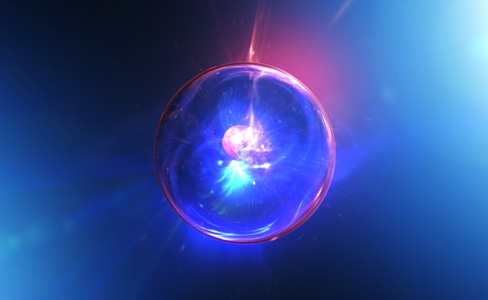
NEW TUTORIAL: Galactic Orb

Look! Up in the Sky. It's a Bird. It's a plane. No, it's a Galactic Orb!

In this exciting new tutorial we will build a compelling infinite zoom animation inside After Effects with only built-in Plug-ins. We'll start by building the orb using real-life textures and then animate a camera through 3D particles. Timing is everything and you don't want to miss this full-feature tutorial, complete with a video introduction!

Watch Tutorial

See Finished Sample Video

POSTED:
14 years ago
123 Comments
Ralph
14 years ago
Great tutorial! i just have this question. how can i make the particles go faster by not moving the keyframe? i want this effect to last for 2 or 3 mins before the orb comes out tnx!
Red John
14 years ago
Great tutorial you are so creative you've got a very unique way to get things done

P.s. Lmao about the joke on the guy who prefers Levels
14 years ago
Awesome! I'm a fan of your work, but I think at the start the text needs to slowly decrease in size-like it's zooming out slowly, and then burst into a glow quickly like an explosion, or hyperdrive speeding up... anyway, that's my opinion-I think it'd add something.
vilki pinkymedia
14 years ago
i dont like this one.
the tutorial is good as always, im talking about the final result: is too specific, i dont find applications for it
14 years ago
Two little point in the last tutorial:

1. Video Copilot Particle Displace.
2. LA (maybe Los Angles) in Galexy is bold, Andrew love LA.
hi
thank you for this tutorial mr.karmer
i have a question
when you make another tutorial for us?
thanks
Bence
14 years ago
awsome, Could anybody suggest me a good Video Card that can do these things well?

thx
Gustavo
14 years ago
this is awesome!!!
Thomas Welleweerd
14 years ago
when I download the project, and i set the proxy for the jpg's, its just black screen?
14 years ago
great stuff , i used several copilot techniques to build this soapy version.

Greetz.
http://vimeo.com/20486453
14 years ago
Great just great might attempt this.... :X
JP
14 years ago
Hey Andrew, a really cool tut
I would like another blogshow!

Greetings!
Fabio
14 years ago
Awesome as usal Andrew, I really appreciate the work you do for us!
Stranger92
14 years ago
aweesssoommmeeeee!!!!!
shiva
14 years ago
"imagination" to "final image"....... wow! cool
Alex Fulton
14 years ago
hey just wanted to show you guys at video co-pilot my "andrew tutorial" i made...HUGE fan of what you guys do just thought this would be funny... hope you enjoy... http://vimeo.com/20355123
14 years ago
I am ready 4 a new tutorial AK
14 years ago
wow! cool way for this .U konw i like this effects ! thanks a lot~
14 years ago
You should definitely cover some of this, as far as particle generation goes. New Linkin Park music video.
http://www.youtube.com/watch?v=5qF_qbaWt3Q
simplekhent
14 years ago
PLEASE WATCH MY TRANSFORMER PRE-MADE AND COMMENT http://www.youtube.com/watch?feature=player_profilepage&v=n_GFWGtFWVw
Don Johnsen
14 years ago
Wow i did something pretty similar to that some weeks ago. Just a Picture with CC Lens : D

check out that: http://www.youtube.com/user/KayjayDX#p/u/5/tJ405_m158c
Kaleem Batach
14 years ago
Awesome! more VFX please !!
Meestrivefee
14 years ago
OMG!!!! this tutorial came!! >< Thx so much Andrew !!!!!
i really waiting for this ^______^
Noah Goldberg
14 years ago
Did anybody else notice the 'videocopilot' preset in the library called particle displace?
angry fan
14 years ago
its so annoying how people just do exactly what Andrew Kramer does, use it in a project & claim they are great at AE, trust me you are just a copy Kat, people should learn to apply his Techniques is different Other ways. FYI *when a great artist holds ur hand while you create a master piece artwork it doesnt make you a great artist and you learn nothin* My Aim is to be better than Andrew but he will always be My Master forever cos without him i would know nothing in AE
14 years ago
thanks Andrew
Tamatoa
14 years ago
In the air, at 20°C, it's 768 mph...
14 years ago
Andrew, You amaze us once again, thanks for all the helpful tips! This on reminds me of the "Men in Black" galaxy hanging off the cat's neck. Props
14 years ago
Wow, awesome! Damn, this is cool!
14 years ago
this is what we had been waiting for!!! thanks Andrew!!
Daddy C
14 years ago
Hey Andrew! I got a bone to pick with you!! My CPU just melted!!!! hahahahaha! Hold on,,,,I'll use the force to render it! Thanks master kramer
14 years ago
woooooooooooooooooooooooooouu!
nubli
14 years ago
i like the tutorial very much
i have a request

can you make the tutorial for pop out animation in after effect....i like to see your style....

thank you
Ivan
14 years ago
Hey men, did you do some VFX fo "Super 8"???, cause it looks like your work in the titles hehe
Sunny
14 years ago
wicked sick!!!! Imba! Andrew Kramer pwned!
Foo =)
14 years ago
Overwhelming! It looks SO good! Thank you andrew kramer!
14 years ago
Hi Andrew, what's that plugin ( Particle Displace ) I've saw during this Tutorial
Regards
Thomas
14 years ago
i cant find cc lens in ae cs 5 is it a plugin
14 years ago
This is really nice example of creating natural looking elements. We like this tutorial very much. Thank you for your time. Say hello to all team members.
TheJRman1000
14 years ago
Nice man, but your joke about that everybody likes Curves exept 1 guy who liked Levels blablabla... You said the same thing in another tutorial xD
Aarons
14 years ago
Yeah, I loved it.. Brilliant one..
Eduards
14 years ago
Please can u make explode in space???
WuzzysBrand06
14 years ago
Cool tutorial!
Question: Aren't you losing quality when prerendering to a quicktime file?
14 years ago
Thats what I thought
14 years ago
Surprised to find Alexander Alexandrov in VC team list,I'm a big fan to VC as well as Amateurmedia,many fans have been waiting for a long time for Alexander.What's up,Alex
Jimmy
14 years ago
Hope you could see this and look forward to your reply,Alex.
Best Wishes!
Magic
14 years ago
Jimmy Im surprised too to find Alexander Alexandrov here, this is great soon the greatest fx artist wil be here at VCP )

Yo Alexander Alexandrov what happened with the your last tutorial
The Cinematic coming soon
Posted On: April 29, 2010
I have been visiting your site every single day since April 2010.
btw Alex you are great man!!! like your vfx style! nice to see you here, now I only wish that Nick from grayscalegorilla also was here.
Jimmy
14 years ago
Yeah,The Cinematic picture is really awesome.Maybe Alex could do some more tutorials together with Andrew, which will be AMAZING!(Haha,I don't think Nick is here,but combination between 3D and compositing work in AE will be awesome!)
Magic
14 years ago
Jimmy, it would be great to have some 3D ppl @ VCP too, I work with C4D/AE/PS and sofar I have found 2 teachers for my stuff Andrew for AE and Nick for C4D now I only looking for a good teacher for photoshop stuff...photography related.
Amateurmedia is great too but the site is almost dead /
Jimmy
14 years ago
Hi~Magic. We are in the same way,why not give me your email address,I feel strong we will be friends
Magic
14 years ago
Hi
Great here is my forum profile, PM me, and lets share some knowledge )
http://www.videocopilot.net/forum/memberlist.php?mode=viewprofile&u=79505
14 years ago
Excellent .. Excellent.. Thank U VC for the Tut....
14 years ago
esto esta super increible!!!!
Daddy C
14 years ago
the force is strong with this one...
Wins
14 years ago
andrew you`r the man! great job
btw...approximately speed of sound in air is 767 miles per hour
wick
14 years ago
looks awesome, as always!
think there might be a studio in Belgium interested in that as a logo reveal.

(*galaxy studios is the name of one of the biggest audio-studio's in the Benelux..)
Kevi-Gee
14 years ago
This is awesome ! thank you a lot Andrew Kramer you kick butt on so many *curves* haha incredibly done, keep up the truly amazing work
ThomasDrimm
14 years ago
Andrew, what about Professional Sound Designing Tutorials??
There's a very good software called Fl Studio 9.
jonson
14 years ago
very impressiv bro.. thx 4 this awsome tutorial
keep doin..
wish u lot of luck and great succes in ur life bro!

greez jonson from germany..

ps: cant wait to see the next tutorial
Abi
14 years ago
Awesome as always. Ok the next thing to do is to put it in a pendant and attach it to a cat. Then we can start an inter-galactic war
14 years ago
Thank you so much Mr. Kramer!
Jukka
14 years ago
Excellent tutorial! Loved the joke about polar ice caps
Shavkat
14 years ago
WOW!!! Looking really sexy! Thnx for the tutorials! Respect!
dky868
14 years ago
cool!!can u teach me how to invert the process??please
marvinbek
14 years ago
Time-reverse
RicharD17
14 years ago
Thank AK for this new tutorial...it great!!!
Artem
14 years ago
MrAndrew i`m very exiting of you, you`re genius!
Peter Somers (TC-Productions)
14 years ago
Amazing attention to detail as always!

Congrats!!
MarchewMaster
14 years ago
Weeee new tutorial ! This is awesome, like always.
14 years ago
Wow............thanks for another gr8 tutorial.......i will test drive it soon.
Tim Rhodes
14 years ago
Thanks for another awesome tutorial. Oh, and your jokes are getting better!
Hey
14 years ago
Perfect,I like it very much!look forward to next one
Alex
14 years ago
Yeah! Thank you Andrew for this amazing tutorial. I tried it for myself before but i couldn't get the look of yours. Thank you so much for your time and help.

Btw: I love your jokes about the orbs. Maybe three orbs next time?

Regards,
Alex
14 years ago
I realy waited for this tutorial!
Thanks
ahmad abdolmalaki
14 years ago
tanks for tutorial.
ahmad from iran
14 years ago
wow??? look like Andrew, you lost some weight??? o_o or its your new hair cut???
you the best forever!
Man_sokpisey
14 years ago
crazy idea, but perfect man
Dheny
14 years ago
Awesome!!!
It's very pretty cool
I Always wait impression idea from you

Thanks
skynet.24x7
14 years ago
hey wats up andrew kramer very nice tutorial but very creative ur mind yo 1min..........
ya plz uplod menu design tutorial..
14 years ago
Awesome tutorial!
I'm gonna try it out later.
14 years ago
WooooooW
Very Nice
Tanx
Jack_Orb
14 years ago
YEAH!!!!!!!!!!!!!!!!!!!!!!!!!!!!!! THX! u are BEST of the BEST of the best...BEEEESSST! YEAHH! i am DANCING!!!!!!!
14 years ago
WOW ! VERY COOL!
I was waiting for training
TNX ANDREW
Silver Dance
14 years ago
ya man this Pro Orb
Olivier-Mauritius
14 years ago
WOOOOOOHHOOOOO!!!! I could use this.. NIIIIIIIIIIIIIIIIICCCCEEEEE!!!!!!!!!!!!!
14 years ago
Andrew you're amazing! Beautiful tutorial, great fun to watch and learned a lot, again! Thanks.
thk
14 years ago
hey you know what? I love you
redinou
14 years ago
wow... look like Andrew, you lost some weight... o_o or its your new hair cut...
14 years ago
Here is what i did learning this tutorial ,this one for you andrew you will know it when you see it.
http://www.youtube.com/watch?v=y9Z8HFk19Xc
Noah
14 years ago
You are amazing
14 years ago
The BEST gift for Valentine???s Day !!Thanks again!
14 years ago
Yeah, me to!
AbdelMalik
14 years ago
OMG! I didn't see it! it's downloadable! O.o
plz remove my request
Andrew, you are a genius!
AbdelMalik
14 years ago
Hi Andrew, Awesome tutorial man!
Can you add a download option to the video ?
I don't have the Internet all the time and I want to watch your tuts offline, I appreciate your work, thank you and take care.
14 years ago
hey how are you andrew karamer and this toutrial is very great toutrial it cool i download this iand i used this toutrial in one tv comrecial .
i have a question ?
wehre are you from andrew and where do you live and in where you study visual effexts
thanks
Tony
14 years ago
To Infinity and Beyond Galactic Orb of After Effects.
David
14 years ago
Thanks for another great tutorial.
14 years ago
Nice tutorial Andrew, it's really a great yet simple technique. But is that a new VCP plugin I see called Particle Displace? That sounds awesome, does it displace Particle World particles? Because I remember you mentioning using turbulent displace if you don't have Particular which has displacement settings.
Ben
14 years ago
Good to know that some truths still stand. 2 orbs > 1 orb and curves > levels. Gotta love it.
Manuwarna
14 years ago
This is so coool.thnks a lot for everything.
Adriano
14 years ago
I liked the tutorial, very good!

---------------------
Adriano

Country: Brazil
State: Piauí
personman
14 years ago
Wow, four weeks. What took you?
Congratulations for you! thats so nice and Good and ...
14 years ago
Very exciting! I needed it. I've searched how do it for a long time, but you are teached me! Thanks!
ola
14 years ago
working it out matters most ofcourse. thnks ANDREW!
Thanks andrew .....
Please Please
add new content quickly !!!
pecollinni
14 years ago
"Levelsman" lives next to me, he use levels every day, and he's ALIVE!!! Nothing happened to him! Do not believe everything you hear, this is manipulation. FEEL FREE TO USE LEVELS . . . . . .
14 years ago
Awesome! Been waiting for this one! Thanks AK~
simplekhent
14 years ago
very nice...
14 years ago
hey andrew it s cool, very cool..
hey men make a movie!!! please and sell it in yours products
14 years ago
"Haha, galaxy joke..."
14 years ago
I'll give this a go when i get home tonight. i have a few ideas already
14 years ago
The same effect can also be use for "Back to the Future". Just need some flashy environment at the end..
Great Tut, can make lot of things to this one.
Thanks Andrew.
Damian m0Nte
14 years ago
cool! ... good job Another great tutorial from you for us Thanks Mr. Kramer .

I Have 1 question.. can you upload this lighta & b.jpg.. Thanks & Greetings from POland ;
14 years ago
Wohooo. It's here! I'm so excited!!
14 years ago
Wow. Happy Valentine's Day to us.
sell
14 years ago
You as always at height!
14 years ago
Beautiful looking energy there! Video Copilot is a large part of the reason I am even creating content anymore. I love your tips and tricks and wish you all the best. Here's what I have accomplished thanks to some help from VC: http://www.youtube.com/watch?v=8Og1BrzyCz0
14 years ago
hey guys! very great!!!
saeid
14 years ago
I know it is beautiful
mr. obvious
14 years ago
Amazing! How do you do it, time and again...
14 years ago
Alsmost forgot you told us you were going to do a tutorial on this Totally Awesome project.
Thank you, again, Andrew!
Keep up the good work!
14 years ago
Looking great. Sounds from the game "Osmos" (iphone app) ?
GCoda
14 years ago
cool light... is this some kind of softbox?
tutorial is cool too )
john
14 years ago
woooow i was waiting for it
Nick
14 years ago
can't wait, no time now, but i'm surely gonna check it tomorrow
Sam
14 years ago
Looks great! Kramer should have his own private island country. I would proudly serve in his virtual military.
14 years ago
Sounds cool! But 3 orbs would be better. Nothing the built in cut and paste can't do!
Alexy
14 years ago
AWESAAAAME!!!
dinkara
14 years ago
-.- awesOme*
14 years ago
Cant Wait!!!! Go figure Im at work and cant view tutorial.
lafnoune
14 years ago
wooooow greaaaaaat tutorial thanks andrew kramer

respect you are the best

bye
greyson horst
14 years ago
awesome, really cool tutorial!! Been waiting for this one for a while.
14 years ago
It's really awesome, yeah!
So is this, btw: http://vimeo.com/20035797
14 years ago
Awesome! We actually did an orb for a live action Marvel VS Capcom 3 Short! Hadouken anyone?

http://www.youtube.com/watch?v=sWIWYSLMrrs
14 years ago
Nice! We actually did an Orb element in our Hadouken for our Live Action Marvel VS Capcom 3 SHORT!

http://www.youtube.com/watch?v=sWIWYSLMrrs
14 years ago
Just wanted to let everyone know that Envato's latest Cinematic Bundle was just released! You get all sorts of After Effects goodies + cinematic audio tracks.. for US$39 (instead of US$500) which is insane!!

Get it here: http://bit.ly/envatocinematic

Hope you like it!
Personally I like these files because I can learn a lot from them. Keep it up
jin
14 years ago
Hey chris, the link you gave is not working, repost ?