 ALL DESIGN TOOLS

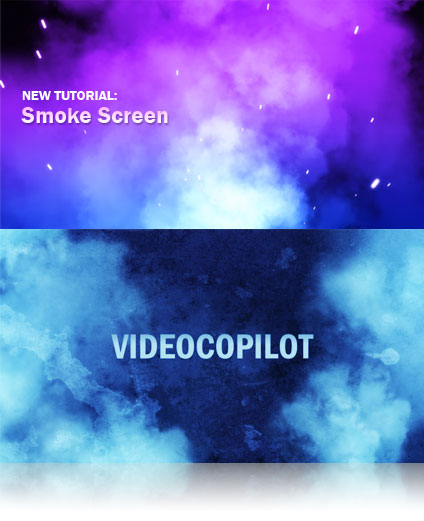
In this tutorial we will use various compositing techniques to create these smoke designs in After Effects, this tutorial also covers a couple new expressions.
April 9th, 2008

50 Comments
ViViD Graphic Designs
16 years ago
Hey Andrew, thanks for tutorial i have made only about 5 videos and im almost a pro and i owe it all to you.....if i ever make it big il be sure to buy you a coffee ahahahahah jk take care bro
IGfx
18 years ago
Andrew, Another great one. I've suggested your video tutorials to so many people because of your teaching style. You've helped me tremendously in learning After Effects - is there any chance you might do more tutorials that incorporate Cinema4D? Again, I only ask because as far as video tutorials go - no one does it like you.
Thanks for all the time you take to create these!
Thanks for all the time you take to create these!
Hey Andrew,
I'll add my name to the long list of people who really appreciate the time you take to put these tutorials together. You mentioned that you use CS3 for your own work. Is there a place to see your commercial portfolio? It's probably listed somewhere here on videocopilot, but I don't see it.
Thanks much
I'll add my name to the long list of people who really appreciate the time you take to put these tutorials together. You mentioned that you use CS3 for your own work. Is there a place to see your commercial portfolio? It's probably listed somewhere here on videocopilot, but I don't see it.
Thanks much
Rob F
18 years ago
go 14 .47 in on the smoke screen tutorial and Sam makes a guest star appearance in his scary demon persona!! Spooky
Hey Andrew,
Is there anyway that you could make a tutorial all about expressions and coded animation, and how to work with it more tangibly? Thanks Andrew, love your stuff.
ben
Is there anyway that you could make a tutorial all about expressions and coded animation, and how to work with it more tangibly? Thanks Andrew, love your stuff.
ben
Dustin James
18 years ago
Thanks Andrew and gang! I really enjoyed this one. And thank you for the pace you were going.. I like it.. it makes me feel like we cover more ground..
Allen Ellis
18 years ago
Ethan,
Look for a tutorial called "advanced camera techniques". In there he explains his use of the null object. Also look at the Evolution Promo Breakdown linked on the right menu of most pages.
Look for a tutorial called "advanced camera techniques". In there he explains his use of the null object. Also look at the Evolution Promo Breakdown linked on the right menu of most pages.
Ethan
18 years ago
Hey, I notice that often the camera is moved around by the null object, like in the first part of the current tutorial. Is that a convenience, keeping this simple, or is there another more technical reason.
Love the tutorials.
Ethan
Love the tutorials.
Ethan
Andrew,
Excellent tutorial!
The smoke creations and 3D space utilization are great techniques that can be applied to an assortment of visual solutions, that I'm sure I'll use in the near future
Always appreciate the knowlege sharing!!
Best
Nightmare Kinetics
Excellent tutorial!
The smoke creations and 3D space utilization are great techniques that can be applied to an assortment of visual solutions, that I'm sure I'll use in the near future
Always appreciate the knowlege sharing!!
Best
Nightmare Kinetics
Andrew!
You are awesome! Your stuff is really maraviwonderfull!!
Please say HI! to Argentina in your next tutorial!
I will really appreciate you not to forget my ruined country!
You have at least one big fan here!
I'm sorry for my bad english.
Good Bye!
ati
You are awesome! Your stuff is really maraviwonderfull!!
Please say HI! to Argentina in your next tutorial!
I will really appreciate you not to forget my ruined country!
You have at least one big fan here!
I'm sorry for my bad english.
Good Bye!
ati
Great Tute. As always.
In fact I must say I cannot really name a duff tute... Please try to make one so the `nay sayers` have grounds for complaint.
In fact I must say I cannot really name a duff tute... Please try to make one so the `nay sayers` have grounds for complaint.
Really appreciate this tutorial Andrew. I can see so many uses for thie type of technique, especially with using Particular to randomise and distribute an element.
Too funny. I was just about to go do a cloud fly-by animation for some DVD menus I'm working on. I was just going to use some tweaks on a regular particle field, but I find this approach easier and more authentic.
Particular may look like a steep investment but it's one of a few worth making. I've seen other postings where people create entire crowds in concerts & clubs just by using a small piece of footage & Particular.
Really powerful stuff with infinite possibilities.
Particular may look like a steep investment but it's one of a few worth making. I've seen other postings where people create entire crowds in concerts & clubs just by using a small piece of footage & Particular.
Really powerful stuff with infinite possibilities.
Alex_from_Russia
18 years ago
Hi Andrew, thanks a lot for all your video tutorials, you really help me in studying after effects. keep goining
This is my Idea with the smoke ,I aded a texture to the title
the punisher 2
http://www.youtube.com/clancy30
the punisher 2
http://www.youtube.com/clancy30
Dean Doll
18 years ago
You can save your own Particular settings as a preset, so if you did the tutorial for example, you could just save the settings as a Morning Breath preset. Or whatever.
Saves Andrew from having to do that as well, unless he wants to. What do I know?
It's Wednesday and I want to go home.
Saves Andrew from having to do that as well, unless he wants to. What do I know?
It's Wednesday and I want to go home.
I GOT IT THANKS ,just a thought it would be great in the future if you do a trapcode particuler presets i dont know if thats possible ,like the cold breath tutorial it would be great if you include d that trapcode in the project .and thanks for covering all the angels.
Thanks Jason, I think your right. The texture is from Evolution. The Smoke element is inside the project folder.
Jason
18 years ago
Andrew,
I believe you stated that the background layer was from Riot Gear. Its actually from Evolution. Just posting this so everyone is not looking in there Riot Gear folder like I was wondering where it is.
I believe you stated that the background layer was from Riot Gear. Its actually from Evolution. Just posting this so everyone is not looking in there Riot Gear folder like I was wondering where it is.
Flubber
18 years ago
nice, i am going to watch it right now! it looks cool... keep up the good work as always
I'll name my daughter "andrew". Or Kramer, though it might be a bit uncomfortable for her:]
keep up the good work,
greetz from poland
keep up the good work,
greetz from poland
Dean Doll
18 years ago
This has sparked some renewed Turbulent Displace interest in my clouded mind. Very cool.
BTW, anyone attending NAB next week?
BTW, anyone attending NAB next week?
Sandy
18 years ago
what can I say abt this tut, no words, how I man from a still picture to a realistic cloud, wow, just WOW
U R A Genius! thankyou Andrew.
Sandy
U R A Genius! thankyou Andrew.
Sandy
al2cl3
18 years ago
AMAZING!!! That's really impresive! Knowledge is priceless! Thanks you so much Andrew!
Greg Harrell
18 years ago
Hey Andrew...
you can come to my house and break my windows if you want...
you will just have to deal with...
MOMMA BEAR!!!
o yea,
check it out....it's not smoke, but i still think its cool...it might look familiar
http://www.youtube.com/watch?v=1iZ2uhxSKxk
you can come to my house and break my windows if you want...
you will just have to deal with...
MOMMA BEAR!!!
o yea,
check it out....it's not smoke, but i still think its cool...it might look familiar
http://www.youtube.com/watch?v=1iZ2uhxSKxk
tommie12P(Thorsten Miess)
18 years ago
NICE, Expression are useful. but i was to lazy to learn them!
Thanks for the tutorial! I m gonna watch it now
Thanks for the tutorial! I m gonna watch it now


