 ALL DESIGN TOOLS

There's a better way to make Lightsabers
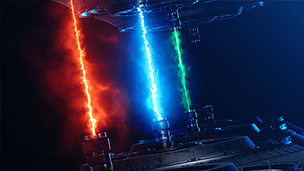
Check out our new SABER Plug-in, with tutorial!
159. Saber Plug-in
• Create High quality energy & lights beams
• Dynamic Text and Mask Outlines
20b. Light Sabers V2
• New Light Saber preset with enhanced motion blur
• Obscure the Light Saber when behind Objects
• Obscure the Light Saber when behind Objects
Posted on Jan 22, 2007


TUTORIAL NOTES:
No information available at this time.
413 Comments
Gaurav sharma
7 years ago
I can't find the comments of both 20 n 20b. Only comment numbers are written.
Assaf
8 years ago
why the zip file that you dawnload from the "project file" doesn't have the footage? it's making me crazy and I can't find onather footage in youtube!
Vedant
8 years ago
I can't able to download this plugin lightsaber v2.please give me link that I download it.
Jose
9 years ago
u start off with with the plain light saber.....but the tutorial vid u are able to download has the effect already on it. can we get the before video to practice??
Armenia
10 years ago
Working well with AE CC 2015.
??? ??? ?? ???? ????? ?????? ?????.
help is there: gosho84@mail.ru
??? ??? ?? ???? ????? ?????? ?????.
help is there: gosho84@mail.ru
zane
10 years ago
for the part where an effect goes behind an object, cc won't let me move the individual points with the pen tool.
Chris E
10 years ago
It never fails, I waste time looking at other methods of effects and I still come back to you Andrew. Most efficient and effective. Our video will be ready for air on opening day of Star Wars. Thank you!!
Daniel
11 years ago
Amazing! Quick question, how would I do Multiple lightsabers in one shot? Do I have to screen two different solid layers?
George Graham
11 years ago
When I do a preview ram the lightsaber it comes off the point of where I wanted it to be and more so as I do a preview ram, why does this happen I animate from the ending of the clip
George Graham
11 years ago
I am currently using After Effects CS6 and when I animate the light saber i go frame by frame backwards and when I want to see how it looks I do a preview ram and then the saber comes off the point i wanted it to be on, am I doing something wrong?
Yoyoyoyo
11 years ago
I can't figure out why we can't update these? As well as add the footage of Sam? I enjoy following step by step with your videos, and footage... Then i make my own.
LSS
11 years ago
Hi, I tried to learn Ae better and copy all effect from your preset to separate solid trying to understand how everything works adding effects step by step. And I almost done "copying" everything with more or less same settings, but the motion blur effect doesnt't work, I don't know how to set it up and where (I've turned on Motion Blur on comp and solid and changed Anvanced Composition Settings) - it's just a litte blurry effect with opacity, not white like yours. Could you explain how you made it?
NaZa Giral
11 years ago
Hi There !
Have an expression problem with after effect CC 2015.
I also have the "Absent :" before the "Saber Controls" Effect.
Someone can help me ?
Thanks by advence.
Have an expression problem with after effect CC 2015.
I also have the "Absent :" before the "Saber Controls" Effect.
Someone can help me ?
Thanks by advence.
John
11 years ago
This seems like a great plugin, but I wish this video showed where to place the giant folder full of plugins that contains the download. When you download from this page, it includes more than just the lightsaber folder. I am using the Windows 8.
Tobboss
12 years ago
Hey guys. Haven't used this plugin for ages, worked well back then. Now using it again in AE CS6.
My problem is that the blur seems to run in the wrong direction! not coming from the last frame but going to the next like predicting the future. i just don't know why. the sabre effect now looks like beein played backwards. any ideas where to tweak?
My problem is that the blur seems to run in the wrong direction! not coming from the last frame but going to the next like predicting the future. i just don't know why. the sabre effect now looks like beein played backwards. any ideas where to tweak?
Philip
12 years ago
Ha I was using this preset wrong but this will save so much time! I was making two separate lightsabers and putting one on one side of the object blocking it and one on the other. It took forever to deal with two!
zCsanadi
12 years ago
The script is really awesome, i just wanted to use it under AfterFX CC and it isn't working as supposed. I guess it's not updated, but the motion blur is totally off...and the main setting part shows missing components.
May i ask what does it need to be updated? It is LOTS better than editing frame by frame so...
May i ask what does it need to be updated? It is LOTS better than editing frame by frame so...
xp cs4
13 years ago
when i check motion blur comp and layer, nothing blurs and saber getting shorter. what should i do?
Damian (TripleDStudios8)
13 years ago
thank you! After effects "lightsabering" has finally become easy!
dewwieee
13 years ago
when i download the project floder i dont see it in after effects. im running cs6
Brennan
13 years ago
I need help with this. See my video have individual parts that need to have the obscures in it and I can only put one track matte on the first obscure. Does there happen to be a way to trim the solid on the comp window or a way to add more obscures to the light saber effect?
Christopher
13 years ago
Hey mike he means After Effects 7 not after effects CS7 After Effects 7 is the old version of after Effects.
Great Video Andrew you have transformed my skills in After Effects And I love your products aswell you are the best.
Great Video Andrew you have transformed my skills in After Effects And I love your products aswell you are the best.
Aakash pundir
13 years ago
hey Andrew sir i am not be able to download this preset please help me out there..............
Warren Reed
14 years ago
ah, yes, now I'm using this with the new element 3d and boy are those fruits gettin' sliced!±!!!!! wait, I'm not done: !!!!!!
I'm playing ketchup, not with newly sliced tomatoes, but cramming all these tuts to catch up with everybody else!!!
asante sana, ndugu wangu
I'm playing ketchup, not with newly sliced tomatoes, but cramming all these tuts to catch up with everybody else!!!
asante sana, ndugu wangu
dalton
14 years ago
me and my dad want to have the element 3d but it says we need a Adobe After Effect and was woundering do u know a plase that sells any of the programs for pretty cheap. like $100-$300 dollors if you do please tell us. Thank you.
Shashikant
14 years ago
it is very good, my son ( std-7th) & my self very happy to see this tutorial
I will buy it if possible,
Regards
I will buy it if possible,
Regards
ThePianistop66
14 years ago
Hi! Your tutorials are amazing! I have completed many tutorials (lynda.com) and now I'm watching all of your tutorials! My name is also andrew I know I'm not your level, but wouldn't it be easier to track the first and end point of the saber and give those positions in your preset?
I know I'm not your level, but wouldn't it be easier to track the first and end point of the saber and give those positions in your preset?
David
14 years ago
I knew you would do a LS tutorial at some point. As Brandon from Freddiew said, everyone VFX person plays with LS at some point in their life, same with VFX people who do tutorials. haha.
I'm glad i know how to do it without the preset so i dont feel like im cheating myself when i use it. lol
Keep up the good work im learning so much from you and hope to some day be to your level and maybe work along side you on a project.
I'm glad i know how to do it without the preset so i dont feel like im cheating myself when i use it. lol
Keep up the good work im learning so much from you and hope to some day be to your level and maybe work along side you on a project.
musfique ansari
14 years ago
i have to one question to you how to we step the plug-in in the after effect .(trapcode)
saroj dangal
14 years ago
i'm learning so many thing from this site,,
love all ur's tut...they are great...
love all ur's tut...they are great...
Evan
14 years ago
I think the file I downloaded is screwed up. I downloaded vc_presets.zip, and then put all the folders into c:/Program Files/Adobe/Adobe After Effects CS5/Support Files/Presets/AndrewKramer/VFX. Then, I opened up AE and tried to test this. It's basically screwed up, because it shows pretty much none of the new features, and when I select it, it states:
After Effects warning: Class 'Effect' has no property or method named 'Perspective'
Expression disabled.
Error occurred at line 3.
Comp: 'goo! lightsaber'
Layer:1 ('White Solid 3'
Property: 'Starting Thickness'
After Effects warning: Class 'Effect' has no property or method named 'Perspective'
Expression disabled.
Error occurred at line 3.
Comp: 'goo! lightsaber'
Layer:1 ('White Solid 3'
Property: 'Starting Thickness'
Etn
14 years ago
when a copy the preset, AE says that's an error, and don't even open it, please fix the preset 
Divine
14 years ago
please AND. what have i not done right, am useing CS4 but when i copied the light saber to my preset folder it does not apper on the preset window, what should i do?
Bloodyworld
14 years ago
Great tutorial, I disloiked nothing about it, have I ever been lying? I mean when I'm encouraging, I wish I made this tutorial, it is just so awesome, but anyways, see ya!
Tripoli Warrior
15 years ago
What am I doing wrong? when I download the presets, my mac version of AE CS5 cant read any of them. Adobe Bridge doesn't even register that the folder or any of it's content exists.
jordy
15 years ago
when i drag the preset says: no saber controls, and then when i try to move the saber there´s no blur.
Madhur
15 years ago
superbb tutorials.......
just need to tell u...when tutorial video gets finished,the total bufferring memory get lost and i need to buffer the whole video again to watched the desired part from the video....please suggest any solution.thank you
just need to tell u...when tutorial video gets finished,the total bufferring memory get lost and i need to buffer the whole video again to watched the desired part from the video....please suggest any solution.thank you
ET
15 years ago
"Missing : Saber Controls"
I get the "missing" comment in the effects controls panel.
I've installed installing in both Presets and Plugins and same result. See a couple on this thread have had a similar issue. Using CS4. Any advice appreciated! Thanks.
I get the "missing" comment in the effects controls panel.
I've installed installing in both Presets and Plugins and same result. See a couple on this thread have had a similar issue. Using CS4. Any advice appreciated! Thanks.
Bag of tips and tricks
15 years ago
Nice tutorial. Look like you can put your thumbs up for any kind of VFX challenge.you are great
dude do more tutorials focused on Film VFX. please. cause I am a 3D animation & film vfx guy and working "visual mirror",Bangladesh.
dude do more tutorials focused on Film VFX. please. cause I am a 3D animation & film vfx guy and working "visual mirror",Bangladesh.
THANKS YOU
15 years ago
THANKS YOU ANDREW KRAMER im impressioned my brothers with light sabrer (i dont speak good in eglish because im french )
im impressioned my brothers with light sabrer (i dont speak good in eglish because im french )
gaston
15 years ago
i cant do the translation whit the blur turning on please help, or make a more good tutorial
please help, or make a more good tutorial
Tanner
15 years ago
I'm still getting the rounded edges with version 2. I'm on CS5.5. Did something change or am I doing it wrong?
nievesatl
15 years ago
I really like this website. And I'm new with Adobe After Effects. I have a mac, and I have CS5, and the motion blur is not working. For the Light saber. Did anyone else face this? If so, please reply saying the resolution.
I'm also having problems with importing sound when I import video, and the quicktime that I imported had sound, please respond.
I'm also having problems with importing sound when I import video, and the quicktime that I imported had sound, please respond.
jisaishi
15 years ago
I like this website,This website is very good balenciaga handbags Please first on-site support in the contract Burberry Sale With reasonable price, high quality products, fashion design and timely delivery by ems Gucci bags So we win a lot of regular customers from all over the world louis vuitton handbags is sold well, especially the most popular of the
Ian
15 years ago
Great tutorial. Only additional thing I would do is extend the saber down into the hilt a little bit, then mask it out at the top of the hilt or blade guard (looks a little more realistic).
Butterz
15 years ago
Yes, this DOES work in CS3 & CS4. I am doing a video as a school project using CS4. So when someone says it is not supported with that version, chances are they're doing something wrong. Just Cut the "Light_Saber_v2.1" folder (from the "Project Files" link on this site) and Paste it in " C:\Program Files\Adobe\Adobe After Effects CS4\Support Files\Presets " Open AE CS4 and it's there. If AE is already open, close the program and re-open it. Hope this helps.
star wars fan
15 years ago
You can also do a tutorial with a visible force from star wars,as in star wars the fores unleashed 2
Sam Hudman
15 years ago
i downloaded the file and when i try to open using bridge after effects says "After Effects: Cant import file usopported filetype or extension" please help i love this website i use all the time btw
Taylor Jones
15 years ago
Hey Andrew,
Working on this preset with CS5 and i'm getting this error:
After Effects Warning: Class 'Effect' has no has no property or method named 'Soften': Expression disabled.
Error occurred at line 2.
Comp: 'Lightsaber Duel'
Layer: 1 ('Blue Saber'
Property: 'Blurriness'
SO yeah when i bring up the preset i end up getting this really bent and warped cone instead of the sleek saber it normally is.
I can't even put it back into normal shape.
Anyways nice tutorials and thanks for any help!
~Tay
Working on this preset with CS5 and i'm getting this error:
After Effects Warning: Class 'Effect' has no has no property or method named 'Soften': Expression disabled.
Error occurred at line 2.
Comp: 'Lightsaber Duel'
Layer: 1 ('Blue Saber'
Property: 'Blurriness'
SO yeah when i bring up the preset i end up getting this really bent and warped cone instead of the sleek saber it normally is.
I can't even put it back into normal shape.
Anyways nice tutorials and thanks for any help!
~Tay
ido (ag)
15 years ago
i made it there was a thew mistakes but i got it and its pretty sweet this is an awesome tutorial but sometimes you forget to say what did you click
LEANDRO
15 years ago
I LIKE STAR WARS ALOT OH CAN I HAVE YOUR LIGHTSABER I WILL PAY YOU 100 BUCKS IF YOU GIVE THE LIGHTSABER PLEASE I AM YOU BIGGEST FAN FOREVER TELL ME WHERE LIVE I WILL COME BACK TOMMOROW
Edward
15 years ago
Hi! I made all in the tutorial and it works. But in my video, the saber passes behind me two times in the same scen. I can't cover it the same way twice. It just wont cover the saber again. And if I switch position of the layers I may cover the saber again, but the other cover is gone. Please help.
Andrew
15 years ago
sorry for a double comment but i ran into another problem after fixing the other, how do I make the blue obscure appear twice (my lightsaber goes behind me, then in front, then behind again). Im a little new so i need the answer to be very understandable
Joe-z
15 years ago
Hey there Andrew, if your reading this, i downloaded the whole presets package and i tried doing to the light saber effect on a project and the preset,Light_Saber_V2, will not let me move it around freely.
Yoshibachi
15 years ago
Excellent preset.
Personally I add a glow effect. They look more realistic to me.
http://img269.imageshack.us/img269/9582/sanstitrekl.jpg
More tutorials to star wars fans
Personally I add a glow effect. They look more realistic to me.
http://img269.imageshack.us/img269/9582/sanstitrekl.jpg
More tutorials to star wars fans
Mint
15 years ago
Thank you very much for this perfect tutorial ! I'm beginner and it is really easy to understand !
Jewel
15 years ago
Whenever I drag in the solid layer it doesn't show the color ( go over ) the video. Then when I drag the preset it doesn't show the video behind it. Instead of the video, it's a black background with the lightsaber on it.
Salim Sanehi
15 years ago
Cool Tutorials 
I thought Sony vegas was the best , before i saw After effects HAHA
I thought Sony vegas was the best , before i saw After effects HAHA
Skjoff
15 years ago
I have some problem with version two of the lightsaber plugin. When I create a new layer and drags Light_saber_v2 into my movie it comes up. This favorite contains 4 reference to missing effects. Please install the following effects to restore these refences. ("Alpha Levels", "Simple Choker"
Do i have to import those plugins into AFX to make my light saber work correctly. The lightsaber comes up but the shutter speed dont working. I have adobe after effect 7.0
Do i have to import those plugins into AFX to make my light saber work correctly. The lightsaber comes up but the shutter speed dont working. I have adobe after effect 7.0
pushpak dey
15 years ago
hello sir, i am a student, i became a fan of urs after seeing ur works. truelly, the way u explain the tutorials are awesome. thanks for ur help
Eagle
15 years ago
I know your getting this a lot right now, but I downloaded the project and saved the file in my presets and CS5 says that it's not encrypted. What is going on? I tried V1 and it didn't do that but it's not reading that either. please help.
maik_leader
15 years ago
hello guys. i have the cs4. it works but i have one problem with the composition settings. i am changing the shutter angle but nothing happens. did anyone have the same problem. do you know a solution?
Michael Tatalovich
15 years ago
Any hope for an update to use with CS5? I know that you are limited on time as I am sure you are in great demand for your skill.
Thank You
Mike T
Thank You
Mike T
Shinzou
15 years ago
Guys please help.
whenever i go to use the pen tool for the obscure layer (08:38 in the tutorial timeline)After effects Automatically makes a 'Shape layer' how do i turn this off??
whenever i go to use the pen tool for the obscure layer (08:38 in the tutorial timeline)After effects Automatically makes a 'Shape layer' how do i turn this off??
Daniel Rivera
16 years ago
Hey I was just wondering how to do an awesome title effect for final cut pro 7! or do u have any tutorials that would be similar to using final cut?
ryujin
16 years ago
hi im trying to do this tutorial but im using cs4 do you have plugin for cs4? or how we can fix this?
enoch
16 years ago
hi! i was wondering but will the project if i download it, work perfectly on adobe after effects cs4???
or will i need cs5???
cheers
or will i need cs5???
cheers
Fobos
16 years ago
Anyone can give me the link with this plugin for AE cs3 plz i cant find it
Thank you
Thank you
Yani
16 years ago
Thanks a lot. Works heaps better than the old one. Even if your after the white solid look. I managed to apply motion tracking to it and it followed it very smoothly, thanks.
Nikola Jovicic
16 years ago
Is there a way to lock the lenght of the lightsaber?
I never seem to get it just right
thanks in advance
I never seem to get it just right
thanks in advance
Daniel Porteous
16 years ago
Hi. I have this issue with the lightsaber glow right.
So i have figured out how to move it on the prop, to make multiple obscure layers, etc.
However, when i make an obscurity layer of where i want, the glow isn't over the layer, but is everywhere where it should be outside of the layer.
When i drag the lightsaber_glow preset onto my composition, it jsut colours the invisible obscurity solid and doesn't cover it in glow. I ahve tried putting it on the actual footage, different composition in the workflow.
Any help please?
So i have figured out how to move it on the prop, to make multiple obscure layers, etc.
However, when i make an obscurity layer of where i want, the glow isn't over the layer, but is everywhere where it should be outside of the layer.
When i drag the lightsaber_glow preset onto my composition, it jsut colours the invisible obscurity solid and doesn't cover it in glow. I ahve tried putting it on the actual footage, different composition in the workflow.
Any help please?
Adam
16 years ago
I had trouble with this one, i couldnt seem to be alble to get the sabre to pass behind more than once. I discoverd you had too add them into a new composition Ha ha.
Thomas Eichbaum
16 years ago
Great Effect, but what to do when crossing the blades?
Some tutorials???
Thanxxx!!!
Greetz
Thomas
Some tutorials???
Thanxxx!!!
Greetz
Thomas
Mike Maune
16 years ago
Ok, for you who don't know where / how to get the lightsaber preset, download the project and extract whatever language you speak into After Effects' Program Files, under Presets.
Joey S
16 years ago
Will these presets work if I have CS5...If so i'm having a little trouble getting them into adobe.
William Schlueter
16 years ago
How do I install this preset on Adobe After Effects because whenever I download it and try to extract the files and open it it says "windows cannot open these files." What do I do?
Lambertini
16 years ago
Muito obrigado por esse belo material de graça !
Você realmente merece os parabéns! Deve ter muito trabalho para disponibilizar esse ótimo material de graça!
Obrigado mesmo e parabéns, bom trabalho!
Você realmente merece os parabéns! Deve ter muito trabalho para disponibilizar esse ótimo material de graça!
Obrigado mesmo e parabéns, bom trabalho!
HotDogs
16 years ago
Cool and nice plugin
but when I try to use it , it's not working
when I drag/drop the plugin into the white solid it shows nothing only a red frame , what should I ??
thanks
but when I try to use it , it's not working
when I drag/drop the plugin into the white solid it shows nothing only a red frame , what should I ??
thanks
vinsta_g
16 years ago
Well, i looked at the prices of After Effects... it's a thousand bucks for the cheap version. Any other way to accomplish this without breaking the bank?
Josh Brown
16 years ago
Hello Mr. Kramer. I have been watching your video tutorials and your showers for quite some time now. And I've learned quite a bit of valuble information about filmmaking. First off, I must ask how you managed to reach that far into Sam. Me and my good friend David Harmin can never seem to get the length just right. My attendance at south effingham high school has left me very stressful, and I just can't seem to make my lightsaber glow as much as it used to, it seems to be faulty and quite floppy. I really like how red you made Sam's lightsaber, and I would like to have the same effect in my own films. Soon I am going to be making a adult film with Justin Kieth, and it is going to be about a lone jedi named Master Bate and his death star. Wish me luck. I'm Josh Brown, and I'm cool.
Alex Bowser
16 years ago
Listen andrew kramer i seriously loved your video..now if you can shiow me how to do this to porn itd help me out alot seeing that i am a porn producer...we could use special effects and make thm very steamy...i live in effingham,ga..give me a call
frank haugen
16 years ago
Love this effect preset and the tutorial makes a difficult task easy. but why isn't there a function to limit the start and endpoint distance, so ones lightsaber reference can be shorter but still easily provide a foolproof way to not get a changing blade size. May just be me being inexperianced.
-frank
.-frank
Corey
16 years ago
hi, i have tried this out and it works but when i want it to go behind something more than once i can't. making a new solid wont work because you can alpha invert it any help?
bizzy buyer
16 years ago
do i buy the program or some thing cuz i can't download it. i've benn looking for this type of program for months now. please respond with an e-mail to my adress please!!!!!
Ersin Acar
16 years ago
Yeah working on cs3 but blur doesn't working no blur effects on the moves i mean.
can you publish new version ?
can you publish new version ?
Corey
16 years ago
it seems to work mostly fine with AE cs4 but on the saber glow it says Missing:saber glow? but it still works but not all the time? a way around this? also im on a mac
Dave
16 years ago
Why on my project werite : Missing Saber_Controls??
Help, i don't know what to do...
Help, i don't know what to do...
Dan
16 years ago
I noticed a lot of people are having the same problem I was so I thought I's post the solution I came up with.
You add a new solid and then drag the Preset onto it and get this error:
After Effects warning: Class 'Effect' has no property or method named 'Perspective'
Expression disabled.
Error occured at line 3.
Comp: 'Lightsaber'
Layer:1 ('Gray Solid 1'
Property: 'Starting Thickness'
The saber looks awful (too fat) and basically is useless. Not sure if this will work for everyone, but here is what I did:
To re-create the After Effects preferences file on Windows XP:
1. Quit After Effects.
2. Rename the Adobe After Effects 9.0 Prefs.txt file (for example, to Adobe After Effects 9.0 Prefs.old) in the C:\Documents and Settings\<username>\Application Data\Adobe\After Effects\9.0 folder.
3. Start After Effects. After Effects creates a new preferences file.
4. Try the preset again. It worked for me.
You add a new solid and then drag the Preset onto it and get this error:
After Effects warning: Class 'Effect' has no property or method named 'Perspective'
Expression disabled.
Error occured at line 3.
Comp: 'Lightsaber'
Layer:1 ('Gray Solid 1'
Property: 'Starting Thickness'
The saber looks awful (too fat) and basically is useless. Not sure if this will work for everyone, but here is what I did:
To re-create the After Effects preferences file on Windows XP:
1. Quit After Effects.
2. Rename the Adobe After Effects 9.0 Prefs.txt file (for example, to Adobe After Effects 9.0 Prefs.old) in the C:\Documents and Settings\<username>\Application Data\Adobe\After Effects\9.0 folder.
3. Start After Effects. After Effects creates a new preferences file.
4. Try the preset again. It worked for me.
Peter L. Lee
16 years ago
hallo andrew
you are doing a great job keep going and thanks. video-copilot is really on of the best. all this knowledge for free. fantastic!
right now i'd like to work on your tutorial 20/20b light sabers but i can't find any footage. download includes "only" the presets?
i'd estimate it if you do some more tutorials in cooperation with 3d cinema4d like 3D Crater etc..
greetings
peter
you are doing a great job keep going and thanks. video-copilot is really on of the best. all this knowledge for free. fantastic!
right now i'd like to work on your tutorial 20/20b light sabers but i can't find any footage. download includes "only" the presets?
i'd estimate it if you do some more tutorials in cooperation with 3d cinema4d like 3D Crater etc..
greetings
peter
Geldrith
16 years ago
Works fine with CS4 just make sure it's in the right folder supportfiles/presets
Geldrith
16 years ago
John... Did you set a keyframe for the first frame of the sabre?
If not then the changes will be the same for each frame.
If not then the changes will be the same for each frame.
John
16 years ago
ok i have watched this tutorial over and over again trying to figure out whats going on wrong, for some reason every time i move onto the next frame to move the lightsaber blade to where it should be for THAT frame i look back to the previous frame and the lightsaber blade has moved! ive been at this for 9 hours (no lie), i am burning with rage because i can't figure out what is happening. please i really want to make a star wars film!
David
16 years ago
This guy (kramer) does not respoend to any of the comments. I wonder why you keep posting and asking about a preset for CS4!!!! Dahh!!!!
amirul love your tutorial
16 years ago
Hey kramer, Im using cs4... im confuse on what da hell you clicking lol.i cant find it >.<
ben jones
16 years ago
i thought i would help some people you want to use the saber for adobe after effects cs4,
find the program on the hardrive where it had been installed. then go onto support files and presets. put it in there and it should work fine.
ben jones
find the program on the hardrive where it had been installed. then go onto support files and presets. put it in there and it should work fine.
ben jones
smith
16 years ago
I just wanted to ask why dont u guys use the motion track function on the program to track the light saber and apply it the the glowing stick.
DarthTony
16 years ago
Hello Mr.Kramer.
You are doing a great job keep going so we all can learn ur knowlegde.
Anyway,i am using Adobe After Effects Cs4 and i can't load this one..although is a very good idea this effect with the lightsaber and it would helped me alot with my project...do u have it for Cs4?
Thank you.
You are doing a great job keep going so we all can learn ur knowlegde.
Anyway,i am using Adobe After Effects Cs4 and i can't load this one..although is a very good idea this effect with the lightsaber and it would helped me alot with my project...do u have it for Cs4?
Thank you.
darth rose
16 years ago
I don't want do my comercial with that effect v2
I like more manual.
att. Darth Rose
I like more manual.
att. Darth Rose
Fernando
17 years ago
Really cool Your lightsaber i want the plug in, from Chile too (its a coincidence)!!!
Max
17 years ago
please andrew or anyone. Can i have the saber presets for the 6.5 version. send to my email. itsjustmax@yahoo.com
Benny
17 years ago
I love all the tutorials but this probably one of my favourites. Me and my friends are doing a short Star Wars film - see www.bkitch1.350.com/BKitch.htm for more details - my only question is, how do you edit Windows Movie Maker films? Actually, there's one thing I haven't tried, which is saving the movie first - that might actually be it!
jakhalzmovies
17 years ago
hey i,m dutch and i watch this tutorial and you say that this not work for after effects cs3 but i have discovered it,s can works in after effects cs3
Roman
17 years ago
Thanx Andrew for this tutorial.
I'm also would like to ask you to update pluging for CS4!
And it is a good idea to make a tutorial on how to create plugin like this. maybe it would be a bit dry but it would help to learn AAF better!
I'm also would like to ask you to update pluging for CS4!
And it is a good idea to make a tutorial on how to create plugin like this. maybe it would be a bit dry but it would help to learn AAF better!
Mike
17 years ago
Thank you and my fellow Star Wars fans for these effects. Thank you Jesus, I mean Mr. Kramer for having this up here. Now I can make my Star Wars videos perfectly. I am greatful to Star Wars. PERIOD! The same with George Lucas.
Ryan
17 years ago
Great tutorial but the preset does'nt work in CS4 so yeah...
Could you please make this for CS4?
Could you please make this for CS4?
Mitchell
17 years ago
Ok.. great tutorial.. but
I added the gray solid over my video, and then dragged the Light_Saber_V2 file onto the video and i recieve this error:
After Effects warning: Class 'Effect' has no property or method named 'Perspective'
Expression disabled.
Error occured at line 3.
Comp: 'Lightsaber'
Layer:1 ('Gray Solid 1'
Property: 'Starting Thickness'
So can anyone help me out? I am running AE CS4. Please do not ignore this comment.
~Mitchell
I added the gray solid over my video, and then dragged the Light_Saber_V2 file onto the video and i recieve this error:
After Effects warning: Class 'Effect' has no property or method named 'Perspective'
Expression disabled.
Error occured at line 3.
Comp: 'Lightsaber'
Layer:1 ('Gray Solid 1'
Property: 'Starting Thickness'
So can anyone help me out? I am running AE CS4. Please do not ignore this comment.
~Mitchell
Kennet
17 years ago
@Cameron: for sound, just google lightsaber sound and you should be able to find some sound effects that you can import into AE and mix together. I found some good ones here: http://www.theforce.net/fanfilms/postproduction/soundfx/saberfx_fergo.asp
Remington
17 years ago
Hey andrew, thanks again. For everyone above, it does work on CS4. Do you think that motion tracking would work for this andrew? if you just put 2 red dots on your saber or something? maybe it would just be easier to rotoscope it, but its just an idea.
Abdi
17 years ago
Please andrew is there anyway to get this on CS4??!!!!
great tutorial, it just wont work though!!
great tutorial, it just wont work though!!
Jurgen
17 years ago
very nice work! To finish it of you might try to let the opacity decrease on fast movements like u can c on the actual footage.
By the way I'm using CS4 and it works perfectly.
Thanks from Belgium
By the way I'm using CS4 and it works perfectly.
Thanks from Belgium
william Q
17 years ago
hey wats up i love your tutorials but just wondering will this work for the newest verion??
please reply
please reply
Geyner
17 years ago
Hi there Andrew, the problem I have is that the lightsaber i'm using (stick) shows after I do the mask, how can I get rid of it?
kevin
17 years ago
hi i have cs4 and when i try to use this it says im missing files, do i need a specific plug in for this and iff so which one.
kevin e
17 years ago
hey i downloaded it and every time i try to use it the program says theres something missing, do i need a plug in cuz i have riot gear, real clouds, bullet time,and one more, i have cs4, is there something else i need
john
17 years ago
hi! how do you apply this to my plug ins. it doesn't seem to work. i have after effects cs4
MrNocturne
17 years ago
Hey, Thanks for the awesome tutorials. I found that if I motion tracked 2 points in my footage (The base of the blade and the tip) then assigned the trackign data to null objects, I could then link the position of the null objects to the start and end points on the 'saber' Thus speeding up the process of manipulating each frame. Unfortunately you need really good footage. It works best for relitavely still shots with subtle sabre movement.
Mick
17 years ago
hi, if i download the projest in user presets i cant fing it back on adobe, plz help me
Stalmation
17 years ago
Thank's Andrew, very cool effect. Here is my result
http://www.youtube.com/watch?v=wiJVhoVF8iU
http://www.youtube.com/watch?v=wiJVhoVF8iU
Ivan
17 years ago
Hi andrew...i am doing a project with the lightsaber, and it last 10 seconds, but i dont know how to make the mask in all the video, i just make it in one part of the video, anyway i want to know how to do it in a 10 second video...thanks...i wait for your answer.
niklas
17 years ago
hey andrew your tutorial is the best on the net.
But my adobe effect 7.0 pro can't use it, it says the files is missing.
i get the spots i each end of the saber, but no saber. You are a very kind man if you gelp me here
- maybe a newer version or something?
niklas sweden
But my adobe effect 7.0 pro can't use it, it says the files is missing.
i get the spots i each end of the saber, but no saber. You are a very kind man if you gelp me here
- maybe a newer version or something?
niklas sweden
stev-o
17 years ago
Hey Andrew,
I have Adobe After Effects CS3 and it doesn't seem to allow me to paste the folders or even the .ffx files into the presets folder. Is there a way around this problem?
I have Adobe After Effects CS3 and it doesn't seem to allow me to paste the folders or even the .ffx files into the presets folder. Is there a way around this problem?
JBantha
17 years ago
Thanks a lot! I've just made probably the worst lightsaber video ever, but this is one of a kind tutorial that even a rookie like me could get1 XD
again: THANK YOU SO MUCH! ^^
again: THANK YOU SO MUCH! ^^
Mads
17 years ago
hey andrew your tutorial is the best on the net.
But my adobe effect 7.0 pro can't use it, it says the files is missing.
i get the spots i each end of the saber, but no saber. You are a very kind man if you gelp me here
- maybe a newer version or something?
But my adobe effect 7.0 pro can't use it, it says the files is missing.
i get the spots i each end of the saber, but no saber. You are a very kind man if you gelp me here
- maybe a newer version or something?
alma
17 years ago
Hey andrew in adobe after effects the saber blur looks like the original lightsaber please help
gethin
17 years ago
Everything worked out in the end. At a distance, the saber's glow tends to meld into each other. Going frame by frame it looked wierd, but watching it back in realtime it looked fine. Here is how it turned out....
http://www.youtube.com/watch?v=mEdr4cHokKM
Thanks Mr Kramer
http://www.youtube.com/watch?v=mEdr4cHokKM
Thanks Mr Kramer
Thunderstud
17 years ago
I was wondering if you knew how to import the file into a CS4 production premier package? I cannot seem to get it to work.
Calvin
17 years ago
Hey thanks for another cool tutorial.. check out this movie i made it has a couple of light saber scenes in it..
http://www.youtube.com/watch?v=tK9y9a29kg8
http://www.youtube.com/watch?v=tK9y9a29kg8
Fred
17 years ago
Hey Mr. Kramer,
I am having a problem. When I try to import the saber glow into my project, It does not look anything like yours in the tutorial. It is bigger and brighter and makes it not look like a lightsaber anymore. It just makes it look like a big blob in the background.
Help?
I am having a problem. When I try to import the saber glow into my project, It does not look anything like yours in the tutorial. It is bigger and brighter and makes it not look like a lightsaber anymore. It just makes it look like a big blob in the background.
Help?
Jack
17 years ago
Thanks a lot for this! It really saves time and looks really good. The tut was really easy to follow and helped me learn about AE while i made a sweet light saber video! The precomp thing at the end also was a real help! THANKS!!!!
Carlos
17 years ago
Hello, Exellent tutorial but I still cant find the lightsaber pressetV1 or V2.
I would like V2 where can I find it?
Thanks
I would like V2 where can I find it?
Thanks
Skif
17 years ago
im having some difficulty with the playback, every time i hit 0 on my keypad, it does a "rendering frame XX of XX" and its not in real time. Often times it wont render the whole animation either. im using CS3/vista, any help would be greatly appreciated. thanks in advance
MT
17 years ago
u said u were going to upgrade it to be used for adobe 6.5 cause thats all i got. plz plz plz plz plz tell me if it has been upgraded i have adobe 6.5 standard so yah get back to me
Gethin
17 years ago
Hello I love the tutorials and everything has worked fine for one saber, but I was hoping someone out there could help me with a problem I have with two. I did my first saber in red, and everything was fine. I started the second one in green and everything was fine until the two sabers came close to each other and the red one turned green too. I tried precomposing the red first, and then I rendered it, but the green values are still transfering to the red saber on the layer below. Does anyone know how to work around this? Thanks. And a special thanks to Mr Kramer, Love your work.
john
17 years ago
hi my name is john and i watched your video light sabers v2 and i wanted you to email me at tombforever@aim.com and tell me how to down load that thing because i couldnt figure it out.
Eric
17 years ago
Hey i have had this preset before and i was great, i recently had to reformat my pc and reinstall AE, but when i reinstall the preset it gives me the error "This contains 4 references to missing effects. Please install the following effects to restore these references. (Alpha Levels", "Simple Choker." I am using AE Pro 7.
what do you think could be the problem
what do you think could be the problem
Chris
17 years ago
hey u might think this is a stupid question but...
were do u download tht program??
were do u download tht program??
Stanley Napiza
17 years ago
Hi Andrew,
Ive been watching your tutorials for quite some time now, what ive been so focused about is this lightsaber tutorial and the demon face tutorial.
I have this crazy idea of a movie my friends and I want to make heres the link http://tinypic.com/view.php?pic=oas02e
Ive been watching your tutorials for quite some time now, what ive been so focused about is this lightsaber tutorial and the demon face tutorial.
I have this crazy idea of a movie my friends and I want to make heres the link http://tinypic.com/view.php?pic=oas02e
Jacob Behunin
17 years ago
This doesnt seem to work in After Effects CS4.
V1 seems to work fine. But not V2
V1 seems to work fine. But not V2
Kevin
17 years ago
Hey
I have probelm...
I did everthing that the tutorial said but it didn't work
I line up the lightscaber in AE and it looks great, but when i export the video the lightscaber is not lined up
Please help
Kevin
I have probelm...
I did everthing that the tutorial said but it didn't work
I line up the lightscaber in AE and it looks great, but when i export the video the lightscaber is not lined up
Please help
Kevin
Josue Romero
17 years ago
um when i downloaded it didnt leyt me open it.
how am i suppose to open it????
how am i suppose to open it????
Andrew Tran
17 years ago
A message to Michael, The download can be downloaded right next to the video button.
Michael
17 years ago
In AE CS3 Pro the motion blur for the lightsaber does not work for me!! any tipps??
kevin
17 years ago
how do i get this on my computer and were do i get the drivers? help please send mail via youtube go to www.youtube.com/haloguy00 please
Eric
17 years ago
will these presets work on after effects CS3 (i believe its version 8 or something like that)
Nick
17 years ago
Sweet I never knew you can do that until i saw this video i'm definitely going to try this.
mason
17 years ago
my friend and I might make a star wars film. but we were woundering if you could have a video of how to make a film in 3d. imean with the 3d glasses you put on and it comes to life. could you?
Dominique
18 years ago
I'm can't figure out how to obscure two people. I can do the obscure mask around one actor that blocks his lightsaber behind him, but then what if the other actor's lightsaber goes behind the opposite actor? also how do I place one saber over another at different times. It seems that one saber layer needs to be listed above the other in the composition list, but the same saber isn't always above the other. I hope you can help thank you.
DarioSiero
18 years ago
Hi Mr.Kramer
First of all, congratulations for your tutorials.
I have a problem with this preset.
When I try to add the lightsaber to my composition a message apears:
"Class 'Effect' has not any property or method with the name 'Starting Point'
Expression disabled"
And in the Effects Control Panel appears
"missing:saber_controls"
I have AE CS3 Pro version
What can I do?
Thank you.
Regrards from Spain
First of all, congratulations for your tutorials.
I have a problem with this preset.
When I try to add the lightsaber to my composition a message apears:
"Class 'Effect' has not any property or method with the name 'Starting Point'
Expression disabled"
And in the Effects Control Panel appears
"missing:saber_controls"
I have AE CS3 Pro version
What can I do?
Thank you.
Regrards from Spain
Randomguy
18 years ago
Ur tutorials are awesome and the saver_v2 looks awesome 2.... but i can't seem to download the preset can u fix it or link please?
john
18 years ago
hey what flash player do you use and do you have to guy it????? plzzz tell me i want to make some cool lightsaber videos like you!
Evan
18 years ago
hey andrew just going to ask if you have to buy anything to make this video becuase I want to make some star wars videos to go on you tube but dont want to buy anything to do so ???!!!
(please reply)
(please reply)
jsmith
18 years ago
nice tutorial... but on my after effecs cs3 I get the saber but on a black background and u cant see the video, how can i fix this
alan
18 years ago
good tutorial man. you guys make working with After Effects alot fun. can i use the same plug in to do a two sided Light Saber and have you got a tutorial that can show me how.
chris
18 years ago
Im curious. Could you make a force lightning tutorial. they are all over youtube but they are all wrong and like mess up my footage. just wondering. this tutorial is golden BTW
AEcaptainlol
18 years ago
hi guys....hi Andrew I am the one of the infinite people who loves your tutorials...I want to know how to do the v2 of light saber I have the v2 but I want to do it like a tringle no like circle -.- plz some1 help me..e-mail me or left a comment (danaos1996@gmail.com) sorry for the long comment
BladeRunner
18 years ago
Hi AdrewKramer I am the of the infinite people love your videos....I can do the v2 of LightSaber...I have download the version 2 but the light saber is like a circle at the top i cant do it like a tringle or something like that...Some1 help me plz
CloneTroopa
18 years ago
It works for AE CS3 true ... but only for the english version. If you have a other language, follow this steps:
(it's for XP) Start > runt > AfterFx.exe -L EN
(for vista) Start > search > AfterFx.exe -L EN
It will open English version of AE ... then load the file. If you don't know where to put it ... search "backgrounds" in your computer folder ... then you see the present path.
(it's for XP) Start > runt > AfterFx.exe -L EN
(for vista) Start > search > AfterFx.exe -L EN
It will open English version of AE ... then load the file. If you don't know where to put it ... search "backgrounds" in your computer folder ... then you see the present path.
MattyNX
18 years ago
For all those of you who've asked about how you download the Presets for the Lightsaber effects saying you can't find the link to download them.. well i just found them, if you click on Project you should get a message to start downloading a zip/RAR file. One you've selected your directory just download and unzip once it's complete and the project files are already there waiting for you to copy and paste into you AE presets folder...
I hope this helps guys. Best wishes to all from the UK
Great job on the Tutorials Andrew there totally amazing.
I hope this helps guys. Best wishes to all from the UK
Great job on the Tutorials Andrew there totally amazing.
Miguel
18 years ago
Hey, i read all the comments on your page, and only one or two people is having the same issue as me, in my scene the lightsaber passes behind the actor's back multiple times, and i can only get it to mask it once, works great on the first pass, but you cant have multiple rotoscoping paths on the same timeline, as far as i can tell, ive been searching high and low for this solution, i would be forever grateful if you could email me or anybody on here who knows how could post the answer, that would be great too. if i figure it out first, ill certainly post it on here, youre tutorials are beyond compliment, absolutely essential, Thanks
-Miguel Blaze
-Miguel Blaze
Sunny
18 years ago
man who ever your friends are, are some lucky people, your the best andrew kramer!!!!!!!!!!!!!!
Tyler
18 years ago
That error is the same with me does anyone know were to get them but otherwise that was a great tutorial
Aaron
18 years ago
I have spent over 6 hours trying to figure this thing out. Every time I go to a new frame and move the lightsaber all of the previous ones move as well.
I have followed everything the tutorial says. What am I doing wrong?
I have followed everything the tutorial says. What am I doing wrong?
Austin
18 years ago
Is there a faster way of doing this? I have spent over 12 hours doing multiple lightsabers for a 4 minute movie. My hand is killing me and I'm sick and tired of doing the movie, but I still have another 1 min. left. Please tell me theres an easier way than frame by frame.
Ruban
18 years ago
It's not working for me!!
I got AE Pro 7.
I installed the saber files in my presents folders, but when I use saber_V2.0 on a solid nothing appears.
help anyone?
I got AE Pro 7.
I installed the saber files in my presents folders, but when I use saber_V2.0 on a solid nothing appears.
help anyone?
Dobby
18 years ago
oh, sorry guys i sent the wrong link
The good is this:
http://twatech.org/shownotes/lightsaber sounds/
The good is this:
http://twatech.org/shownotes/lightsaber sounds/
Dobby
18 years ago
I downloaded the files but, when want to use the "saber_controls" effect is missing.
Johan has the same problem (in the 1st 20 comments).( I'm using CS3)
Hier is can you find some lightsaber sounds:
http://209.85.135.104/search?q=cache:I5I2u0hootwJ:twatech.org/shownotes/lightsaber%20sounds/ "lightsaber" -program "sounds"
Johan has the same problem (in the 1st 20 comments).( I'm using CS3)
Hier is can you find some lightsaber sounds:
http://209.85.135.104/search?q=cache:I5I2u0hootwJ:twatech.org/shownotes/lightsaber%20sounds/ "lightsaber" -program "sounds"
adam
18 years ago
i cant find the downloads for the light_saber_V2
please email them to me or tell me where to find it on the website
please email them to me or tell me where to find it on the website
George
18 years ago
a great lightsaber tutorial 4 AE7 and Cs3 3 is at this link http://rhys-works.com/tutorials/lightsaber/
Cheers for all the Tuts Andrew learnt alot from your site, keep making more
George
hammy
18 years ago
can these things work on windows movie maker? i don't have much memory left on my computer.
dima
18 years ago
hey boys can you help me ? how to make lightsaber sounds??? e-mail me please...
i got lightsaber_v2 and when i safe , it comes up without sound
i got lightsaber_v2 and when i safe , it comes up without sound
Rob
18 years ago
hmmm, you should really be animating big time movies like the Matrix, Wanted, etc.
you own.
you own.
Eric
18 years ago
wow. that was very informative. thx a lot Andrew cuz i'm a StarWars nerd myself and love the movies but not frame by frame LOL
Robin
18 years ago
Hello, i have a problem with this preset.it just say This favorite contains 4 references to missing effects. Please install the following effects to restore theese references. ("Alpha Levels", "Simple Choker"
How do i install them? and where can i find them?
How do i install them? and where can i find them?
Paul
18 years ago
Loved how the music appeared more than once... i don't know why i just thought it was pretty cool
Dave
18 years ago
You should really make a tutorial about how to make the flash effect when two lightsabers hit each other!!! >-(>-(>-(>-(>-(>-(>-(
Ahmed Madhoun
18 years ago
أنا معجب جداً بدرروسك
Very Awsome Nice Little Work I Want To Became A Cinma Star With Tutorials ,, And Thanks Alot....
Very Awsome Nice Little Work I Want To Became A Cinma Star With Tutorials ,, And Thanks Alot....
Fire-Rescue
18 years ago
Hey, i cant seem to export this and keep everything in sync. Nothing matches up. I've tryed to export it as every option i could.. avi, wmv ect ect...
Im using cs3. Help!
Andy Morgan
Im using cs3. Help!
Andy Morgan
Kai
18 years ago
Hey Thanks for making this tutorial. When I download the folder, one of the files is missing from the "Andrew Kramer" folder. If you could fix this, that would be great.
Kai
18 years ago
Hey Thanks for making this tutorial. When I download the folder, one of the files is missing from the "Andrew Kramer" folder. If you could fix this, that would be great.
Sam
18 years ago
hey andrew, thks for all these tutorials. like others i was wondering if we could track the fake saber and parent the moving position to the saber.
Thks a lot
Thks a lot
Hi..
18 years ago
Hi there,
Is it possible to use this preset for After Effects CS3 ??
Could u manage it, that it works ?
sry 4 bad english !
Is it possible to use this preset for After Effects CS3 ??
Could u manage it, that it works ?
sry 4 bad english !
dumdum
18 years ago
>-(
Hello Andrew Kramer. I saw some of the comments and the nickname "doma" cursed in foreign language. Please delete the comments as it looks disturbing. Thank You.
Hello Andrew Kramer. I saw some of the comments and the nickname "doma" cursed in foreign language. Please delete the comments as it looks disturbing. Thank You.
cyberhuntera
18 years ago
Please tell me how to do it with the cool view, not the view like version 1.A and Tudan download the file extract it and copy the Andrew Kramer folder to your AE - folder/Presets. And your done!
Michael Hull
18 years ago
well apparently no one cares to help out the large group of people that have the saber missing control problem....
great tutorial..but useless now that no one can seem to help with the missing effects problem.
great tutorial..but useless now that no one can seem to help with the missing effects problem.
cyberhuntera
18 years ago
I love your work! I am with AE 7 Pro, but when I am done with the video it is just like the version 1. Why is that happening?
Please help me Andrew.
Greetings from Bulgaria!
Please help me Andrew.
Greetings from Bulgaria!
Darrious
18 years ago
Just out of curiosity. How's come when you open it up and go into AndrewKramer then VFX it comes up with that message that says your Windows is corrupt, but it actually isn't?
Marijke
18 years ago
Does anyone know where to find the keylight plugin for adobe cs 3? Im goin kinda crazy because i had after effects 7, but it wasnt the PRO version so i couldnt use the keylight plug in. Now i have CS3 PRO but my keylight only works in AE 7 PRO. Im kinda stuck please help
p.s. Andrew i just love you for those tutorials i wouldnt know what to do whithout you !!! much thanks and respect
p.s. Andrew i just love you for those tutorials i wouldnt know what to do whithout you !!! much thanks and respect
Jordan
18 years ago
Okay guys at the top of the screen there is a "watch" button correct? Well beside it there is another button called "Project" click it to get the files in the tutorial.
jonas
18 years ago
has anyone figured the solution for the error reading "missing saber controls". I offer a reward of punch and pie for the answer!
Alex
18 years ago
very nice preset and tutorial! thx andrew!
bur it doesn't work. i've got ae 7.0 pro.
same problem like the others in CS3.
does anyone know, what to do?
i would very appreciate!
bur it doesn't work. i've got ae 7.0 pro.
same problem like the others in CS3.
does anyone know, what to do?
i would very appreciate!
pablo chávez
18 years ago
hey adrew, i downloaded the second preset, but it seems kinda fat, different from the one on the tutorial, and when i go to the shutter angle, it doesnt changes, no blur is shown, i think its because i use after effects cs3, what can i do?
Martin Strid
18 years ago
Hello Andrew Kramer! I want to tell your video tutorial it's great! And i have download presets from you! And it work great!! YOU ROCK MAN!!!
John
18 years ago
Hello,
please where can I download the "Presets Andrewkramer VFX" ???
please write to me....
btw GREAT WORK!!!
CZECH
please where can I download the "Presets Andrewkramer VFX" ???
please write to me....
btw GREAT WORK!!!
CZECH
Christopher Andrews
18 years ago
Hey, Andrew! I used your lightsaber tutorial on a scene from "Highlander." Please check it out. Thanks!
http://www.youtube.com/watch?v=zxQDc4Z5KIA
http://www.youtube.com/watch?v=zxQDc4Z5KIA
Chris
18 years ago
I'd love to get to work on this, however... I've installed the presets and refreshed the preset list, I get "missing: Saber_Control".
Ok, so I remove everything, close AE, reinstall the presets and again, after putting in the new solid and dragging the V2 effect from the preset list.. "missing: Saber_Control"
Help!!
Ok, so I remove everything, close AE, reinstall the presets and again, after putting in the new solid and dragging the V2 effect from the preset list.. "missing: Saber_Control"
Help!!
Lenny!
18 years ago
Hey!
That dasn't work for me!
I have Pro Version of AE!
Theres an Error! I will post it later ...
That dasn't work for me!
I have Pro Version of AE!
Theres an Error! I will post it later ...
Dominick Allison
18 years ago
Mr. Cramer, Have you made, or are you going to make a tutorial on Matchmoving I'm sure this is something I'm going to need in my making film making. Thanks. You do damn good work Mr. Easy to follow. Looking into buying you cds. Be cool.
Bario
18 years ago
is there a way for this to work for CS3 is never works and I have no presets folder so how do i get this to work??????
james sullivan
18 years ago
Andrew,
I am at the start of learning AF and I'm not a fan of wasting time. Are there Jobs using AF? What kind of portfolio do you need? Do you need many samples? Is there a best industry to target? Are there any question I should be asking you?
If you can get back to me I'll be greatful and your lessions are very good. thank you -James
jameslabs@yahoo.com
I am at the start of learning AF and I'm not a fan of wasting time. Are there Jobs using AF? What kind of portfolio do you need? Do you need many samples? Is there a best industry to target? Are there any question I should be asking you?
If you can get back to me I'll be greatful and your lessions are very good. thank you -James
jameslabs@yahoo.com
tommy
18 years ago
i made a vid of my self doing a spin from side to side but the saber is is just behind me all the time SOMEONE PLEASE TELL ME HOW TO MAKE IT SO IT GOES: FRONT, BACK, FRONT, BACK
Caleb Freeman
18 years ago
hey mate by the way at the end of the tut u said seya nex time.........seya ur not going to see us because ur talking, and ur not on a webcam!......anyway. i realy lie ur totorials im 11 yrs old so i need a bit of help.. u know when u said page up or down do u mean up or down on the arrow keys?
radu
18 years ago
hey great tutorial
but i have a problem
i am from romania
when i turn of the glow i still can't move the sword easyer
i mean i move it slow
what can i do?
at the beginning it worked perfectly..but now?
but i have a problem
i am from romania
when i turn of the glow i still can't move the sword easyer
i mean i move it slow
what can i do?
at the beginning it worked perfectly..but now?
asoda
18 years ago
Great tutorial
Just wondering if you can make a tutorial where you learn how to create some force lightning like in StarWars?
I love your work man! You have the gratest tutorials!
Just wondering if you can make a tutorial where you learn how to create some force lightning like in StarWars?
I love your work man! You have the gratest tutorials!
Hambyyz.
18 years ago
This is frikkin' great !!! is there any possible way that u could make a tutorial of the effect when smallville runs super duper fast ?
Hambyyz.
18 years ago
This is frikkin' great !!! is there any possible way that u could make a tutorial of the effect when smallville runs super duper fast ?
Adam
18 years ago
Great tutorial once again but I am having the same issue as I have After Effects CS3.
V1 of the preset worked fine but this new version with the perspective does not.
Will there be an update for After Effects 8 (CS3) soon?
V1 of the preset worked fine but this new version with the perspective does not.
Will there be an update for After Effects 8 (CS3) soon?
Roman
18 years ago
i answer to all that have the problem of the motion blur and the thickness that doesn't work.
to make it work with all language versions you must visualize all the errors of the expressions (there is a yellow triangle where the errors are). you can visualize them by clicking with the right button on the solid level and choose the option.
the program will tell wich word is the problem by clicking this triangle.
for example i'm italian with the italian version of the program so i had to change simply the words "starting point" with "punto iniziale". it will tell to you also the line where the error is and wich words to change. it's very simple
thank you Andrew this tutorials are very useful.
to make it work with all language versions you must visualize all the errors of the expressions (there is a yellow triangle where the errors are). you can visualize them by clicking with the right button on the solid level and choose the option.
the program will tell wich word is the problem by clicking this triangle.
for example i'm italian with the italian version of the program so i had to change simply the words "starting point" with "punto iniziale". it will tell to you also the line where the error is and wich words to change. it's very simple
thank you Andrew this tutorials are very useful.
christian
18 years ago
hey i just saw this tutorial and i have a question. why not use the motion tracker to animate the lightsaber instead of rotoscoping?/?/
let me know wat u think
let me know wat u think
Scasm
18 years ago
I keep getting the "Missing: Saber Controls" issue, how do I fix it? I really want to use this.
Han Hyung Lee
18 years ago
I'm going to say the same thing as Ignacio. If you can send me an email on how to fix this or something, please do at KoreanXReds@hotmail.com
Ignacio
18 years ago
as it happened with yor first respond to me it happend the same way
Your project link is broken. I want to try to download it again, because when I originally tried to use it, the error "This contains 4 references to missing effects. Please install the following effects to restore these references. (Alpha Levels", "Simple Choker." I am using AE Pro 7.
Your project link is broken. I want to try to download it again, because when I originally tried to use it, the error "This contains 4 references to missing effects. Please install the following effects to restore these references. (Alpha Levels", "Simple Choker." I am using AE Pro 7.
yonah nimmer
18 years ago
hey this preset is awsome, but i have adobe after effects 8.0
do you have this preset for it. reply to my email yonahnimmer@linkline.com
do you have this preset for it. reply to my email yonahnimmer@linkline.com
Peusek
18 years ago
Hi Andrew!
Thank you for your tutorials. I'm learning and enjoying a lot!
I've the same problem than other guy called "Lupi", and I don't know how to solve it.
This is his message:
---------------------------------------------------Hi!, First I wanna say your tuts are amazing!!
On this particular one, i have downloaded and installed the preset correctly, but once placed into a solid I get and error message saying.."Effect" class doesn't have any property or metod called 'Starting Point'. (this is a translation cos i get the message in spanish. I run the spanish version of AE7 pro)
Once I get this message the thickness property doesn't work at all, everything else runs quite normal. But the look of the saber defaults is nothing like yours.
I guess this is sort of a translation issue, any tips on this?
---------------------------------------------------
Thank you very much!
Thank you for your tutorials. I'm learning and enjoying a lot!
I've the same problem than other guy called "Lupi", and I don't know how to solve it.
This is his message:
---------------------------------------------------Hi!, First I wanna say your tuts are amazing!!
On this particular one, i have downloaded and installed the preset correctly, but once placed into a solid I get and error message saying.."Effect" class doesn't have any property or metod called 'Starting Point'. (this is a translation cos i get the message in spanish. I run the spanish version of AE7 pro)
Once I get this message the thickness property doesn't work at all, everything else runs quite normal. But the look of the saber defaults is nothing like yours.
I guess this is sort of a translation issue, any tips on this?
---------------------------------------------------
Thank you very much!
Bigwig
18 years ago
These videos are making my after effects life much more easier. I have a question though about this lightsaber. I added the pack create new layer, drag the effect onto the layer and nothing happens, i mean i can see my original video again but I do not get the beam. The first time I tried it worked, but then after effects crashed. I had to reinstall the program to stop it from crashing ever time I tried to use it. Now with the fresh install, I still do not get a beam to appear when i drag the effect onto the solid layer. Any suggestion? Thanks!
BHunter83
18 years ago
Love your tutorials. Have you updated your lightsaber V2 presets to include 6.5 Pro? This is the only version i have and i can't really go out and upgrade to 7 or higher.
silent walrus
18 years ago
hey every time i import a video and put it on a comp its all bleck can you tell what to do? thx
xx
18 years ago
hi~Andrew
This is cool but, my AE7.0 says missing of some stuff. Would you please recheck this?
Thanks!
This is cool but, my AE7.0 says missing of some stuff. Would you please recheck this?
Thanks!
bambam
18 years ago
hey andrew,
i have a similar problem to that of the others regarding the presets. it says "This favorite contains 4 references to missing effects. Please install the following effects to restore these references.("Alpha levels","simple Choker"
pls help. thanks, love your tutorials.
bam
i have a similar problem to that of the others regarding the presets. it says "This favorite contains 4 references to missing effects. Please install the following effects to restore these references.("Alpha levels","simple Choker"
pls help. thanks, love your tutorials.
bam
DiRTDOG
18 years ago
Hello, I am trying to do this tutorial and when I load the saber v2 effects I get an error that says. "Missing Saber Controls" I loaded the preset into my AE presets folder. I am using CS3 though this should still work right?
duckforceone
18 years ago
great tutorial.. you deliver as always..
but as others, i cannot get your download to work...
but as others, i cannot get your download to work...
huggeebear
18 years ago
Hey Andrew,
As always great tutes, very grateful for your time and generosity.
The project footage for this and several others on your site have gone 404. Is a fix in the works?
keep up the good work, and thanks!
As always great tutes, very grateful for your time and generosity.
The project footage for this and several others on your site have gone 404. Is a fix in the works?
keep up the good work, and thanks!
huggeebear
18 years ago
Hey Andrew,
As always great tutes, very grateful for your time and generosity.
The project footage for this and several others on your site have gone 404. Is a fix in the works?
keep up the good work, and thanks!
As always great tutes, very grateful for your time and generosity.
The project footage for this and several others on your site have gone 404. Is a fix in the works?
keep up the good work, and thanks!
Michael J. Arbouet
18 years ago
Fantastic tutorial! I can't find the Light Saber preset can you e-mail it to me?
Jeffrey Maniebo
18 years ago
hey, um where is your link to download this preset? the only buttons i see is *watch* and *project*??
btw dude u are gifted >-(
btw dude u are gifted >-(
Michael
18 years ago
Hi andrew i just had a stupid question... can i track the fake lightsaber and then just put in the VFX version like you did with the demon tutorial??
DiRTDOG
18 years ago
Does anyone have a link to some footage that can be used for this tutorial? Its hard to do if you dont have footage of someone swining a sword. 
Albert
18 years ago
It is incredible, but I do not care very much like star wars, but my favorite episode is the III and V
Zuzia
18 years ago
I have a problem, when i try to run lightsaber v.2
control panel says:
"missing: _saber_controls_"
Is it any way to fix this?
Can someone help me?
control panel says:
"missing: _saber_controls_"
Is it any way to fix this?
Can someone help me?
Max
18 years ago
hi
i was wondering how do you do a full preview of the video you have so far with audio and everything like what button do i press
i tried pressing 0 but it only plays like a couple seconds of my video
plz someone help me
(i use windows)
i was wondering how do you do a full preview of the video you have so far with audio and everything like what button do i press
i tried pressing 0 but it only plays like a couple seconds of my video
plz someone help me
(i use windows)
Carlos
18 years ago
Hey guiy, I love your tutorials!!!!
But the file is not complete. I have 4 errors when I choose the lightsaberV2 effect.
Normal or not?
But the file is not complete. I have 4 errors when I choose the lightsaberV2 effect.
Normal or not?
AlexROmania
18 years ago
Hi guys is a CL tutorial,, But who can plz give me a site where can i download some videos with swords or something video , because my cam don't work plz say to me .. THX ( sorry for my english
L tutorial,, But who can plz give me a site where can i download some videos with swords or something video , because my cam don't work plz say to me .. THX ( sorry for my english
jan jegen
18 years ago
if u want to make a lightsaber on CS3 u can do this:
http://www.mediacollege.com/adobe/after-effects/fx/lightsaber/
http://www.mediacollege.com/adobe/after-effects/fx/lightsaber/
Bruno
18 years ago
Another great tutorial, Andrew! But, where can I download the preset? I've searched the Presets link far and wide, but the lightsaber preset just isn't there. Thanks
tron
18 years ago
got it to work on cs3 just hit reset on your effects controls and it should pop up...
Cassio Maciel
18 years ago
Hi,I'm from Brazil, I want to congratulate to it for its work, I looked for in all forums in my country, but I did not find nothing that can compare with its work, thanks friend
Maxime
18 years ago
Thanks for all your amazing tutorials online. I've seen a lot of tutorials, but yours are truly the easiest to understand and the best explained around on the web. And all that with some humor in it On another point, I would really appreciate if you could make a tutorial about creating FX presets like you did for the laser fx. And if you could explain hot you did this particular preset, it would be even better. I'm really curious about it.
Thanks again for your amazing work in this website!
Lupi
18 years ago
Hi!, First I wanna say your tuts are amazing!! Great job, thank you.
On this particular one, i have downloaded and installed the preset correctly, but once placed into a solid I get and error message saying.."Effect" class doesn't have any property or metod called 'Starting Point'. (this is a translation cos i get the message in spanish. I run the spanish version of AE7 pro)
Once I get this message the thickness property doesn't work at all, everything else runs quite normal. But the look of the saber defaults is nothing like yours.
I guess this is sort of a translation issue, any tips on this?
On this particular one, i have downloaded and installed the preset correctly, but once placed into a solid I get and error message saying.."Effect" class doesn't have any property or metod called 'Starting Point'. (this is a translation cos i get the message in spanish. I run the spanish version of AE7 pro)
Once I get this message the thickness property doesn't work at all, everything else runs quite normal. But the look of the saber defaults is nothing like yours.
I guess this is sort of a translation issue, any tips on this?
Mitch Lee
18 years ago
Whats a good way to make that flash when two light sabers hit each other? should i use a parameter in Andrews saber effect? thanks for any help.
Phlea
18 years ago
To the people who are having the problem with the rounded ends, ensure you have motion blur on for both the layer and the comp.
geovanny
18 years ago
les felicito de una manera muy especial pues gracias a tutoriales como los suyos personas como nosotros podemos aprender mas sobre el gran mundo de after effects gracias de antemano
Julius C
18 years ago
HI MAN, I A ROOKIE WITH AEX, BUT WITH YOUR TUTORIALS THE LEARNING IS VERY VERY COOL!!!! MANY THANKS.... Caracas Design!!!
Joel
18 years ago
>-( I'm having a serious problem. I can only obscure an object once. Then later in the clip when I need to do it a again I make a new solid and mask it, but it wont work unless the layer is on top of the one with the light saber fx. How do you obscure more than once?Is it possible to use the same track?
AvidEditor
18 years ago
I'm an Avid Editor by trade but pretty burnt out with the shows I work on but now after seeing your saber demos, "The light has been restored!" Thank you so much. Any update on your comment to make a version for 6.5 with V2? I am so desperate to use V2 that I am considering buying AE7 or CS3 if you don't make a preset for it. It's sad I'm even considering spending that kinda money but I want to be able to use Saber V2.
Erik
18 years ago
Can someone please tell me where to get the swing footage for this tutorial? Is there another section to download the project files I noticed that some other tutorials are missing project files also.
Great site!!! Love the tutorials.
Great site!!! Love the tutorials.
lordofthe_wog
18 years ago
Nevermind, I got it to work, but for some reason the Shutter Angle "enhance motion blur" effect doesn't work.
Visuallife: Click the project button next to the "Watch" button
Visuallife: Click the project button next to the "Watch" button
Fox-Blood
19 years ago
I'm going to answer you guys some question to spare Andrew the annoyance. If it say's missing then thats natural dont worry about it. I'm guess you'd find the preset in the project file and I'm pretty sure that this one is already cs3 compatible. If it's compatible with 7.0 I don't really see why it wouldn't be compatible with a higher version. Especially considering I've used the first version of this preset in after effects and it works fine.
FxF
19 years ago
Thanks Andrew love the tut!
Check my results..
http://vids.myspace.com/index.cfm?fuseaction=vids.individual&VideoID=19403891
Check my results..
http://vids.myspace.com/index.cfm?fuseaction=vids.individual&VideoID=19403891
Andrew Woods
19 years ago
I love this stuff. Thanks Andrew. I have a problem though (don't we all?). When I move the saber a large distance it seems to go wrong, like the preset cant handle the math or something. Any fix for this?
Watch my first attempt here to see what i mean. In certain frames the saber goes "wrong".
http://www.youtube.com/watch?v=L9smFy_YN6c
Thanks again
Woodsy
Watch my first attempt here to see what i mean. In certain frames the saber goes "wrong".
http://www.youtube.com/watch?v=L9smFy_YN6c
Thanks again
Woodsy
Zeratul
19 years ago
works great for me with AE CS3 (master collection).
some of the options are in a different spot, but they still work the same.
thanks for the great plugin!!
some of the options are in a different spot, but they still work the same.
thanks for the great plugin!!
Johan
19 years ago
Hello Mr Kramer.
When i try to run lightsaber v2.0 the control panel says
"missing: _saber_controls_"
Also my sabers are "rounded" like version 1.0
Is this because of AE-CS3.?
Please advise. By the way, i love your tuts.
/Johan
When i try to run lightsaber v2.0 the control panel says
"missing: _saber_controls_"
Also my sabers are "rounded" like version 1.0
Is this because of AE-CS3.?
Please advise. By the way, i love your tuts.
/Johan
mingebag
19 years ago
Hi there Andrew!
First of all, I really love your tutorials. They're awsome.
But, I can't find the Ligh_Saber_V2 preset.
Best regards from Norway
First of all, I really love your tutorials. They're awsome.
But, I can't find the Ligh_Saber_V2 preset.
Best regards from Norway
Johan
19 years ago
Hey there mr Kramer. I cant tell you how much i enjoy these tutorials. Fine stuff.
I have a question though. In the tutorial for the improved "lightsaber" the effect itself consists of 3 elements if i get this straight. the:
light_saber
light_saber_glow
light_saber_V2
however, when i try to download the project file it only contains:
Light_saber_glow
light_saber_V2
and i AE the results look like the "old" lightsaber preset.
Sorry for the long post
Regards,
Johan, Sweden
I have a question though. In the tutorial for the improved "lightsaber" the effect itself consists of 3 elements if i get this straight. the:
light_saber
light_saber_glow
light_saber_V2
however, when i try to download the project file it only contains:
Light_saber_glow
light_saber_V2
and i AE the results look like the "old" lightsaber preset.
Sorry for the long post
Regards,
Johan, Sweden
Sniver
19 years ago
Hmmm... poluin is great, but the blur is the same like on version V1. Ent of the saber is round Why? Please help...
Way2Evil
19 years ago
Where can you download the preset?
I can't seem to find it on the site.
Greetz Way2Evil
I can't seem to find it on the site.
Greetz Way2Evil
TRiGGER
19 years ago
Like i said for LightSaber V1, cool Tutorial. This one´s even better than the 1st, but i still wonder, if it´s possible to *track* the lightSaber onto the handle, maybe vie nullObjects? And maybe constrain the length of the saber?
Ed
19 years ago
does anyone know if this effect would work on the newer versions of adobe, or jus after effects 7 pro?
Nemesis
19 years ago
Never mind, the links are working now. I will and reinstall and try the effect again. Thanks for such wonderful tutorials!
I will and reinstall and try the effect again. Thanks for such wonderful tutorials!
Nemesis
19 years ago
Your project link is broken. I want to try to download it again, because when I originally tried to use it, the error "This contains 4 references to missing effects. Please install the following effects to restore these references. (Alpha Levels", "Simple Choker." I am using AE Pro 7.


