 ALL DESIGN TOOLS

New trailer online in High Definition. Please don't ruin it with some lame youtube video.
February 14th, 2008


February 12th, 2008
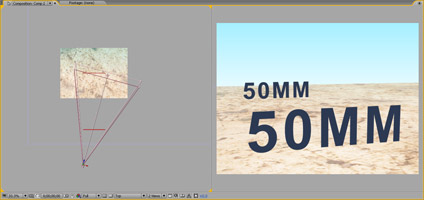
I occasionally get questions about what the various camera settings are for in After Effects. Usually I just ignore them and go about my day playing with my tinker toys. But what the heck, here is a little write-up.
Now I was going to put together a complete technical explanation and try to confuse you with complicated facts and made-up equations but I want to explain it to you the way I wish somebody had with me.
The first thing we'll talk about are camera presets, such as 50mm and 35mm etc. Simply put, the lower the number, the wider the angle of view (wide-angle) and the higher numbers indicates a telephoto. This number is called the focal length.
Figure A
Figure B
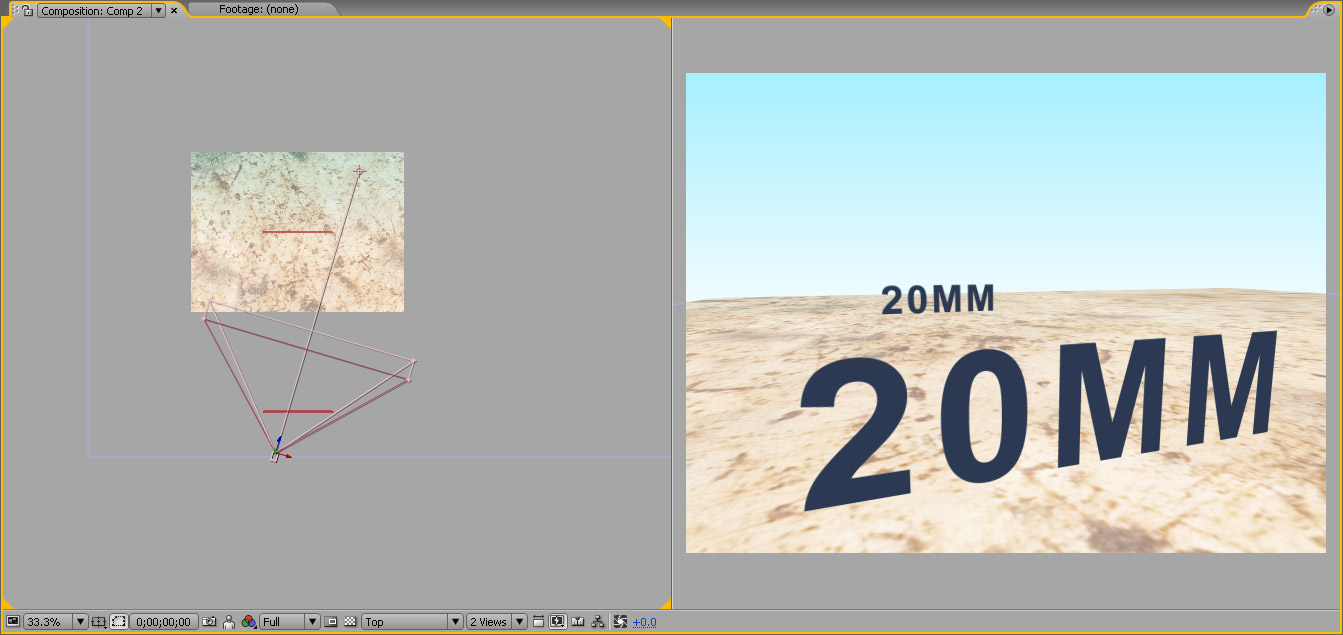
In the above examples, I've used 2 cameras a 50mm and 20mm. You'll notice that I've matched the perceptual size of the front text in both examples. To accomplish this I moved the wide-angle, 20mm camera closer to the front text so that it would fill more of the frame.
Now it is easy to see how a wide-angle lens can make a shot more dramatic because the background is smaller and seems further away. It also allows you to get closer to objects and still see most of the image.
On the other hand, although there is no lens distortion like in a real 3D application, this can sometimes be an awkward, exaggerated point of view. So for many things I like to use a 50mm and 35mm preset because it is more natural to what we are used to seeing everyday with our own eyes. But to make things seem bigger and mighty, a wide-angle lens possesses the necessary attributes.
Here are some of our tutorials demonstrating various camera setups and tips:
Maybe in the next one, we'll talk about apertures and depth of field; but that's easy stuff.
February 11th, 2008
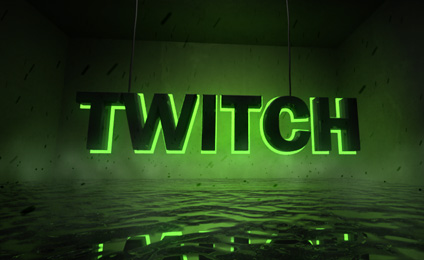
Some things are easier to control in a 3D application and some things are better suited for compositing in After Effects. While working on this title graphic, I wanted to add some smoke and particles but I didn't want to keep rendering to see what my particles would like in 3D max.
Instead I rendered the shot plainly but I saved my animation in a special format called RPF and made sure to include the Z Depth information. This is the information needed to recreate my 3Dmax Camera in After Effects.
After importing the sequence into a new AE comp, I can extract the data into a usable 3D camera. By simply right-clicking the layer and choosing "Keyframe Assistant-> RPF Camera Import", this instantly creates a new camera with the same coordinates and animation as my 3D max camera. So now I can add 3D layers and elements and they will adhere to the same camera movements right inside of After Effects.
Of course the camera data is locked to the rendered 3D animation so I can't make changes to the camera, but I can easily place layers and particles into the scene with the ease and speed of After Effects.
There are many ways to integrate your 3D program and After Effects but this method is great to know. Cinema 4D has some very nice methods of integration and there is also a helpful plug-in for 3DMax called MAX2AE.
Another concept we'll cover in the future is rendering multiple passes from your 3D application to give you more control over compositing things like shadows and reflections.
This is obviously a shot for the Twitch promo video that should be online soon.
February 6th, 2008
https://www.apple.com/quicktime/download/
A slightly newer version of QuickTime has been release that may fix rendering issues. I'll wait to see what happens before I upgrade...
February 2nd, 2008

I'm planning a new tutorial covering some of the cool functions of 3D shadows in AE. In this example the light follows the flame and make the text cast a shadow down the background.
Now if only they would make a movie called "Death Man" I'd be set.
I've also got some new tutorials in the works, so who knows what will actually be released next...

Tutorials
169. Crossfire Particle FX!
Create Procedural Destruction
160. Super Hero Landing: Inside Look
Greenscreens and 3D Compositing

Blog Show
Video Update: What's Up!
I thought I would try something new today so I recorded a video update. Not to be confused with the inevitable "Video Copilot Show", I've recorded this short video update to talk about some of the things that are happening at Video Copilot. I'd like to keep these short and casual but it might be a nice way to talk about things that are difficult to put in words.
Bad news: I have to start wearing shirts and possibly shaving regularly.
Let's see where this goes...
Watch Now!

Plugins

Stock Footage


