Indiana Jones 4!

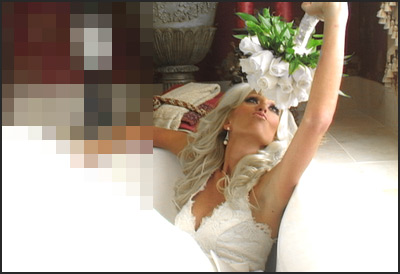
My favorite film series is underway. They just released this great photo of the man himself:

Sure he looks older but not too bad for 60 years old. To tell you the truth, Indiana Jones is my hero. I have a signed Raiders of the Lost ark poster and you might say I'm a HUGE fan. I've heard people say negative things about this movie and how old Harrison Ford looks, etc. But not here. This guy is the man! If you write negative comments, I will delete them and I will come to your house and unplug your refrigerator. Your comment will be an unsolved mystery for the Hardy Boys.

Now if want to praise this movie uncontrollably... Please do.

POSTED:
18 years ago
3D Depth Matte

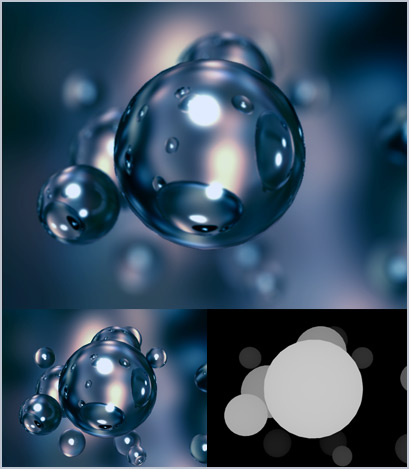
Depth of Field is a wonderful thing. Many 3D programs can render this, but it takes a deathly long time. After Effects has a plugin called Lens Blur that does a nice job of taking a depth matte and using it to generate depth of field. Most 3D programs allow you to render a depth matte which is basically a black and white image, where white shows things close to the camera and black is far away.

You can even rack focus from the foreground to the background using this plugin. I'm working on a spot for Monster Energy Drink and this is one of the elements that will be incorporated.

The lens blur pugin I'm using is right Here:
https://www.frischluft.com/frischluft/index.php

POSTED:
18 years ago
Infinite Zoom

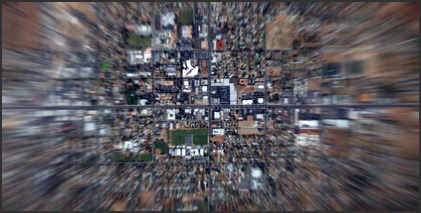
I was experimenting tonight with a fast way to create those fun Cosmic Earth Zooms. I even used the 3D fractal to create some of the clouds that get passed by. Although it could be done with still images and render a lot faster and look just as good. In fact, I wasted my time rendering those clouds. What is wrong with me! This project was 720p too!

Oh well, just be careful, if we do this effect too much we could travel back in time like Superman. I'll probably get a tutorial together soon.

POSTED:
18 years ago
High Quality Promo for DSFX

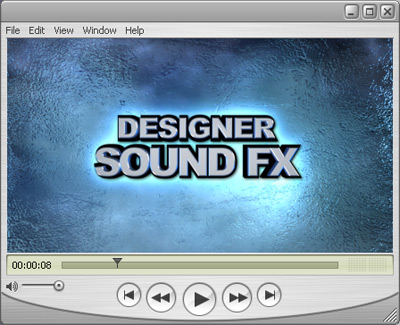
Here is a Quicktime version of the Designer Sound FX promo for those who asked for it. There is a lot of detail that gets lost when you compress to Flash. It is nice to share the original.

Watch Quicktime

POSTED:
18 years ago
Which Render Settings?

With all of the many render settings, I get asked what is the best way to render in After Effects. Well there are many things to consider. Is the video being rendered over a network? If so each computer must pick one frame to render at a time and thus you cannot use a single file format like AVI or MOV. Instead image sequences like PNG or TIFF are ideal because of the uncompressed image data. For the average Joe F. Ex, the single file rendering is a great solution.

The render option I recommend is a QuickTime Movie. When you setup your output module, choose Quicktime for the format and then for the codec, here are the three I recommend. I rendered a minute of video with the 3 formats.

1. PhotoJPG (at 95% quality)

  • Smaller file size
  • Fast compression
  • Withstands several generations before losing apparent quality
  • 239 MBs for 1 minute video @ 864x480 29.97fps
  • 1 Minute render took 1:18

2. PNG

  • Medium-large file size
  • Very slow compression!
  • Uncompressed format, no re-render generation loss
  • 952 MBs for 1 minute video @ 864x480 29.97fps
  • 1 Minute render took 8:44

3. Animation

  • Huge file size
  • Fast compression (writing to disc can slow down the render)
  • Uncompressed format, no re-render generation loss
  • 1.9 GBs for 1 minute video @ 864x480 29.97fps
  • 1 Minute render took 1:35

So as you can see the Animation is great if you have the disc space but the JPG has great quality with very small file sizes, whereas the PNG has uncompressed quality with very slow compression.

For most things, PhotoJPG is a great choice, for those high quality clients, there is animation.

DO NOT:

  • Use delivery formats to render work files (such as H.264, sorenson, or any MPEGs)
  • Jump off of a moving train
  • Time travel without a good plan first

Delivery formats are for just that, DELIVERY. For example when the video is all done and you want to put it online, sorenson 3 is a great choice as is H.264. When you want to put the video on DVD there is MPEG2.

-Andrew
PS: Thanks for making this such a great blog. I am very proud to part of your VFX world.

POSTED:
18 years ago