3D Extrusion in After Effects by Maltaannon

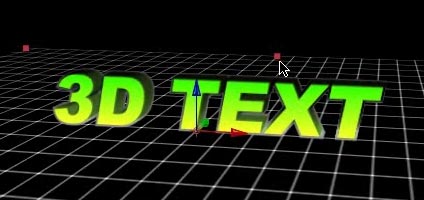
Of all the ways to create 3D text in After Effects this has to be one of the bests. Using some very ingenious scripting, Maltaannon figured a way to make the Shapes in After Effects CS3 extrude into 3D space.

It even comes with a handy preset to make things even easier. Maltaannon was working on this ingenious project for several weeks before I released my 3D Text Tutorials so it was really well thought out and comprehensive. Keep an eye on this guy he is a crafty one.

Watch Video

POSTED:
18 years ago
How about a little Maya?

I don't have any practical experience with Maya, but our Video Copilot friend Jesse does. Check out his great tutorial on creating 3D text in Maya. Be sure to thank him for his time.

https://jessetoulafilms.com/MayaText.html

POSTED:
18 years ago
Twitch Progress

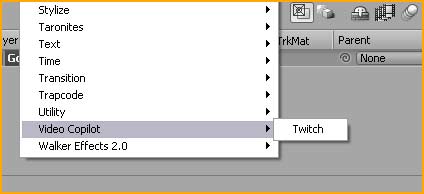
You are seeing an actual screen shot of the new Video Copilot plugin Twitch. This little idea has come a long way and is really starting to sizzle. Initially an FFX preset for After Effect only, the concept is now a real Plug-In!

What this means is that you will be able to use Twitch with almost any FXplug application such as: After Effects (+mac Universal), Premiere Pro, Final Cut, Motion, and several others too.

Of course, I couldn't do all of this myself and so I have partnered with a very talented developer that is helping bring this project to life. He also offers capabilities that weren't available in the FFX preset format, which means the feature list has improved and the speed and power is incredible.

We are working very hard on this project and hope to see it available soon. With all the new features and benefits of the Plug-in architecture, I hope you guys understand a small price increase from what was originally planned. With the new Plug-in developer and necessary testing for outside software hosts like Final Cut and Premiere; it's no longer just a 'weekend project'. I can assure you that it will be under $49 and I'm trying my hardest to keep it as low as possible.

After realizing the possibilities of multi-software Plug-in and new features just not possible as a preset, I knew that creating an actual plug-in was the only way to make this product longer lasting and more valuable to everyone.

I can't wait to start using it more and showing off all the new stuff. More info coming soon.

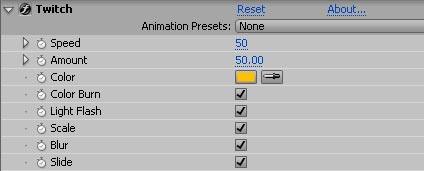
UPDATE: Here is a screen shot of the Effects Panel:
POSTED:
18 years ago
Medical Zooming

I've been watching a lot of the show House MD on DVD and so I thought I would make a tutorial to cover that cool effect where the camera goes inside the person to show the problem.

Anyways, this will be the first AE tutorial featuring a 3D program, but I'll also show a solution for just AE users. Personally, I'd rather show you the better solution using the 3D application because even though everyone doesn't have an expensive 3D program, understanding the principals is important to professional compositing. Besides you don't want to have to use claymation for everything.

REMINDER: This is the last week for the 20% coupon code: AFTERSHAKE. If you have been here long you know we don't often have sales... so don't miss it. Check out our DVDs.

Also customers that purchased last week without the coupon code; rest assure that we have been manually discounting your orders. Now that's customer service :)

POSTED:
18 years ago
Basic Training


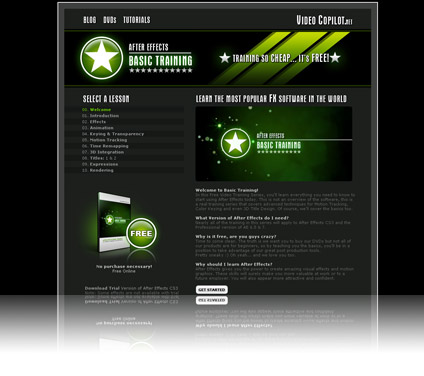
Thanks for making the new Basic Training Series a huge hit. From the numbers, it looks like you guys have been hitting it pretty hard. For everyone else who still hasn't checked it out, remember not all the tutorials are for beginners, in fact the Titles sections is particularly detailed with many great camera animating tips and tricks. Don't forget to make yourself a fake certificate once your finished going through it. You earned it.

POSTED:
18 years ago