 ALL DESIGN TOOLS


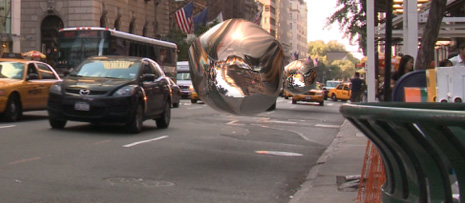
In this tutorial we will use the free plug-in Normality to add 3D light effects in After Effects. Using a simple Normal-Pass, we will also create stunning reflection and refraction effects with amazing speed and control.
I can say that there are some fun stories and situations through-out the tutorial that are mostly unrelated. Sorry :)
Download Free Plug-in: Normality CS3+
Background:
As the world of post-processing 3D render passes and depth of field in After Effects grows, the ability to perform relighting is now more powerful than ever. By using a simple normal map with the Normality, it is now possible to use After Effects Lights for fast, believable relighting and reflection/refraction effects.
Normal Maps: These special render passes are similar to standard bump maps but contain for acurate contour information. These passes can be created in nearly every 3D program as well as generated directly from a 2D texture, (as you will see in this tutorial) for relighting capabilities without the use of a 3D program!


 . But where are your "quick tutorials" gone to? They were also nice. Not that i'm suggesting your long tuts are bad xD


