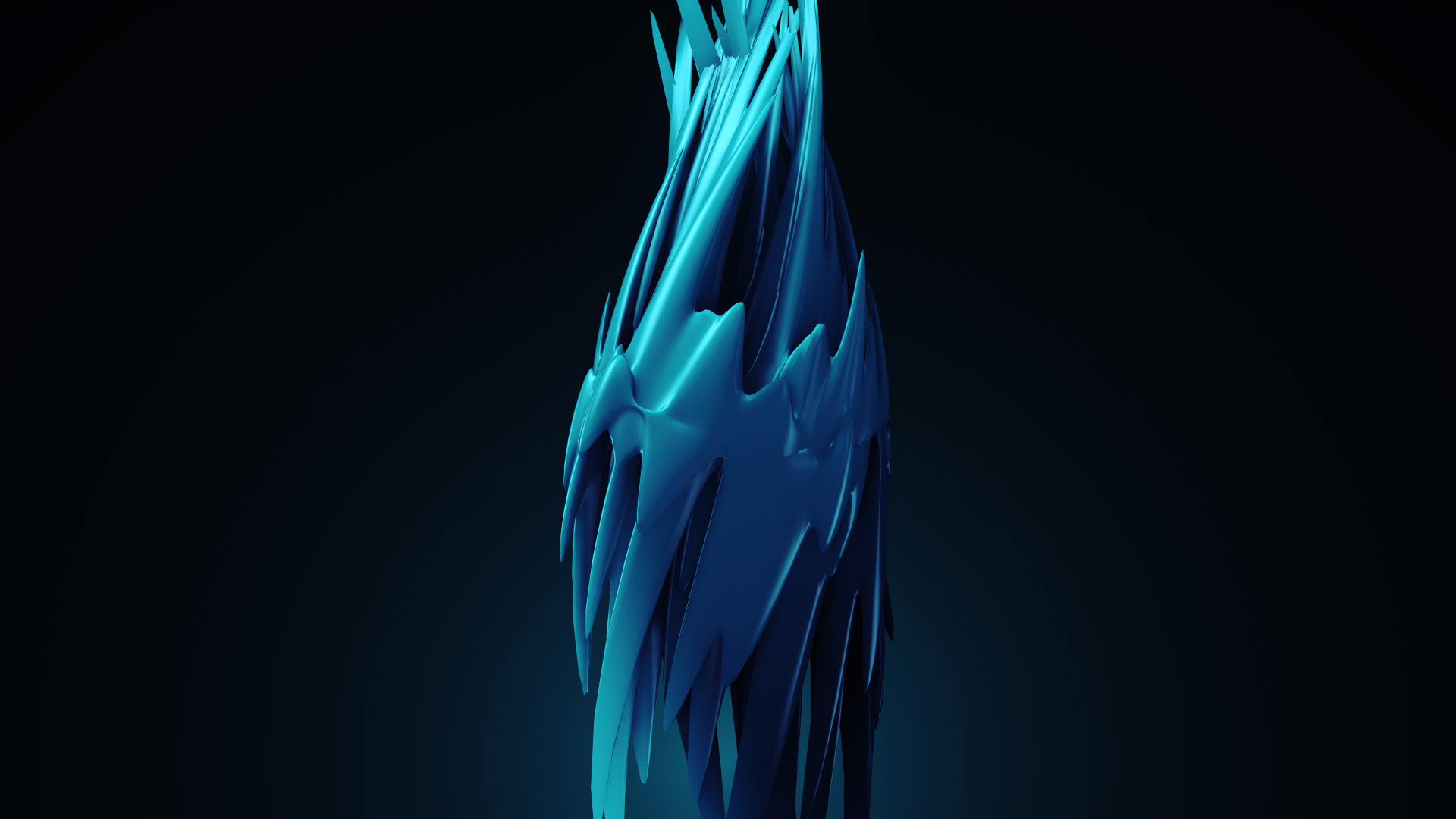
3D Noise in Element 3D V2!

One of my favorite new features in Element 3D V2 is the new 3D Noise options and deformation!

Here are a few experiments where I use various bends and twists along with 3D distortion to stretch a sphere around. I don't know what these thingsare but I feel like eating ice cream and licorice now!

Check Out Element 3D V2 and see what's possible!

POSTED:
11 years ago
78 Comments
8 years ago
Excellent element.
8 years ago
Excellent 3 D image
9 years ago
It was really nice post! Thanks a lot for sharing???
selim
9 years ago
Advanced_3D_Noise_&_Deform project file pls
9 years ago
...
10 years ago
Thanks for the Post!
Hi Andrew, great work on E3D V2 me and my company will be using it in upcoming projects for sure! with the 3D noise will they be ways in future to load custom noise maps? thanks
Federico
10 years ago
Hi guys. A feature I'd really appreciate is the posibility to import objects including morph targets. Another good one would be to be able to use a null to control where a distortion happens in a mesh. Cheers!
Philippe
10 years ago
Hi Videocopilot!

Just a question/suggestion to Videocopilot Development Team:

I have a professional project for which I created one of those twisted spikes ball thing with a metal texture. The shape itself is really awesome but the texture is distorted.

A great thing would be to add some option that allows to bake the geometry once we're happy with, and thus allowing to put a texture on it without it being distorted. Is this technically possible?

Thanks!
How you made your after effects color scheme to blue??mine is in yellow
Oh, a little expensive .. maybe later
10 years ago
Love the new deform tools, it opens up tons of new ideas.
very good element 3D
10 years ago
Hi every one, i still looking for the good way to use SSS in E3.
Did someone could give me a hand about it ?

Meanwhile, i still testing the new features of E3v2:

http://vimeo.com/114660619
10 years ago
gooaVery good forms.
10 years ago
Very good forms.
Matias
10 years ago
Hi Andrew, thx for the second version of elements, it's amazing !!!!
Just two question, are you gonna do some tutorials ??
And the second question, i tried to use the twist and the noise like you.
But mi deformations are not natural like you, my angles are not rounded like you. i want have some organic deformation like in the images you show.
thx if some body help me, and thx for your stuff.

P.S : sorry for my english
10 years ago
Hi Matias,

go in the Element 3D interface
>add a sphere for exemple
>select your object
>go in the property of the object
>surface option
>subdivision level
>change the level from zero to a smoother surface

to choose properly:
>go in the 3D preview window
>change from "Shaded" to "point" or "wireframe"

hope i'm clear enough.
10 years ago
I everyone!

I just play a bit with E3 v2. I would like to improve the render but the SSS seem not working. May be it's a matter of material?
I used a Sphere HD with the lizard texture.

Any idea?
https://vimeo.com/114535798

I still looking at the parameter ti figured it out.
10 years ago
Hello Rudy,

Can you tell us a little bit about how you made the cells?
Demone
10 years ago
[QUESTION] Does anyone know where the texture mapping options are in Element V2. I'm trying to use box mapping, instead of uv mapping, but I don't see the option to change these anymore. Any help please!!!
Demone
10 years ago
Sorry never mind... I found it!!! I LOVE THIS PLUGIN!!!
L.T
10 years ago
Hello! My name is L.T. Im in middle school and I love making movies with my friends and family at theater, and i was looking into some of your stock effects. I had a few questions if you don't mind.
1. Does an account on VideoCopilot cost anything? Monthly payments?
2. Does purchasing shockwave particle effects and the color vibrance cost any extra monthly payment or anything like that?
3. Do i have to get an account to purchase stock effects?
4. Is Shockwave and color vibrance compatible with iMovie? ( This ones kind of important, since im young, i cant really pay monthly payments for a subscription on after effects.)
If you could get back to me, that would be awesome!
10 years ago
ok so
1: nope
2: Nope
3: YEp
4:I dont know.
10 years ago
What a cool plugin !! THX again AK !
Here is my test:
https://vimeo.com/113908463
10 years ago
So, You have done by 3D Max? You didn't mentioned any plugin here. Could you please..
10 years ago
Just built my first 'model' out of the motion design 2 pack... Loving E3Dv2... Motion Design 2 pack is a MUST HAVE!

http://youtu.be/nbTmXdY_zeM
tippu
11 years ago
What happen ANDREW KRAMER we are waiting for your new tutorial ?
come fast.

Thankyou
Nick
11 years ago
Dear Video Copilot,
I have a basic GeForce 610M graphics card, will it work with a Element V2? It worked ok for V1 but I figured that I would likely need to upgrade. Can you or someone else suggest a graphics card to upgrade to? Thanks for the help!
John
11 years ago
Dear VCP,

I was wondering if it would be possible to add (or even create a script) to anchor a position to a specific point on an object that is being deformed? I am creating an ocean, and would like to have my boat bob and sway. I can do this frame by frame with the position utility, but is there an easier way? Thanks!
11 years ago
it would be very useful!
bobomet
11 years ago
I've been playing around with the DEFORM function a bit, but can't seem to get the look Andrew got here. Has anyone played around with a SPHERE with more than 24 segments ....?
I've been reluctant for fear AE will lock up.
11 years ago
I'm curious about this, too. Spent a good hour messing around with noise and twists and deforms and never got close. Might learn a lot by looking at Andrew's settings.
11 years ago
Well, you can just keep it at 12 and use subdivide to create more geometry (and make sure the surface setting is on 'deform')

I think Andrew created that look with the clamp feature.. Not clamping it entirely, but instead using the individual XYZ controls
11 years ago
Well.. Update...

You can happily render a sphere with 200 segments (tried)

Andrew used the noise modifier and set the X and Z effect to 0%. Then he cranked up the noise amount and frequency and probably added 30-40% twist (180 is overkill for this look I think)

Other variations include adjusting the offset of the deformer...

And while I was messing about, I found that t he clamp is great for placing deformed objects inside glass spheres... AWESOME!
Tim
10 years ago
It would be nice if there was a smoothing feature for the deformer - kind of like a hypernurb. I find that I can get nice smooth deformations to a point and then they become jagged if cranked up too high. I have tried increasing the segments but it still has sharp jagged edges.
bobomet
10 years ago
Wayne .... thanks so much! I'm gonna play to my heart's content!
Great quick research too, Mate. Much appreciated!
bobomet
10 years ago
Thanks Andrew. I just tried those out, and that made a HUGE difference. The looks are incredible. This is just the best 3D Animation product value - maybe ever!
11 years ago
Please make it so we can make The modelview larger in the model browser. You know like the small and big mountains in Adobe Premiere Pro
10 years ago
Yes, what Lucien said... A couple of tuts would be excellent too as I'm sure I am not even getting close to the power and usefulness of this plug-in. So far I love what I have been able to do! Magical...
11 years ago
Really enjoying this plug-in! Thanks again VC team!

Tonight's fun with E3Dv2: http://www.artstation.com/artwork/121114
11 years ago
About tutorials -My sixth sence telling me that I guess he is in cold.. :p
Bob
11 years ago
is that supposed to make any SENSE?
AzCardsFan
11 years ago
Is it possible to import glass material from 3ds max to Element?
11 years ago
Very much looking forward to the in depth tutorials that I'm sure are in the making.

Christian Michael
https://vimeo.com/113824049
KiX
11 years ago
Element 3D saved my A$$ really guys, thanks!
Its an AMAZING PLUGIN!

i am wondering if there is a way in E3D UI to view multiple groups at once ?
11 years ago
Im having a blast working with E3DV2, but today I experimented a bunch of crashes of the open gl, and some times it boots my computer.

I'm using

Processor FX 8150 3.6 GHz Octacore
GTX 680 2gb superclocked
16 gbs of ram

everything has worked just fine, but this is the first time I render something with the particle replicator. Is it my computer? It has a fresh Windows installation and after effects 2014 cc Thanks in advance
11 years ago
This is an amazing plug-in VC team! Many Thanks! I have been playing around with trying to capture some looks that I normally get out of Maya,ZBrush, and Key Shot. I have to say that I am really impressed!

http://www.artstation.com/artwork/120414-2bd145ba-2be5-4446-9684-3f1c33e5857b
11 years ago
This is an amazing plug-in VC team! Many Thanks! I have been playing around with trying to capture some looks that I normally get out of Maya,ZBrush, and Key Shot. I have to say that I am really impressed!

Some examples of still frames from AE are below:

http://www.artstation.com/artwork/120414
http://www.artstation.com/artwork/120414-2bd145ba-2be5-4446-9684-3f1c33e5857b
http://www.artstation.com/artwork/120414-00033b2a-a379-403d-8127-90e44238477d
http://www.artstation.com/artwork/120414-909c6cd3-f778-427b-9c3b-1417586ab191
11 years ago
Hi,

Quick fire questions... Can I pull the .dds files apart, repaint them, recompile them and use them? Or is that considered reverse engineering? And if the latter is the case, will you be releasing a tutorial on a 'workaround' similar to the flight control tut?
Wayne Heywood
11 years ago
It's ok.. I've found a technique which...Will suffice until you show me the 'proper' way

Make a plane 1.92 x 1.08 (1920x1080) UV 1.6 x 0.9 (16:9) add texture.

Add camera, 50mm set z location -665 (yeah this is getting weird) and there you have a ready made texture... Add any text or logo!

Comp the layer and camera, add that comp to your 'element' layer as custom and select it in the scene setup... Yeah... There must be a better way
Wayne Heywood
11 years ago
Oh... Or save it as a pic lol
Rolf
11 years ago
Solved.Thanks Dave,it works with the illumination channel,i just didn`t saw it because i had to adjust the bias.Everithing works now.

Thank you...
Rolf
11 years ago
Hey Dave thanks for the quick reply.There is just one problem left,i cannot import the texture map,the dds file,in after effects to make a comp that fits the screen,as described in the iphone tutorial.After Effects says file is not suported.Is there a solution for this.

Thanks very much the fast support.
Jason
11 years ago
What is the best way to take a still of the work you do in element for high resolution?
11 years ago
I second this question, I'd like to know how to do this as well. Currently, I just use the "Save Frame As" option. But maybe there is a better way for taking stills inside After Effects like Andrew Kramer does.
11 years ago
Jason!
Select the Comp that contains your E3D layer and hit Alt+Control+S (Opt+Command+S) to send it to the Render Queue. In the Render Queue's Output Module, select the format you wish (it's Default is a Photoshop format). then hit Render.

Hope this helps.
Ken
11 years ago
I would love to see a tutorial on how to implement all these assets into commercials; that are mainly local TV advertising. Like lets say a Furniture or local Car dealership spot. Even though I personally use these for other forms of animation i.e documentaries, I had a hard time convincing my current employer (Advertising Company.) to buy this based on the website. But I am looking forward to showing them how we can implement these plugins into our current and future videos! Keep up the great work Andrew and the mystery team!!
Zack G.
11 years ago
Ken, I wouldn't hold my breath, my suggestion to you would be to cough up the $200 bucks out of your own pocket to own this powerful tool, (which is worth wayyyyyyyy more btw), put some comps together using E3Dv2 in your local car/furniture ad treatments and convince your employer to reimburse you for this powerful dirt cheap new cutting edge tool!! Good Luck!
Rolf
11 years ago
Hi guys,
does someone know how to put footage on the screens from the motion design 2 pack?I've tried to assign a custom layer and then select it in the material defuse setting but its not working.

Thanks
11 years ago
I'm sure you figured this out for yourself by now, but just in case...
Select it in Illumination instead of Defuse.
Jeremy Abbott
11 years ago
I remember when 3D noise and distortion was first teased in the original Element announcement but scrapped for bigger things. So awesome to see it brought back now and better than ever, really can't wait to play with the possibilities.

Are noise and distortion options available on models as well (whether they're VC packs or your own) or only with text/extrusions?
Dave
11 years ago
Hi,
I Have V1 as awell as a few packs, will the original Pro Shaders work with V2 ?
Thanks Dave
William
11 years ago
Just a question,

Where do you all get these amazing 3D models? I'm in dire need of a new corvette model for a client. Do you use Turbosquid or do you model these things yourself?
wieslaw
11 years ago
And I 'm waiting for tutorials and only buy the package
Stephen
11 years ago
First picture above, whats your best workflow on faking the lighting casting from the illuminated triangle textures on the inside of the outer triangle please!
Zor
11 years ago
I think it's simple glow...
Michael
11 years ago
Hi guys. I don't really know how to explain this, does anybody know how to make the edges of the shadows softer or blurred, ??
dguy
11 years ago
The plugin is using 'real' lights in AE, so you have to go out of Element and into the lights settings itself and add 'Shadow Diffusion'
Zack G
11 years ago
Hi Michael,
I don't have v2 yet but you're looking for diffusion or if offered cone angle on lighting. So if you look in any of the lighting elements- look for those terms in a twirldown: diffusion, cone angle.
Donnell
11 years ago
Hey mike, I'm not near my computer.. But check under the shadow settings in element inside your Ae comp( not inside the element preview page) it had a blur setting to soften the shadow try putting it on 7 then dial it back or take it up a notch depending on you scene
11 years ago
go under your in the light settings. under shadow diffusion. and bring that number up... if that shoesnt solve your problem, or you're getting small dots around your shadow then you have to make sure your render output is set to final, as well as the comp render viewer quality to full... if that doesn't work go to element, > render settings > shadows and then bring up the number jus a few under "RT shadow samples"... hope this helps
Michael Bergh
11 years ago
Thank you so much for all your help!
I'm ashamed to say - I was a bit of an idiot, but I've never actually noticed that the diffusion is not available with the parallel light, but only with point and spot light. So yes changing the light worked great with diffusion then. Is there any way to do that with the parallel light ?
Koz
11 years ago
I can't get the robot arm rigged to move like it should. I've got aux's being used inside of folders inside of subfolders duplicated and assigned different parts to different groups inside of separate folders etc etc... and I can't get it to work. It's like a Rubiks Cube from hell!
Koz
11 years ago
oh my freakin' god I figured it out!..I feel like a genius. which is far from the case. Folders assigned to groups within other folders assigned to mother groups is the trick. Yeah baby
11 years ago
Haha.. Couldn't grasp exactly what you meant... Then POW! It clicked... This has been bugging me for days! Thanks man
Viki
11 years ago
amazing andrew!!!
So are you planing on making a in-depth tutorial for these ones and some more ones soon???
Emmanuel
11 years ago
Really....... this is fascinating!
dgemmell2
11 years ago
I am enjoying every bit of this new Element. The deform tools, reflections, physical shaders and all the great features of this plugin. Thanks Andrew and the whole Videocopilot team for this fantastic upgrade to what was already my most used plugin.
Ray
11 years ago
Hey Andrew, Is there a way to link/parent sub-objects within an object? for instance "hinges" from Motion Design 2, so each sub-object can be animated but still retain a link between objects.

Also, I have an animated .obj of a moving head stage light in Element, How might I add/fix a 3d null to say the lens of the model which moves around alot in 3d space and then parent an AE light to the null object.

Great work on E3D v2, I am addicted to it!
Koz
11 years ago
I was wondering about parenting objects for hinges as well...
jason
11 years ago
Does the deform support custom texture maps?
ankit6k2
11 years ago
Just loving the deform feature. Some quick renders using just a sphere and deform: https://www.flickr.com/photos/ankit6k2/sets/72157649252755659/
Hey guys tis is not my tutorial but this is a great youtube series on After Effects.

I wonder if we can get him to do a Element 3D v2 Review!

https://www.youtube.com/watch?v=UsJrp4N8-wM&listLKqBEDeM6WAfhP0Y1hzF5zFG9reyHCY4L
11 years ago
Wow, so cool! Andrew you know how to make the best plugins!
Pacaworks
11 years ago
Have been using all of the Deform tools on a new set of videos for NBCNews. They open up a whole new world to AE.
3D Doors that would have been static a week ago are now twisting, bending and dancing like I never thought I would see in AE. I would have to render out a similar scene in Maya, using Ray-Tracing, which would take ages and therefore I'd never consider it due to a very short turnaround time. Until now. 3D Noise, Deform et al are big guns in the E3D arsenal.

Thanks!
Adam
11 years ago
What I personally miss ... is a new ground-breaking trailer introducing these new features here. Andrew, people need some more your attention to this site, I mean more tutorials more involved into VFX Film Production techniques, not only "wow" effect... BR AHA
francis
11 years ago
hey andrew, that's so great, amazing, I wish that there was other modifies of 3ds max. but i'm waiting till e3d version 3, but if you can it as update, i'm not stopping you.i know you can. however, this works is very very nice & great .. ( i'm not exaggeration or kidding ), i'm Serious .
11 years ago
Are Water ripples possible with this feature? i.e.: simulating swell or waves
11 years ago
Hi
Thanks a lot
Now E3d Can Be a Standalone Software !!!!
What Do You Think ? !!
B.Lamara
11 years ago
The next big feature would be deformations based on a map, something like a 3d displacement
Rogue Robot
11 years ago
Looks fantastic.
I'm having trouble with SSS. Even using the SSS material, it doesn't seem to work. Am I missing something?
MDMotion
11 years ago
Andrew answered this on the previous blog post: you need shadow casting lights with the shadow map type for SSS to kick in...
Rogue Robot
11 years ago
Thanks - hadn't spotted that post. I'll give it a try....
11 years ago
Noise is really rad, I would love a tutorial on shadows primarily, can shadows cast onto a solid? or do you need to have a plane from E3D?

I also would love to learn how to put a light in the cracks of an object, so the light is gleaming out of the cracks.
Zack G
11 years ago
Yes, agree with shadow tut!! Mike for light leaks check this out:
https://www.videocopilot.net/tutorials/advanced_3d_light_rays/
sean
11 years ago
Use Volumeteric lighting and have cracks in your object or plane.
11 years ago
Thanks Zack and Sean, I will give that another view. I was more wondering if there was a better or new way that V2 does lights in 3D for that wicked glow/foggy/light leak look
Sean
11 years ago
Got a tweet from AK awhile ago, says he busy making some new Tutorials about E3D v2. Can't wait to see what the genius comes up with...
Derecho
11 years ago
Please pardon if already asked.
Are obj sequences still supported?
Thx
Tom
11 years ago
Yes, they are still supported.
jeremiah
11 years ago
I can confirm that OBJ sequences are still supported.
James
11 years ago
A quick test I created with element 3D V2 in about a half hour.
This plugin is amazing. http://youtu.be/SqaJUd3VkQM
11 years ago
Is he the NightCrawler :-

https://www.youtube.com/watch?v=zjntHeaHBoM

If yes, then its Awesome...
Zack G
11 years ago
^ @ Harsimran - This is an incredible use of thread hi-jacking.. er um I mean E3Dv2, thank you for sharing!!
11 years ago
thanks for revel this effect andrew
Koz
11 years ago
I DEFINITELY need some help with this feature. I'm getting weird messed up geometry artifacts, shadows become blocky dark patches...I'm just using it wrong. Yours look cool as all hell though!
Koz
11 years ago
Setting my surface normals to dynamic(deform) helped a lot
hitesh luhar
11 years ago
Hey Andrew You'r work it's awesome, I learn form you after effect, i m very inspired by you, thanks a lot Andrew
meet
11 years ago
HEY ANDREW ARE YOU GOING TO DO SOME TUTORIAL ON ELEMENT 3D V.2??
CAUSE WE ALL NEED SOME TUTORIALS AS IN TO WORK LIKE A PRO IN ELEMENT 3D..
Washington
11 years ago
I am just curious can you tie the deformation parameters to music beat... that would be cool if you can do a tutorial on that.
Stanislaw
11 years ago
Just tie the deformations to the music waveform using expressions. works pretty well.
Remi
11 years ago
Hey Andrew, why can???t we enjoy your vids in Full HD? Great job anyways.
11 years ago
We've just started tests with new E3D v.2 but WOW! There's so much possibilities with that plugin! One more time: Great Work guys.
towhid
11 years ago
Simply MINDBLOWING Andrew!!!!!!
Reece
11 years ago
Hi Andrew, great work on E3D V2 me and my company will be using it in upcoming projects for sure! with the 3D noise will they be ways in future to load custom noise maps?
Sean
11 years ago
I am completely mesmerized by thge power of E3D v2. Video Copilot has pushed the bar into outer space with this latest release. I can't wait to pick up the v2 bundle pack this weekend after payday. I think I just lost my social life with this one. Way to Go Andrew. wow....
Antony
11 years ago
It's amazing how much effort you have put into E3D v2. I just want to ask if motion design pack is available for E3D v1 and if we can use it into a scene
Keep up!
11 years ago
The Motion Design pack is setup for V2 and the physical shaders so it's currently only compatible with V2. The other important factor is that V2 has been majorly optimized for higher resolution models and we designed most of them to have a ton of small details.
eddie
11 years ago
i concur.
10 years ago
This is great plugin and i will learn to use't.