Andrew Kramer on February 27th, 2013 2:24 pm
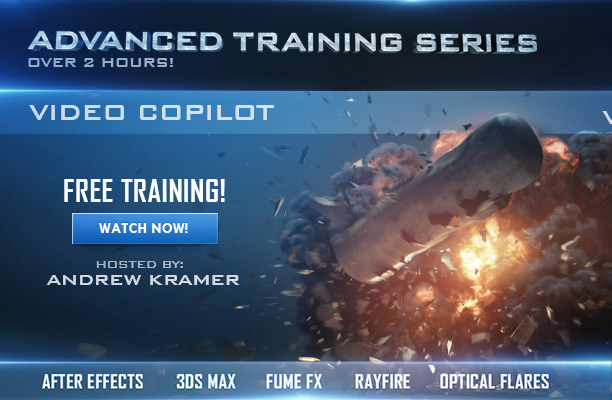
Our new massive training series is now online and it is FREE! Possibly the most advanced tutorial series we have created so you can see what it takes to work on a more in-depth shot. The first hour is compositing in After Effect then we learn to build advanced 3D assets!
Project files now online! Download Now
248 RESPONSES TO "TUTORIAL SERIES: EXPLOSIVE TRAINING!"
POST A COMMENT!
Before Posting
We're trying to encourage more thoughtful commenting. Â Please take a moment to write a meaningful response to this post.
Also remember to read the rules on posting first.
We're trying to encourage more thoughtful commenting. Â Please take a moment to write a meaningful response to this post.
Also remember to read the rules on posting first.
3D MODELS


I love you Andrew
I do.
Damn, missed being the first post by two minutes…I’ll get you next time Oh God…:-)
Man, i´ve been waiting for this for a looong time
if you like weapons, grenades and knifes watch my crime scene video https://www.youtube.com/watch?v=9Ekgqyb9tH0
the ENTIRE scene is made with Element 3D, Projectile Weapons and Money & Casino Pack!!
Quando a gente acha que os caras estão parados.. eles vem e arrebentam!!!!!
I WAS become loathsome THE ACTION ESSENTIALS EXPLOSIONS http://www.youtube.com/watch?v=88I98fDt_4I
that was reaally good job ayibgoan
yeess!!!
heeyypeople!!Please help me please please please..I begin using 3ds max and my computer performance is 48 gb ram 8 core and nvidia cuadro 2000 please help me have can i speedup 3ds max rendering (in rendering time 3ds max just using 8gb ram) please help me please please please
Primeiramente quero te agradecer por este fnatástico tutorial incrivel, onde eu aprendi e ainda estou aprendendo muito com vcs da VideoCopilot. muito obrigado e continue compartilhando os seus conhecimentos. Bom eu finalmente conseguir fazer o meu e veja o resultado de como ficou:https://www.youtube.com/watch?v=_9ZSRHqQPPo
Oh Yeah!~!!!!!!!!!!!!!!!!~
Looking good!
This tutorial will help!
COOOOOOOOL!!! I’m gonna’ love this so much!
Wow! Looks fantastic! I’ve been waiting for a huge tutorial like this for some time! Keep up the amazing work!
Epic stuff cheers kramer
Yes ! Finally, the time has come. Thanks Andrew.
Any chance we’ll see some Blender love? It seems like it’s just as capable of creating these sorts of effects. I’m just not very good at using it.
I would also love to see some options for using Blender! I can’t afford 3DS Max or Cinema 4D
You Can Get 3D Max Pirated And If You Like It Buy It
Hey guys, check out Blender Guru. Andrew Price gives great Blender instruction while completing projects in Blender. There are a number of Blender tutorial sites out there.
wow… thank you
unbelievable
You are amazing. Screw my plans for today.
Really cool I love this new tutorial the most compare to any other tutorial in past (except Element 3D):D
you are awesome and so generous !
Is it ok if I just buy all you plugins instead? I hardly have enough time to learn those. smile face
Woow!! I need time for this !!
Thank you so much for this! I’ve never looked into Fume FX but it looks really similar to Houdini. Great series! Can’t wait to try some of these tips!
AWESOME!
I BELIEVE THIS IS GOING THE BEST YEAR FOR VIDEOCOPILOT.
you are very very good man! I thank you.
Sweet. Fume FX! Been waiting for one of these tutorials for a very long time. Mr Kramer can I categorically state that, to use a technical term, U DE MAN!!!!
Mind = blown. Thank you so much!
cool i like it thanks Andrew but i’m a cinema 4d user
Ya some of the steps will not be exactly the same but there are great Cinema 4D alternatives to creating the Fume Simulation as well as the rigid body dynamics built into C4D. I’m sure some C4D users on the forum could be more specific too!
what about maya useres there is no Fumefx for maya yet :S
TurbulenceFD is a pretty reasonable substitute in cinema.
Yes i second TurbulenceFD from Jawset : http://www.jawset.com
okay Andrew thanks for the tips
@Hussein Mostafa – For Maya users it’s built-in with the fluid dynamics. Set your workspace to Dynamics, in the Fluid Effects menu select “Get Fluid Example” – there are some great explosions etc. in there.
Finalyyyyyyyyyy !!!!
There u go! definetely I was thinking to ask about these.. thank you..
finalllly it’s here! thank you.
Dude what’s Cobra, LiveCam, Strip Process, Twitch Pro, and zScape?
Yeah, I wondered about all that too… Andrew posted something a while back about showing a technique to make a dynamic camera ‘feel’ more realistic than just adding a few wiggles to the postion and target, I’m guessing that is what the ‘LiveCam’ is all about. Haven’t got a clue about the others, but I’m sure Andrew will revisit these ideas over the coming months (Andrew?)
I quite agree with Wayne Heywood on the ‘LiveCam’. Post is here: http://www.videocopilot.net/blog/2011/08/experiment-organic-cam/
These tutorials must take a lot of work, but they are so worth it. Visual effects are getting more and more intricate and it’s good that Video Copilot keep pushing new techniques and software and aren’t just rehashing the same old tutorials. Nice work Mr Kramer!
Andrew you always come through. Totally grateful. SO much that I do I learned through your site. Thanks.
(trying to make adjustments using Lightwave)
I appreciate it when you show the options in AE on how to do the effects when the user doesn’t have the plug-ins.
Wow Andrew, you blow up trains and blow people’s minds. Thank you for the extensive tutorial(s). Bam! That big of a fireball kid!
YES!!! Been checking the blog 24/7 waiting for these!
I follow this site for years, and every year the classes are getting better. Thank you Andrew
In an Internet filled with hate, I just wanted to say, “Thanks Video CoPilot, I love you.” Keep up the awesome learnin’ vids. An explosive train of firey inspiration.
OMG OMG OMG!!!!!!!!!!!!!!!!!!!!!!!!!!!!!!!!!!!! ANDREW!!!!!! IS THE MAN!!!!!!!!!!!!!!!!!!!!!!!!!!!!!!!!!!!!!!!!!!!!!!!!!!!!!!!!!!!
This is very nice! But I was wondering , is there a way to import Fume FX to element 3D in after effects?
I don’t get why you had to use the “corner pin to null”-script.
Why not just export a null from Mocha and remove the keyframes for the anchor point (since they’re not “in use”) and then reposition it?
It looks like just a tiny bit more work to do it your way, Andrew.
Using the preset with corner pin data allows more accurate placement without exporting multiple anchor point from mocha. Basically it is like having dynamic track points. A single anchor point does not have additional data for nearby transformation like the corner pin data does. The script allows the convenience of a point without being stuck with one.
Andrew: That’s true, but you never utilized that in the tutorial! You had a great opportunity to duplicate and move the null where the train car lands (which is probably a good distance away in Z space)! Although you do make it very clear in the tutorial, so it doesn’t really matter.
By the way, I think this is one of your best tutorials! You’re very clear about what you’re doing, and there are some great little tips in here. Thanks so much!
y u dont make a movie u r awesome !!
where are the project files?
Coming soon.
is the oil tank model included in the project folder..i cant find in the folder
Amazing tutorial andrew ! but i have a question why you don’t use 3d tracking with boujour for more realistic look !? and where you find this amazing material for the tanker ???
The shot only pans and there is not much parallax. 3D tracking wouldn’t really improve the realism since the shot is mostly flat.
thank you so much for this andrew
OMG I LOVE YOU ANDREW KRAMER !!
Hey Andrew, are you planning for future make tutorials about Cinema 4D and plugins like TurbulenceFD (simulate fire and smoke)?
Sir Andrew how about you show how to create that stuff using C4D instead of 3Ds Max? And is there any Plugin of C4D, replacement to fumefx or rayfire?
____________________________________________________________
Thanks for your unstopable kindness
Are you working on the new StarTrek movie?
You can tell me, I won’t tell anyone else.
Thank you so much Andrew and the whole VC team for everything that you give us. Your hard work is forever appreciated.
When’s the next time you can teach us how to do something cool solely in AE? Because I dont’ have 3DS Max rayfire or fumefx
Soon! But, what do you think I should create solely in After Effects that hasn’t been covered in the last 140 tutorials? The first 20 minutes of this tutorial can be created solely inside of After Effects using stock footage explosions but for people who want to push the limits or understand complex shots I showed my entire process.
I understand there are a variety of people that visit Video Copilot. Some people want more advanced tutorials and others don’t want to use too many 3rd party products. What I would say is that sometimes to create cool things, 3rd party tools like Particular or Element 3D are required.
I always try to use built-in tools when possible like CC particle world but Element 3D really is the most low-cost 3D solution that add’s major capabilities to After Effects and I’m not just saying that because we made it. I literally use it for my title and VFX work for hollywood films. In the end, the result is what we should all focus on and finding the best way to get there.
Some people suggest we should make fewer Element 3D tutorials but the alternative is sometimes $5000 worth of 3D software instead of a $149 plug-in. I think having a mixture is key. What I love about VC it is diverse and what we all have in common is that we like to see cool stuff!
This year we are going to have a variety of tutorials from advanced ones like this to Motion Graphics and even some fun blog shows.
I actually like it when Andrew’s tuts use tools I don’t have. It’s a challenge. I’m going to try to recreate this scene using Element, Action essentials 2 and AE. I’m not even going to use blender (free btw), that would be too easy. With some creative motion tracking I guarantee you I can get the physics pretty close. It might not have the awesome fume fx explosion, but action essentials 2 will do the job. Don’t have element? Use 2d plates. Push yourself to work within limitations and the end result will be much more rewarding than painting by numbers.
Sorry for all those /.. not sure why those always show up in my posts…
Well said Andrew! I love the diversity of the site. I understand how the casual AE user doesn’t have as much appreciation for the 3D work and extra plugin’s/programs but anyone who uses it professionally understands the importance of all of those. By the way, the reason I am now a professional is because you got be started on the right track and I’m very grateful for that.
I don’t use 3ds Max anymore because I switched to Cinema 4D, and I’ve never used Fume FX yet I’m very excited to learn about them and understand the workflow’s a bit better. I think sometimes people need to realize it’s not always about button pushing an re-creating a tutorial. You’ve just got to enjoy the ride and pick up some tips along the way. Especially with a tutorial like this, you’d go crazy trying to follow every mouse click in the 3D portion.
WE NEED NUKE TUTS!!!!!!!!!!!!!! PLEASE
So that means we will see some Blender tutorials on here this year right? right…?..? No..?
Thanks for al you do Andrew
I absolutely agree with Andrew. I don’t have 2K to spend on some of this software, but I have bought bits and pieces over the years just because of some of the amazing things I’ve seen Andrew do. I recently saved money for 14 months to buy the complete Red Giant suite because I wanted to be able to push my boundaries! Man, that was a hit to my savings… I also bought Element 3D and a few of the packs. It really is an amazingly powerful resource for producing high quality results for very little money. If only it could cast shadows (version 2.0, please).
However, I would love it if there were a little more support for free software packages like Blender. It’s versatile enough to do many of the things other professional products can do, but because it is free we non-professional or even budget pros like me can dabble without breaking the bank. I don’t know well Andrew knows Blender, but if you’re looking at this, could you make one small tutorial using it?
I’d rather Kramer do his professional workflow on everything he does regardless of 3rd party tools. I want to learn how a professional would pull off the shot. I’ll eventually get the plug-ins and for now I’ll watch and learn. Really everyone could get these plug-ins if they wanted to it isn’t difficult. Theres no reason why anyone should complain about his usage of 3rd party plug-ins.
I would love to see a tutorial on how to FREEZE something in after effects. FROZEN! Cold, Icy, Blue, Encased in a block of Ice, Mr. Freeze… Okay well maybe not Mr. Freeze but you get the idea.
That corner pin to track preset is awesome! Thank you!
love u man
wow, this is cooleest tutorial . . .
hope you create some blender tutorial in this year . . .
sory for my bad english XD
In your futur project file can you add the .agt file (gradient of the fire) please ?
Can fume fx simulation be render as obj sequence and import it to element 3d, so we can use the different angle of the fire without always simulating and rendering it?.. but by the way thanks for this cool tutorial..!! this site is always the BEST!!
Have a feeling we are all going to benefit from Andrews recent mastery of fumefx. (ACTION ESSENTIALS 3!!!)
My God Andrew, Best series next to Meteor Destruction series.
Thank You so much.
So let’s break this session down. It goes without saying a top notch tutorial as always. BUT….this goes beyond JUST a tutorial. Firstly Kudos to Andrew, Sergio, and fireman Sam and the rest of the gang for the input.
This 3 tutorial, almost 2 hr session has taken hrs if not days to produce (I’ve only just finished session one so forgive me for speaking to soon, it’s more important to watch the tutorial then be first to respond)
And in my humble opinion, this is one of the FINEST tutorials yet. Easy to digest, understand and as an avid respectful fan, follower and customer is a step up from previous tutorials. The VC team have set the bar high once more.
Christian Michael
that was a big hit , well done , briliantly , I love the way you do
Awesome job sir as always…(man I hope fumefx comes with presets, that is some complex sh#t!!)
Please, next time please make a tutorial for Maya, Maya dont have fumefx, rayfire … or anything like this …
Maya really isn’t the program to use to get explosions and stuff. 3DS Max is really the program to handle all that. If you are on Mac and can’t get 3DS Max then try Cinema 4D. C4D is very powerful and has plugins just as good.
Man , Maya has Fluid which is much better than Fumefx plugin !
So what about Rayfire Milad??
Pulldownit Pro & DMM is used for all type of shatter and demolition for Maya.
sorry, I forgot to add Blastcode awesome one for demolition.
VFX God is back….Love u Andrew….
Hey Andrew Nice job. HUGE Tut! I have Element and wish you would have done the train in Element. I know I know, Some people want Element some Dont. Cant please everybody. But You do have a product to promote. So use Element. Thanks for tut. lots of good info.
Absolutely awesome!
3ds Max and FumeFX are the best!
Just wondering if you will in near future provide project files for us to play and follow along and learn more how you do this fantastic composite…..thanks
Yep, soon.
Best Tuts for me…
waiting for project files in near future.
Andrew, your lucky you live on the other side of the planet, otherwise I’d tracked you down and give you a big kiss(non gay kiss)
. Thank you for this, this is awesome.
This Is Realy Awsome Tutorial Thanks Andrew And Please Give A Project file Please Andrew I Have A One Request Please Accepet This You can Make Another Pack For Element 3D On This you Can Add Helicopter’s And Cars Bikes And Much More… Any Budy You Like This request So Please Request For Andrew because A Lots Of people Has A Problam For Adding A Texture For A Helicopter So Please Make A Pack Please Please Please
Yes He’s right So Andrew What You Thing Hummm!
Terry is Right So Please make The Pack For Element 3D
Yes,We need it,so please make such pack…
Don’t take my name guys OK !
Wow!
You are awesome sir Kramer!
Wanted to learn FumeFx and Rayfire for visual effects since a long time and finally a tutorial by god of tutors!
AMAZING!
Hey, guys. could somebody kindly give the link to the “train extension” tutorial. thanks.
Great stuff. Another tutorials and now not one bu tree. Thank you.
Great Production work, Andrew Kramer You are Awesome
And Please Any thing for Maya Users.
Is there is any plugin like Fume Fx for Maya and Destruction plugin
Like Rayfire For Maya. I used Maya fluid For an Explotion It take longer
and longer time to simulate It. But I Learning 3DSMax.. Sorry 3DMax For You and
Your Tutorials. Anyway Thanks For This Massive Training Series.
wow wow wow!f**king wow!i miss your voice !
Where I can download these tutorials?
Andrew There is No Downloading Option. It buffer And play, buffer and play.
Its Boring To watch This Awesome Tutor.
Thanks Andrew Kramer, you’re the man. I think it’s cool that you actually go out your way to explain why you chose the steps you’ve taken, even though it’s not necessary. I’m happy to have this well rounded source of information available without having to spend even A PENNY to figure it out.
Thank you, thank you, THANK YOU!!!
Cool stuffs Andrew… Now I do feature film VFX and all I got from VC… We want more 3rd party tutorials Andrew.. People don’t realize that AE is a compositing software and they expect you to make 3d stuffs with CC plugins
All we want is tutorial to make cool stuffs not just AE… for those Element 3D Haters, plez refer them to your first Basic Sky replacement tutorials 
-Bhutan
Hey I have created a element 3D composit in 4K resolution! iets a bumper/leader http://www.youtube.com/watch?v=8por6Z0N2T4
Mac user here, no chance for 3DsMax
want to download tutorial video how can i??
Amazing work Andrew sir you are my best teacher in the world because of you i learn lots of Amazing technique in compositing in After Effects and now i am very thank full to you sir that your are making 3D tutorial and the best thing of your tutorial is that your voice is very clearly and easily to understand and also you dont use lots of shortcut key….
which make us easily to see what you are doing…..
Maybe one day has come when i dont need these tutorial and make Visual Effects like you sir…………
Thanks for everything…..
From Aakash Pundir
Download video and files please!!!!!!!!!!!!!!!!!!!!!!! I have FumeFx 1.5, is it the same setup? Thanks Andrew and VC team, great Work.
I thinks, It’s Fake.
Argh ! It’s cool but i’ve not Fume FX
Absolutely amazing result, 3 years ago you made me love After Effects and now you’re pushing me to 3D programs (and bootcamp !) which I thought I’d hate all my life. I read that you don’t have any ideas for exclusively AAE tutorials (considering the 140 last ones) Can I make a proposition ? In every tutorial you color-correct the footage or compositions and within seconds, you achieve great movie-looking visuals. If you compare your Metropolitan pack renderings with mine for example, you’ll see a Matrix-looking city next to a playmobil-looking city. Could you possibly explain what are your different ways to think about how to give personality to a footage ? When I’m trying to use the curves or teint, etc without doing precisely what you previously recorded, it’s just a awful. Well… it’s just and idea, but you never know, it could be inspiring for your next tutorial ideas… Thanks again for everything, if one day you need a kidney let us know !
I have long waited for this lesson thanks Andrew Kramer!!!
Andrew I am NOT AMUSED!
GUARDS, THROW HIM TO THE LIONS!
…just kidding EXCELLENT!
I feel like i should pay or i owe you or something, big love man, thanx for the tuts and your time
!!
Epic!!!!!!!!!I love VC!
sorry if i am wrong, but is the second explosion different to the original clip? I see more smoke blown away. But it doesnt matter – thanks for sharing with us.
Well done Andrew, happy to see that you made some non-stock footage tutorial. =)
Hey Mr. Andrew,
I Just Wanted To Ask What Are The Project Files Going To Contain ?
The Explosion That Your Renderd Out ? The Train Crash ? IDK.
Adham Yaseen
hi..its really good for us…thankyou so much we love you man…;)
i need this tutorial and project file plz give the download link plz…..
fantastic compositing…
ohh..i’m Nuke and maya user…but rayfire is still usable to me ! Thanks Andrew
I use After Effects and Maya. But are you saying that Rayfire is available for Maya? (I’m on a Mac, btw.) If so, would it be beneficial to get rayfire because it may be better than Maya’s physics or are Maya’s built-in physics good enough?
I wanna cry…
really, this guy is the best!!!
hey Andrew, thanks for amazing tutorials, hopefully see you using Maya in future tutorials
These tutorials are awesome… as always!!
I thought that you scrubbed through FumeFX very fast, but as always, trial and error seems to be a good way to learn this wicked piece of plugin.
Is there a specific reason you didn’t use wavelet turbulence for the explosion?
Also… I recognized some additional explosion/smoke trails in the original preview video which come out straight when the oil tank hits the ground. Did you make them with FumeFX as well?
Thx for these tutorials Andrew! They may just be the best you did so far!!
Hey Jürgen,
I think wavelet turbulence is great a great way to get more detail in some situations on the other hand it requires some tweaking, your render times will increase and the results you get are pretty unpredictable, for example the smoke dissipation will change completely compared to your original sim and it can cause some other problems. So definitely not the stuff you want to show in your first basic fume tutorial.
Usually it’s better to just lower the spacing and Andrew is using a pretty high spacing in the tutorial and it looks awesome already, so no need to use wavelet if you don’t have to.
cheers,
Fabian
Hey Jürgen,
I think wavelet turbulence is great a great way to get more detail in some situations on the other hand it requires some tweaking, your render times will increase and the results you get are pretty unpredictable, for example the smoke dissipation will change completely compared to your original sim and it can cause some other problems. So definitely not the stuff you want to show in your first basic fume tutorial.
Usually it’s better to just lower the spacing and Andrew is using a pretty high spacing in the tutorial and it looks awesome already, so no need to use wavelet if you don’t have to.
cheers,
Fabian
did u think about malty Lagrange tutorials ??? ( India )
Will you do more tutorials about 3dsmax? Any effects will be cool with the assistance of 3dsmax
Free training, 5000$+ worth of software and plugins
Thanks for the training tho!
Andrew you great of the world
Andrew I have question it’s fume fx may do it cinema 4d
HELLO.ANDREW.AMAZING TUTORIAL…I WAITED IT FOR WEEKS…AND ITS VERY COMPLETED.IN ALL ASPECTS.I WOULD LIKE TO ASK YOU SOMETHING.HAVE YOU STUDIED FOR VISUAL EFFECTS…SOMEWHERE OR YOUR ARE SELF-TAUGHT..BECAUSE YOUR TUTORIALS ARE EXTREME.
Looks like good FX but i’m C4D user.. and.. When I see optical flares new version on your twitter… when you share for the good news andrew sensei ?
I wachted your interview for Adobe, you was cool! So many people have written the right words here, and I’m one of them. Thank you so much, Andrew!
I like more advanced tuts. Only this way one can develop skill in AE. Andrew, You move us forward, Thanks!!!
I am Bart)))) not “Bray”))) Sorry…
HI ANDREW, I WAS WONDERING IF YOU COULD MAKE A TUTORIAL TO CREATE FIRE WITH TRAPCODE PARTICULAR.. THAT WOULD BE AWESOME.. SEE YOU.
PD: YOU ARE THE BEST IN TUTORIALS
Please HELP!
I’m working on a short movie for a contest, but they just said the videos should be posted tomorrow. I thought I could wait untill the project files would show up, but if anyone has a pre-keyed explosion made inside with FumeFX, please contact me by clicking my name.
Andrew, can you share with the name of the song on Breakdown ? ( 00:16+ on youtube video).
you are the da man mr kramer..this is the best tut for 3ds max, ae.. really really like your tutorial mr kramer, EXCELLENT.. more tut for 3ds max
..
Olá Andrew, gostaria de saber onde você aprendeu a mexer no After Effects, porque parece que você sabe tudo sobre ele. Abraços!
Hello Andrew, I wonder where you learned to move in After Effects, because it seems that you know everything about it. Hugs!
I do recall you saying something about “downloading the project file” in the tutorial….and where might that be Andrew?
Thanks Andrew…i have learned alot here…
thats my new tracking work with optical flares
http://www.youtube.com/watch?v=ej8pjMVIGZY&list=UUHoYJKTT-VUKB27s7_1Y8NQ&index=1
What, no version for Blender? Really Andrew….
I’m considering doing a version of this tutorial for blender, I would recreate each 3 segments and cover what’s different when doing this through blender. Would you be interested in that?
Jory, I cant reply to your comment so I will do it this way. It would be wonderful if you could do a Blender version.
Hi
Thanks
Please Give me a download Link
jst awesome, specially the one for fumrfx. thnx………..
Hi My Master
I Love You So Much
Thanks for everything
Love That Tutorial and certanly the tanker crashing simulation in 3ds max xD
Awesome! Hey guys, for Unique self-made Element 3d Packs, check my channel here. It’s free for everybody
http://www.youtube.com/watch?v=pOviZcf5t3U
Hi Andrew, i wondering if you may can make more Advanced Training series
becuse they are very helpfull and great!/StarFilm
Cant follow it Andrew, FumeFX take 2 minutes per frame to render just the preview, I have a E5700 processor, dual-core with 8 GB of RAM and a GTS 450 GPU, thanks a lor for all that you have helped me but this (VFX) is a dream I can’t afford, I wish you Andrew and all VC Team very luck, maybe in ten years I could make this tutorial, bye bye guys, and again thanks a lot.
Any decent smoke sim will take a long time to render no matter what the program if you’re on a single machine. If that stops you from your goal of being a VFX artist or even just supporting the VC team, then maybe this isn’t really for you.
You’ve just made me feel guilty men!!! I’m not saying that I quit supporting VC Team, It was just a moment of sadness, thank you for making me see what it matters, I try to keep going with my machine until I can upgrade to something better.
This is so, so cool and I seriously cannot believe you released this for free. When I first saw the main image in this blog post, i thought, sweet another tutorial DVD in the style of ‘the bullet’.
This is pretty much even more valuable…for free?!…..Thanks.
well i was wondering..why didn’t u put the oil tank model in project folder…and why there is no downloading for these tutorial.
Well Andrew… I’ve been an avid follower of your work and website for a loooong time now! When I first found it, I was in awe. The content was professional, quirky, and different to anything else currently available. I’ve not only watched your tutorials, I’ve physically recreated everything you’ve posted. You won’t find my renditions anywhere on the interweb (that would just be weird and sad), but I’ve done my own projects using the skills I learned from you. Anyway, I digress. As I write this very post, your site is still the ULTIMATE video production resource around the GLOBE… P.S: The FumeFX tut is the first one I’ve seen that demonstrates a technique truly universal in application, WOW!
Never said a bad word about you pal
I shouldn’t need moderating
Wow, I’m loving it, I think that is also called special effects isn’t’ it?
Thank you soooooooooooo much Andrew Kramer for the hard work you provide for us, I hope even you kids become excellent in After Effects like you
very very cool!!!
Andrew Kramer please you can help me????
i have rayfire plugins but i have same problem with (physx) evre time tel me http://www.kurdupload.com/images/EPFFqH1362148957/america002.jpg
please help me??
—
ram-8g
win-7
3dmax 2009
PhysX-9.12.1031
rayfire 1.6
with thank you…
Hey sam, u have to match the physx plugin to your version of rayfire in order to make it compatible…here is a good list about the physx needed: http://blog.daum.net/3dsmaxman/120
Am I the only one who has broken files in the footage folder? I cannot import or play FumFxExplosions, TrainCrashRayfire and the TrainCrashRayfireZpass in vlc or after effects. I downloaded the file twice. Thank you.
files are ok
duuude i was rally waiting for this tutorial
good job and thanks
It would be totally awesome if you made a little pack of animated explosions for us! That was awesome!
It is great how the these tutorials are broken up by category, for those who only want to focus on a specific task. I appreciate that you made a series instead of a single tutorial that may have been rushed or incomplete. You are true professionals. Don’t pay attention to the people that only want you to make things in AE like you made 4 years ago. You are very successful for a reason. Things progress. Thanks for everything.
woWWWWWWWWW Andrew You are the best man ! i’m exiting for this project.
A hug
Thx Andrew Kramer, excellent work´s
Thanks a lot, Andrew and VC Group for the high technical displayed every day through excellent tutorials that bring us more and more possibilities inside and outside of After Effects for new ideas. Just one question: Are you getting as a stuntman for Sam?
This is so awesome. I’ve never fooled around with Fume FX, and I’m not very good with 3DS Max, so this looks like a great time! Thanks Andrew!
YOU ARE AWESOME ! Thank you so much for this tutorial…you are the future of independant filmmaking !
well…….so mny tanks 2 VC ova d yrs……hez bin a gud kick strt 4 me on AE….4 evry1 out there on this blog…tuts r nt abt recreation wotz in d tut, itz abt goin beyound wotz in d tut n 2 c hw u cn implement it in ur project n wrkflow…….turbulence FD for C4D cud jst gice u a smoke effect bur it aint gona b a thick smoke lyk FUME FX……so if u mix it wit stock footages or Particular u cud get awesome effect also……dis is a source of learning so lets learn n if u go ova d limit wit d tut in ur project u cn share d idea…..theproject4d.com also has som tuts on turbulence FD n X-particles for c4d……4 me i push workflow btw maya, cinema 4d n ads max…..it all depends on which enables me 2 achieve ma wrk quickly……tanks VC
PLEASE WRITE IN ENGLISH MEN!!!!
@LUIS MARTIN…..so sorry mehn but i type faster when writing with short forms…..well for those who do not have Rayfire for 3ds max, but hav cinema 4D, u can use the Xbreaker or Nitro blast plugin for cinema 4D to make the destruction of the base of the tank then combine it using Dynamics,the floor plane would be a colider body dynamics tag, then you could also use emitter if you want more particles to b emitted
All, please stop asking Andrew to dumb down his process because you don’t possess a certain software. Andrew is a WORKING PROFESSIONAL who gives away his tips and procedures to produce real FX shots for movies and TV. He shows you how to do it with the software he utilizes for real work. This is fascinating and invaluable! If you don’t have the same resources as him, then take the concepts and techniques and apply them with whatever you have. I would rather learn how a shot is produced on software I don’t have then be able to follow along step by step using Windows Paint, Kai’s Power Tools and Animator Pro.
/end Rant
WELL SAID!!! Those are people who doesn’t know how to do it in the programs they use, like Cinema 4D or Maya, my advice? fill with knowledge of all programs, you never now which you may end liking more.
Andrew, If we’re on CS6 why can’t we just use the built in camera tracker to do the tracking instead of mocha? Must work just right, right?
If anyone else can answer why he used mocha specifically and not the 3d camera tracker please let me know.
P.s. I understand Kramer wants to the simplest tool for a given job and doesn’t want people who don’t have the big tools to miss out. Is that the answer to my question?
The shot only pans and there is not much parallax. 3D tracking wouldn’t really improve the realism since the shot is mostly flat. said by kramer in above post
Thank you so much Andrew for this superanazing tutorial series…
Wow! Love watching these kind of tutorials. Also love the 1.5 update! Is element 2 going to be much better??????? CAN it be much better?????
Just wanna put in my 2 cents worth — everyone should be eternally grateful that you take the time to provide such high quality tutorials for FREE as well as the amazing plug-ins/presets — the cost you pay compared to the value is phenomenal. I ain’t no expert, but your tutorials have allowed me to up my game and make some fun videos — just finished a fake movie trailer (http://www.youtube.com/watch?v=DPhVGOrmrF8&list=UU3T_WNnAiorEgGKg7qSXsAQ&index=1) with a cg Bruce Willis (I’ve still got a lot to learn and will hopefully continue to improve with time). Thanks, Andrew!
Thank you for providing the download link for these tutorials. Now I can watch these easily. I have been waiting for the download links since the release of these tutorials.
Has anyone noticed Chad Perkins (from Lynda.com) complete training series for Element 3d? This is so freakin’ awesome!
Intro video:
http://www.lynda.com/home/Player.aspx?lpk4=122484&playChapter=False
to -ZXprodiguosXZ- “WE NEED NUKE TUTS!!!!!!!!!!!!!! PLEASE”
I don’t think it’s going to happen. VC is AE tutorial website. I grew up with VC, and last years, was not that much to learn here (mabye because I switched to Nuke too). But it is very nice to see them going further. …Optical flare for nuke,- was just rumors?
Thanks for these great tutorials! I only wish they offered a demo version of Fume FX. I was surprised to find they don’t.
hey Andrew!I have an important question for you.can we use same the technique to create a big CG nuclear explosion?Please explanation.
Thank you very much because of Alllllllllllllllllllllll your tutorials…
Hello Andrew! How are you? My name is Ricardo, I am Brazilian and a big fan of your work. I have a rock band here in Brazil and produced a video of my band using their various tutorials! We shot using a Canon 60d camera and a Canon T3i, using very few resources. Thanks for the inspiration! big hug!
Link of our video: http://youtu.be/xUs4IpZ8oIo
E o modelo 3d do tanque que é bom nada
make a tutorial with RealFlow and create a tsunami with destruction of cars, umbrellas on the beach like explosive tutorial dedicated training
http://www.youtube.com/watch?v=PkIM7uwJ3Eg
the behind the scenes of the movie backwards with tsunami and special effects video is in Spanish
http://www.youtube.com/watch?v=oLnV8p_dIsU
hi andrew can you make some litle tutorial about this ? http://www.youtube.com/watch?v=IR3Ywnf_MDk or http://www.youtube.com/watch?v=GlojCiUXaRg and final this it awsome https://vimeo.com/20701396 thanks so much
We Love You Andrew Just Love You Nothing More
Once again you guys have blown my mind!
Hey Andrew, Now we have all great plugins form VCP i believe that we are able to do professional work in After Effects i would like to request to VCP kindly make a (Water Simulation) particles plugin it is very needful for us,,,,,,,,,,please think about it.
is there a chance Videocopilot will be releasing a Stock Footage Pack composed of pre-keyed FumeFX smoke and fire simulations(like the one from the project file)?.. I know real life stock footage of explosions and fire and smoke are realistic but sometimes, realism doesn’t always look good.. please hear this out Mr. Kramer! thanks
That would be so great to have fumefx explosions pack. Please, Andrew hear our request)))
We are planning on doing some for Action Essentials 3. keep in mind, quality simulations can take weeks to process and render…
Its the Great News to hear Action Essentials 3. 3D Programe take weeks to process and render an Explotions,
All The Best For you and Your Team,
Andrew Kramer Always The Best!!!
yay! Action Essentials 3 will be awesome. Even more Stuff you’ll see in every commercial with explosions xD Just hook up some more PS3s on your render farms and you’re gonna speed things up quite a bit
Hey! You forgot about the demon cam menu intro man! The magic ball man! Post a tutorial, else I will come and steal the ball! (The ball has been shattered epicly ryt?)
thank you very much Tomi Foldes..
Andrew Kramer and where you can take the model tank …..
HI EVERYBODY!!!!! We are young two brothers whose love VFX and everything about that. This is our works. https://vimeo.com/zovinecbrothers
http://www.indiegogo.com/projects/zovinec-bros/x/2197147
hi Andrew. i purchase some of Your Products such as the bullet DVD,Series fx training
& i saw that without having any thing like action movie essential, particular ,or Element 3d You did a really Great Job
& now you have lots of thing so you are making Tutorials like Hollywood Style Keep Going man
& thanks for this Awesome Tutorials.
Andrew when you will be Post NEW TRAINING SERIES like this
…??
amazing shot ,it’s like train explosion in super 8 moovie
Hi Andrew,
This is the most explosive tutorial you have created so far!
The path you have used to put together a shot like this is what is most valuable
and
of course the inclusion of a totally simulated explosion rather than use of stock explosion..
I created a train explosion shot some time ago, I would like to share it here for anyone who might be interested..
http://www.coroflot.com/infas/Live-Action-CG
Breakdown,
http://www.coroflot.com/infas/CG-VFX-Breakdown
i like to watch ray fire tutorial like this. can you make for us please
replay
Andrew can you make a tutorial about highly detailed 3d car explosion? If it’s too much to ask, I apologize
Hi andrew kramer:
its the perfect tutorial for visual fx.
thanks.
Andrew give me your mind for 2 days plz i will copy it nd will give back to you.
Andrew, great tutorial for FUMEFX, I love it. On an unrelated note, is there any ballpark guess as to when we might see a sneak peak at Optical Flares 2?
Any plans to release a Video Copilot Series Two? I like having large sets of the tutorials on disc, so I can try things out even when my downtime has me in places without an internet connect.
I’ve watched the Tutorial and it very important to know all these tips from you and for free thank you Mr.Andrew .
Amazing keep on it
I wonder what’s the camera that you have used to film the shot .
Hey Andrew,
I just thought it would be great if you guys can release a training series on plugin development for After Effects and may be some basics for that as well.
Regards,
Aakarsh
P.S. This series is really explosive man!
Bro…this iz becoming worse for those who don’t hve element 3d please tell any free alternative ;(
Hey any chances of getting different angle or size fume explosions .Appreciated
I missed something in the previous comment, I wanted to know if you have any plans for a basic training on 3DS Max. I mean you guys already have a lot of tutorials on 3DS Max and still, many of the new comers like me coming here have very little or no knowledge of using 3DS Max. It would be really helpful for me and others like me. After all, this site is so diverse!
Regards,
Aakarsh
Hi! thank you very much for your great tutorials,as a cinema 4d user,we have a big problem with the lack of particle tutorials about c4d and t4d plugin, tutorials.may i ask you PLEASE MAKE A TUTORIAL ABOUT EXPLOSION BY CINEMA 4D AND TURBULANCE 4D plugin.PLEASE Mr ANDEAW!
nice tut, http://www.youtube.com/watch?v=79bdfF1hug8 this is my explosion created with phoenix fd, check it
how about the reflection of explosions on the train cars?
O’some!.. And can we have a tutorial also on how you got Sam to fall?..:)
After Effects 2D Tracking…learned here
GANGNAM FUNKIN STYLE 2
https://www.youtube.com/watch?v=gzSl26acopY&list=UUHoYJKTT-VUKB27s7_1Y8NQ&index=1
Hey andrew! I like your tutorials. & Ilike this very much. I think U r The God of VFX.
Hey! Thanks for the tut!
Some FumeFx tests : https://vimeo.com/61253523
Hi! Amazing tuts, thanks you!
Some tests with fumeFx using your tutorial!
https://www.youtube.com/watch?v=-k-rvfGjung
hey, in your 2nd tutorial, why didn’t you further animated the force object to go back down immediately lets say within 3 or 4 frames and then hide it. that way, it would be a lot easier and would also solve the ‘funny’ simulation problem…
Damn this is AWESOME thanks Awesome Kramer.. ohh sorry “Andrew”.
Well nevermind that.. i was thinking could you possible at some point do some fume effects “fire” tutorial! that could be sweet!
Love ya and all you do.
I am and… .. bye
- Mads
Hey Andrew… You are doing great job. I am very excited about Action Essentials 3. Before I liked your those tutorials only which were made in After Effects only but now I highly appreciate your those tutorials in which you use 3ds max and then composite in after effects. Please continue such tutorials.
AnDear Andrew! I have a question also which I forgot to ask in my previous post. A plugin of 3ds max named “Forest pack Pro” is used to create forests. Can it be used in videos as well? For example, I have a large play ground near my hostel, I want to make a video in which I want to turn it into forest and the having a walk in it ing After Effects (and ofcourse 3ds Max). Could you give some tips please.or be kind and make a tutorial please. Such kind of tutorial will be highly appriciated by me.
Thank you very much because of Alllllllllllllllllllllll your tutorials…
Oh you are owsum bro