 ALL DESIGN TOOLS

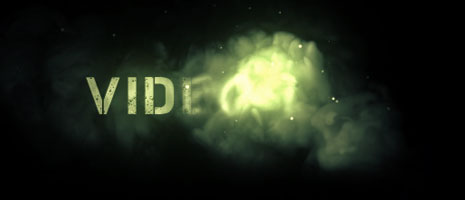
In this tutorial we will combine smoke elements from Action Essentials 2 with a particle system to create a fluid natural transition. While watching think of other possibilities when combining other footage elements...
June 29th, 2010

81 Comments
Hey Andrew. Great tutorial!
I used this tutorial to create self regenerating plasma balls in AE using Action Essentials II and optical flares
I used Designer Sound FX plus some Pro Scores for this video as well.
Here's the link to my 20 second logo. Its 2538x1080 resolution.
http://vimeo.com/14309338
Enjoy! And thanks for all your help!
I used this tutorial to create self regenerating plasma balls in AE using Action Essentials II and optical flares
I used Designer Sound FX plus some Pro Scores for this video as well.
Here's the link to my 20 second logo. Its 2538x1080 resolution.
http://vimeo.com/14309338
Enjoy! And thanks for all your help!
HELP
15 years ago
WHAT IS THE NAME OF THAT FONT?
COuld some one help me ?
EMail me
Mkheroe14@gmail.com
Or on yuoutube
F1zzyHD
COuld some one help me ?
EMail me
Mkheroe14@gmail.com
Or on yuoutube
F1zzyHD
AK..im a great fan of yours,I like the way you talk,teach and your jokng sense,in this graphics dnt you think if u add multi color then it would be more bttr.plz dnt mind its just only my thougths...but one think i must say that you are geniues keep it up maaaaaannnn.....
This is an intro i made for a modern warfare 2 clan based on this tutorial and i added optical flares to it and some footlocker sound from mw2.
http://www.youtube.com/watch?v=A0kUPlALAAU
http://www.youtube.com/watch?v=A0kUPlALAAU
Thought I'd try making one of too. 
Thank You for all the Kick-Ass Tuts 'AK'!
http://www.youtube.com/watch?v=rHL9SVcaFjA
Thank You for all the Kick-Ass Tuts 'AK'!
http://www.youtube.com/watch?v=rHL9SVcaFjA
Bradley Bell
15 years ago
cannot wait to purchase this action movie essentials.
beautiful work as always, nice sound
beautiful work as always, nice sound
So this is how I can make a swarm of killer bees. just need one bee and use the particle system to move them around right ?
Randy E.
15 years ago
Andrew is the man in regards to After Effects. Thats no question. It would be cool though if he keeps the tutorials to an intermediate to advanced level. This would have made a great "experiment". Or make this a part of a more complicated tutorial. I am not bashing VC at all, this just my opinion.
Hello Andrew,
Just wanted to express how grateful I am as well as so many people out there. You have teached AE to so many people. Keep it up!
Peace.
Giannis
Just wanted to express how grateful I am as well as so many people out there. You have teached AE to so many people. Keep it up!
Peace.
Giannis
Kronos
15 years ago
Real nice like all of the other tutorials ! i'm a big fan can't wait to see the next one
GreedOra
15 years ago
Nice, i'm gonna be using this Design for the beginning of my movie .. For example ..''Company Presents''
Get it ?????
anyway ... thanks AK ^_^
Get it ?????
anyway ... thanks AK ^_^
Mystic7
15 years ago
Sweet, a short one. Here's my take. I prefer bluish smoke, though.
http://www.youtube.com/watch?v=HFBE1ANUZmQ
http://www.youtube.com/watch?v=HFBE1ANUZmQ
I have spotted cool short with using AE2
Take a look here: http://www.youtube.com/watch?v=hE-ZmwATS8E
Take a look here: http://www.youtube.com/watch?v=hE-ZmwATS8E
Grant1210
15 years ago
thanks to you i probably wouldnt be so far in after effects if you want to see my whole collection please check out my page http://youtube.com/user/jandgshows
and i will use this tutorial for my new video called "My Last Bullet" thanks andrew! u should do 2 tutorials a mounth i was hoping you would do one on fireworks with after effects "not adobe fireworks"
and i will use this tutorial for my new video called "My Last Bullet" thanks andrew! u should do 2 tutorials a mounth i was hoping you would do one on fireworks with after effects "not adobe fireworks"
HEY ANDREW
looks amazing
I'm using action essentials 2 in my next short "In The House" so it should be interesting to see this!
looks amazing
I'm using action essentials 2 in my next short "In The House" so it should be interesting to see this!
i thtink it's the main advantage of particular: custom particles. Probably one of the most funny function:
http://vimeo.com/12533379
http://vimeo.com/12533379

Ben Perrin
15 years ago
Haha. Love the better than an iPad joke. Great tutorial. I'm trying to get into sprites and particles more and this really helped. I can already see some different ways to apply this to upcoming videos. Thanks Andrew.
Andrew Vida
15 years ago
It was great and really helpful! I was wondering for a while, that i want to create a water splash, which I CAN control! maybe this is the way - However, I would be happy, if you could show us, Andrew, a text, or an object, which goes away like if it were sand! i can't come up whit an idea how it could be perfect, like in this video:
http://www.youtube.com/watch?vLjzc1RSdns&feature=related
http://www.youtube.com/watch?v
Ljzc1RSdns&feature=related
Rubenych
15 years ago
Very cool tutorial! Haven't watched it yet but very cool like everything you do

Terrific effect btw AK/VC crew, gives a deep underwater welding vibe
some
V*inspiration*V
http://www.youtube.com/watch?v=uQITWbAaDx0
http://www.youtube.com/watch?v=IgeuUAzThto
some
V*inspiration*V
http://www.youtube.com/watch?v=uQITWbAaDx0
http://www.youtube.com/watch?v=IgeuUAzThto
 )
)
andi
15 years ago
"its cool but Andrew Give us something new something that no one does even imagine somthing Have not seen before and im whating to see that"
lol
awesome results with this technique, great stuff
lol
awesome results with this technique, great stuff
oussama
15 years ago
its cool but Andrew Give us something new something that no one does even imagine somthing Have not seen before and im whating to see that
Laith
15 years ago
Hey Andrew take a look at my clip I used Action Essential 2
"fire" "particles" "smoke Element"
http://www.youtube.com/watch?v=2zID-EPhV4Y
"fire" "particles" "smoke Element"
http://www.youtube.com/watch?v=2zID-EPhV4Y
Kumar
15 years ago
THANK YOU. whatever I have learnt until today in AE is only from you. Thanks for everything, all the tuts are superb!!
Really great tutorial Andrew , I pretty much learned all I know in after only from you , Thanks for that
Ryan
15 years ago
CQ1! I GOT GREEN SMOKE!!!!!!! Freaking love that movie! I work with a guy here and his last name is Goodspeed. Oh yes I shoot lines from "The Rock" as often as I can. I think he hates me. HAHA!
Yo Andrew
I have been visiting your site (a lot) lately. Just wanted to say thanks to you and co-creators for being so generous with all the awesome tutorials, presets and plug-ins. Def some good stuff, love your style. I will totally spread the word about Video Copilot; and buy some stuff as soon as i have some cash, you know. This site gets me so psyched, thanks.
pe4ce
I have been visiting your site (a lot) lately. Just wanted to say thanks to you and co-creators for being so generous with all the awesome tutorials, presets and plug-ins. Def some good stuff, love your style. I will totally spread the word about Video Copilot; and buy some stuff as soon as i have some cash, you know. This site gets me so psyched, thanks.
pe4ce
Very very cool.. I believe you used this technique, or some of it with the machine gun fire test? Going to give that a go when I get home on a scene I've been working on. After I purchase my upgrade of Particular of course
Wolfgang
15 years ago
never mind. my router isn´t the best.....
anyways thanks for another great tutorial!!
anyways thanks for another great tutorial!!
The effect is awesome but the SFX sell it. Where might one find the underwater SFX you used for this.
Thanks, you're the bee's knees
Thanks, you're the bee's knees
TheGrammarFreak
15 years ago
Nice.
I really like this kind of tutorial, short and sweet. Not to say that the long ones are bad of course.
My only wish at the moment is that I was good enough to put my own ideas into video, instead of yours.
Another thing here is that all your tutorials, even the early ones, are of a really high quality, which is really nice.
Keep 'em coming
~~TheGrammarFreak
I really like this kind of tutorial, short and sweet. Not to say that the long ones are bad of course.
My only wish at the moment is that I was good enough to put my own ideas into video, instead of yours.
Another thing here is that all your tutorials, even the early ones, are of a really high quality, which is really nice.
Keep 'em coming
~~TheGrammarFreak


