|
VIDEO COPILOT BLOG News, Updates, Projects Files & Tips |
|
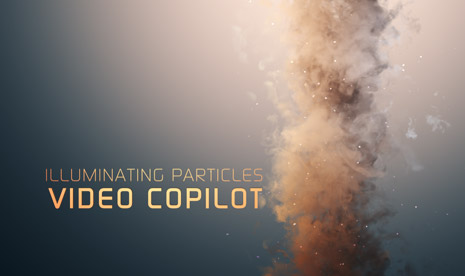
I was playing around with Particular 2 and came up with this particle swirl using a couple of smoke images as particles. I love that Particular 2 reacts to the lighting as well as fake shading to make the particle seem more volumetric.
Here is what I did, in Particular 2 custom particles are called Sprites, so once you select this as your particle type, the texture slot becomes available to use my smoke video that is included with the project download. I stretched the particle area and rotated the world transform to make it look like a twister. I added a couple of lights to give it coloring and a BG gradient.
Check out the screen shot for particle settings and my timeline. You may want to see this tutorial using Particular 1.5 to get started with the smoke element.
Download Project CS4
(Sorry but I sometimes forget to use CS3 so more people can open it but the smoke element is inside the Footage folder for you to experiment. )
We're trying to encourage more thoughtful commenting. Please take a moment to write a meaningful response to this post.
Also remember to read the rules on posting first.


Look amazing! I really have to dig into PArticular 2 more.
Thanks for the project file!
This looks amazing, I have got to learn Particular more. Thanks for the inspiration.
Thanks so much Andrew, you are amazing
Thanks Andrew for the inspiration… It always help me in my work..
when particular 2 came out, I saw this kind of things in vimeo.com, I always wandered how it was made…..now I know.
Thankx Mr.Kramer…
gracias,andrew, es increible, saludo desde colombia
please make a product that has these type of video loops and it will sell like hot cakes
Looks pretty sweet!
Please make some hot cakes too. They will sell like….
I think Particular 2 just may be my next major software purchase. Thanks AK
This looks amazing! Too bad i dont have after effects CS4 i only have after effects Cs3
The colors and shading is awesome but watching the moving images, the smoke particles themselves are too static when swirling around (the ones on the fringes are most noticeable)… As long as they’re packed together it looks okay but otherwise they don’t morph in the air like smoke does properly.
But I can’t wait to try this! Thanks!
Great Works!tks again.with greetings in chn
doesn’t your wife ever get mad because you stay up late having these great ideas and wont come to bed?
Awesome effect!!! I don’t exactly have anything to use it for, but it looks awesome!!!
Muy buen efecto… a ver cual será el tutorial 101…
Andrew, your tutorials, presets and style of training has re-opened my eyes to After Effects. Thank you for all your expertise and humor. So much better than any other training on the web.
oh andrew , this is good looking.
Very awesome – speed it up and boom! Instant tornado.
nice one…and typing some text with that smoke will be amazing if it moves along path…and some flashes between the smokes or clouds will add some amazing touches as long as particular 2 interact with light and gives shades and shadows…

thnx Mr. Kramer
Wow! This is really awesome. This came at the perfect time. Im busy learning Particular 2 right now. It opens up a world of new possibilities to me now.
Thanx Andrew
It looks awesome!
Thank you Andrew, truely impressive, thank you for sharing these set of skills with your students here at Videocopilot.com
awsome … no1 can use after effects like andrew kramer … hes the best ever
I can’t believe you just “mess around” with stuff and come up with results like this.
Very useful for particle integration, too bad I can’t have a look at the settings, as I only have CS3 installed; either way, very cool look!
hey Mr.andrew wjere did u came na…?
Very realistic effect. Great job.
Very nice, just the other day I was looking around for smoke effects in Particular 2 or Form in order to create an idea I have. I think this will take me alot futher on the way, thanks!
just wish my custom particles in Form toghether with alot of motion blur wouldn´t give a 6 seconds clip a render time of 100 hours…
Great, now I need to get Particular 2 !
I tend to try my best to do everything using CC particle World, but I’m starting to realize it has a lot of limits. Maybe it’s time to move on…
ok how can we get this to cs3 cuz i realy want to make this . i love particles. advise.
awesome andrew..
Looks really realistic! Brings me to my mind that I still want to try to animate the smokemonster from Lost. Gotta try that somehow!
Please ad an cs3 file!
It looks like smoke from a renaissance painting.. that’s so awesome!
Beautiful output.
“Dreaming about those lens flares!”
Its so amazing!!! Congratulations… xD
This is great! This was the last kick for me to make an update to particular 2. Thank you very much, Andrew. You are great! And I am looking happy forward to the 25th of January
Thats awesome!
Thanks from Brazil
awesome!! Couldn’t do this better with Max
Where is the flying cow at? (-:
Looking good like always……your information i mean lol
For some reason these videos wont play on iPhone
Andrew ,…. Publish a Tutorial to This Topic ….. (Particular 2)
it’s amazing ….
Thanks
wow looks something like a sandstorm :O
really nice !
Hey man, I just wanna see it in action. If you get a chance could you post a quicktime vid. No big deal if you don’t get this, you’re awesome anyways.
Thanks,
Lyndon
I know this is a really dumb question, but does Particular 2 cost anything, because I don’t believe I have it, only the one that came with CS4. Also, if it were to cost anything can you please post the price. Thanks in advance.
-Graveyard Productions
Nice work! Can’t wait to take a look at the project file on weekend!
Is there a way to auto-orient those particles to the camera?
nice, very nice!!! Look Amazing!!!
Really awesome look!
Something to get us thinking kool.
Wow. Really nice interest effect.
Oh and thanks!
please dig into that some more!
Im sure a lot of people are interested!
Very cool! I can’t wait to try it!
Hail Peter Norby, creater of Particular. His improved 2.0 version with the light’s and shading is brilliant. I use Particular all the time to sweeten composites. This is as close to a must have plug in as you get. And the best part is it’s not that expensive.
I like Particular 2. The rotating wisps look a bit cheezy as you can tell yeah are repeating, the stray ones on the edges really give it away.
Nice, very nice !
ugh, I wish I could buy particular 2.
Excellent work as usual, as per Kevin’s comments the outer whisps look a little cheesy but the overall effect is stunning.
Thanks!
Trev
Great project. I’m in las anglas right now sporting a video coplilot shirt and hat. Sorry for misspells.
Lighting is nice but the particles just look way too flat so its pretty weak in motion
As for the cheesy whisps on the outer edge… just use a moving displacement map (fractal noise and rotation & don’t forget to feather) on your smoke footage (break each still into it’s own comp and make sure they loop) 4 of them should work fine. You will have to change particular custom particle time sampling from ‘random still frame’ to just ‘random’ and set up each one under it’s own particular plug-in, lower the amount of particles per second in each one to 1/4 of the original Comp and it will look a lot more real on the outer edges. Just my two cent.
so awesome… thanks for the help
Great look!! Always nice ideas Andrew!
By the way, I was seeing this video: http://www.youtube.com/watch?v=wvKan5vnI_U&feature=sub on youtube I bet you will recognise something in the audio trak…
it looks like you can work on the new movie Prince Of Persia, with all the sand thing effect
it looks cool
hey … its really great
i cant understand why everyone wants a tutorial … watch out the *.aep-file and just use your brain and you know how andrew did that.
btw thanks for that file and especially for the footage smoke
Great~!
I hope you make more tutorials that inspirable with particular 2
GRACIAS ANDREW POR LA AYUDA
SALUDOS AMIGO
It seems you used Riot Gear for a smoke element…Maybe I’m wrong.
Hellow Andrew, im TV postproducer in Channel 6 From Guadalajara México, well, maybe this is going to be a stupid peticion, but can you upload your projects in After Effects 7 to?, its cus i have that version and my boss dont want to buy the second one!… pleas i wait for your answere!! and sorry for my bad english! =)
I took the liberty to make a quick (took me about 10 minutes) CS3 version, it’s not as accurate and nice as Andrew’s, but it’ll give you a headstart. Enjoy!
http://rapidshare.com/files/334251446/smoke_particular.zip.html
Only 10 downloads available, please reshare if you like.
interesting a!!! but plss Andrew we`re waiting for new tutorial!!!:S
Hmm, very interesting.
That was great.. I have dowloaded the prj file, looks awesome!.. and also I agree to Lirik, we’re waiting for new tutorial
we missed you yaw!
Totally awesome.. i love it!!!!!!
this tutoriale is very intersting
Looks really cool!
Pity I don’t have CS4 too…
It will be rally great if you post also CS3 version…
(Or anybody else here…)
oh.my..Gawd… this blew my mind, I doubt you will read this Andrew, but I definitely think you are the coolest guy like, ever, Brad Pitt aint got nothin’ on you!
The project file doesnt really have the same effect with particular 1.5
haha.. is there any way to achive the same effect without upgrading?
amazing effect by the way…
simplicity is your flavour. And i really apreciate and love this. A lot of huge thanks.
nice idea! thx for sharing with us! so, now i have to wait until its 25. january… so, stop wasting my time
Hey Andrew how do you just come up with these things? lol that looks amazing!
Can’t wait for Sure Target 2!!!!!
I like it, thats so amazing, what wie can do with AE
greets from Austria, WB-Productions
wow great work Andrew
Andrew,
can you make us a tutorial in cs3 how to make this smoke and some particles too like the one you made in sure target 2 please i have some crazy ideas for these 2. thanks.
Thanks Andrew. I am still on CS3, but I am sure that if I use the skills you taught me so far, i can get this to work in CS3….hopefully this year I can bump up to CS4…..thanks Andrew. I love the screenshot of this.
Mr, Kramer could you please make a tutorial on this particular project ‘Illuminating Particles’ not the tutorial 63. smoke elements.
Thankyou,
For your greatest fan, Bradley.
awesoome awesoome! thanks AK.
RESPECT ANDREW KRAMER!!!!!!!!!!!!!!!!!!!!!!!!!!!!!!!!!!!!!!
YOU ARE BEST OF THE BEST! THANK YOU!
Andrew, you are amazing
Smoke and mirrors boys…smoke and mirrors!!
I love it
especially the shape of the particles itself. nice trick.
Awesome dude! Good stuff there bro!
Looks so very good indeed. If only I could afford trapcode…….
That’s Great. You’r brain work about AE, and when you are sleeping, hehhe. good good.
Andrew, tell me please something? How to render LAYER or COMPOSITION transparency with blur effects, as “taskbar vista”?? thx
SOMEONE POST A VID OF THE EFFECT PUT INTO MOTION PLEASE! I’M REALLY CURIOUS AS TO HOW THIS LOOKS, THX
Hi Andrew and people, can someone put in cs3 version?
it’s perfect!!realy
what font is that?
so realistic ! Is particular 2 already launched ? I heard it was a beta test ..
Love it! Ur Awsome!
nice !! i got stunning results while playing with particular 2 couple of months ago. going to post a sample and a tutorial as well very soon
hey andrew this seems like AFTERBURN PLUGIN ~~!!
I am trying get the wisp into particular but I am not gettin the custom :S
Any reasons why?
Great, Andrew! You’re amazing!
It really looks beautiful. Thanks for share the project files Andrew. As always, you ROCK¡
Thanks Andrew !!!!
I still look at this video on a weekly basis and every time I learn something new from it
Thank you Andy, you are amazing
Hello there,
This smoke effect which i want to make so bad for some reson its not working for me i cant fingure out how to do, any one know please direct me to the proper setting thanks.
cooool effects~
did u add a glow to the particles?
This oddly enough looks like you could use this to create BP Oil Spill footage if you change a few settings.
wow!!!
can you do a tutorial on this?? i really want to learn this effect…..need some help…:)
Hello, amazing work
Why d i get to red lines crossing each other?
Hi, can you put this tutorial to download, i like more tutorials
keep your good work … god bless you