 ALL DESIGN TOOLS

There's a better way to make Lightsabers
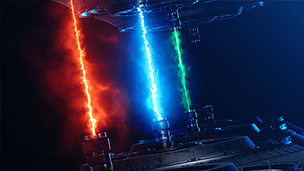
Check out our new SABER Plug-in, with tutorial!
159. Saber Plug-in
• Create High quality energy & lights beams
• Dynamic Text and Mask Outlines
20. Light Sabers
• Use Custom Preset to generate instant Light Sabers
• Change color and size Setting Globally with ease
• Change color and size Setting Globally with ease
Posted on Jan 29, 2007

945,883

TUTORIAL NOTES:
No information available at this time.
Having trouble viewing this tutorial via YouTube?
Click Here To Watch on Video Copilot
Click Here To Watch on Video Copilot
299 Comments
Assaf
8 years ago
The folder does not have the footage! what to do?? and also the lighsaberfx does not want to be copied into the effects&presets;as you wrote!
Randal Johnson
9 years ago
New update for CC to 2017 version, Saber does not seem to work. I've tried reinstalling, even with Run as Administrator, and it doesn't seem to show up.
bob surly
10 years ago
hello kramer .
i suggest that you or a representive write a very thorough book explaining in utmost detail all the missing parts and steps .
how about talking slower , try breathing between sentences .
presently you are the master of speeding run on sentences !
i suggest that you or a representive write a very thorough book explaining in utmost detail all the missing parts and steps .
how about talking slower , try breathing between sentences .
presently you are the master of speeding run on sentences !
Seb
10 years ago
Could you please make a preset compatible with CS5, your current presets aren't compatible
Linda
10 years ago
Thanks so much for the preset! I have CC 2015 and it seems to work fine. Can't wait to try this out with some footage of my son. I think he'll love it.
Mathew
10 years ago
Great tutorial! Thank you so much for making things like this available!!
Does this plugin work in the newest version of ACC(2015), or, alternatively, is there another plugin like this one that works for ACC 2015?
Does this plugin work in the newest version of ACC(2015), or, alternatively, is there another plugin like this one that works for ACC 2015?
Antoine Banks
11 years ago
Hi.
I have an idea that you should do for all of the tutorials. You should include the video tutorials into each project files for us to download in the zip, so, if anything happens, we can do the tutorials offline.
With some of the tutorials, when I download the zip files, it shows the size of the files, but when I open the zip, there's nothing there.
For each of the previous tutorials, you should also go back and redo the projects in the 2014 version, and so forth, in the future, due to tools changing and being removed. I've had to stop doing a few tutorials, because, I couldn't do some of the steps in 2014.
I have an idea that you should do for all of the tutorials. You should include the video tutorials into each project files for us to download in the zip, so, if anything happens, we can do the tutorials offline.
With some of the tutorials, when I download the zip files, it shows the size of the files, but when I open the zip, there's nothing there.
For each of the previous tutorials, you should also go back and redo the projects in the 2014 version, and so forth, in the future, due to tools changing and being removed. I've had to stop doing a few tutorials, because, I couldn't do some of the steps in 2014.
Diego
12 years ago
Hi, can't get it to work in cs6! y put the solid, then the effect and nothing happens
thatAnt
12 years ago
when you're keyframing wouldn't it be easier to place markers on the sabre and track those using the tracker function and apply it to the start/end points
darkracer125
12 years ago
there is one problem with the blur though ..
the blur is onlu supposed to be trailing the saber but in this case the blur also extends in the direction the saber is moving ..
the blur is onlu supposed to be trailing the saber but in this case the blur also extends in the direction the saber is moving ..
hamzaafghan
12 years ago
thx very much my friend this was really helpfull for me...
I want to have all this learning videos...
please send me all your learning videos...or send me you twitter...
again thx very much...
I want to have all this learning videos...
please send me all your learning videos...or send me you twitter...
again thx very much...
Namz
13 years ago
Firstly, Thanks to every one behind VIDEO-COPILOT, but where do i get the SAM_SWING.mov from** It is no where in the project file.
iTooky
14 years ago
You are the best Man, thank's so so so much for your tutorial and plugin, Than's a lot
Dan
14 years ago
Um I found the presets in "project files" and downloaded it with WinRAR, but it when i try to open it with after effects it says it can't import the file
Does anyone know if i did something wrong or how it should do it (I'm using Windows 7 and CS5 btw)
Does anyone know if i did something wrong or how it should do it (I'm using Windows 7 and CS5 btw)
Victor Prado
14 years ago
Is there a way we can get the Sample videos so we could practice on our own?
OVUNG
14 years ago
haha.. let me move this dating website... Awesome Tutorial,THANX Alot, best website ever
andrew
14 years ago
By far a profecional tutorial work . i have learn every program i use online have seen few liek your tutorals keep up the great work and you will have us ta you site for long ! 
Dan Ault
15 years ago
LOL dude Andrew I've been watching your tutorials for some time now, very helpful & you're hilarious- "Let me move this dating website out of the way" hahahahaha
marvin
15 years ago
it's amazing man.. really.. i'm a fan of video product..
sankiu about yours tutorials..
sankiu about yours tutorials..
Arimor
15 years ago
Very much liking your lightsaber preset.
Just one issue though, everytime I add a light saber to a movie, it's there from the very beginning of the movie, when it is not needed.
How can I make it appear when I want it to?
Just one issue though, everytime I add a light saber to a movie, it's there from the very beginning of the movie, when it is not needed.
How can I make it appear when I want it to?
Amir heidari
15 years ago
hi mr kramer.are you fine.?
tank you for tutorial
YOU ARE GOOD MAN.....
I AM SURRY I CANT WRITE ENGLISH VEREY GOOD .I AM IRANIAN
tank you for tutorial
YOU ARE GOOD MAN.....
I AM SURRY I CANT WRITE ENGLISH VEREY GOOD .I AM IRANIAN
ChazFoulstone
15 years ago
when you play it back, and the motion blur is active, theres a stupid rounded thing on top, which, shouldnt be there.
from how the rounded thing looks, it would appear the saber got longer whnever it was swung, which, its not.
please give a coment on how to get rid of it.
from how the rounded thing looks, it would appear the saber got longer whnever it was swung, which, its not.
please give a coment on how to get rid of it.
Ryan
15 years ago
I love star wars and i really want to do lightsaber effect.lightsabers are the best
Jason Grubb
15 years ago
Hey Andrew i use Fxhome EffectsLab pro for my lightsaber Effects. but this is cool
VijayRajput
15 years ago
hey u r are doing ..... no words to say...
can u make a tutorial on sumthing :
like mixing two videos..
so that it should look like that im there in that vedio.....
eg : football award presentation and our own vedios..
and sori for my poor english
hope u understand...
please rply soon
can u make a tutorial on sumthing :
like mixing two videos..
so that it should look like that im there in that vedio.....
eg : football award presentation and our own vedios..
and sori for my poor english
hope u understand...
please rply soon
Tripsa103
15 years ago
If the owner of this light saber can see this comment, (Andrew Kramer) can you please make a light saber that works for adobe after effects CS5 please i have the trial version and it only has 30 days but i only have like 26 days left from today, please can you also make all of your work CS5 download-able. please please please
Puniek
15 years ago
Hey, I don't know how to make this saber to disappear instantly and instantly appear again. And it is at the beginnig of vid, not there when it should start. Help me someone pleaseeeeee
Lance
15 years ago
Omg I laughed so hard at the dating website drag that I spat my pot noodle over my keyboard. Now I gotta clean it out before I create cool stuff. Thanks!
Enoch
15 years ago
hi
can a track motion with a null oject be use to follow the light saber instead of moving it the light saber for each frame.
can a track motion with a null oject be use to follow the light saber instead of moving it the light saber for each frame.
Candido avile
15 years ago
can a track motion with a null oject be use to follow the light saber instead of moving it the light saber for each frame.
Chyba
15 years ago
Hi . Can you send me the preset of that lightsaber ? Thanks in advance !! Chybaka1234@mail.ru
doosun
15 years ago
Hi, people,
Where can I get the footage?
So, i can use it....
there is only prset and project files on this page..
Always thanks for andrew's fantastic tutorials
Where can I get the footage?
So, i can use it....
there is only prset and project files on this page..
Always thanks for andrew's fantastic tutorials
Bilal Ahmed
16 years ago
In CS5, everytime I make a movement, it makes a keyframe, then when I preview it, it just instead keyframes the moves I made, It won't even follow the lightsaber! >:C
Tanner
16 years ago
ok i downloaded the project but i cant get in it its zipped i tried downloading adobe after effects but still nothing its zipped
Anonymous
16 years ago
Well, with CS5, it just became even easier to rotoscope a lightsaber. Rotobrush for the win.
Iolo
16 years ago
Surly it would be easier (provided there is a high shutter speed) to motion track the start and end points?
david
16 years ago
you rock!!!!!11 im so glad that this website is around idk what i would do without you
frederic
16 years ago
how do u get the file into the efects and presets folder...
how do u do it.
i have adobe after effects CS4..please help
thanks.
how do u do it.
i have adobe after effects CS4..please help
thanks.
Dunnow
16 years ago
Hi
thanks 4 all ur work and tuts
i've a problem with that preset of yours on CS4 so, can u PLEASE do it for cs4 version? sure LOTS of users will thank it
thanks 4 all ur work and tuts
i've a problem with that preset of yours on CS4 so, can u PLEASE do it for cs4 version? sure LOTS of users will thank it
Charly
16 years ago
Hi andrew, i,ve a problem, i try to install the light saber effect but when y try to put in a cmposition, appears an error, and the lightsaber options are red. Also in saber options says, don't exist saber controls. can you help me please? i have after effects 7.0 spanish.
thanks, and very good tutorial andrew
thanks, and very good tutorial andrew
Ronaldo
16 years ago
Wowo yes that was very VERY informative. I'm a incredible noob when it comes to lightsaber effects on after effects (hey you gotta start somewhere) but this was very helpful you have no idea how helpful this was. Thank you very much
Marcos Müller
16 years ago
Hey Andrew!!
First of all, Thanks for all the excelent tutorials that you have for free on your website. They have helped me a lot in some new project that i'm working on, although i've never studied Video Editing, just learning by myself.
My Question is:
Is there a way of Tracking the saber so you don´t have to rearrange the position of the mask every keyframe?
First of all, Thanks for all the excelent tutorials that you have for free on your website. They have helped me a lot in some new project that i'm working on, although i've never studied Video Editing, just learning by myself.
My Question is:
Is there a way of Tracking the saber so you don´t have to rearrange the position of the mask every keyframe?
Areya
16 years ago
can you please send me the effects and presets folder i dont hav one please please please please send me it
Ollie
16 years ago
can not find the .mov with your friend in the download material (light saber)
greetz, ollie
greetz, ollie
jev
16 years ago
ANDREW HELP PLaes i download it then put it in preset foler and when i drop nothing comes up
ben jones
16 years ago
i thought i would help some people you want to use the saber for adobe after effects cs4,
find the program on the hardrive where it had been installed. then go onto support files and presets. put it in there and it should work fine.
ben jones
find the program on the hardrive where it had been installed. then go onto support files and presets. put it in there and it should work fine.
ben jones
DarthTony
16 years ago
Hello Mr.Kramer.
You are doing a great job keep going so we all can learn ur knowlegde.
Anyway,i am using Adobe After Effects Cs4 and i can't load this one..although is a very good idea this effect with the lightsaber and it would helped me alot with my project...do u have it for Cs4?
Thank you.
You are doing a great job keep going so we all can learn ur knowlegde.
Anyway,i am using Adobe After Effects Cs4 and i can't load this one..although is a very good idea this effect with the lightsaber and it would helped me alot with my project...do u have it for Cs4?
Thank you.
Mr. JCRP
16 years ago
Hi,
I have been waiting to learn some real industry related stuff. I have visited a lot of other websites but all those are just some really not useful ones which we cant use in a production. The tutorials that you give are just awesome. It answers all the questions that i had till date.
COOOOOOOOOOOOL.
Thanks a tonne!
JCRP
I have been waiting to learn some real industry related stuff. I have visited a lot of other websites but all those are just some really not useful ones which we cant use in a production. The tutorials that you give are just awesome. It answers all the questions that i had till date.
COOOOOOOOOOOOL.
Thanks a tonne!
JCRP
Ariton
16 years ago
Hi, is there any way, for when the top of the light saber is close, and the bottom is far away, means the top should actually be big, and thick , and the bottom ( that's further away ) thinner and smaller. is there any way to do that?.
thanks, and even if not. This effect is the best
thanks, and even if not. This effect is the best
Marian
16 years ago
Hey,
I am from Germany and I have some problems to download this program.
can you help me??
marian
I am from Germany and I have some problems to download this program.
can you help me??
marian
nitrospide
16 years ago
hey do u think i can get a copy of the footage u used because my camera has gone bust.
hgo
16 years ago
hey nice. i was wondering how i could get the preset.
email:bebe_herbert_grau@hotmail.com
email:bebe_herbert_grau@hotmail.com
Adam
17 years ago
Hii andrew!
My name is adam and i was wondering if you got anyspare time could you please email mme and tell me how to get adobe after effects with out paying so much thanx xD
adam_sxcbeast@hotmail.com
My name is adam and i was wondering if you got anyspare time could you please email mme and tell me how to get adobe after effects with out paying so much thanx xD
adam_sxcbeast@hotmail.com
Eirik Henden
17 years ago
Hi Andrew!
I really appreciate the effort of time you put on each of these tutorials.. i really admire you'r work! We all should be thankful for what you are willingly making, and showing us! Thank you Andrew..
Regards,
Eirik Henden
I really appreciate the effort of time you put on each of these tutorials.. i really admire you'r work! We all should be thankful for what you are willingly making, and showing us! Thank you Andrew..
Regards,
Eirik Henden
julien
17 years ago
hi, i am julien, can you tell me how to have adobe after effects, the same version that you have. thanks,
julien
julien
Drew
17 years ago
How do I get Adobe After Effects?
I have Adobe reader
E-Mail me!
drew-edwards@hotmail.co.uk
I have Adobe reader
E-Mail me!
drew-edwards@hotmail.co.uk
simon
17 years ago
can you send me the light saber preset please???
i really need it
ty
E-Mail: siimon111@web.de
i really need it
ty
E-Mail: siimon111@web.de
Dimitris (Lombax)
17 years ago
Can I Work This Preset With The "Tracker Control Motion"? I Mean Not Frame By Frame Manuality But The Lightsaber's Glow Folow My Blade Of My Video.
matthew puetz
17 years ago
hey andrew, just wanted to let you know that as a novice film maker I've been perusing your site, and since my first film is in fact a star wars film, I thought I'd take a look at this. Wow! Now I don't have to sit and create the lightsaber glow effect for 1800 frames just for a minute long lightsaber fight. Thanks dude, keep up the good work. Just plot two points every so often, and the thing does the rest for you.
Ron
17 years ago
Hey Andrew
first: Amazing Tutorials!!! really great work, helped me a lot already
second: wouldn't it be posible to do a lightsaber with motion tracking instead of adjusting every point? (well, asuming you have footage where you can allways see the begining and end of the saber)
i'm not that far into motion tracking, but i'd like to know where it's limits are... (btw, i got mocha too, don't know if that makes any diffrence)
greetings from germany! Ron
first: Amazing Tutorials!!! really great work, helped me a lot already
second: wouldn't it be posible to do a lightsaber with motion tracking instead of adjusting every point? (well, asuming you have footage where you can allways see the begining and end of the saber
)i'm not that far into motion tracking, but i'd like to know where it's limits are... (btw, i got mocha too, don't know if that makes any diffrence
)greetings from germany! Ron
Hi Mr Andrew!
17 years ago
YOU THE BEST!!!! I like this program
i live in Russia!!! im speak russia!
good luck, Andrew
i live in Russia!!! im speak russia!
good luck, Andrew
Matthew
17 years ago
Hi Andrew!!!
Can you please tell me where I can get the preset please!!!
My e-mail is matheus11397@yahoo.com.br
Thank You Very Much!!!
PS: Great Tutorial!!!
Can you please tell me where I can get the preset please!!!
My e-mail is matheus11397@yahoo.com.br
Thank You Very Much!!!
PS: Great Tutorial!!!
Rebecca
17 years ago
Is there any way I can get the light saber footage? I have the preset but I don't have any footage to follow along with. Thanks
Lyubi
17 years ago
hi andrew could you please send me the preset i dont know where to find it an if you cant do that, please tell me where to get it
my email is yelling_is_fun@hotmail.com
thanks in advance
my email is yelling_is_fun@hotmail.com
thanks in advance
Ad
17 years ago
guys just download the project and it is inside there! great tut andy thanks for all your tutorials helped me loads keep it up!
Uri
17 years ago
Just a quick tip-
next time just track motion!
create a noll and all that crap and just parent one of the position parameters of the saber to the position of the noll and it will become a lot easier..
next time just track motion!
create a noll and all that crap and just parent one of the position parameters of the saber to the position of the noll and it will become a lot easier..
Ricke
17 years ago
Hi I thogt that was cool, but wher do i download the pogram to do it?? and I dident understand how to get that andrew cramer mapp. Can you pleas help men or send some links?? Thanks.
Trollkarlen95@hotmail.com
Trollkarlen95@hotmail.com
Hatakraa
17 years ago
Could you please send me the lightsaber preset?
saber_sword212@yahoo.com
Thanks!
saber_sword212@yahoo.com
Thanks!
Hendy
17 years ago
Hi, I know that everyone has asked this but... where is the saber preset, and could you send it to me if possible? Thanks!
grishio
17 years ago
hey great work, coud u send the light saber presets,
thanks
hrwet89@hotmail.com
thanks
hrwet89@hotmail.com
Christer
17 years ago
like i said before great tutorial. but my question is. when can you make a tutorial for making the heroes flying effect
R.J.
17 years ago
sweet that was a gret video I never new thet you can actoaly make a lightsaber becaus I'm a big fan of star wars buy
Christer
17 years ago
Hay ther.. i must say the this is a great tutorial i learnd alot from this keep upp the good work. now i will try learn gunfire
keep upp the good work. now i will try learn gunfire
Dan
17 years ago
Hello Andrew Kramer. I had a question about your lightsaber preset. Is it compatible with CS3 Professional? Because whenever I use it, either the lightsaber doesn't show up or a window opens saying that the preset or whatever could not be found. If it is not compattible with CS3, could you make a preset that is? Thanks.
Sindre
17 years ago
Hi andrew im a big fan! and i just wondering. how do i get the lightsaber plugin or wathewer it is please tell me!..
VoltisArt
17 years ago
PRESETS: Are at the grey Project button next to Watch...the server seems slow for me, but it's there.
Also READ the "Please Read" disclaimer down between here and where you go to comment BEFORE posting problems!
_ _ _
Grant,
Video editing isn't quite yet for the faint of funds, but it's getting much better over time. Used to be in the $20,000 range, so $600 is pretty nice, considering. I'm not into it myself yet, but yeah, new Adobe programs are not what most of us would call cheap.
You may be able to find used copies on eBay or another program to do this kind of thing on a lower budget. Andrew's presets will not work with other programs, but the directions in the tutorial are pretty universal to video and photos.
The biggest breakthroughs he offers are the additive formulae for the glow and the two-point line, which is easier than manipulating four or more points.
It takes time, but with a little fiddling you can come up with this kind of effect in any photo or video editing software. (Well, not Windows paint, but almost anything above that!) Just use your favorite movie stills or photos as reference for the illumination and play with layer filters.
Also READ the "Please Read" disclaimer down between here and where you go to comment BEFORE posting problems!
_ _ _
Grant,
Video editing isn't quite yet for the faint of funds, but it's getting much better over time. Used to be in the $20,000 range, so $600 is pretty nice, considering.
I'm not into it myself yet, but yeah, new Adobe programs are not what most of us would call cheap.You may be able to find used copies on eBay or another program to do this kind of thing on a lower budget. Andrew's presets will not work with other programs, but the directions in the tutorial are pretty universal to video and photos.
The biggest breakthroughs he offers are the additive formulae for the glow and the two-point line, which is easier than manipulating four or more points.
It takes time, but with a little fiddling you can come up with this kind of effect in any photo or video editing software. (Well, not Windows paint, but almost anything above that!) Just use your favorite movie stills or photos as reference for the illumination and play with layer filters.
Grant Frownfelter
17 years ago
so basically you can only do this if you are really rich this program costs like 600 dollars if im wrong tell me
Sam
17 years ago
Hi Andrew. Can you send me the preset of that lightsaber ? Thanks in advance !! retribution.svk@gmail.com
Peri Chain
17 years ago
Hey Andrew. Could you please send me the light saber preset. I would really appreciate it.
cajsa
17 years ago
Hello! ^^ I've got a problem. I have got after effects cs4 on my computer and I wanted to do this effect, and I did excatly as Andrew said, I think, but my light is like standing still. It moves but it doesnt follow the saber but it moves like it.. what am I doing wrong? can someone please send me a message and tell me how i should do? ^^ it would be nice since I have to have this video finnished soon
my email: c.wilen@aland.net
sorry for my bad english
what am I doing wrong? can someone please send me a message and tell me how i should do? ^^ it would be nice since I have to have this video finnished soon my email: c.wilen@aland.net
sorry for my bad english
Nino
17 years ago
hi everyone I just want to ask about the before post about Alpha levels and Simple Choker I´ve tried almost everything trying to put in the AE cs3 and AE 7.0 the light saber in all its versions but nothing happens always appears that warning No exist: Saber Control please if somebody can help me; and try to be clear with the anwers
thank you so much.
thank you so much.
Mike
17 years ago
Andrew:
Great tutorial. I was doing it the old fashioned way with the 4-point masks frame by frame, and while this tutorial doesn't make short work of the frame by frame aspect of it (motion tracking anyone? lol) it does cut the amount of work in half. One thing I noticed though. Something I do in contrast to what you do when the sabres intersect.
I was playing around with it, and noticed that if you do instead of using the lighten transfer mode, if you use add instead, yes it affects the color a little, but it also gives you a soft glow at the intersect point, to simulate a. energy surge when they connect.
In the tests I've done, the color loss is minimal, but then again, to each their own.
Love your work man, and Keep it up!!
Regards
Mike Phelps
Technical Supervisor
Fairfield Public Access Television
Great tutorial. I was doing it the old fashioned way with the 4-point masks frame by frame, and while this tutorial doesn't make short work of the frame by frame aspect of it (motion tracking anyone? lol) it does cut the amount of work in half. One thing I noticed though. Something I do in contrast to what you do when the sabres intersect.
I was playing around with it, and noticed that if you do instead of using the lighten transfer mode, if you use add instead, yes it affects the color a little, but it also gives you a soft glow at the intersect point, to simulate a. energy surge when they connect.
In the tests I've done, the color loss is minimal, but then again, to each their own.
Love your work man, and Keep it up!!
Regards
Mike Phelps
Technical Supervisor
Fairfield Public Access Television
boby
17 years ago
Andrew YOU ARE BEST!!!!
and for noobs here just download the project file, there is the light saber effect.. dont spam here that you want it just download..
AND BIG THANS to ANDREW! like your tutorials..
and for noobs here
just download the project file, there is the light saber effect.. dont spam here that you want it just download..AND BIG THANS to ANDREW! like your tutorials..
Andrew
17 years ago
GUYS GUYS GUYS!!!!!! Click project for a ZIP with his presets zip. It has 6.5 and 7.0, but I tried it and 7.0 Preset works with CS3! Just follow the install guide thats in the zip.
Tom
17 years ago
you can find the download under were it says project files next 2 watch up the top!!!!
Noah S
17 years ago
I know everyone probably asks this, but i can't find the download for the preset and i ask that you could send it to me! Thanks a bunch
Ryan
17 years ago
great tutorial but were do you get the lightsabe preset from i really want to find out i have brought most of your packages but cant seem to find it
snakodude
17 years ago
I downloaded the lightsaber effects, but i cant get adobe after effects on this site can someone please help me?!
Will
17 years ago
hi, great tuts, how/where can i get the light saber effects, when you just flew through the folders and found it, where can i download it from?
is it free?
Will
is it free?
Will
Antônio
17 years ago
Hey guys,someone could give me a hand here?I watched this great tutorial,but I can't find this damn saber plug-in...If you guys know where to get this,please,send me an e-mail,all right?My e-mail is shinobusensui2@yahoo.com.br
Vader
17 years ago
did you know you can also find out how to make just the lightsaber hilt from www.bigyellowbox.tripod.com they tell you what you need to buy and give you your own tutorial for building it i thought this would be helpfull incase you lost the one you used or wanted to sell it
Jens
17 years ago
Nice tutorial can you make more tutorials and plz not so advance like the last one.
ashley bridgs
17 years ago
could u do a video showing how to make the light-saber pop up ready to fight
Matias
17 years ago
Hello
I think that you're a master with after effect
If this have writting problems is because I'm from Spain
Can you send me the Light Saber Preset?
Mi E-mail is:
matiaspg@gmail.com
Thanks!
I think that you're a master with after effect
If this have writting problems is because I'm from Spain
Can you send me the Light Saber Preset?
Mi E-mail is:
matiaspg@gmail.com
Thanks!
TylerMontana
17 years ago
Andrew, you rock! I'm a screenwriter/graphic designer coming from the print area and am now starting to learn all about movie making. I'm pretty good with the creative suite design tools and so I thought, why not get serious with AE, C4D, Final Cut and AP. These tutorials swing the doors of creative possibilites so wide open for me and made me realize everything is possible. So I just wanted to say thank you for these awesome to the max tutorials
Adrian
17 years ago
Hi
I downloaded the Lightsaber presets and dropped them into my Presets Folder, but the Effect won't work, on account that he needs "simple_choker" and "alpha_level". Both if them .aex files, so I went looking for them and found them. Now my problem: My after effects (7) does not recognise .aex files. It simply wont import them at all. Though I work with windows, i've got a suspicion that the problem might be my operating system, vista. Do you know a solution? Many thanks beforehand^^
Adrian
I downloaded the Lightsaber presets and dropped them into my Presets Folder, but the Effect won't work, on account that he needs "simple_choker" and "alpha_level". Both if them .aex files, so I went looking for them and found them. Now my problem: My after effects (7) does not recognise .aex files. It simply wont import them at all. Though I work with windows, i've got a suspicion that the problem might be my operating system, vista. Do you know a solution? Many thanks beforehand^^
Adrian
ANZH
17 years ago
question:
what if the light saber hits something that is no another lightsaber but like a tube and there are two parts of the lightsaber what can i do?
what if the light saber hits something that is no another lightsaber but like a tube and there are two parts of the lightsaber what can i do?
Joe Heffron
17 years ago
Andrew Kramer=God.
My son absolutely things the sun shines out of my b*tt because I transferred his school play into a fully fledged starwars movie, all due to this simple tutorial.
Excellent, many thanks, keep it up.
Once I buy the full After effects, I will definitely be buying some of the cool effects on this site!
My son absolutely things the sun shines out of my b*tt because I transferred his school play into a fully fledged starwars movie, all due to this simple tutorial.
Excellent, many thanks, keep it up.
Once I buy the full After effects, I will definitely be buying some of the cool effects on this site!
Albert
17 years ago
Hello,
Could You send me the light saber preset, please?
my e-mail - albi132@interia.eu
Regards from poland,
Albert
Could You send me the light saber preset, please?
my e-mail - albi132@interia.eu
Regards from poland,
Albert
paresh
17 years ago
hey Andrew when i add the saber preset to my after effects cs3 it says missing saber controls in the effects panel..and rest saber glow and all that r fine . what should i do..please help
Arjen van Heck
17 years ago
ive maded myself a movie with the tutorial! here the link for it. andrew i dont know how you get al this infrmation about after effects but ure great!! http://www.youtube.com/watch?v=swhyA5exCXU
sunny
17 years ago
in mine it says missin: saber controls? but it still works can someomne tell me the plugins for this and the lightsaber 2 pleaseeeeeeeeeeeee and great tutorial andrew kramer your the BESTTTTTTT
yitzak 123
17 years ago
hi,
i have been watching some of your tutorials and i was wondering where i can get the software and how much, but i have got premier.pro.cs2 video editing software and i wondered if the packages like the riot gear ould work on that?
great tutorials by the way
regerds
yitzak123
i have been watching some of your tutorials and i was wondering where i can get the software and how much, but i have got premier.pro.cs2 video editing software and i wondered if the packages like the riot gear ould work on that?
great tutorials by the way
regerds
yitzak123
ZeeK
17 years ago
ihave download it but it doesnt work well in after effects cs3 because i cant change the thik nes.
ZeeK
17 years ago
hey y like the tutorial but the problem is where could i download or get the lightsaber preset plz.
gorge
17 years ago
Hi, Andrew!
My name is Egor, I am 14 and from Russia.
You project is beautiful!
Can you send me the Light Saber, please?
Sorry for my pool English
My e-mail is gorge2008@mail.ru
Thanks in advanced.
My name is Egor, I am 14 and from Russia.
You project is beautiful!
Can you send me the Light Saber, please?
Sorry for my pool English
My e-mail is gorge2008@mail.ru
Thanks in advanced.
appiex2
17 years ago
Can you send me the Light Saber preset, please?
i love your tutorials and i want to try anything like this!
please send me this preset!
i love your tutorials and i want to try anything like this!
please send me this preset!
biggy
17 years ago
Hi um very nice toturial, i was just hoping someone could send a link or somehow tell me how 2 get/make the sounds for the lightsaber, that is all i need 2 finish my video, plz help,
Thanks in advanced.
Thanks in advanced.
jonathan
17 years ago
the preset lightsaber doesnt work for my after effects can you make one for version 8.2 because thats the one i have
Scott
17 years ago
Hey, Andrew, or should I say, "Kramer"? (XD Seinfeld reference)
Great tutorial!
Oh, and FYI, you guys can download the preset by clicking the "Project" link beside "Watch"
Great tutorial!
Oh, and FYI, you guys can download the preset by clicking the "Project" link beside "Watch"
Alejandro
17 years ago
Thanks! you are a God of VFX!
(CS3 preset from Light saber?)
Greetings from Chile
(CS3 preset from Light saber?)
Greetings from Chile
rockmuschel
17 years ago
WoooW...awesome....where can I get the saber effect, or can you send it to me ?
SSJ4Chris@gmx.net
SSJ4Chris@gmx.net
Carl
17 years ago
Can you send me the Light Saber preset, please?
i love your tutorials and i want to try anything like this!
please send me this preset!
lohepoeg@hot.ee and ultimatebike@hot.ee
i love your tutorials and i want to try anything like this!
please send me this preset!
lohepoeg@hot.ee and ultimatebike@hot.ee
lexdysic
17 years ago
Hey there matey!
Im wondering if you have any free time to explain this a little more to me on how to actually get this file.
I have downloaded of what i thought to be the file. "AnderKramer" and then put it in my preset folder but when ever i go drag it into a video an error comes up stating "this favorite contains 4 references to missing effects. please install the following effects to restore these references. ("alpha levels", "simple choker"
If you have any idea on whats up please can you email me at lentherikk@hotmail.com
Many thanks!
cheers.
Im wondering if you have any free time to explain this a little more to me on how to actually get this file.
I have downloaded of what i thought to be the file. "AnderKramer" and then put it in my preset folder but when ever i go drag it into a video an error comes up stating "this favorite contains 4 references to missing effects. please install the following effects to restore these references. ("alpha levels", "simple choker"
If you have any idea on whats up please can you email me at lentherikk@hotmail.com
Many thanks!
cheers.
smucky
17 years ago
hey great tutorial could u plz send me the plugin for the saber thx would be much apriciated smucky_5@hotmail.com
louis
17 years ago
could anybody send me the lightsaber presets please it would be much thanked
bladesboy19@msn.com
bladesboy19@msn.com
Somebody
18 years ago
Nice tutorialbut it doesn't work for CS3
Guys download it at videocopilot.net Hit the preset button once you get on the site.
but it doesn't work for CS3Guys download it at videocopilot.net Hit the preset button once you get on the site.
essaman
18 years ago
Thanks Andrew Kramer!!
People, try to create your own creations!
That is the way Andrew grew up!
Hi is the best, but he sais that we have to "practice", he never said "please, copy what I do"!
Andrew your tutorials are very helpful, thanx a lot!
I am addicted to them!
People, try to create your own creations!
That is the way Andrew grew up!
Hi is the best, but he sais that we have to "practice", he never said "please, copy what I do"!
Andrew your tutorials are very helpful, thanx a lot!
I am addicted to them!
Mark
18 years ago
Please could you help me when ive added the saber preset i get missing: saber controls please could you tell me where im going wrong ??? this is driving me insane
Eggpaste
18 years ago
For some reason I am having trouble getting your preset into my directory. Is it because I am using after effects Cs3 and if it is will you please tell me how to get the preset into my directory.
EdgeFireRescue
18 years ago
 ops:
ops: ....
.... Awesome tutorial!
I followed the step by step instructions and it worked wonderfully.. one problem..
Why cant i export this... well I mean I can export.. but my saber no longer staying where i placed it.. seems my effects lag behind from the video.. http://youtube.com/watch?v=wm__eFIylaw is an example..Any help Andrew or anyone eles?
Thanks
Andynsb@Hotmail.com
simo
18 years ago
can you send me the Light Saber preset, please?
thank you
this is my e-mail address: simoro08@libero.it
thank you
this is my e-mail address: simoro08@libero.it
TObi
18 years ago
HI @ JuBo jea there is a way got to the folder C:/Programme/Adobe/After Effects/Languages and then click onto After effects E, then the Programm will start in English language.It still stand there "missing saber controls" but the error won´t come and the functions are full functionality
got to the folder C:/Programme/Adobe/After Effects/Languages and then click onto After effects E, then the Programm will start in English language.It still stand there "missing saber controls" but the error won´t come and the functions are full functionality
RJ
18 years ago
Hi...great. i like that. so i ask you. where is light saber? i dont have it. can you send me about effects: light saber. thank you..
sharkey
18 years ago
this tutorial is awesome...but i can't get the preset to work because I dont have all the plug-ins. i have ae 6.5, where can i get more plug-ins?
rayfick
18 years ago
Awesome tutorial, and people who r asking for the saber preset, go to the top, click "preset", and look for the saber preset. Gosh!
Tariqg
18 years ago
Hiya,
great tutorial, i cant find the glow off box it is not under Saber Controls...help!
great tutorial, i cant find the glow off box it is not under Saber Controls...help!
Greg
18 years ago
Hey Andrew -
Great tutorial. Check out this sample video I created using this tutorial and Twitch.
http://gblot.blip.tv/file/900728/
Great tutorial. Check out this sample video I created using this tutorial and Twitch.
http://gblot.blip.tv/file/900728/
Greg
18 years ago
Hey Andrew -
Great tutorial. Check out this sample video I created using this tutorial and Twitch.
http://gblot.blip.tv/file/900728/
Great tutorial. Check out this sample video I created using this tutorial and Twitch.
http://gblot.blip.tv/file/900728/
Herman
18 years ago
hwat version Adobe are you yousing Andrew?? Cs3 or the 7th version of Adobe after effects?? Im just wondering because it is a difrent between CS3 and 7 is`nt it?? My first time yousing After Effects
korbs
18 years ago
I love your tutorials Andrew they are very helpful I learned alot but where can I get the sounds for the lightsabers.
Thanks so much for the inspiration
Korbs
Thanks so much for the inspiration
Korbs
Phillip the great
18 years ago
hi Andrew!!!...
thanks for sharing tis tutorial...
but can you help me where can I get the plug-in "light saber"...
Im waiting for your responce....Thanks again...
thanks for sharing tis tutorial...
but can you help me where can I get the plug-in "light saber"...
Im waiting for your responce....Thanks again...
Edward Schiller
18 years ago
Thanks Andrew for your tutorial it's "excellent", but can you help me where can a get this plugin -Light Saber?
Jordan
18 years ago
Thank you so much for your tutorials. After graduating from film school I still found myself wanting more, and I found it.....here.
lasse
18 years ago
love your work Andrew!
but isnt it possible to upload som Tutorial from Ridley Scotts movies ? im a huge Ridley fan
so if its possible to get a Tutorial from gladiator, hannibal blade runner, ETc i would be over happy Cool of ypu could have show us how its possible to make that brain trick in the end of the movie hannibal and again love your work !!!!!!
but isnt it possible to upload som Tutorial from Ridley Scotts movies ? im a huge Ridley fan
so if its possible to get a Tutorial from gladiator, hannibal blade runner, ETc i would be over happy
Cool of ypu could have show us how its possible to make that brain trick in the end of the movie hannibal and again love your work !!!!!!
Lasse
18 years ago
realy love all your work !!!!!!im a Si-FI fan and im sure i gonna need this.
but if you could be so kind to answer i have a little question.
i love your work. but is it possible to make any thing special from Ridely Scotts movies. im a so big Ridley fan and i hope you 2 like hes movies. could you pleeeeeeez if you got the time, make somthing from. Hannibal,gladiator, Blade Runner, conquest of paradise, alien, Anything o would love it ! P.S have been cool if you could upload how to make that brain sequens in the ned og Hannibal
im a so big Ridley fan that i dont care what you could upload, if you just could upload something from his movie. pleeeez . greating from Norway
Rafael Laffront
18 years ago
Nice Tutorial...just perfect....
Why I have a "MISSING:SABER_CONTROL" in my effect control window? Does anybody know?
Thanks
Why I have a "MISSING:SABER_CONTROL" in my effect control window? Does anybody know?
Thanks
SG
18 years ago
Confession... I'm addicted to Video Co Pilot,
watching the tutorials is as important as eating my breakfast.. haha
All thanks to Andrew Kramer and Team.. Frm SG
watching the tutorials is as important as eating my breakfast.. haha
All thanks to Andrew Kramer and Team.. Frm SG
CARLOS (PASQUINI) (JAU) BRASIL-SÃO PAULO-SÃO JOÃO DA BOA VISTA
18 years ago
OLA ADOREI ESTE ENTRE OUTROS TUTORIAIS DESTE SITE OBRIGADO.......THANKS
thomas
18 years ago
yes, go to the after effects folder, languages and from there start the english version
Jordan
18 years ago
Hey guys, love the tutorial! I was just wondering if you could send my the light saber preset or tell me where to find it. fins07@hotmail.com is my address. THANKS A BUNCH AND KEEP THE VIDS COMING!!
Anders
18 years ago
NICE tutorial man and i must have that preset could you please tell me just leave a message in the comments please NICE VID!! bye!
mich
18 years ago
o hello , can you update the prject to cs3 pleas or tell me where to find it please
thanks
thanks
Rron
18 years ago
this is wot we made with yore plug-in (LIGHT SABER)
http://www.youtube.com/watch?v=yBF0cGSSqIQ
______________________________________________
www.anibar.com
http://www.youtube.com/watch?v=yBF0cGSSqIQ
______________________________________________
www.anibar.com
iTchY
18 years ago
Hello,
If I download the project there is only the preset in the zipfile. Where can I get the footage-video with the guy in front of the greenscreen?
If I download the project there is only the preset in the zipfile. Where can I get the footage-video with the guy in front of the greenscreen?
TRiG4 MaN
18 years ago
Way to go Andrew. Thnx for your awesome tutorials. Is there any chance you could send me this preset thanks alot!!!
Mahmoud
18 years ago
very awesome tut, helps alot
i downloaded the preset, but i have after effects cs3, can i use either the 6.5 or 7.0 preset with cs3?
i downloaded the preset, but i have after effects cs3, can i use either the 6.5 or 7.0 preset with cs3?
vHiNz316
18 years ago
sir andrew could you please post an effects with the use of shine like in dragonball z the kamehame wave because the one that i had watch in youtube tutorial is not good unlike your tutorials they are in good quality and more discuss.thanks
Korey Buccellato
18 years ago
is there anyway to track the motion so you wouldnt have to set a keyframe frame by frame?
basically is there any way to make this process alot faster?
basically is there any way to make this process alot faster?
Michael Callaro
18 years ago
Hey Andrew could u send me the light-saber preset please. When I click the link to download the project it doesn't work so I'd appreciate it.
Mike Arbouet
18 years ago
Great tutorial!! Were do i go to get the preset? I'm a loyal customer who has bought many products from you. LOL!
Alex Kenobi
18 years ago
cool, but it doesn't work with the italian after effects cs3 version.could you post the present for cs3?thank
tommie12P
18 years ago
Couldit be that the Preset is based on the Beam effect? BTW: Pretty useful Preset.
Hector
18 years ago
i am having trouble getting the sabers and all the other stuff you had on herte.... i am using the adobe 8.0 ....so i don't know if that makes adiffeance... could you help me please?
Matt
18 years ago
Hey Andrew nice tutorial i love it but when i added the perset to my 7.0 its say missing saber controls can u or anyone help me with that?
Eddie
18 years ago
Hi Andrew! Nice Tutorials! Could u send me please the light saber preset? i dont know where i can find it. Thanks a lot
seba
18 years ago
hi...... I`m from chile, just I want to say ANDREW is great. please send me the software...... please
thanks..... nice class....... bye
thanks..... nice class....... bye
Robert Bach
18 years ago
Please can you send me the LightSaber preset??
Thanks for all Andrew.
VideoCopilot customer
Thanks for all Andrew.
VideoCopilot customer
Abhinavan
18 years ago
Hey I was wondering where I could get your Light Saber preset. I couldn't find it anywhere on your website. Please reply.
-rafael-jr.abhi@hotmail.com
-rafael-jr.abhi@hotmail.com
WILLIAM PALOMO
18 years ago
Excelent tutorial!!! La verdad aprendo viendo los movimientos y las herramientas que utiliza porque no se mucho de ingles. Estos tutoriales son lo maximo!!
Tom
18 years ago
Love your work, Andrew. I had a crack at it, no where near as good as yours obviously, but a learning experience
http://youtube.com/watch?v=2HiXkRjOFUo
http://youtube.com/watch?v=2HiXkRjOFUo
Jason
18 years ago
Hey, im a new guy and how do you get that light saber that he got from presets? Do i need to purchase anything or not? Please tell me?
billsk8
18 years ago
isnt there a way to motion track the lightsaber instead of keyframing the whole clip
tejas
18 years ago
thanks anderu i finaly gat an idea how to play this tutorials so a am not possible going to complain again thanks it was great tutorial
Justin
18 years ago
Great tutorial!! It's a lot easier than having to key frame every frame (Belive me i KNOW!) and the resulsts look great!! Maybe some time though some of these tutorials could become downloadable?
jedi
18 years ago
yes, i have the same problem, i've got the german version. If i add the lightsaber effect there alway comes mistakes.
Shadow Demon
18 years ago
Where can I find the pre-sets?!? I've tried looking but I can't find them. Would you be able to direct me to them or send them to me?!? Thanks.
Kind Regards
Kind Regards
Sean
18 years ago
I would love to get this preset, is there another location that I need to look at? I could not find it under the preset tab.
Thanks
Thanks
#1 Fan
18 years ago
Dude can you PLEASE send me the presets!!! Keep up the awesome work!! Thanks
Your #1 Fan
Your #1 Fan
riki
18 years ago
Can you send me the Light Saber preset...
please... anybody help me.
I'll be really thanked.
riki0417@naver.com
please... anybody help me.
I'll be really thanked.
riki0417@naver.com
Ashkan
18 years ago
great and awesome work, can you tell me how can i download the preset, i couldn't find it anywhere.
chicco
18 years ago
thank you so much
you are a simply genius
the force be with you
cheers from Italy!
you are a simply genius
the force be with you
cheers from Italy!
mark
18 years ago
nice work.. ill be really thankful if you can give the presets.. plss send thirdeyeblind214@yahoo.com from phillipines.... more power..
SuperCoin
18 years ago
Guys, just click on the "project" button and there you will find the preset.
And, yeah, downloadable tutorials would be great. Really. Some newbs (like me, hello) need to click "PAUSE" from time to time
And, yeah, downloadable tutorials would be great. Really. Some newbs (like me, hello) need to click "PAUSE" from time to time
elvin
18 years ago
andrew can you send me the saber control preset please. or where can i download it? i've got to have that preset no matter what!!! thanks wait 4 the reply! that was an awesome tutorial.
or where can i download it? i've got to have that preset no matter what!!! thanks wait 4 the reply! that was an awesome tutorial.
byrd
18 years ago
can u send me the presets please. i would love that!
great tuorials...your the reason i have after effects
i would love that! great tuorials...your the reason i have after effects
nick@poetic.com
18 years ago
I just want to say a big thank you for all your tutorials and advice. I'm a huge fan. Not only are your clips incredibly smart and useful, they're also highly entertaining! So unlike the dry, monotonous stuff available elsewhere. I'm dying to find an excuse to buy some of your products. If nothing comes up soon, I think I'll just get some of those effects just to play around with - they look like they'd be loads of fun.
Hope it all continues to go well for you.
Nick
Hope it all continues to go well for you.
Nick
TRiGGER
18 years ago
Cool Fx, Cool Tut!But a lot of work, though...
I wonder, if it ism´t possible to track the CG-LightSaber onto the real one, using NullObjects maybe?
BTW: It would be great if u could make yer Tuts downloadable...


