|
VIDEO COPILOT BLOG News, Updates, Projects Files & Tips |
|
Posted at 8:35 pm on March 9th, 2010 by Andrew Kramer
In the most recent tutorial called 3D Ball Dispersion, we learned a technique to offset an animation one slice at a time, to create a wave-like effect with 3d balls.
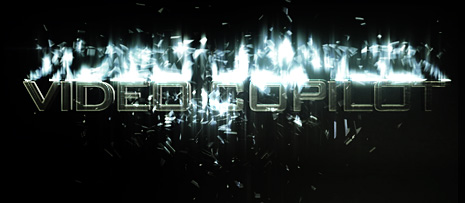
After further experimentation, I’m now working on a follow-up tutorial that takes this technique even further using more built-in plug-ins for a shatter-like effect that breaks up your titles.
And ya, there is a subtle flash of our Optical Flares plug-in to spice it up
134 RESPONSES TO "More Destruction"
Post a Comment!
Before Posting
We're trying to encourage more thoughtful commenting. Please take a moment to write a meaningful response to this post.
Also remember to read the rules on posting first.
We're trying to encourage more thoughtful commenting. Please take a moment to write a meaningful response to this post.
Also remember to read the rules on posting first.


Whoa that looks awsome!
I’ve been thinking of making a title similar to the one you made (just the title part) in that video. Was the text/title in AE, or 3DS Max??
NICE!!!! this looks sweet.
That title is made in After Effects… a bevel with a gradient and a texture.
Also, you never tweet me back…. hahaha… you should sometime.
Nice, reminds me of terminator for some reason. Love the shatner clip
I like it alot, seems to have too much blur at a certain point when ending.
Too much blur? I think it needs some more!
Agreed!
Oh, cool! I love the blur, especially at the very end.
that looks really hot esepcially in the screenshot pic, i dunno about having the camera keep moving once it smashes though
Shatner Effects Rule!
How do you do that blur at the end by the way? Do you just use one of the blur effects? or…?
HAHAHA Shatner Effects, i totaly bought it!
now this i cant wait for, too bad i dont have optical flares. can i do dishes or somthing in return?
I was going to mess with other plugins for this technique as well. I was thinking perhaps pixel poly or something.
LOL! I’ve always wanted to know something like this and now you are going to teach it! You are awesome
The Shattering looks great and I think about the blur issue…
The Blur is enough I actually made almost the same effect
like that before..(sort of a title sequence for a presentation) and i wanted the scene to be realistic…
Being insaned, I broke 5 glasses in the floor and record it… and play it in a 50% value of speed and I think less speed…
I think this shatter effect would be an exciting tutorial..
Thanks Andrew for sharing…
es impresionante lo que haces con el ordenador, sigo aprendiendo. gracias
very good… Amazing
bokeh in after effects? yes please!!!
Shatner Rules. Henceforth we should call shatter effects… shatner effects.
That’s pretty sweet, I just wish the camera didn’t move around so we could see the effect better.
wow.. i seen a lot of your tutorial but this is so powerfull
I like it! Looking forward to the tutorial.
So when’s the next tutorial releasing? I really liked the previous one and am looking forward to the next one.
Haha Mr. Priceline would be proud. I agree I love shallow depth of field but this is a little too much blur, but man I can’t wait to hear about how this was done!
HOLY SHATNER!!! I enjoy the follow-up tuts. Can’t wait.
you should get the job doing the new titles for an upcoming transformer movie with that stuff, pretty inspired as always
hello andrew
first srry 4 my bad english
sec.. ur tutorials r great ever seen
thi.. can u make a title collected like TraNsForms
trust me that will be a great tuto…
keep going
Fell for the Shatner link…can’t wait to see how to do this shatter effect, although some more particles and shimmer would be nice. Still a great effect though.
Andrew You are amazing!
Amazing way you used the cc ball action effect but personally I would like to see more of a glass shatter effect.
Are the Glass like shards flying off created in after effects of images linked to a particle system?
Hope to see in the tutorial more in depth on how the text is made and if you wouldn’t mind sharing the awesome texture?
Can’t wait for your next master piece!!!
Matthew Sabia
I think the blur looks really nice.
Did you use the lens effect in twitch or was it just the camera’s depth of field in AE?
like transformers
this is ridiculously nice. thanks again mr.kramer.
4.5 star from me
ok ,the gravity seems to be a little
and i think it need more dragfield
did you use twitch for this title?
I definitely think it’s awesome!
But i think the blur makes it confusing. Because you only see the shatter clearly in a short flash. the ammount of blur is good, but the use of it is a little confusing!
But good!!
Nice effect :] Can’t wait to see the tutorial!
As a man… I love stuff that breaks B)
it’s very action.
thanks
AK! You’re the man, man!
Looking forward to see the tutorial!
Thanks from the Netherlands!
Cool, but….
particles should go down – not up ?!!!!!
That looks amazing! Can’t wait for the tutorial! Are you going to show how to make the text itself?
hey AnDRew Could you make a tutorial about thiss photoo ?? isss excelentt a pic…..
Some of these comments… What are you guys talking about?
“Hey Andrew, there is too much blur, it confuses me…”
“Shouldn’t the particles go down instead of up?”
“Would metal break up like that in the real world?!!”
Give me a break!
It’s Andrew’s design! He can do whatever he wants. If you don’t like it, make your own. It’s like telling someone they should wear different color shoes!
Everytime he posts something cool there are always a few people that have to put in their 2 cents…
I think it just the limit of software.
as we know,you are ” A K—47 ” of AE
powerful enough to breakthrough the limit between
AE and max
Andrew, you’re my hero. Can’t wait for the new tutorial
Hi there !
Thank u andrew for sharing this nice shatter title with us .. keep it going !
Josh..I agree with u totally!
It’s Andrew’s design!!
by Josh Clawson
“It’s like telling someone they should wear different color shoes!”
But dude.. pink and green polka dotted shoes, seriously.
man,we are all cg boy .that’s why we are here.
it’s our job
I wish I could make friend here to share skills
and experience freely.
personally I don’t doubt AK his ability.
perfect
I think everyone would say what he wants.
and I think AK should be more and all exchange
for so many people
I mean around the world
Awesome, will be release a AE project for this?
you blurred it out at the wrong time(line)..i wanted to see the dispersion…is this dispersing like boris blue extrusion tutorial?? you know…their preset is great but im all out love(money)..
..im so lost without chou..
Wow…i love it…funny thing…we think alike..i was just trying to get something like that ha ha. Of course…i’m far from geting it donne as good as you but, i’m learning…and i have the best teacher ever. All the best to you.
what font is dat..?
Shatner effects… genius… pure genius!
made in After Effects… a bevel with a gradient and a texture??? wow, looks like 3d text, love teh effect cant wait for the tutorial on this!
Are you using the CC Shatter plugin, or just editing the CC Ball Action plugin?
I’m working on this project listening to this song, it’s so appropriate ! http://www.youtube.com/watch?v=ZpUYjpKg9KY
Yes Mr. Kramer, you’re on a roll!
I saw the movie leaves of grass and saw Edward Norton playing a double role as his twinbrother, they show in the picture together at the same time, maybe an idea for a tutorial how to multiply yourself, sort of a Kramer vs Kramer ??
Mr.Kramer may you please show how to make the title in the upcoming tutorial that would be great. Thank you for all the awesome tutorials.
Well.. when my PC is up and running again (damn stupid 8800gtx) I have plenty of stuff to learn again from you Mr. Kramer!
Every time I visit this page something new and cool has come out. And every time I do a tutorial I feel like I’m a Rock Star of motion graphics, but I’m just pretending actually I’m singing on a karaoke show and after few beers anything seems possible, until the next morning and killer hangover. Thank you Andrew Kramer.
= ]
Yo Andrew, you must have read my mind. I was playing with the technique from the last tutorial with the card dance plug in in AE, but it looks like you beat me to the punch. I’m going to see what can be done with a shape layer incorporating some transform properties with the technique. Great inspirational tutorial instead of a proceedural one this time – thanks as always for massaging the grey matter.
@Josh Clawson…
It’s called criticism, sure it’s Andrews design and it’s awesome, doesn’t mean absolutely ALL comments have to be “ANDREW ROCKS” or other obligatory suck ups.
Nothing wrong with feedback for ideas/improvements, comments like “this sucks” ect… are obviously another story.
“Other Shatner effects” was a good one haha.
Very cool.. Can’t wait to see the expanded tutorial. I’m not trying agree just to agree, but I think more blur!
Not only do I love the shatter..but I love the sound effects. Where did get that from? Also Andrew, do you know of a 3D emploding planet effect like off Star Trek?
I realy like that plug-in that you used, onces i worked at a TV Channel (Antena Latina) in my Conuntry (Dominican Rep. Next to Haiti) and i used it a lot, sometimes i felt like overusining but the animations look cool, right now i’m working on a projet and Shatter will be the leading Actor this time again.
Always great stuff. BTW Josh Clawson, wow,(Everytime he posts something cool there are always a few people that have to put in their 2 cents…)wahhhh!!!… somebody said something bad about my Andrew!!!! It’s called an opinion chief.
I would love to try that second effect but alas I dont have the Shatner plug in.
This looks fantastic! Looking forward to this one Andrew! Also definitely need MORE shatner effects lol.
hey i like it only thing i would do is take out the blur in Twitch. but the blur out is a nice touch
Where is the projectfile? :/
“Bones.. this…logo is shattering.”
“Damnit Jim! I’m a doctor, not a motion graphics artist!”
love it man, its amazing, were do you work out of?
What’s with the “Shatner_web.mov” file name LOL xD
that looks awesome, does the song is from Designer sound effects? Right?
OMG!!! Another tutorial?? … More waiting… Make sure it comes out QUICK!! I’m sure I’ll love it!
Did you… just… andrew-roll’ed me??
This looks like the title of Transformers xD
Thanks all Video Copilot teem and you, Andrew, for this revolutionarys plugins and toturials!
I’m crazy for it. Thanks
Wow that was AMAZING! I love it, can’t wait for the follow up tutorial.
hi ,AK. i’m a chinese .i watch your video 1 years ago
i want to tell you ,you are my teacher in USA.
i want to make friend with you ,hahaha……
if you sent a e-mail to me . i think i ‘m very very luckly!!!
i’m looking forwad you mail!
By the way ,you are god in AE
ANDREW KRAMER is a Marketing machine!!! He lures us to anywhere he wants!!! Just did my day! XD
AK ur a smartass, I love ya dude. Great work as always
Amazing creativity
If u gave a bit more of a 3D look to the particles when they shattered and added a bit of slow motion this would be even better.
All the way from SL
this is great wow wow wow wow wow woooooooooo
looks awesome, hopefully it will come online soon
How the F*** did you make that one?
Hey Adrew? when been this tutorial? he look amazing!
Too cool. WAY better than the balls….
thank you
I Live After Effect
wooooooooowwwww amazing!!!!!!
andrew in the feature tutorial of this sample, you can explain the creation of the title whith this look please, sorry for my bad english
pleaseeeee i beg u please put the project up.
wwwwooooooooooww!
I am from brazil and i love it!!
that was AMAZING!
Andrew…stop making us jalous make a tutorial
Ok first off that shatter looks amazing! love all your work andrew! I would love if you could show us how exactly to get that scratched 3d steel text! I have been trying for that effect for a long time! any help would be apreciated! Thanks for all you do!
As always, nice work. Seems kinda superficial saying that to you xp
what did the Star Trek thingy have to do with anything? lol xD
Wonderfull, incredible, fantastic and amazing
I think its looking pretty fine.. dont need too much blur.. May be for including more blur the text becomes absence.. But you knows better..
I love this make a tutorial!!!! lol Love the blur as well I’m a blur whore!!!!!
Looks great Andrew!
Niiiice!! Looks great!
You are a genius Mr. Kramer! You are constantly opening my eyes to new ways of working and approaching my work! You are a true inspiration! Thank you. Also, that looks seriously great!
Any tutorial
Give us more BLUR!
;o)
Keep Goin’ Andrew !!!
cabrones hijos de puta suelten el optical flares
strong & visually
what is the font?
Very beautiful effect.
Same question as Auffique’s btw: what font did you use for this title?
Many thanks in advance for the info.
Cool!
What is this font?
Can’t wait to see the tutorial! When will it be available?
IT is amazing … we want more effects from 3dsmax… pls..make it
Thaking u…
pramod
Hi Andrew Kramer! =) Thank you for your lessons, I am very grateful to you …. I know you’re busy man, but now wanted to ask you … I have an idea .. can you create a lesson? where a man turns into an animal or a werewolf. Please Andrew Kramer =) I know it know how to =) And no one doubts that. Answer please to my message.
wow just what i needed for our upcoming exibit. it matches my theme. hope u can release the tut early. hehehe.
Just love the audio too!
can u provide the project file please…..
Hi Andrew Kramer! =) Thank you for your lessons, I am very grateful to you …. I know you’re busy man, but now wanted to ask you … I have an idea .. can you create a lesson? where a man turns into an animal or a werewolf. Please Andrew Kramer =) I know it know how to =) And no one doubts that. Answer please to my message
Now THAT blew my mind completely.
Amazing work
It’s a cool technique, but having tried the Ball tutorial, it is INCEDIBLY fiddly. Surely someone can write a script to create and displace the layers. It would make life considerably easier!
wow…dats an awesome title effect…
u rock andrew kramer
you are the After Effects god!!!!
hey andrew ……
when u r goin 2 lauch this tutorial …… ????
i’ll be waitin fr this 1 …. !!!!!!
Regards
Ritesh …….
This is incredible! Exactly the sort of effect I’m looking to create. Can’t wait to see a tutorial for this. All of your tutorials are excellent and have accelerated my ability to learn AE faster than I could have ever hoped for. A huge thanks to you!
why don’t you make an iphone/ipod touch app
Esta Chido, me gusta mas el efecto de sonido
Can’t Wait for this Tutorial, This Effect is really nice.
Btw, which font is that?
Thanks again, without you my after effects education would have talking a whole lot more time. I also like your products… (I bought Them All. ^__^)
Hi andrew, im from colombia, excuse my english please, …. let me know when you going to do more tutorials to special effects movies….. thanks friend
all i wanna say is please don’t skip this tut kind sir
This is badass….when is the tutorial coming?
That’s awsommmmmmmmmmmmme ~~~
It’s amazing! Cool!
@Andrew Kramer
Andrew… excuse me… How do you make the sound track of the video?
this is a great tutorial. i would love to make something like that of my own (ovisiously not the same thing) but my AE cs4 is too cool for me (doesnt work) so i cant
This one has got to be one of my favorite copilot tutorials. I usually get told off for breaking glass though…