Andrew Kramer on February 26th, 2010 2:17 pm
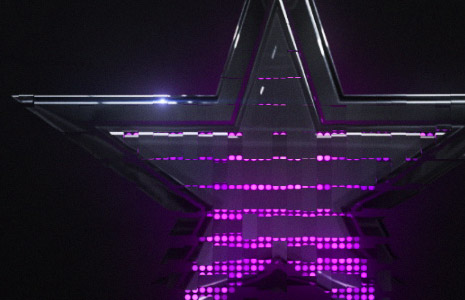
So… I spent some more time playing with the CC Ball Action effect to create a logo reveal. I think there is a lot of possibilities with this plug-in and to simplify one step, we even created a quick script that offsets the layers. In this example I used the Card Wipe filter to animate the logo on after the Ball Action animation.
This example does demonstrate that the animating pattern of the “balls” can be any shape to fit your design. Still working on the tutorial, until then!
149 RESPONSES TO "MORE STAR ACTION"
POST A COMMENT!
Before Posting
We're trying to encourage more thoughtful commenting. Please take a moment to write a meaningful response to this post.
Also remember to read the rules on posting first.
We're trying to encourage more thoughtful commenting. Please take a moment to write a meaningful response to this post.
Also remember to read the rules on posting first.
3D MODELS


Nice one!
Keep it going!
Looks good!
Looking foward to the tutorial!
Nice! you are awesome
Hey andrew!
When are you going to do a tutorial?
btw. Nice Sample vid.
Nice job dude…
Keep it flowing in…
Very nice, I will have to take a closer look at that plugin
i knew you could get a nice optical flare in there! thats was awesome
Nice!!!1 When are you goning to make a tutorial. Its been a long long time since last tutorial.
=:]
Very smooth. It’s not always easy to transition from a light effect to a texture like the one in the example. The card dance effect help to tie everything together. Well done! Looking forward to the tute/project. Thx for sharing this, Andrew.
You get an “A” for making “Card Wipe” look cool.
Nice Sample, Andrew!
I’m looking forward to see the tut.
Wow! So cool, The star logo was made with 3D Max right?
Great possibilities but I like the Wave test the best so far.
i smell a tutorial
VERY COOL ANIMATION
WoW! Quite simple, but looks like something pretty hard-to-do. Awesome job, Andrew!
Looks good, looking forward to the amazing tutorial, which i know it is going to be. Any scheduling for another blog show thing, as the last lot have been really useful.
Dude that is dope boy fresh. Like always I just wanna say thank you, I love the fact that you’re always giving to the community. I especially love buying your products! Keep rockin’ them tuts homie, you keep a lot of peeps on their toes!
kool looks like it’s going to be a good one!
you clever dog you, you’re incorporating more Optical Flares, so I’ll buy it, I want it so bad, still saving!!! like always, you are the MAN Andrew, this one had me drooling a bit
A plug-in is one thing, what some people do with it is infinte…
Hey, I WANT A TUTORIAL ! =D
That is a cool blend of different effects
Can’t wait for tut!!!
I wonder how to make this transitions from particles into balls…
Holy Star Batma… ur, um Kramer.
(…always wanted to say that…)
That whole reason that Red Giant software stays in buisness is because people don’t mess around with the plugins that come with AE. As you are showing once again that the stuff inside AE is just as powerful as any third party plugin. Sure, it takes longer. But the ability is there.
Wow, that looks cool!
I’m trying to guess how you did that! Because you taught me HOW to think in AE =)
woooow, i wasnt really to interested in this upcoming tutorial until i seen this test vid. very nice and now im waiting. =]
you sure like them balls dont ya andy ya dirty boy!
May we have a tutorial on that 3d star there? I have the hardest time in 3DS with reflective materials and the like…
awesome, you’re a star!
gettit? star?
OMG Andrew! OMG! This id the most amazing thing you have ever made!!!!!! And I mean that!!!!! Very Nice Job!!!!!
Very nice, great usage of Optical Flares once again. Best Plugin i have ever bought! Looking forward to the tutorial!!
holy crap, that’s awesome!
*Sniff Sniff* Ya smell that??? Smells like a sweet tutorial cooking.
Lovely!
looks amazing
I’ll try to recreate that tomorrow evening, but i doubt ill get anywhere near :p
Wow, awesome work:)
Awesome!!! wating the tutorial, i think i gonna need something like this in a video thank for it
just outanding!!!
great Andrew great work keep it up
I’m waiting for the tutorial
I would love to see the balls bounce into position or roll from all sides into a center position, is that possible with this effect?
Woah!!! I see an awesome subtle use of Opticle Flars at the end – plays out great over all!! Again, can’t wait for the tutorial.
this is amazing, cool andrew
Great, i had a feeling, uuh uhhh, did you heard it?
thanks man u d man
This is amazing Andrew I hope your making a tutorial on this video!
And if you want to take a look I am very pleased on how to video with this effect came out, check it out! – http://www.youtube.com/watch?v=xGWpsyhrwgE
I like the possiblity of being able to conform to any shape…….simply
if you like this kind of animations, you should really consider Cinema 4D and the MoGraph module!
Looks great! Looking forward to the tutorial.
You are a blessed person ANDREW!
I feel like falling at your blessed FEET
!
Great Work Man!
this is better than Previus Example…
Thanks
looks really cool
i am looking forward to the tutorial!
I love the use of old school AE effects. I would love to see more tutorials with oldies like this.
I Like it! but do you used a 3D object as the star?
Star quality! Looking forward to the next tutorial
Hi Andrew,
I have been an avid viewer of your tutorials/website for the past 3 years and this is only my second post.
I felt compelled to post after seeing this video on youtube. I know its alot to ask so here goes nothing. A short 10 minute video tutorial on how to do this would be very much appreciated. Only interested in the first 18 seconds of the video featuring the portrait pictures flying into view in 3D space. Had sleepless nights since then.
http://www.youtube.com/watch?v=sepIHp0QkfY&feature=fvw
Many thanks
T
wanna tutorial
looks greats
HI Andrew,
your tutorial are really cool and that looks also very good : I have question could you make a tutorial with 3d max or Cinema 4D how to make a similar 3d picture (animatetd or not)which you have for you Optical flares Pro Presets( or is that tutorial in the Pro Presets dvd)
if not ok
tutorial please Andrew
looks great! i cant wait for a tutorial
tutorial please!
Totally Awesome as always Andrew. Looking forward to the tutorial.
Andrew Kramer is a prodigy at motion graphics, that is all there is to say.
å¤ªé…·äº†ï¼Œé…·çš„æ— æ³•è¨€å–»ï¼
Too cool, and cool can not put into words!
Andrew is a genius! Really awesome effect!
simply amazing, this is the mind of a genius at work…. keep it up andrew! loving the optical flares btw, its really taken my buisness to the next step, cant wait for the tutorial
Really awesome effect!……………jesus christ.. how ur doing………….
That is a tut, i cant wait for
That’s like amazing ! , Can u make a tutorial?
Please make a tutorial! That was SO cool!
Hey andrew thats a sweet effect.
is there a chance that you cuold explain a bit abuot the compressions and quality of .mov or maybe other formats?
Thanks a lot for all those free tutorials… I really apreciate it.
Sorry for my bad english.
The things you are capable of….
Frankly, I don’t feel like these kind of effects are that interesting. Of course it is nice you explore new stuff, but these effects just look dull.
nice nice nice… a tutorial please aK
Wow…i think that’s perfect Master…
Hi there Andrew i have only one question for you
how come you don’t work at film production companies say like paramount or universal or Columbia at post production department?
you wood make a lot of money there or is it you just don’t like bosses at you back ?
great video BTW keep it up
excuse my poor English…
cheers Socrates
Thomas delete all of kramer did from your mind and whats you know ? NOTHIIING
don’t take care about him kramie.. keep working
Holy SHEEt thats awesome.
this is great!!!! But what happend to the blog show????
i always stay here ,looking forward your amazing tutorial
Nice and simple tutorial for us beginners in AE! Hope you can give us more tutorials! Thanks and more power!
when this tutorial be launch ???
WOW!!!!!
Thanks Andrew
I love you.
Hi anderw
Thanks
i am looking forward to the tutorial!
I Love U
Just Anderw
I am Edris Mohammadi From Iran/Sanandaj
thank u Andrew am looking this since last two weeks so please share this
Just started watching “Interpreting the Lost Symbol” and it had VideoCopilot tutorials written all over it. So you see your tutorials are very much appreciated by everyone
I’m hoping that there’ll be a way to use an already-existing logo in place of that star . . . I can see uses galore for this.
Hi.What’s Up Andrew.
This Is Very Good Looking You!
I LOVE U.
dude this is awesome.
i thought i would look cool if it was red, so it can represent Russia.
it would be awesome if they used something like this in call of duty, when you play as the russians.
I came across this and the rest is history.
http://www.studiodaily.com/main/richmedia/Create-Lens-Flare-in-After-Effects-and-Trapcode-Shine_10560.html
wow thats sick^^ hope the tutorial comes soon
you r the man compadre!!!!!!!!!
it looks great…elegant…one quick favor…
can u send a message to your fans here in CHILE?..we had a terrible earthquake yesterday and frankly i am still a little bit spooked..
thank u so much
greetings from CHILE
looking very good hey andrew, one question, could You make a tutorial of how so set up the render output for web videos like the ones that you post?
Hey, Mr T,
About the video on YouTube (http://www.youtube.com/watch?v=sepIHp0QkfY&feature=fvw), I’m pretty sure there’s a lot of tutorials out there.
I can give you some hints if you’re really interested too. Mail me and we can talk about it. What you’re trying to achieve can be done with Particular and it’s absurdly simple.
Here’s a nice one just for starters: http://library.creativecow.net/articles/birnholz_rob/red_giant_3d_montage.php
Or maybe this one: http://www.wrigleyvideo.com/forum/index.php?showtopic=17413
Glad to be of help. Any doubts, feel free to mail me.
Sincerely,
Man In The Hat
You have got to make a tutorial on this one! Looks incredible!
little off topic, but i was looking at some online books, and i found this animation thats complete videocopilot! http://www.fablehaven.com
You took my brain. I watched all your tutorials for 3 weeks
Hey Andrew… just got this link through Video-Hive’s twitter feed… I think it is about time to get your own
I love the work and I have learned so much from you. Thank you for everything you do.
And then of course…. I find it.
I’m an idiot! lol
Grrr!!
I need a company logo like this D;
great work andrew, we need some tuto like this, plz andrew show us how can make it cooooooooool like u did
COOL!!!! Hey first comment of the month!
cool….i love tis..can u make a tutorial…?
Heey Andrew,
Your tutorials are in one word AWSOME keep up with this good work
And by the way I can’t wait for this tut to come
Greetz fron the Netherlands.
Captain America!
Why are your experiments better than my finished pieces !?!!
(grumble)
Would be so nice to see a tutorial for this. It’s exactly what I’ve been looking for.
is ther a tutoril coming for??
Very cool! When’s the next tutorial coming? Your pupils are waiting!
Phil
Andrew,
I just saw the movie “Panic Room” and they used the submerged tutorial like 6 times!!!! it was so obvious lol
You you Go Andrew!!! Can’t wait for the new tutorial, Looks like one of your best
You are the Master AE, you are the inspiration to learn more and more Ae. Thank you Andrew
I whant to see a tutorial! ^_^
hey Andrew..
awesome work really i like your worked…..i m crazy to see this plz creat a tut….?
Read before post
Otherwise you know that he is making one already… But it takes a f**** long time. I hope it will go away soon
Really Nice Will You Be Doing Video Tutorials For These
ei Andrew what are you doing???!!!why you arent making new tut????:@
looks amazing man, i would love a tut
greetings from holland
It takes alot of work to create tutorials, he is doing them for free so calm down and wait.
did he use any 3D programs for this, or just all in after effects?
um Matthew Sabia,
they made Panic room years ago, Andrew just made that tut last year, maybe he got the idea from it?
Yeah, that’s pretty sick. Great stuff as always.
Wow! Really nice stuff. I can’t wait for the tutorial! In the meantime, I’ll keep playing w/ my new Optical Flares! Thnx again, Andrew!
Hey andrew nice. i like it. very much. when is the PROMO for lens flare coming out. i wanna see the promo before i buy it. so that i can get the jist of it. thankx.
excelent effect!! can’t wait to see a tutorial!!
PS: what will happen to the optical flares promo video?
thanks for making tut’s (although there isn’t one yet, but I assume there will be) that don’t require additional plugins.
I cant wait for the new tut! :X
@ Matthew
Tutorials so good people are traveling forward in time to make the most of them
just one WORD .NICE.
hey Andrew! you work is amazing… but i whould like to know how you makes the 3D wall of lights.
seriously, you rocks!!
That is hot! Following you as always, sir.
dallas cowboys?
i have been looking out for the ball action as well but then in shapes of an audio player, i have no idea how you did that stuff with the star etc. how do you make the shapes for example? with generate?
Looking very forward to this tutorial. Great work Andrew! Keep it coming.
Should be a lot of fun, just getting over a cold so I can record this. One of the joys of having kids, they tend to get you sick more often.
Hey Andrew that really stinks! hope you feel better soon!
BTW: If any one want’s to check out my new test with 3D Max – http://www.youtube.com/watch?v=bxnSSxmnCJs – Thnaks Guys!
Chale, na u be the kramer!!! nice job…keep it going…we love you
Here’s my test using Card Wipe; it definitely has a lot of uses… Let me know what you think!
http://www.videocopilot.net/forum/viewtopic.php?f=20&t=32798
Hey Andrew-
What effect did you use on the star to get it to scale like that? or am i seeing things?
Thanx
Please Andrew, is there anyway to see a tutorial for this animation? plz andrew!! hehe thxx
oops! i just read the caption below the video
cant wait!!
Wow that was crazy…. i like it ……
Awesome stuff Andrew, can’t wait to see the tutorial.
Nice stuff Andrew
OMG! I WANT THE TUTORIAL NOW
What 3D app did you use to create the Star and what material?
Nice can u please do a tutorial? I would try to figure out that stuff like u do but im not good at it and I absolutely suck at expressions. I mostly do big picture stuff. pleas check out my site @ http://www.JohnsEBC007.webs.com or my other unfinished site at http://www.JAWProdutions.webs.com
I got a new video comin out soon so please don’t judge on my older videos cuz i didn’t have as much editing power back then. Also i no u have a life and all but could u possibly start makin tutorials more often like u used to cuz u haven’t made on in a while.
YOU ROCK ANDREW!!!
Impressive! Love it!
Andrew hi ti is Awesome
pls teach card wipe
is there a tutorial to do THIS star? I tried to follow in the project file but mine wont come out right and im using a different shape…. THANKS