|
VIDEO COPILOT BLOG News, Updates, Projects Files & Tips |
|
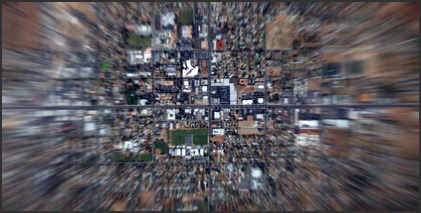
I was experimenting tonight with a fast way to create those fun Cosmic Earth Zooms. I even used the 3D fractal to create some of the clouds that get passed by. Although it could be done with still images and render a lot faster and look just as good. In fact, I wasted my time rendering those clouds. What is wrong with me! This project was 720p too!
Oh well, just be careful, if we do this effect too much we could travel back in time like Superman. I’ll probably get a tutorial together soon.

congratulations, looks great! a tutorial would be awesome!
Damn, that looks very nice. I’m hoping for a tutorial!
Yes, a tutorial on this would be great!
great!hope for the tutorial!
Very nice. I happened to do one a couple of weeks ago with a satellite cloud map, which also looked very good. I ripped the images from google earth and overlayed them on top of each other.
Is this what you did too?
it looks really good.. but i think it can be done mch better.. i mean at a point the surrounding wuz too much of green it looked gasy.. i mean before the clouds came, but its a really nice job.
um trying out this technique and its really working..thnx fr sharin.
and also um.. could you giv a lil advice on sth.. um making vfx for a storm scene.. a huge tornado comes with rain.. we can only see the tornad when there is a ligjtning..
anyways thnx
Looks awesome! I need to do some of these for a project I am working on. This would be a GREAT tutorial! The clouds look cool, but you’re right stills would be much easier.
wow that is amazing. one day i mite be good enough to make something nearly that good.
Hey, thanks for this – I’m looking forward to the tutorial
Yeah, a tutorial will be great!
Nice effect ! maybe it can be possible to start from a window or someone looking up. Just a suggestion, maybe those links “Watch Video” in this section may open a new window to play … (i always close window after view and … )
Thx
Will
Bordeaux, France
Great look! Realized that a while ago with Cinema 4d but it didn´t work out very well!
Nice work!
Grischa
@Will welcome to the world of Wordpress..u’ll get used to it haha!!
Anyways, this effect is like the one that I wanna learn most after seeing Pierre’s work in trapcode.com.. Tutorial would be awesome Andrew, AWESOME! hope u make it quick I just cant wait!!
Well I can agree with you that the 3D fractal was a waste of time on this kind of project. I am really looking forward to see this tutorial, I’ve seen some people just record google earth to get this effect.
But please do it without the 3d fractals in the tutorial
Awesome effect waiting for a tutorial aswell
p.s i used it once in a project and had to record google earth
looking good. i’ll be waiting for the tutorial
[quote]Awesome effect waiting for a tutorial aswell
p.s i used it once in a project and had to record google earth[/quote]
heheheh same here
make tutorial andrew (L)
Man, I love this, I am another one who asks for tutorial for this….
Holy crap… I really wanna know how you blended all these scenes together so smoothly, I’m guessing it has mutiply images for the zoom. Please get this tutorial up next… I just can’t wait!
Peace in the middle east,
Craig
hi,
For that effect i had seen this tutorial : http://www.blog.nx6design.info/index.php/2006/10/30/37-tuto-video-after-effects-n3-clip-funky
Sorry it is in french but it look pretty good
Enjoy
This looks very nice. Would love a tutorial. Btw, congratulations on Video Copilot, love the site and all the tuts.
That’s so great! How did you manage to do this? Looking forward to see more of this!
Regards,
Martin
Cool tutorial link. I’m sure the final result will be polished by the time it hits the streets. Getting the images together took the most time.
Google…. What is this? They have maps? Internet? Computers? Where am I?
Andrew I gave your designer SFX a nice little plug on my blog. check it out.
Bones
Great job =)
Isn’t it just a box viewed from the inside textured with a world map. ALigned properly and then just pulled a camera backwards? Adding the clouds is to hide the joints. you can see it isn’t completely seamless
Cool!
Is that the effect CC Radial Blur?
To cover up the seems I just used a circular mask with a huge feather. At high velocity you don’t even notice it’s feathered.
…….ANDREW, YOU GET A MEDAL!!! Wow that was awesome and that would make a great video tutorial. Oh and Congrats on all most being a father!!! You should have the baby on you lap while you record a tutorial so that him/her can give input yo improve your After Effects skills!
Nice Job Andrew!
Is this the place where you live?
Sergei
DUDE THAT WAS CRAZY!!! Tutorial for SURE man. This can come in HANDY baby. Its like resident evil 3 trailer style. Please make a tut man.
Clinton Jones
That was really cool! How did you do the planet? It looks similar to an exploding planet in a tutorial by Aaron Rabinowitz. Except it was a tutorial on time remaping, and he didn’t show how to make it. Oh, by the way, a little bit of wiggle on the rotation of the camera as it “flys” up would be freakin’ awesome! I look forward to the tutorial. Keep up the work
Oh Andrew, ur just Superb!!!!
I’m speechless this time.
Thanx 4 everything.
Warm Regards
Sandy
…You said you removed that camera …. you are sooo busted, total violation of the restraining order.
It’s wonderful ! Where did you find this 3D-Earth ???
Andrew, give it up man…quit your day job and just record tutorials for the people…we deserve it…don’t we?
Keep on rockin!
Ooooo do write a tutorial on it. I think I may know how but I would like to see your method as well.
Dan aka Gonads, 16
United Kingdom
guess the only thing to say is: TUTORIAL ME NOW!!!
I checked out your shipping address on Google Map and it seems to point the same region as the satelitte view from your video.
So are we looking down on Andrew Kramer’s den in this video?
Really like the video. Thank you
Michel
The earth at the end looks great, especially with the blue halo.
Iliès, cg student
Belgium
This location is pretty close to where I am, just a few towns over. The earth was actually pretty easy. Although I did it in 3D max. I’m thinking it can be done in AE too. We’ll see. I have something planned for this weeks tutorial but I’ll try to do it next.
Thanks for the post Bones, and yes my daughter is going to be an AE wiz, if she wants to ; )
Cheers,
Andrew
wow,what a great Earth Zooms effect!
thx for ur tutorials.
holy gees…
that’s awesome!
James Wicks just sent me a cool version of this effect. Perhaps he may share it here…
Looks awesome
) Do you plan to teach us 3D max too ? ![]()
Looking forward to see a tutorial of this effect.
Cheers,
Marc
Paris, France
Looks pretty nice, guess I’ll jump on the band wagon and say, “Can’t wait for the tutorial!” but I also must say “what happened to Andrew Kramer ‘taking it to the next level’?”
No planet rotation, and a big fat glare on the earth, as if it were a snow globe.
Loved the star field, here’s a good tutorial for making the globe without making it 3D and it rotates, with moving clouds…
//quote Brad
Looks pretty nice, guess I’ll jump on the band wagon and say, “Can’t wait for the tutorial!” but I also must say “what happened to Andrew Kramer ‘taking it to the next level’?”
//
I’m pretty sure the “next level” will come with the tutorial
Iliès, cg student
Belgium
Hey Andrew when are you going to display customer reels on Video Copillot??? I’m finishing up a bunch of effects and trailer type stuff that I want to submit. Have u been getting many submissions?
Bones
It looks awesome and im hoping for a toturail. It would also be nice to have the camera move to the right or left a little, maybe rotate around the earth!
Oh my god, that is so crazy. I can’t wait for the tutorial!
Check out my site: http://www.et-films.net
I’m turning 16 in a few days and I can’t wait until I
get my iMac!!!!!!!!
Hey all,
I downloaded Andrew’s Zoom QT file and gave it a tweak in AE 7, and sent it back to him.
Maybe if he thinks the suggestions are good enough, he’ll incorporate them into his tutorial – and take it to the next level.
Here’s hoping!
Best,
James Wicks
Executive Producer
http://www.wicksfilms.com
West Palm Beach, FL
Great man, still with great work.
TUtorial would be so helpful..
I watched it again in slomo.. Id say this is pretty much as good as it can get..never occur to me to mask off a little portion on the globe to see thru it while zooming out..now that I know..I shud give it a shot!!
** Also I actually love the portrution(spelling?) of the land on the globe..I think I can achieve that with photoshop using bevel/contour edges…( I dont know how to work any 3D appl
)
Man that is awesome would love to see a tut.
First, I have to tell you that your tutorials by far the greatest! I discovered your site from Creative Cow…thanks to them. Now, i’m going have to ditch all the AE tutorials that i bought for my company. Hehe. I think this “Zoom-out of the Earth” video that you’re experimenting will be perfect for my up-coming project. It will be a perfect for the opening/closing seqences. Would be nice if you could post up a tutorial for this. Keep up the good work! I’m in the process of ordering your DVDs including the Sound FX. THNX!!!
Yeha i agree with everyone else, that surely needs a tutorial, ive always wanted to do somehting like that
Andrew,
With all the latest/greatest tutorials that you’ve released I’m just wondering what you could possibly have in store for us if/when Serious FX 2 comes out.
I can’t wait!
Great stuff man. Just the 100th comment saying how much I appreciate your site and all your work!
Jamie
Wow, talk about throwing us a bone…sorry, but you HAVE to do a tutorial now!
That was really cool. I have to be completely honest Andrew. I have learned more from watching your free tutorials on After Effects than from any other source which is why I purchased your Riot Gear DVD and Timelapse clouds DVD. Great stuff, keep it coming!
Hey Andrew.. Lovin it man, all of it. I think every time I see a tutorial of yours, I see several movies out there with them incorporated. Great! I know I use them, constantly.
Would love to see this one because I just did this scene and honestly, mine looks like ummm, KeeeeeRAP! I’ve already thanked you, but thanks again for the tutorials. Best I’ve seen…
can’t wait for the tutorial
IT’LL BE DEFINITELY A KICKASS TUTORIAL … LOVE THIS EFFECT, it’s awesome!! MUY BUENO!!!
please make a tutorial on this!!!
That’s So cool!
good job…what have bin cool had bin that when you hitt the ground or closing inn on the houses you swich over to the example movie were you knock down sam (btw i just love that clip)….aaaaaanyway….good work
After seeing this I knew I had to try it, and somehow I had to make an intro trailer for breakdancing crew and though it somehow not related to it at all…I kinda forced it in hahaha its reandering now I will post it up here after I upload it to youtube or something…
Andrew kept giving me ideas and tips directly and indirectly so big thanks to him!!
Hang on…
… the earth is ROUND?
jeez.
Wow that was awsome! Looking forword to see a tutorial.
Keep up the good work. Helping me out so much.
Another vote for the tutorial on this from me.
What I envisage for my own use for this though is to start with soemone on the street. zoom into to a closeup of the face. zoom into the eye. the pupil of the eye becomes/fades into the planet scene. fast zoom in on the planet down to street level to the same person on the same street.
great work. Keep it all up and good luck with decorating that nursery!
z niecierpliwością czekam na tutka
Looks great.
I did a zoom in effect using Yahoo maps – their colors are way more consistent than Google’s.
I color corrected them all and kept scaling down each one to fit into the next larger, aligning and adding feathered masks as I went.
I added some Trapcode clouds, a couple of Fractal layers for clouds, then an Exponential Scale. A nice touch on the zoom in effect is to take it all and precomp it into a 3D layer and add a camera tilt/orbit at the end.
Here’s a great reference for anyone who doesn’t know it:
http://www.celestiamotherlode.net/
Jim W.
How many of you noticed in the Introduction tutorial (soundfx disc) Andrew has a folder labeled RIOT GEAR 2!!!! If you don’t own this disc is is another must have.
Was this a clue? He even says, Oh, what’s this as he highlights the Riot Gear 2 Folder. Very random but nice way to give a possible clue of what in the works amongst other things… Can’t believe no one else has mentioned this on the blog.
RIOT GEAR 2!!!!
Wow! That’s done so much better then some movies I’ve seen trying to use this same effect! Great job!
I think it looks great. The clouds help add to the whole project, even if you think it was a waste of time. Whatever you decide to do for your next tutorial, I am sure it will be excellent.
J – Michigan
great video, can’t wait for the tutorial, keep it up Andrew!
Mark they have….
in previous blog entries…
Amazing work as usual Andrew. I’ve been in the business for awhile and seeing your approach always generates new ideas for me. Finally convinced me to go ahead and order some of your DVDs.
Oh, and what the hell.. I’ll bandwagon.. Another vote for a tutorial.
Geez! That is really nice! a tutorial would be the greatest thing ever for this effect!!!
Wow, sick effect.
Tutorial requested!!!!!
here is what I come up with.. I tried doing without the cloud being my transition..works out fine…still not as good as andrew’s
http://youtube.com/watch?v=EeaaIx_D3NY
The idea behind the effect is very simple. however, i just know the tutorial is going to be jam packed with little, and clever things that andrew has discovered while toying with this effect and perfecting it. And as usual, we will likely end up walking away from it knowing a little bit more about AE ^^
Keep em coming A.K!
actually, after more careful analizing of this sample video, this does indeed seem to be a rather cleverly done effect
Cant wait to see what little things you came up with to make this effect look the way it does ;]
Nice Effect! I use your tutorials in projects all the time, and love the way they are free and accessible to young hopeful designers like myself. This would also make a great tutorial! Keep it up!
Wow, I made something like this recently and had a few methods of doing it, But yours looks amazing
Where did you get the satellite images? I had to get some low res picts on maps.google.com
what blog you refering to when you sat they did, regarding riot gear 2….
This is what I use at work, for hi-res images of the Earth this site has some great pictures. http://visibleearth.nasa.gov/view_set.php?categoryID=2355
Thank you NASA!
I just started playing around with making this effect and it’s actually a really fun effect to make and quite doable. Mine is looking pretty sweet already but of course when the tutorial comes out I will hit myself as I find all the many better ways it could have been done and all the little short cuts.
Llo from France! I confirm that this link to the NASA website is really great, I use it for a tutorial. The difficulty is to fine a vertical view of a town, I’m looking forward to this tutorial. And thanks a lot for the Design Sound Fx!
@Roni
Hey man… please.. if that is your site.. I beg of you to have it have english as well as French..
tutorial request!!!!!!!!!!!!!
Some guy up here asked if u was gonna teach 3D Max also. Now, I dont know what you have time for or what u want to do/ don’t want to do. But If You could be my (and many others) teacher in 3D max, then my dream would come true! You rock!
Morten.
hey!!how are you? no speak english much, but is also, full, etc in spaninsh: ese video esta vacano, deberian hacaer un tutorial de este..
chao
Just adding my voice to those who will benefit from this “Infinite Zoom” tutorial. I appreciate you being a mind reader! LOL.
Thanks for your time, Andrew.
thats awsome. would love to see a tutorial on that. great work
Wow! How the hell did you make it look so good? Seriosuly, somebody try and find me a better one! Nice work.
Looks amazing, I’m trying to do something like this for a tank shell using 2 different clips. Can’t wait for the tutorial, looks really good.
Moist! truly moist.
I’m waiting for the tutorial too..!!!!
heaven on earth! what else can you wish for! it’s all here!!!
haha the best of everything to you master!
barry barrera
jbsynchrovision video
philippines
tut…tut…tut…tut…(everybody) TUT!…TUT!…TUT!…TUT!
We need it!!!
please make a tut!!!!!!!!!!!!!!!!!!!!!!!!!!!!!
Andrew 4 Predz
Hey Andrew, nice effect!
Here’s an idea (you may as yet not have considered), why not make a tutorial that exlplains how you did it?
It’s so crazy it just might work… =)
Hi Andrew
Can you PLEASE make a tutorial to exlplains how you did it
Thank you
TUTORIAL TUTORIAL TUTORIAL! PLEASE!!!!!!!!!!!!!!!!!!! hehehehe…
THAT IS SOOOO COOL! I reckon if the Earth was rotating ever so slightly at the end and was on the angle of 23.5 degrees, it would be perfect! But that was truly amazing!
Where can someone download such a high rez satellite photo of a city?
Hi there…
the effect is awesome I was trying to the something like this. can you please put a tutorial ? Pleaseee
Hi Adrew,
I greatly appreciate all of your tutorials. Great job!
With Earth Zoom however I have some problems trying to reproduce it with pictures referring to my area. The point is that I can zoom back until a certain point, but after that the size of he first picture goes negative…. Is there a ratio to follow i.e. the various pictures have to be 50% of the previous one?
I would greatly appreciate some help.
Thanks again for your great tutorials.
Claudio, Italy
Ki Toy Johnson Pic…
Man i love reading your blog, interesting posts !…

Before Posting
We're trying to encourage more thoughtful commenting. Please take a moment to write a meaningful response to this post.
Also remember to read the rules on posting first.
Leave a Comment


seriously that was awesome, you have to put a tutorial together. I’ve been wanting to know how to do that effect since for ever.
I try to view it in slow mo and i still dont get it.
keep up the great work