 ALL DESIGN TOOLS

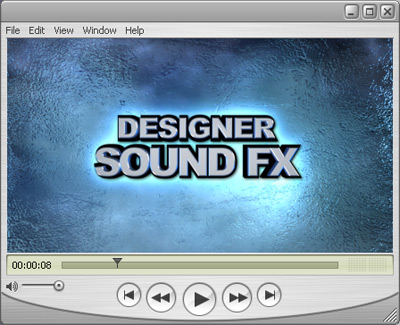
Here is a Quicktime version of the Designer Sound FX promo for those who asked for it. There is a lot of detail that gets lost when you compress to Flash. It is nice to share the original.
June 21st, 2007

36 Comments
woowho2000
18 years ago
Just bought the DSFX and Riot Gear... great products. One question I have and I hope this is a good place to post it is, At the beginning of the DSFX promo, you had a light streak fly through. I didn't see this in the project files that came with DSFX. Can you tell me how you created this. It really caught my eye when I first seen the promo and I would be curious to hear how this was created. Thanks, keep up the great work!
The new guy
18 years ago
Awesome tutorial !
And one question for Andrew Kramer. I dont get any sound on After effect, how can I fix it ?
And one question for Andrew Kramer. I dont get any sound on After effect, how can I fix it ?
David
18 years ago
On a houston public tv station....it say visual and sound effects that very similar to yours. I could tell they used your stuff and adapted it to their message.
luiboy
18 years ago
you guys have really neat tutorials. anyway, i wanna know what is the bg music u used for this tutorial? im looking for bg music just like that. care to tell where you'd get it from? or is it included in the designer sound fx?  thanks a lot
thanks a lot
rick q.
18 years ago
OK...just bought the sound effects. WOW! I used to only have about 3-4 shooshes now I own "100" very usable efx that will take my work to another level.
Good work...keep it up!
Rick Q.
Good work...keep it up!
Rick Q.
Jake14
18 years ago
Hi Andrew I have 2 questions for you about that awesome trailer promo.
1. What is that last drum beat build up? Is it number 28? I heard something like that in a transformers TV spot.
2. How did you get the ice to look cracked in the promo? I know you used a picture from Riot Gear and layered it on top of the ice, but how did you do it?
Thanks!!!
1. What is that last drum beat build up? Is it number 28? I heard something like that in a transformers TV spot.
2. How did you get the ice to look cracked in the promo? I know you used a picture from Riot Gear and layered it on top of the ice, but how did you do it?
Thanks!!!
Hey Andrew, I just got your product and it is amazing!! Just 2 things: 1) iTunes is great for organizing but Windows Media Player plays back with better quality, keep that in mind if you listen to music. and 2) you always look like you are really busy, do you devote time to your wife?(I had a problem that I was always busy with graphics and my girlfriend dumped me because I never spent time with her being the nerd that I am)(and she was kind of temperamental too).
Rick Q.
18 years ago
Hey Andrew...anyway to include more sounds in your tuts to get a broader idea of whats on your SFX DVD? Or customer reels of artist who use them?
Thanks, Rick
Thanks, Rick
Dustin James
18 years ago
@Some Guy
NO WAY!!! I DO TOO!!! hehe... and I still use the 35mm film look all the time... hehe
@Andrew K
the video brought tears... Last summer I was seriously thinking of asking mr. kramer if I could intern with him... but seeing as only about a year ago did i get the courage built up enough to even email him...
(all my friends think I have a man crush... lol... including my g/f)
NO WAY!!! I DO TOO!!! hehe... and I still use the 35mm film look all the time... hehe
@Andrew K
the video brought tears... Last summer I was seriously thinking of asking mr. kramer if I could intern with him... but seeing as only about a year ago did i get the courage built up enough to even email him...
(all my friends think I have a man crush... lol... including my g/f)
Some Guy
18 years ago
@Andrew Kramer:
Hehe, I still have that City Explosion After Effects Project...
Hehe, I still have that City Explosion After Effects Project...
How do you import things from 3ds max into after effects also, is the 3d modeller blender compatible? http://www.blender.org/
KimOhNo
18 years ago
Really great Andrew. Like it a lot. Seems like it should start to use 3dsMax soon !
Dustin is old school!
We're coming up on 2 years in July. Where has the time gone.
http://www.youtube.com/watch?v=bmuvnqGTzpo
We're coming up on 2 years in July. Where has the time gone.
http://www.youtube.com/watch?v=bmuvnqGTzpo
Dustin James
18 years ago
I'm on here enough to be a moderator... and I've been coming here since the good old Jet aircraft banner.... hehehe... the good ole' grey site...

gautam pandey
18 years ago
hey andrew!
man! am i glad that i found videocopilot!! you've got a a gfreat teaching style and i've really learnt a lot from you. Thanks for sharing..
do you ship to india?
please say yes!
man! am i glad that i found videocopilot!! you've got a a gfreat teaching style and i've really learnt a lot from you. Thanks for sharing..
do you ship to india?
please say yes!
Some Guy
18 years ago
@Dustin James:
I think it was done with Trapcode Particular. Check out this Light Streaks Tutorial:
http://www.videocopilot.net/videotutorials/nano2
It's the same, only with a simple form and without any turbulence and wiggle.
@Andrew Kramer:
I think we need a forum.
I think it was done with Trapcode Particular. Check out this Light Streaks Tutorial:
http://www.videocopilot.net/videotutorials/nano2
It's the same, only with a simple form and without any turbulence and wiggle.
@Andrew Kramer:
I think we need a forum.
Dustin James
18 years ago
I want to know about the curved flare at the beginning... how'd you do that? right when it says Video Copilot Production.. the blue white swish the curves then disappears...
Dan
18 years ago
Hey so is the blue background made with 3dmax or in AE using the Riot Gear?
cause it looks it has a bump map on it
cause it looks it has a bump map on it
Antoine
18 years ago
Hey Andrew !
Congratulations for your tutorials they are really great !
But I'm from Belgium and I can't see as lot as website i'd like to...
How can I donload your tutorials so I wont have to reload the movie to see the tutorial again ?
Thanks
Antoine
Congratulations for your tutorials they are really great !
But I'm from Belgium and I can't see as lot as website i'd like to...
How can I donload your tutorials so I wont have to reload the movie to see the tutorial again ?
Thanks
Antoine
The cracks are from a texture from the Riot Gear collection. http://www.videocopilot.net/riotgear.html
I just tinted them blue.
Also, one interesting point is that the cracks don't get bigger, but perhaps the sounds make it seem like they do. Sound makes a big difference...
I just tinted them blue.
Also, one interesting point is that the cracks don't get bigger, but perhaps the sounds make it seem like they do. Sound makes a big difference...
Noah
18 years ago
That
was
really
cool
Just curious, how did you do the cracks on that one background, you know, where the cracks got bigger each time they got hit. I'm guessing it's something with fractal noise, but I couldn't get there to be a central "crack" point.
was
really
cool
Just curious, how did you do the cracks on that one background, you know, where the cracks got bigger each time they got hit. I'm guessing it's something with fractal noise, but I couldn't get there to be a central "crack" point.
Dan
18 years ago
Is it possible to recreate this texture in AE?
also in the soundfx product page there is "500 soundFX" title this is done a 3D program or AE?
also in the soundfx product page there is "500 soundFX" title this is done a 3D program or AE?
3dsmax was used to to create the ICE. Our resident 3D guy, Bobby Hommel pulled that image together. We worked on the shatter system and used multiple forces to "explode" it. The Lens flare at the end is from Knoll Lens flare pro, and on the DVD, I just used the regular lens flare and it looked just as good.
Great Andrew!
thanks for sharing the trailer on the real Quick time formats, few question i like to know, though i know its inside the products but i guess you can share a little, the ice background, how did you create that so real, basically i understand how the reverse shatter effect was made, but the ice back ground and the text effect at the begining which says : video-copilot , can you just give us a tip of how its be done
Tunslike
thanks for sharing the trailer on the real Quick time formats, few question i like to know, though i know its inside the products but i guess you can share a little, the ice background, how did you create that so real, basically i understand how the reverse shatter effect was made, but the ice back ground and the text effect at the begining which says : video-copilot , can you just give us a tip of how its be done
Tunslike
CHRiS
18 years ago
@Dan and Blair: just buy the Designer Sound FX - you get the complete AE project for the promo...
@Andrew: hey, how about sharing the turnover?
Greetings from Germany
@Andrew: hey, how about sharing the turnover?
Greetings from Germany


